Complete the kit


Turn quiet afternoons into listening time
- Thousands of audiobooks, podcasts and originals
- Listen on your phone, tablet or Echo — also offline
- Cancel anytime
Key Takeaways
- The eufy E30’s 4K image and no-subscription positioning make it the strongest fit for buyers who want detail and a clearer path to ongoing local use.
- Pan-and-tilt models such as the TP-Link 2K Pan Tilt and Kasa EC70 can show more of a room, while fixed cameras like Blink Mini 2K+ keep the view simpler and more predictable.
- Two-way audio appears across several options, but it is most useful when the person being monitored can hear and respond comfortably; it is not a substitute for an emergency response plan.
- The Tapo C100 and Kasa 1080p models trade resolution for straightforward, familiar indoor monitoring, which may suit households that do not need 4K detail.
- The Anona two-pack is the lineup’s clearest multi-room option, while the Tapo C120 and eufy C31 offer indoor/outdoor flexibility that may be unnecessary for a dedicated indoor care setup.
| TP-Link 2K Pan Tilt Security Camera for Baby Monitor, Dog Camera with Motion Detection, 2-Way Audio, Night Vision, Cloud & SD Storage |  | Best Overall | Resolution: 2K (2304 × 1296) | Pan and tilt: 360° horizontal, 114° vertical | Night vision range: 30 feet | VIEW ON AMAZON | See Our Full Breakdown |
| Blink Mini 2K+ Indoor Security Camera, Black |  | Best Compact Fixed-View Pick | Generation: 3rd generation | Video resolution: 2K (2560 × 1440) | Field of view: 138° diagonal | VIEW ON AMAZON | See Our Full Breakdown |
| GNCC 2K Indoor Security Camera with AI Motion Tracking |  | Best for Dual-Band Wi-Fi | Resolution: 2K (1920p) | Frame rate: 10 fps | Night vision range: 10 meters | VIEW ON AMAZON | See Our Full Breakdown |
| TP-Link Tapo C100 1080p Indoor Security Camera |  | Best for Straightforward Alerts | Model: Tapo C100 | Resolution: 1080p | Power source: Corded electric | VIEW ON AMAZON | See Our Full Breakdown |
| Aosu 2K Indoor Camera Baby Monitor for Home Security with 2.4GHz WiFi | 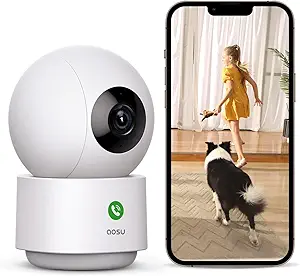 | Best for Full-Room Tracking | Resolution: 2K QHD | Wi-Fi: 2.4GHz | Rotation: 360° horizontal, 155° vertical | VIEW ON AMAZON | See Our Full Breakdown |
| SensForge 2.5K Indoor Pan-Tilt Security Camera with AI Detection, 360° Coverage, Two-Way Audio, 64GB SD Card Included |  | Best for Included Local Storage | Resolution: 2.5K | Pan and tilt: 360° horizontal, 90° vertical | Wi-Fi: Dual-band 2.4GHz and 5GHz | VIEW ON AMAZON | See Our Full Breakdown |
| Anona 4K UHD Indoor Camera with Pan-Tilt and AI Detection (2 Pack) |  | Best Two-Camera Kit for Detailed Monitoring | Resolution: 4K UHD, 8 MP | Zoom: 8x digital | Pan and tilt: 360° pan, 110° tilt | VIEW ON AMAZON | See Our Full Breakdown |
| Tapo 2K+ Indoor/Outdoor Wired Security Camera, C120 |  | Best for Indoor and Entryway Coverage | Resolution: 2K+ (4 MP) | Field of view: 120° diagonal | Night vision: Infrared and full-color night vision; range up to 30 ft | VIEW ON AMAZON | See Our Full Breakdown |
| Kasa 1080p Indoor Pan/Tilt Wired Security Camera, Baby & Pet Monitor, EC70 |  | Best Simple Starter Camera | Resolution: 1080p Full HD | Connectivity: 2.4GHz Wi-Fi | Storage: MicroSD up to 256GB, sold separately | VIEW ON AMAZON | See Our Full Breakdown |
| Cinnado 2K Indoor Security Camera for Pets and Baby with Phone App |  | Best for Broad Indoor Room Coverage | Resolution: 2K FHD | Monitoring: 360° pan and tilt | Night vision: 940nm infrared lights | VIEW ON AMAZON | See Our Full Breakdown |
| eufy Security 4K Indoor Camera E30, No Subscription, Pet Camera |  | Best for High-Detail Indoor Monitoring | Resolution: 4K | Panoramic view: 360° | Night vision: Color night vision with spotlight | VIEW ON AMAZON | See Our Full Breakdown |
| eufy Security Indoor/Outdoor Camera C31, 360° Pan & Tilt, AI AutoTracking |  | Best for Indoor and Outdoor Coverage | Video resolution: 1080p | Pan and tilt: 360° | Night vision: PureColor | VIEW ON AMAZON | See Our Full Breakdown |
| eufy Security Indoor Cam E220, Pet Camera with Pan and Tilt |  | Best for Smart Home Integration | Resolution: 2K (1440p) | Pan and tilt: Yes | Viewing coverage: 360 degrees | VIEW ON AMAZON | See Our Full Breakdown |
| xpai H80 4K Indoor Security Camera with 360° Pan/Tilt |  | Best for Crying and Sound Detection | Resolution: 4K | Pan and tilt: 360° rotation | Detection: Human, cat, dog, crying, motion, and sound | VIEW ON AMAZON | See Our Full Breakdown |
| Kasa 1080p Indoor Pan/Tilt Wired Security Camera, Baby & Pet Monitor |  | Best for Straightforward Alexa or Google Home Setups | Resolution: 1080p HD | Pan and tilt range: 360° horizontal, 113° vertical | Night vision: Up to 30 feet | VIEW ON AMAZON | See Our Full Breakdown |
| security camera for elderly | Resolution | Audio | Storage | Connectivity |
|---|---|---|---|---|
| TP-Link 2K Pan Tilt Security C | 2K (2304 × 1296) | Two-way audio | MicroSD up to 256 GB or cloud storage | 2.4GHz Wi-Fi |
| Blink Mini 2K+ Indoor Security | — | Two-way audio with noise cancellation | — | 2.4GHz Wi-Fi, 802.11b/g/n |
| GNCC 2K Indoor Security Camera | 2K (1920p) | Two-way audio | Cloud or SD card (16–128 GB; card not included) | 2.4GHz and 5GHz Wi-Fi; Bluetooth |
| TP-Link Tapo C100 1080p Indoor | 1080p | — | — | — |
| Aosu 2K Indoor Camera Baby Mon | 2K QHD | Two-way audio | — | — |
| SensForge 2.5K Indoor Pan-Tilt | 2.5K | Two-way audio | — | — |
| Anona 4K UHD Indoor Camera wit | 4K UHD, 8 MP | — | MicroSD up to 512GB; cloud storage available | — |
| Tapo 2K+ Indoor/Outdoor Wired | 2K+ (4 MP) | Full duplex two-way audio with noise cancellation | MicroSD up to 512GB; cloud options | — |
| Kasa 1080p Indoor Pan/Tilt Wir | 1080p Full HD | — | MicroSD up to 256GB, sold separately | 2.4GHz Wi-Fi |
| Cinnado 2K Indoor Security Cam | 2K FHD | Two-way audio | SD card up to 128GB, not included; cloud storage | 2.4GHz Wi-Fi |
| eufy Security 4K Indoor Camera | 4K | Two-way communication | SD card, sold separately | — |
| eufy Security Indoor/Outdoor C | — | Two-way audio | MicroSD 32GB–256GB or compatible HomeBase Mini/3 | Wi-Fi with dual external antennas |
| eufy Security Indoor Cam E220 | 2K (1440p) | — | — | Wi-Fi, 2.4 GHz only |
| xpai H80 4K Indoor Security Ca | 4K | Two-way audio | Local recording, supports up to 512GB | — |
| Kasa 1080p Indoor Pan/Tilt Wir | 1080p HD | Two-way audio | MicroSD up to 256GB or cloud storage | Wi-Fi, 2.4 GHz |
More Details on Our Top Picks
TP-Link 2K Pan Tilt Security Camera for Baby Monitor, Dog Camera with Motion Detection, 2-Way Audio, Night Vision, Cloud & SD Storage
For checking on an older relative from another room, the TP-Link C210 balances room coverage, clear video, and ways to communicate. Its 360° pan and 114° tilt let you scan a room remotely, while two-way audio can help you speak to someone without walking over. Compared with the fixed-view Blink Mini 2K+, it can follow a wider area; its 2K video also gives more detail than the 1080p Tapo C100. That flexibility comes with setup choices: it uses 2.4GHz Wi-Fi, and local recording requires a separate microSD card. Cloud features may require Tapo Care. I’d choose it for a shared living space where remote viewing and conversation matter, but a fixed camera is simpler if one view covers the room.
Pros:- 2K video provides more image detail than the 1080p Tapo C100.
- 360° horizontal and 114° vertical movement can cover a broad room.
- Two-way audio supports quick conversation from another room.
- Local microSD and cloud storage options give families a choice.
Cons:- Requires a 2.4GHz Wi-Fi network.
- MicroSD card is not included.
- Some cloud features require a Tapo Care subscription.
Best for: Families who want to scan a shared room remotely and talk through the camera with an older relative.
Not ideal for: Households with only 5GHz Wi-Fi or anyone who wants a fixed view without pan-and-tilt setup.
- Resolution:2K (2304 × 1296)
- Pan and tilt:360° horizontal, 114° vertical
- Night vision range:30 feet
- Storage:MicroSD up to 256 GB or cloud storage
- Connectivity:2.4GHz Wi-Fi
- Audio:Two-way audio
- Compatibility:Alexa, Google Assistant, RTSP/ONVIF
Our verdict“Choose the C210 if you want one camera to cover a broad indoor space and support remote conversation.”
Blink Mini 2K+ Indoor Security Camera, Black
The Blink Mini 2K+ suits a family that wants a small camera aimed at a specific chair, doorway, or bedside area. At 2 × 2 inches, it takes little space, and its included stand and mounting hardware make placement straightforward. Two-way audio with noise cancellation can make short check-ins easier to hear. Unlike the pan-and-tilt TP-Link C210, this camera has a 138° diagonal fixed view; it cannot follow movement around the room, but it avoids remote repositioning when one angle is enough. Person and vehicle detection requires an optional subscription, so I would not pick it for subscription-free smart alerts. It also depends on a 2.4GHz network and plug-in power. For a compact, targeted view with Alexa compatibility, it is the simplest fit in this group.
Pros:- Compact 2 × 2-inch camera with stand and mounting hardware included.
- 2K video with up to 4× zoom.
- Two-way audio includes noise cancellation.
- Works with Alexa.
Cons:- Fixed 138° diagonal view cannot pan or tilt like the TP-Link C210.
- Person and vehicle detection requires an optional subscription.
- Requires 2.4GHz Wi-Fi and plug-in power.
Best for: Families who want a compact plug-in camera pointed at one regular location, such as a bedside area or favorite chair.
Not ideal for: Caregivers who need to follow someone across a room or want person detection without an optional subscription.
- Generation:3rd generation
- Video resolution:2K (2560 × 1440)
- Field of view:138° diagonal
- Zoom:Up to 4×
- Dimensions:2 × 2 × 1.57 inches
- Weight:65 g (camera only)
- Connectivity:2.4GHz Wi-Fi, 802.11b/g/n
- Power:Plug-in; 100–240 VAC, 50/60 Hz
- Audio:Two-way audio with noise cancellation
Our verdict“Pick the Blink Mini 2K+ for a small, easy-to-place camera when a single fixed view covers the area you need.”
GNCC 2K Indoor Security Camera with AI Motion Tracking
The GNCC camera is the lineup’s option for households whose network includes both 2.4GHz and 5GHz Wi-Fi; the TP-Link C210 and Blink Mini 2K+ are limited to 2.4GHz. Its pan-and-tilt movement and AI motion tracking can keep a moving person in view, while two-way audio supports a spoken check-in. The listed 10 fps frame rate is a clear tradeoff: movement may look less fluid than on cameras with higher frame rates, so this is better for occasional monitoring than watching fast activity closely. Night vision reaches 10 meters, and recordings can go to an SD card or cloud service, but neither the card nor ongoing cloud playback is included without extra cost. I’d favor it for dual-band flexibility, while the C210 is the more straightforward choice for shoppers prioritizing 360° coverage.
Pros:- Supports both 2.4GHz and 5GHz Wi-Fi, unlike the C210 and Blink Mini 2K+.
- AI motion tracking can follow movement across the room.
- Two-way audio and motion or sound alerts support remote check-ins.
- Night vision range is listed at 10 meters.
Cons:- 10 fps frame rate may make movement look less fluid.
- SD card is not included, and cloud playback requires a paid subscription after the trial.
- Its 340° pan and 80° tilt ranges are narrower than the C210’s listed coverage.
Best for: Families with a dual-band Wi-Fi setup who want motion tracking and two-way audio in an indoor camera.
Not ideal for: Caregivers who need smoother video for watching movement closely or want included local storage.
- Resolution:2K (1920p)
- Frame rate:10 fps
- Night vision range:10 meters
- Pan and tilt:340° horizontal, 80° vertical
- Connectivity:2.4GHz and 5GHz Wi-Fi; Bluetooth
- Storage:Cloud or SD card (16–128 GB; card not included)
- Audio:Two-way audio
- Mount type:Wall mount
Our verdict“Choose GNCC if dual-band Wi-Fi and motion tracking matter more to you than a higher frame rate or included storage.”
TP-Link Tapo C100 1080p Indoor Security Camera
The Tapo C100 is a practical fit when a family wants a fixed indoor view with alerts for activity and sound, rather than remote room scanning. It can detect motion, people, and baby crying, and its 30-foot infrared night vision supports viewing in a dark room. Two-way audio gives caregivers a way to speak through the camera; the built-in siren adds an alert feature, though it is not a substitute for a dedicated emergency response system. Compared with the 2K TP-Link C210, the C100 records at 1080p and does not pan or tilt. In return, it offers a simple fixed view and supports microSD cards up to 512 GB. I’d choose it for a consistent viewing angle and local recording, while shoppers wanting more visual detail or movable coverage should look at the C210.
Pros:- Detects motion, people, and baby crying.
- Infrared night vision reaches 30 feet.
- Two-way audio and a built-in siren add communication and alert options.
- Supports microSD recording up to 512 GB and RTSP/ONVIF integration.
Cons:- 1080p resolution offers less detail than the 2K C210.
- Fixed view cannot cover a room by panning or tilting.
- Indoor-only design is not water resistant, and the microSD card is not included.
Best for: Families who want a fixed indoor view with person and sound alerts, two-way audio, and the option of local recording.
Not ideal for: Caregivers who need pan-and-tilt coverage or prefer 2K video detail.
- Model:Tapo C100
- Resolution:1080p
- Power source:Corded electric
- Night vision range:30 feet
- Detection:Motion, person, and baby crying
- Local storage:MicroSD up to 512 GB; card not included
- Compatibility:Amazon Alexa and Google Assistant
- Integration:RTSP/ONVIF
Our verdict“Choose the C100 if a fixed 1080p view with person alerts and local recording covers your indoor monitoring needs.”
Aosu 2K Indoor Camera Baby Monitor for Home Security with 2.4GHz WiFi
The Aosu’s listed 360° horizontal and 155° vertical rotation make it a strong fit for caregivers who need to check several parts of one room from a single camera. Its motion tracking can follow activity, and two-way audio offers a way to talk remotely. That broad movement gives it a different role from the fixed-view Blink Mini 2K+, which is better suited to watching one chosen area. The Aosu is listed with 2K QHD video, though the supplied specs do not state a night-vision range, recording options, or a detection range; buyers who need those details should compare it with the TP-Link C210, which lists night vision and local or cloud storage. It also only supports 2.4GHz Wi-Fi. I’d shortlist it for room coverage, with the feature details as a deciding factor.
Pros:- 2K QHD resolution is listed for video monitoring.
- 360° horizontal and 155° vertical rotation can cover a wide area.
- Motion tracking can follow activity around the room.
- Two-way audio supports remote conversation.
Cons:- Limited to 2.4GHz Wi-Fi.
- The supplied product data does not specify night-vision range or storage options.
- Alexa voice control requires a compatible Alexa device.
Best for: Caregivers who want a rotating indoor camera with motion tracking to check multiple areas of a room.
Not ideal for: Households that rely on 5GHz Wi-Fi or need clearly specified night-vision and recording capabilities.
- Resolution:2K QHD
- Wi-Fi:2.4GHz
- Rotation:360° horizontal, 155° vertical
- Motion feature:Smart motion tracking
- Audio:Two-way audio
- Smart home compatibility:Alexa compatible
Our verdict“Choose the Aosu if rotating coverage and motion tracking are your priorities and its unspecified recording and night-view details meet your needs.”
SensForge 2.5K Indoor Pan-Tilt Security Camera with AI Detection, 360° Coverage, Two-Way Audio, 64GB SD Card Included
The SensForge is a strong fit for families who want room coverage and recording without buying a memory card separately. Its 360° pan and 90° tilt let one camera follow activity across a room, while human and pet detection can make alerts more relevant when checking on an older relative. Compared with the Kasa EC70, it offers higher resolution, dual-band Wi-Fi, and an included 64GB card; the Kasa is a simpler 1080p option. SensForge’s two-way audio supports brief check-ins, but it is still an indoor camera rather than a dedicated emergency response system. The app is limited to the U.S. and Canada, and AI video summaries require an optional membership, so its strongest value is basic local recording and monitoring.
Pros:- Included 64GB SD card supports local recording without a separate card purchase
- Pan and tilt cover a broad indoor room from one camera
- Human and pet detection can help filter routine movement alerts
- Dual-band Wi-Fi supports 2.4GHz and 5GHz networks
Cons:- Indoor-only design does not suit entrances or outdoor areas
- App availability is limited to the U.S. and Canada
- AI video summaries and highlight reels require optional Pro Membership
Best for: Families in the U.S. or Canada who want a pan-tilt indoor camera with local recording ready out of the box
Not ideal for: Caregivers who need outdoor or window-facing coverage, or who live where the app is unavailable
- Resolution:2.5K
- Pan and tilt:360° horizontal, 90° vertical
- Wi-Fi:Dual-band 2.4GHz and 5GHz
- Included storage:64GB SD card
- AI detection:Humans, pets, and motion
- Audio:Two-way audio
- Subscription:No subscription required for basic use
Our verdict“Choose SensForge if you want a broad-view indoor camera with local storage included and do not need outdoor coverage.”
Anona 4K UHD Indoor Camera with Pan-Tilt and AI Detection (2 Pack)
For a caregiver watching two rooms, Anona’s two-camera bundle can be more useful than a single higher-spec camera: one unit can cover a bedroom while the other watches a shared living space. Its 4K image, 8x digital zoom, and crying detection add detail and sound alerts beyond the SensForge’s listed human and pet detection. That feature set may also suit households monitoring a family member who needs frequent visual check-ins, though it does not replace a call system or in-person care. Anona supports auto-tracking and two-way audio, but each camera needs constant corded power, and the microSD card is sold separately. Setup may take more work than with the Kasa EC70, whose simpler 1080p feature set is easier to approach.
Pros:- Two cameras can cover separate rooms without moving one device
- 4K resolution and 8x digital zoom provide detailed views
- AI detection includes persons, pets, and crying
- Auto-tracking and two-way audio support remote check-ins
Cons:- Both cameras require constant corded power
- MicroSD cards are not included
- Setup may be complex for less technical users
Best for: Families who want two indoor camera viewpoints and value detailed video plus crying alerts
Not ideal for: People who need a battery camera, included local storage, or a simple one-room setup
- Resolution:4K UHD, 8 MP
- Zoom:8x digital
- Pan and tilt:360° pan, 110° tilt
- Wi-Fi:Dual-band Wi-Fi 6, 2.4GHz and 5GHz
- Storage:MicroSD up to 512GB; cloud storage available
- Power:Corded, 5V 10W
- AI detection:Persons, pets, and crying
- Compatibility:Smartphone app, Alexa, and Google Assistant
Our verdict“Pick the Anona two-pack if you need two detailed indoor viewpoints and can manage wired power and setup.”
Tapo 2K+ Indoor/Outdoor Wired Security Camera, C120
The Tapo C120 stands apart from indoor-only picks such as the Cinnado 2K because its weatherproof design can cover an entryway as well as an interior room. For families checking whether an older relative has reached the door or needs attention inside, its people, pet, vehicle, baby-cry, and glass-break detection offers a wider range of alert types than the Kasa EC70. Full duplex audio with noise cancellation can make a short conversation clearer, while color night vision helps retain detail after dark. The tradeoff is a fixed 120° field of view rather than pan-tilt coverage, so it cannot turn to follow someone across a room. A microSD card is extra, and some advanced features may require cloud service.
Pros:- Weatherproof design supports indoor or outdoor placement
- Detection covers people, pets, vehicles, baby crying, and glass breaking
- Full duplex two-way audio includes noise cancellation
- Color night vision and customizable privacy zones support practical monitoring
Cons:- Fixed 120° view cannot pan or tilt to follow movement
- MicroSD card is not included
- Some advanced features may require a cloud subscription
Best for: Caregivers who need one wired camera for an indoor room or sheltered outdoor entryway, with varied detection alerts
Not ideal for: Buyers who need a camera that pans across a room or want local storage included
- Resolution:2K+ (4 MP)
- Field of view:120° diagonal
- Night vision:Infrared and full-color night vision; range up to 30 ft
- Audio:Full duplex two-way audio with noise cancellation
- Storage:MicroSD up to 512GB; cloud options
- AI detection:People, pets, vehicles, baby crying, and glass breaking
- Power:5V, 1A adapter
- Compatibility:Alexa, Google Assistant, RTSP, and ONVIF
Our verdict“Choose the Tapo C120 if flexible indoor or outdoor placement matters more than pan-tilt room coverage.”
Kasa 1080p Indoor Pan/Tilt Wired Security Camera, Baby & Pet Monitor, EC70
The Kasa EC70 is the straightforward choice for a family that wants to try remote room monitoring without sorting through a long list of detection options. Its pan and tilt help cover more of a room than the fixed-view Tapo C120, and motion and sound alerts can prompt a caregiver to check the app. Compared with the SensForge, however, Kasa gives up higher resolution, dual-band Wi-Fi, and an included SD card. That makes it a more basic setup, but also a reasonable fit for someone who prefers familiar essentials over 4K detail or crying detection like the Anona offers. Local recording needs a separately purchased microSD card; without one, storage is limited unless you subscribe to Kasa Care.
Pros:- Pan and tilt can cover more of a room than a fixed-view camera
- Motion and sound detection provide basic activity alerts
- Local microSD recording is available without a required subscription
- Smart home interactions are supported
Cons:- 1080p resolution offers less detail than the SensForge, Anona, or Tapo C120
- Requires a 2.4GHz Wi-Fi network
- MicroSD card is sold separately, while cloud storage requires a plan
Best for: First-time users who want an uncomplicated indoor pan-tilt camera for occasional check-ins
Not ideal for: Caregivers who need high-resolution detail, 5GHz Wi-Fi, or local recording ready without buying a card
- Resolution:1080p Full HD
- Connectivity:2.4GHz Wi-Fi
- Storage:MicroSD up to 256GB, sold separately
- Camera movement:Pan and tilt
- Detection:Motion and sound
- Smart features:Smart actions and smart home integration
Our verdict“Choose the Kasa EC70 for basic indoor pan-tilt monitoring if 1080p and a separate memory card meet your needs.”
Cinnado 2K Indoor Security Camera for Pets and Baby with Phone App
Cinnado suits a caregiver who wants to scan a whole room from a phone without stepping up to the Anona two-camera kit. Its 360° pan and tilt can cover a broad area from one position, and 2K video offers more detail than the Kasa EC70’s 1080p feed. Two-way audio gives families a way to speak through the camera during a check-in, while SD-card or cloud storage offers a choice of recording approach. The tradeoff is a more basic detection description than the Tapo C120’s range of AI alerts: Cinnado lists smart motion detection, but not specialized person, pet, or sound categories. It also needs wired power, supports only 2.4GHz Wi-Fi, and does not include an SD card.
Pros:- 360° pan and tilt provide broad indoor room coverage
- 2K resolution offers more detail than the Kasa EC70
- Two-way audio enables brief remote conversations
- Supports SD-card and cloud storage, plus Alexa and Google Assistant
Cons:- Requires wired power and cannot be placed without an outlet
- Works only with 2.4GHz Wi-Fi
- SD card is not included and motion detection is less specialized than Tapo C120’s
Best for: Families who want a single indoor pan-tilt camera for a broad room and value 2K video with two-way audio
Not ideal for: People who need battery operation, 5GHz Wi-Fi, an included memory card, or specialized AI alerts
- Resolution:2K FHD
- Monitoring:360° pan and tilt
- Night vision:940nm infrared lights
- Motion detection:Motion alerts with push notifications
- Audio:Two-way audio
- Storage:SD card up to 128GB, not included; cloud storage
- Connectivity:2.4GHz Wi-Fi
- Power:Wired
Our verdict“Pick Cinnado for a broad-view 2K indoor camera if wired power and basic motion alerts are sufficient.”
eufy Security 4K Indoor Camera E30, No Subscription, Pet Camera
When recognizing details across a room matters, the eufy E30’s 4K video gives it an advantage over the 1080p eufy C31 and Kasa EC71. Its 360° view and two-way audio can help a family check on an older relative and speak through the camera, while AI detection may cut down on irrelevant alerts. Color night vision with a spotlight offers more nighttime detail than basic night vision, though the light may be unwelcome in a bedroom. Local SD card storage avoids a required subscription, but the card is sold separately, and optional cloud storage may add fees. HomeKit users should also note that resolution drops to 1080p through that integration. This pick suits buyers who prioritize image detail and can place it indoors near power and Wi-Fi.
Pros:- 4K video can show more detail than the 1080p eufy C31 and Kasa EC71
- 360° view helps cover a room from one camera position
- Two-way audio supports remote conversation
- Local SD storage avoids a required subscription
Cons:- SD card is sold separately
- HomeKit use limits video to 1080p
- Optional cloud storage may involve additional fees
Best for: Families who want detailed indoor video and two-way check-ins, and are comfortable buying and managing an SD card
Not ideal for: HomeKit users who expect 4K through that integration, or households seeking an outdoor camera
- Resolution:4K
- Panoramic view:360°
- Night vision:Color night vision with spotlight
- Audio:Two-way communication
- Storage:SD card, sold separately
- Smart home compatibility:HomeKit, Alexa, Google Assistant
Our verdict“Choose the E30 for high-detail indoor check-ins if you can supply an SD card and do not rely on HomeKit for 4K.”
eufy Security Indoor/Outdoor Camera C31, 360° Pan & Tilt, AI AutoTracking
The IP66 water resistance makes the eufy C31 the most flexible placement option here: it can monitor an indoor living area or a sheltered outdoor approach, unlike the indoor-only xpai H80. Its 360° pan and tilt with AI auto-tracking can follow movement, which may help when a relative moves between parts of a room. The tradeoff is resolution: 1080p offers less fine detail than the 4K eufy E30 or xpai H80. PureColor night vision supports color in low light, and dual antennas are intended to support a stable Wi-Fi connection. Local storage requires a separate microSD card or compatible HomeBase; there is no cloud subscription option. This is a better fit for households needing one camera to cover multiple kinds of spaces than for buyers focused on maximum detail.
Pros:- IP66 water resistance supports outdoor placement
- 360° pan and tilt with AI auto-tracking follows movement
- PureColor night vision provides color video in low light
- Supports microSD and compatible HomeBase local storage
Cons:- 1080p resolution provides less detail than the 4K eufy E30
- MicroSD card is not included
- No cloud subscription option is available
Best for: Families who need a pan-and-tilt camera that can be placed indoors or outdoors and prefer local storage
Not ideal for: Buyers who need 4K detail, cloud storage, or a camera that works without a separate storage purchase
- Video resolution:1080p
- Pan and tilt:360°
- Night vision:PureColor
- Water resistance:IP66
- Storage:MicroSD 32GB–256GB or compatible HomeBase Mini/3
- Power:Corded electric, 5 volts
- Audio:Two-way audio
- Connectivity:Wi-Fi with dual external antennas
Our verdict“Pick the C31 if you need one weather-resistant camera for broad indoor or outdoor coverage and accept 1080p video.”
eufy Security Indoor Cam E220, Pet Camera with Pan and Tilt
The eufy E220’s strongest case is its mix of 2K video and familiar smart home support. It works with Apple HomeKit, Google Assistant, and Alexa, giving it broader listed compatibility than the Kasa EC71, which supports Alexa and Google Home. Pan and tilt provide 360° coverage, and motion tracking can help keep a moving person in view; two-way audio is useful for a quick remote check-in. Compared with the 4K eufy E30, the E220 gives up image detail, but its 2K resolution still exceeds the 1080p Kasa EC71. The limits are practical: it only connects to 2.4 GHz Wi-Fi and is intended for indoor use. This camera makes sense for a household already using one of its supported platforms, provided the router and placement suit it.
Pros:- 2K resolution offers more detail than the 1080p Kasa EC71
- 360° pan and tilt with motion tracking can follow movement
- Works with HomeKit, Google Assistant, and Alexa
- Two-way audio supports remote check-ins
Cons:- Connects only to 2.4 GHz Wi-Fi
- Indoor use only
- Less resolution than the 4K eufy E30
Best for: Households using HomeKit, Google Assistant, or Alexa that want 2K video and pan-and-tilt coverage indoors
Not ideal for: Families needing outdoor monitoring, 5 GHz Wi-Fi support, or the detail of a 4K camera
- Resolution:2K (1440p)
- Pan and tilt:Yes
- Viewing coverage:360 degrees
- Night vision:Yes
- Connectivity:Wi-Fi, 2.4 GHz only
- Compatibility:Apple HomeKit, Google Assistant, Amazon Alexa
- Mount type:Ceiling mount
- Zoom:8X digital zoom
Our verdict“Choose the E220 for indoor coverage and broad smart home compatibility if your Wi-Fi supports 2.4 GHz.”
xpai H80 4K Indoor Security Camera with 360° Pan/Tilt
Among these indoor cameras, the xpai H80 stands out for listed crying and sound detection alongside people and pet detection. That makes it a distinctive option for a household that wants alerts tied to specific sounds, while the eufy E30 focuses on 4K video and AI detection without those sound categories specified. The H80 also offers 4K resolution, auto-tracking, and local recording up to 512GB, giving buyers substantial storage capacity without a required cloud plan. Its compact tabletop or wall mounting offers more placement choices than the ceiling-mounted eufy E220. The main tradeoff is that it is strictly an indoor, corded camera, and its listed viewing and field-of-view figures are narrower than its 360° rotation may suggest. Buyers should plan its position and power cable carefully.
Pros:- Detects crying, sound, people, cats, dogs, and motion
- 4K video with 360° rotation and AI auto-tracking
- Local recording supports storage cards up to 512GB
- Tabletop, wall, or door mounting gives placement flexibility
Cons:- Corded power limits placement
- Not water resistant and intended for indoor use
- Viewing angle and field of view are listed separately from its 360° rotation, which may make coverage harder to judge
Best for: Families who want indoor alerts for crying or sound as well as movement, with high-capacity local recording
Not ideal for: Anyone needing outdoor placement, battery operation, or a camera that can be positioned without a nearby power outlet
- Resolution:4K
- Pan and tilt:360° rotation
- Detection:Human, cat, dog, crying, motion, and sound
- Tracking:AI auto-tracking
- Storage:Local recording, supports up to 512GB
- Audio:Two-way audio
- Power:Corded electric, 5V, 5W
- Mounting:Tabletop, wall, or door
- Water resistance:Not water resistant; IP20
Our verdict“Choose the H80 for indoor monitoring where crying and sound alerts matter, if corded power and local card storage fit your setup.”
Kasa 1080p Indoor Pan/Tilt Wired Security Camera, Baby & Pet Monitor
The Kasa EC71 is the simpler-resolution option in this group: its 1080p video and 360° pan and tilt cover a room without the higher detail of the eufy E220’s 2K or the eufy E30’s 4K. For elderly monitoring, that tradeoff may be acceptable when the priority is checking a room and speaking through two-way audio, rather than zooming in on fine detail. Night vision is specified to 30 feet, and storage can be local on a microSD card or through cloud options. Unlike the eufy C31, it is an indoor camera and has no listed weather resistance. It also relies on 2.4 GHz Wi-Fi for remote access, and the card is not included. The EC71 suits homes already using Alexa or Google Home that want a basic wired pan-and-tilt camera.
Pros:- 360° horizontal and 113° vertical movement covers a room
- Two-way audio supports remote conversation
- Offers local microSD and cloud storage options
- Night vision is specified up to 30 feet
Cons:- 1080p video has less detail than the 2K eufy E220 and 4K eufy E30
- MicroSD card is not included
- Remote access requires a Wi-Fi connection
Best for: Alexa or Google Home households wanting an indoor wired camera for room checks, two-way audio, and local or cloud storage
Not ideal for: Buyers needing outdoor monitoring, higher-resolution detail, or remote access without Wi-Fi
- Resolution:1080p HD
- Pan and tilt range:360° horizontal, 113° vertical
- Night vision:Up to 30 feet
- Storage:MicroSD up to 256GB or cloud storage
- Connectivity:Wi-Fi, 2.4 GHz
- Compatibility:Alexa, Google Home
- Audio:Two-way audio
Our verdict“Pick the EC71 for basic indoor pan-and-tilt check-ins in an Alexa or Google Home household that has reliable Wi-Fi.”

How We Picked
I ranked these cameras around the practical needs of elderly care: a useful view of living spaces, clear two-way communication, manageable setup, and storage choices that fit the household. Resolution matters when checking details from a distance, but it does not automatically make a camera easier to use or more reassuring. Pan and tilt can help cover a larger area, while a fixed camera may be easier to position and feel less intrusive.
The ranking gives more weight to care-relevant flexibility and ownership clarity than to feature count alone. Models with local storage or no-subscription positioning stand out for households that want to limit recurring services, while multi-camera packs can make sense when one room is not enough. I also account for tradeoffs: app dependence, Wi-Fi requirements, room placement, and the privacy implications of always-on video. Product names and listed features are the basis for this comparison; individual compatibility and storage details should be checked before purchase.
| security camera for elderly | Audio |
|---|---|
| TP-Link 2K Pan Tilt Security C | Two-way audio |
| Blink Mini 2K+ Indoor Security | Two-way audio with noise cancellation |
| GNCC 2K Indoor Security Camera | Two-way audio |
| TP-Link Tapo C100 1080p Indoor | — |
| Aosu 2K Indoor Camera Baby Mon | Two-way audio |
| SensForge 2.5K Indoor Pan-Tilt | Two-way audio |
| Anona 4K UHD Indoor Camera wit | — |
| Tapo 2K+ Indoor/Outdoor Wired | Full duplex two-way audio with noise cancellation |
| Kasa 1080p Indoor Pan/Tilt Wir | — |
| Cinnado 2K Indoor Security Cam | Two-way audio |
| eufy Security 4K Indoor Camera | Two-way communication |
| eufy Security Indoor/Outdoor C | Two-way audio |
| eufy Security Indoor Cam E220 | — |
| xpai H80 4K Indoor Security Ca | Two-way audio |
| Kasa 1080p Indoor Pan/Tilt Wir | Two-way audio |
Factors to Consider When Choosing Security Camera For Elderly
Choosing a camera for an older adult is partly a technology decision and partly a household routine decision. I’d first decide what the camera needs to help with, then work backward to coverage, communication, storage, and privacy.Decide What You Need to See
Start with one specific purpose, such as checking whether someone is in the living room or being able to speak across the home. A camera aimed at a frequently used shared space can be more useful than trying to watch every room. Avoid placing it where the image captures private activities or visitors without their knowledge. A wide field of view can reduce blind spots, while pan and tilt can reach more angles but may need active control or tracking features. Before buying, check whether the camera can be positioned near power and a reliable Wi-Fi signal. The right view is the one that answers a practical question without recording more of someone’s life than necessary.
Treat Two-Way Audio as a Communication Aid
Two-way audio can make a remote check-in feel more direct, but it depends on the older adult being able to hear the speaker and understand how to respond. Test the expected routine with a family member: who initiates the call, which phone receives it, and what happens if nobody answers. A camera speaker is not a replacement for a phone, medical alert device, or emergency service. In a noisy room, weak speaker volume or a phone notification that is easy to miss can reduce the feature’s value. If conversation is the main goal, prioritize a simple app and a clear, repeatable calling routine over extra detection modes. Agree on when the camera may be used so check-ins feel expected rather than surprising.
Plan for Wi-Fi, Power, and App Ownership
Most indoor cameras need a dependable home network and a power outlet, so check both before choosing a mounting spot. Some models specify 2.4GHz Wi-Fi, which may require selecting the correct band during setup. Decide whose phone will own the account and whether another trusted person needs access if that phone is unavailable. App alerts can become overwhelming if motion sensitivity is too high, so plan to tune notifications for meaningful activity rather than every movement. A camera that is technically capable but difficult for the family to maintain may be less useful than a simpler model. Keep account recovery details available to the people responsible for ongoing care.
Compare Storage and Ongoing Access
Think about whether you need to watch live video only or review recordings after an event. Local SD card storage can reduce reliance on a cloud plan, but it may require a card purchase, formatting, or occasional checks that recording is working. Cloud storage may simplify remote playback, though it can bring recurring fees and account dependence. Check whether the camera continues to provide the functions you need if you decline a subscription; product listings can distinguish live view from recorded history. For elderly care, a clear plan for who can retrieve footage matters as much as the storage location. Limit retention and access to what the household actually needs.
Balance Coverage Against Privacy
A camera in a shared living area may support check-ins, but recording in bedrooms or bathrooms creates a serious privacy concern. Discuss the placement and purpose with the person being monitored, and involve them in decisions whenever possible. Pan-and-tilt models cover more space, yet their movement can feel less predictable than a fixed camera. A physical privacy shutter or a routine for switching the camera off can help, if the chosen model offers those controls. Consider whether motion tracking is appropriate for the person and setting; following movement is not always necessary for a useful check-in. Clear household rules help relatives, caregivers, and visitors understand when the camera is active.
Know When More Resolution or More Cameras Help
Higher resolution can make distant details easier to see, but a 4K image will not fix poor lighting, a blocked lens, or unreliable Wi-Fi. For a small room viewed on a phone, 1080p may already show what the family needs. A two-camera pack may be more practical than one rotating camera if two separate rooms need coverage at the same time. Before buying multiple units, decide whether each room has a distinct care purpose and whether anyone will manage the added alerts and feeds. Extra detection features can also mean more setup and notification tuning. Spend attention on placement and routine before adding cameras for coverage that may never be used.
Frequently Asked Questions
Can an indoor security camera tell me if an older adult has fallen?
A standard indoor camera is not a dependable fall detection system, even when it includes motion detection or AI tracking. Furniture, camera angle, lighting, and a person being out of view can all affect what the camera sees. Motion alerts can prompt a family member to check in, but they should not be treated as a confirmed emergency signal. If fall alerts are a key need, compare dedicated fall detection or medical alert systems and check how they contact responders. A camera can complement that plan by giving a visual check when someone is available to review it.
Is a pan-and-tilt camera better than a fixed camera for checking on someone at home?
Pan and tilt can cover more of one room from a single mounting point, which helps when the person moves between parts of a shared space. A fixed camera gives a stable view and can be simpler to position around a particular chair, doorway, or bed area. A rotating camera can leave one direction unobserved while it faces another, and movement tracking may raise privacy concerns. If the main need is a consistent check of one spot, a fixed model may be enough. Choose pan and tilt when room coverage is the priority and the household is comfortable with the camera’s movement.
Do I need a cloud subscription to use these cameras?
Not necessarily, but subscription-free use can still vary by model and feature. Some cameras support SD card recording or are marketed around no-subscription use, while others may reserve certain history or alerts for cloud plans. Read the current product details to confirm whether local storage is supported and whether live viewing, playback, and notifications work without a paid plan. Local cards give the household more direct control but may need setup and periodic checks. If remote access by multiple relatives matters, compare account and sharing limits as well as storage.
What should I do if the person I’m checking on does not use a smartphone?
The camera can still be monitored from a family member’s phone, but the person at home may not be able to answer a camera call or adjust settings. Decide whether the camera is for silent visual check-ins or for two-way conversation before paying for audio features. For communication, a familiar landline or simple phone may be easier for the older adult to use. A trusted relative can manage notifications and account access remotely, but someone should be designated to respond when an alert arrives. Explain when the camera is active and agree on check-in expectations so it supports the person’s comfort.
Should I buy one rotating camera or a multi-camera pack for more than one room?
One rotating camera can cover different angles in a single room, but it cannot show two separate rooms at once. A multi-camera setup is more suitable when distinct spaces need simultaneous coverage, such as a living room and an entry area. Each additional camera adds setup, power needs, app feeds, and privacy decisions. Begin with the room tied to the clearest care need, then see whether a second view would change what the family can do. The Anona two-pack is the lineup’s direct multi-room option, while the pan-and-tilt models are aimed at widening coverage within one space.
Conclusion
For most households seeking a flexible check-in camera, I’d choose the eufy Security 4K Indoor Camera E30 as the best overall fit, especially when image detail and no-subscription positioning matter. For best value, the Tapo C100 is a straightforward 1080p choice when a basic fixed indoor view is enough. Beginners may prefer the familiar, simple setup of a fixed camera such as the Blink Mini 2K+, while buyers who want more room coverage should compare the TP-Link 2K Pan Tilt and Kasa EC70. For a premium detail-focused option, consider the xpai H80 4K or E30 after checking app, storage, and privacy controls; for multiple rooms, the Anona 2-pack is the specific pick. Match the camera to the check-in routine, Wi-Fi, and consent of the person at home before deciding.