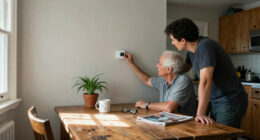

This guide helps seniors and caregivers select, set up, and test a medical alert system so the wearer can call for help after a fall, sudden illness, or other emergency. It is written for beginners who may be comparing systems for the first time. Plan on 1–3 hours to compare options and complete setup, with extra time to involve the wearer and test the system. The right choice depends on where the person spends time, whether they can press a button, available phone or cellular service, and the support they want from responders.

Turn quiet afternoons into listening time
- Thousands of audiobooks, podcasts and originals
- Listen on your phone, tablet or Echo — also offline
- Cancel anytime

SecuLife Medical Alert Pendant for Seniors with Fall Detection, GPS Tracking, and Two-Way Calling
- ✔ Connectivity: 4G LTE cellular
- ✔ Alert features: Fall alerts and SOS calling
- ✔ Location: GPS, geofencing, and location history

Wi-Fi Medical Alert System for Seniors with Call Buttons, Waterproof Wristband, Receiver, and LED Display
- ✔ Alert method: Receiver alarm and smartphone app
- ✔ Audible alarm: 110 dB
- ✔ Maximum stated range: Up to 300 feet

CallToU Caregiver Pager with 2 Wireless Call Buttons and 2 Receivers
- ✔ Included components: Two call buttons and two receivers
- ✔ Maximum stated range: Over 500 feet in open areas
- ✔ Ringtones: 55
Difficulty: Beginner | Time: 1–3 hours for research and setup; allow another 30–60 minutes for testing and practice
What You’ll Need
Tools & Materials:
- Phone or computer with internet access for comparing providers
- The senior’s home address and a list of emergency contacts
- A credit card or other accepted payment method
- Access to the home phone line or reliable cellular service, depending on system type
- A watch, pendant, or other wearable included with the selected system
Knowledge:
- A basic understanding of the senior’s mobility, health, and daily routine
- Which family members, neighbors, or caregivers can be contacted in an emergency
- Whether the home has a landline, usable cellular coverage, and Wi-Fi if required by the product
Ask the senior to take part in the choice whenever possible. Confirm costs, contract terms, cancellation rules, equipment return requirements, and whether fall detection is an extra charge. A medical alert system is not a replacement for emergency services or a personal care plan. For sudden symptoms that may be life-threatening, call the local emergency number directly.
SecuLife Medical Alert Pendant for Seniors with Fall Detection, GPS Tracking, and Two-Way Calling
For seniors who remain active outside the house, SecuLife is the most capable all-around option in this lineup. Its 4G LTE pendant combines SOS calling with two-way communication, so a selected contact can speak with the wearer rather than receiving only a signal that a button was pressed. GPS tracking and geofence alerts add context when a wearer travels, a meaningful distinction from the other two products, which are designed around local home receivers.Fall detection can provide another route to an alert if the wearer cannot press SOS, but we would not treat it as a substitute for a clear emergency plan. The IP67 water resistance supports everyday wear in wet conditions, while the large SOS button is intended to make manual activation straightforward. Battery life is less certain than the headline suggests: supplied information says up to six days and also gives an average of five. We would plan for frequent charging rather than assume a full six days.The compromise is service dependence. A monthly subscription is required, and cellular calling and location features make this a different commitment from the Wi-Fi receiver’s local alarm or CallToU’s caregiver pager. Choose SecuLife when mobility and communication matter more than avoiding recurring service costs; skip it if the senior is generally at home and a nearby caregiver can respond to a local alert.
Pros:
- GPS tracking includes geofence alerts and location history.
- Two-way cellular calling supports direct communication with selected contacts.
- Fall detection can send alerts without requiring a button press.
- IP67 water resistance supports everyday wear in wet conditions.
Cons:
- A monthly subscription is required for the service.
- Battery-life information varies between up to six days and an average of five days.
- It depends on cellular connectivity and regular charging.
Best for: Seniors who regularly leave home and want GPS, two-way cellular calling, fall alerts, and location sharing with selected contacts.
Not ideal for: People seeking a no-subscription home alert, or anyone unwilling to charge and wear a cellular pendant consistently.
Bottom line: We recommend SecuLife for mobile seniors who need location-aware, two-way help and accept a subscription and charging routine.
“We recommend SecuLife for mobile seniors who need location-aware, two-way help and accept a subscription and charging routine.”
Wi-Fi Medical Alert System for Seniors with Call Buttons, Waterproof Wristband, Receiver, and LED Display
This system is a practical middle ground for households that want a local alert without paying a monthly fee for the receiver alarm. Pressing a call button sounds the receiver’s 110 dB alarm, and wireless signaling is stated to reach up to 300 feet. Compared with CallToU, the system adds a smartphone app and shared notifications; compared with SecuLife, it does not offer cellular calling, GPS, or a mobile alert pendant.The waterproof wristband remote is useful for keeping an alert button close in the shower, a high-risk setting for falls. But waterproofing is not universal: the product description specifies only the wristband as waterproof, so we would keep other buttons and the receiver away from water. The app can share alerts with others, but SMS notifications require a subscription. Buyers should distinguish that optional service from the receiver’s alarm, which works without a monthly fee.Setup also has a specific networking constraint: Wi-Fi supports 2.4 GHz only. Homes configured solely for 5 GHz or users who do not want to manage app connectivity may find CallToU’s plug-in receiver arrangement simpler. This pick is best when a senior stays within the home’s wireless coverage and household members can respond to an alarm or app notification; it is not a replacement for a mobile cellular service.
Pros:
- The receiver alarm works without a monthly fee.
- App notifications can be shared with other people.
- The stated wireless range is up to 300 feet.
- The wristband remote is waterproof for shower use.
Cons:
- SMS notifications require a subscription.
- Wi-Fi supports 2.4 GHz only.
- Only the wristband remote is specified as waterproof.
Best for: Home-based seniors and families who want a loud local receiver alarm, a wearable shower-safe button, and optional shared app notifications.
Not ideal for: Seniors who need alerts to work away from home, or buyers who require every component to be waterproof or do not have 2.4 GHz Wi-Fi.
Bottom line: We favor this system for home use when a no-monthly-fee local alarm matters, provided the household accepts its Wi-Fi and waterproofing limits.
“We favor this system for home use when a no-monthly-fee local alarm matters, provided the household accepts its Wi-Fi and waterproofing limits.”
CallToU Caregiver Pager with 2 Wireless Call Buttons and 2 Receivers
CallToU is the simplest choice for a household that needs a caregiver to hear a call from more than one place. The set includes two wireless call buttons and two receivers, so receivers can be placed where caregivers spend time, while buttons can be worn on a neck strap or mounted. Its stated range exceeds 500 feet in open areas, longer than the Wi-Fi system’s stated 300 feet, although real indoor coverage can be reduced by walls and building layout.Unlike the Wi-Fi model, CallToU does not rely on a smartphone app or home Wi-Fi for its basic alert. That makes it easier to understand as a local caregiver pager, but also limits what happens after the receiver sounds: the supplied information describes no GPS, two-way calling, or cellular contact with someone outside the home. The 55 ringtone choices and five volume levels help households choose a sound and loudness that are noticeable without being fixed to one setting. Maximum volume is listed as 110 dB.Both buttons and receivers are described as waterproof and dustproof, a broader protection claim than the Wi-Fi product’s wristband-only waterproofing. The practical drawback is placement: receivers plug into electrical outlets, so coverage depends on choosing useful outlet locations and keeping receivers powered. Compared with SecuLife, this is much less suitable for independent outings; compared with the Wi-Fi system, it is a more direct two-button, two-receiver arrangement for caregiver coverage around the home.
Pros:
- Includes two call buttons and two receivers.
- Stated range exceeds 500 feet in open areas.
- Offers 55 ringtone choices and five volume levels up to 110 dB.
- Buttons and receivers are described as waterproof and dustproof.
Cons:
- Receivers must be plugged into electrical outlets.
- The stated range is for open areas and may not reflect indoor coverage.
- It is a local pager, not a GPS or cellular alert service.
Best for: Seniors living with or near a caregiver who want a basic local alert, two call points, and receivers in separate household areas.
Not ideal for: People who need GPS, remote two-way communication, or an alert that follows them away from home.
Bottom line: We choose CallToU for straightforward, multi-room caregiver alerts at home, but not for seniors who need mobile monitoring or direct outside contact.
“We choose CallToU for straightforward, multi-room caregiver alerts at home, but not for seniors who need mobile monitoring or direct outside contact.”
As an Amazon Associate we earn from qualifying purchases.
Before You Start
Write down the wearer’s home address, apartment or unit number, entry instructions, and any access details responders may need. List emergency contacts in the order the provider should call them. Check cellular reception in the rooms and outdoor areas the senior uses; a mobile unit may not work where its network has no signal. Confirm who will receive alerts if the wearer cannot answer, and discuss whether responders may enter the home. Do not rely on a single test result to establish coverage throughout a property.
Step-by-Step Instructions
Step 1: Map the wearer’s daily needs
Talk with the senior about where they spend time: at home, in the yard, on errands, or traveling. Note whether they live alone, use stairs, have a history of falls, can reach a phone, and can reliably press a button. Ask about hearing, vision, dexterity, and comfort wearing a pendant or wrist button. Record the situations in which they would want help and who they would prefer to contact.
Tip: Include ordinary routines, such as showering, gardening, and walking to a nearby shop. A system that stays on a bedside table cannot help when the wearer is away from it.
Check: You have a short written list of the wearer’s main risks, locations, and preferences.
Step 2: Choose the system type
Compare in-home systems with mobile systems. An in-home unit usually connects to a landline or cellular network and pairs with a wearable button. A mobile system uses a portable device with cellular service and often includes location tracking. Some providers offer both in one plan. Choose coverage that matches the wearer’s routine rather than buying features they will not use.
Ask how the system works during a power outage, whether the wearable works in the shower, how far it reaches from an in-home base, and whether GPS or location sharing is available. If the wearer may be unable to press a button after a fall, ask how automatic fall detection works, what it costs, and whether it can miss falls or trigger false alarms. Do not treat fall detection as guaranteed.
Tip: A mobile device depends on compatible network coverage and battery charge. An in-home pendant may have a limited range from its base, even if the provider advertises a large range.
Check: The selected type covers the places where the wearer needs help and suits their ability to operate and charge it.
Step 3: Compare providers and total costs
Contact at least two providers and ask for the full recurring and one-time cost in writing. Check the monthly service fee, equipment or activation charges, shipping, fall-detection fee, replacement costs, and any required commitment. Ask about cancellation, refunds, trial periods, and equipment return deadlines. Confirm what happens if a payment fails or the service is temporarily unavailable.
Ask whether trained operators answer calls at all hours, what languages are available, how operators identify the wearer, and how they contact emergency services and listed contacts. Confirm whether the provider serves the wearer’s location and whether the equipment is new or refurbished. Read the service agreement before paying; do not assume advertised prices include every feature.
Tip: Ask the provider to explain any unclear fee and record the representative’s answer, date, and contact details.
Check: You can explain the total expected cost, the cancellation process, and what the monitoring service will do after a call.
Step 4: Place the order and register accurate details
Order the chosen plan from the provider or an authorized seller. During registration, give the exact street address, unit number, callback number, emergency contacts, and access instructions. Share relevant information the monitoring operator needs, such as mobility limitations, language preference, or whether the wearer has a pet that may be in the home. Tell each contact that they have been listed and explain their expected role.
Keep the agreement, receipt, provider phone number, and account details in a place the caregiver can find. Ask how to update contact details if circumstances change.
Tip: A wrong unit number, old phone number, or unclear entry instruction can delay a response. Read the registered address back to the provider before ending the call.
Check: The provider has confirmed the correct address and contact list, and the wearer or caregiver has saved the account information.
Step 5: Install and position the equipment
Follow the manufacturer’s setup instructions for the base station or mobile unit. Plug an in-home base into the recommended outlet and phone connection, if required. Place it in an open area where the wearer can hear its prompts and operators can hear the wearer. Avoid hiding it in a cabinet or placing it behind thick furniture. Charge a mobile device fully before relying on it, and learn how to check its battery and cellular status.
Put the wearable on the senior in the position recommended by the manufacturer. If it is waterproof, confirm the stated water rating and wear instructions before using it in the shower. Keep the device accessible during sleep and other times the wearer may need help.
Tip: Do not unplug the base or leave a mobile device uncharged after setup. Follow the manual for battery backup and charging indicators.
Check: The unit shows normal power or connection status, and the wearable is comfortable and within reach.
Step 6: Test the connection with the provider
Call the provider’s non-emergency number before testing and ask how to place a test call. Follow its instructions, press the help button, and tell the operator that this is a scheduled test. Confirm that the operator can hear the wearer and can correctly state the registered name and address. Ask the operator to verify the contact and escalation details. If the system has mobile coverage, test it in the places the wearer plans to use it.
Do not call the local emergency number to test the device. If an actual emergency occurs during setup or testing, state that clearly and follow the operator’s directions.
Tip: Repeat the test from the bedroom, bathroom entrance, or other areas where the wearer might be alone, while following the provider’s testing policy.
Check: The monitoring center receives the test, hears the wearer, and confirms the correct identity and address.
Step 7: Practice using the alert and set a review routine
Show the senior how to press the help button, speak to the operator, and wait for a response. Explain that they should press it when they need help even if they are unsure whether the situation is serious. Practice what to say: their name, what happened, whether they are injured, and where they are. Review what to do if they press the button by mistake; typically, they should stay on the line and tell the operator, rather than trying to cancel without instructions.
Choose a caregiver to check the system’s charge and status on a regular schedule. Ask the provider how often to run a test and how to report a damaged or missing device. Update contacts and access instructions whenever they change.
Tip: Keep practice brief and repeat it until the wearer can operate the button without assistance. Do not make the wearer promise to use a phone instead of the alert button.
Check: The wearer can demonstrate the help button and describe what to do when an operator answers.
Common Mistakes to Avoid
- Choosing a system based only on its advertised price. — Compare the complete cost, including equipment, activation, fall detection, shipping, cancellation, and replacement fees, before ordering.
- Assuming a mobile unit works everywhere or an in-home wearable reaches every room. — Check network coverage and test the wearable in the locations the senior uses. Ask the provider for the device’s stated range and limits.
- Entering incomplete address or emergency-contact information. — Read back the full address, unit number, callback number, and contact order during registration; tell contacts they are listed.
- Leaving the wearable off, uncharged, or out of reach. — Select a wearable the senior will tolerate, establish a charging routine, and keep it on or close by as directed.
Troubleshooting
Problem: The base or mobile unit shows no connection or a weak signal.
Solution: Check the power connection, restart the unit as instructed, and move it to a more open location. For mobile units, test outdoors or in another area with better reception. Contact the provider if the status does not return to normal; do not rely on the unit until it is fixed.
Problem: The monitoring operator cannot hear the wearer or the wearer cannot hear the operator.
Solution: Move closer to the base or mobile unit and check that its speaker openings are not blocked. Confirm volume settings and repeat a provider-approved test. If two-way communication remains poor, contact technical support and ask what backup procedure to use.
Problem: A test call does not reach the monitoring center.
Solution: Check power, phone-line connections, cellular status, and the provider’s test instructions. Call the provider’s non-emergency support line for a supervised test. Do not keep pressing the button as a test without telling the provider.
Problem: The wearer cannot keep the device charged or refuses to wear it.
Solution: Ask what feels uncomfortable or difficult, then discuss another style, such as a wrist button or lighter mobile device. Set a consistent charging time and ask the provider about battery alerts. Do not assume the device will help if it is routinely left behind.
What Success Looks Like
The system is registered to the correct address, the emergency contacts and access instructions are current, and the equipment reports normal power and connection status. A scheduled test reaches the monitoring center, the operator can hear the wearer, and the operator confirms the correct identity and location. The senior can activate the alert and knows to speak with the operator. The caregiver knows how to check the device, contact support, and update account information.
Next Steps
Keep the provider’s support number and account details with the senior’s emergency information. Follow the provider’s recommended test schedule, check mobile batteries and wearable fit routinely, and repeat a test after moving equipment or changing phone or network service. Review the plan after a fall, a change in mobility, a move, or a change in who can respond. If the service cannot reach the wearer or the equipment repeatedly loses connection, contact the provider promptly and arrange a backup way to call for help while it is being repaired.
Frequently Asked Questions
Does a medical alert system replace calling emergency services?
No. A monitored system connects the wearer to an operator who can contact emergency services according to the provider’s procedures and the situation. For a known, life-threatening emergency, call the local emergency number directly if possible. Follow the operator’s instructions during an alert.
Some systems offer automatic fall detection, but it may not detect every fall and can sometimes trigger an alert when no fall occurred. Ask the provider how it works, whether it is included or costs extra, and what happens if the wearer does not respond. Keep the wearable’s manual help button available.
Can the senior wear the alert button in the shower?
Only if the specific wearable is rated for the intended water exposure and the manufacturer’s instructions allow it. Check the device’s water-resistance rating; do not infer that a button is waterproof because it is worn as a pendant or wristband.
How often should the system be tested?
Follow the provider’s stated test schedule and instructions. Contact the provider before a test if the process is unclear, and identify the call as a test so the monitoring center does not treat it as an emergency. Test again after moving the base or changing the phone or network setup.
Stay near the device and tell the operator it was accidental. The operator can confirm the wearer is safe and explain whether any follow-up is needed. Avoid hanging up or attempting an unfamiliar cancellation sequence unless the provider has instructed the wearer to do so.
Cold & flu season Picks
humidifiers
As an affiliate, we earn on qualifying purchases.