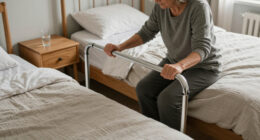
Senior-friendly smart home devices should do two things well: keep an aging loved one safe and stay simple enough that they actually use them every day. After comparing 13 of the most popular options, the DAYTECH WiFi Caregiver Call Button System stands out as my best overall pick because it pairs wearable buttons with phone app alerts, so family caregivers get notified even when they’re not in the house. The Flipper Big Button TV Remote is the clear choice if your goal is daily independence rather than emergency response, while the CallToU Caregiver Pager remains the go-to budget option for in-home coverage with no WiFi required. The main tradeoff in this category is between app-based alerts that work anywhere and traditional pager systems that work offline but only reach someone inside the home. Keep reading for the full breakdown, including who each device suits best and which ones are worth skipping.

Turn quiet afternoons into listening time
- Thousands of audiobooks, podcasts and originals
- Listen on your phone, tablet or Echo — also offline
- Cancel anytime
Key Takeaways
- WiFi-enabled call buttons (DAYTECH, CallToU Wi-Fi, SINGCALL, JoneR) beat offline pagers for long-distance caregivers because alerts reach a phone app from anywhere, but they all depend on a stable 2.4GHz network and power at the router.
- The DAYTECH kit earned best overall status because it is the only option combining a wrist-worn button, two receivers, and app alerts in one package — most rivals force you to choose between the pager and the phone.
- Offline pager systems like the CallToU Caregiver Pager and the Smart Caregiver Wireless system are the most reliable during internet outages and cost nothing to run, but they only work when a caregiver is physically inside the home.
- The JoneR WiFi Call Button with two-way voice is the strongest pick for seniors living alone, since it lets them talk to family through the button itself rather than just sending a silent alert.
- Only one product in this lineup (the Smart Caregiver motion sensor system) addresses fall and wandering prevention proactively — every other device requires the senior to press a button, which fails exactly when it’s needed most.
| CallToU Caregiver Pager with 2 Wireless Call Button for Elderly at Home |  | Best No-WiFi Starter Pick | Components: 2 receivers, 2 call buttons | Wireless Range: 500+ ft open area | Ringtone Options: 55 | VIEW LATEST PRICE | See Our Full Breakdown |
| DAYTECH WiFi Caregiver Call Button System with Phone App Alerts (1 Button, 1 Wrist Watch, 2 Receivers) |  | Best for Families Caring From Afar | Components: 1 call button, 1 wrist watch, 2 receivers | Connectivity: 2.4GHz Wi-Fi only | Ringtone Options: 20 | VIEW LATEST PRICE | See Our Full Breakdown |
| SINGCALL Tuya WiFi Smart SOS Caregiver Personal Alert Call Button Alarm |  | Best App-Only Alert Button | Components: 1 SOS call button | Connectivity: 2.4GHz Wi-Fi via Tuya app | Wearing Options: Neck pendant, pocket carry, or wall-mount with tape | VIEW LATEST PRICE | See Our Full Breakdown |
| PILSAMAS WiFi Smart Caregiver Pager, 1 Receiver, 2 Call Buttons & Wristband |  | Best Overall | Components: 1 receiver/hub, 2 call buttons, 1 wristband | Connectivity: 2.4GHz Wi-Fi hub with 433MHz button link | Wireless Range: 328 ft through walls | VIEW LATEST PRICE | See Our Full Breakdown |
| Smart Caregiver Wireless Motion Sensor Alarm System with Pager for Fall and Wandering Prevention |  | Best for Wandering and Fall Prevention | Components: 1 caregiver pager, 1 motion sensor | Wireless Range: Up to 300 ft | Mounting: Optional adjustable bracket for bed or door placement | VIEW LATEST PRICE | See Our Full Breakdown |
| Flipper Big Button TV Remote for Seniors, Dementia – Easy Setup |  | Best for Cognitive Simplicity | Buttons: 4 color-coded daily-use buttons plus hidden setup buttons | Favorite Channels: Up to 25 programmable | Compatibility: All major TV brands plus cable/satellite providers | VIEW LATEST PRICE | See Our Full Breakdown |
| PILSAMAS WiFi Caregiver Call Button for Elderly with App Notification |  | Best Value Smart Alert | Connectivity: WiFi 2.4GHz (5GHz not supported) | Maximum Range: 15 meters from router | Power: Battery powered, lithium polymer battery included | VIEW LATEST PRICE | See Our Full Breakdown |
| WiFi Caregiver Pager Medical Alert System for Seniors – No Monthly Fee, App Control, 2 Call Buttons and 1 Receiver |  | Best for Large Homes | Range: 426 feet via 433MHz wireless | Alert Volume: 0–120 dB, 22 ringtones | Components: 2 call buttons, 1 receiver | VIEW LATEST PRICE | See Our Full Breakdown |
| Smart Caregiver Pager System with 2 Call Buttons for Elderly Assistance, Fall Prevention, and Nurse Calling | Wearable Wireless Pager for Patient Help at Home |  | Best No-WiFi Pick | Range: 300 feet | Sound Level: 75 dB, 2 ringtones | Components: 2 call buttons, 1 portable pager | VIEW LATEST PRICE | See Our Full Breakdown |
| CallToU Wi-Fi Wireless Caregiver Pager Call Button System for Elderly with App Emergency Alerts (2.4GHz Wi-Fi) |  | Best Wearable Alert Kit | Range: 328 feet / 100m, wall-penetrating | Components: 1 call button, 1 watch button, 1 receiver | Connectivity: 433MHz + 2.4GHz WiFi (5G not supported) | VIEW LATEST PRICE | See Our Full Breakdown |
| CallToU Caregiver Pager Wireless Call Button Nurse Alert System for Home Care |  | Best Simple Plug-and-Play Pager | Receiver Count: 1 | Call Button Count: 1 | Range: 500+ ft (open area) | VIEW LATEST PRICE | See Our Full Breakdown |
| Wireless Caregiver Pager, 1 Call Button + 1 Receiver for Elderly at Home |  | Best for Large Homes and Expanding Needs | Receiver Count: 1 | Call Button Count: 1 (expandable to 30) | Range: Up to 1500 ft | VIEW LATEST PRICE | See Our Full Breakdown |
| JoneR WiFi Caregiver Call Button with Voice for Elderly – 2-Way Calls, No Monthly Fee |  | Best for Remote Family Monitoring | Connectivity: WiFi | Alert Methods: Voice command, tapping/knocking, device button, pull cord | Notifications: Real-time push alerts to up to 4 family members | VIEW LATEST PRICE | See Our Full Breakdown |
| senior-friendly smart home device | Connectivity | Components |
|---|---|---|
| CallToU Caregiver Pager with 2 | RF wireless (no Wi-Fi required) | 2 receivers, 2 call buttons |
| DAYTECH WiFi Caregiver Call Bu | 2.4GHz Wi-Fi only | 1 call button, 1 wrist watch, 2 receivers |
| SINGCALL Tuya WiFi Smart SOS C | 2.4GHz Wi-Fi via Tuya app | 1 SOS call button |
| PILSAMAS WiFi Smart Caregiver | 2.4GHz Wi-Fi hub with 433MHz button link | 1 receiver/hub, 2 call buttons, 1 wristband |
| Smart Caregiver Wireless Motio | RF wireless (no Wi-Fi required) | 1 caregiver pager, 1 motion sensor |
| Flipper Big Button TV Remote f | — | — |
| PILSAMAS WiFi Caregiver Call B | WiFi 2.4GHz (5GHz not supported) | — |
| WiFi Caregiver Pager Medical A | 433MHz wireless + WiFi | 2 call buttons, 1 receiver |
| Smart Caregiver Pager System w | — | 2 call buttons, 1 portable pager |
| CallToU Wi-Fi Wireless Caregiv | 433MHz + 2.4GHz WiFi (5G not supported) | 1 call button, 1 watch button, 1 receiver |
| CallToU Caregiver Pager Wirele | — | — |
| Wireless Caregiver Pager | — | — |
| JoneR WiFi Caregiver Call Butt | WiFi | — |
More Details on Our Top Picks
CallToU Caregiver Pager with 2 Wireless Call Button for Elderly at Home
This option stands out for sheer simplicity: no app, no Wi-Fi pairing, no account setup — just plug in the two receivers, hand over the call buttons, and the system works. That makes it the easiest entry point in this lineup for seniors who would never manage a smartphone-based setup. The 500+ ft through-wall range is generous for a budget pager, and the waterproof buttons can live in a bathroom where most falls happen. Compared with the DAYTECH WiFi system, this CallToU kit trades remote phone alerts for dependable, offline operation — if the internet goes down, the alarm still sounds. The tradeoff is real, though: a caregiver who leaves the house gets no notification at all, and the 55 tones plus 110db ceiling will be overkill for quiet households.
Pros:- No Wi-Fi, app, or subscription required — works out of the box
- 500+ ft open-area range with two receivers for whole-home coverage
- Waterproof call buttons safe for bathroom and outdoor use
- 55 ringtone options and volume adjustable up to 110db
- Buttons can be worn as a pendant, wall-mounted, or placed on a table
Cons:- No phone or app notifications when the caregiver is away from home
- Receivers must stay plugged into an outlet, limiting placement
- Two-piece 12V button batteries will need periodic replacement
Best for: In-home caregivers who want a plug-and-play alert system with zero technology setup
Not ideal for: Family members caring remotely — alerts only reach the plugged-in receiver, not a phone
- Components:2 receivers, 2 call buttons
- Wireless Range:500+ ft open area
- Ringtone Options:55
- Volume Range:0 to 110 dB, 5 levels
- Power Source:Receiver plugs into outlet; buttons use 2 x 12V batteries (included)
- Waterproofing:Waterproof and dustproof buttons and receivers
- Connectivity:RF wireless (no Wi-Fi required)
Our verdict“This pick makes the most sense for live-in caregivers who value reliability over smart features and want a system a senior can use without learning anything new.”
DAYTECH WiFi Caregiver Call Button System with Phone App Alerts (1 Button, 1 Wrist Watch, 2 Receivers)
The DAYTECH earns its spot by pairing in-home receivers with remote phone alerts, so a daughter two states away gets pinged the same moment the bedroom receiver chimes. The included wrist watch transmitter is the differentiator here — the CallToU basic kit only offers pendant or wall buttons, and a watch is far harder for a senior with dementia to misplace or remove. Alerts can also be shared among multiple family members, which matters when caregiving duties rotate. The tradeoffs mirror most Wi-Fi systems in this guide: it demands a 2.4GHz-only network, the receivers still need outlets, and the phone/text fallback for internet outages sits behind a paid upgrade. Compared with the SINGCALL, you get physical receivers as backup — but fewer ringtone choices at 20 versus SINGCALL’s app customization.
Pros:- Dual alert paths: loud in-home receivers plus remote app notifications
- Wrist watch transmitter stays on the person, unlike loose pendants
- Alerts can be shared across multiple family members’ phones
- Optional phone/text notifications cover internet outages
Cons:- Only works on 2.4GHz Wi-Fi networks
- Offline phone/text notifications require a paid upgrade
- Receivers must remain plugged into wall outlets
Best for: Long-distance family caregivers who need alerts on their phones plus an audible alarm at home
Not ideal for: Homes with only 5GHz Wi-Fi or unstable internet — the core alert path depends on the router
- Components:1 call button, 1 wrist watch, 2 receivers
- Connectivity:2.4GHz Wi-Fi only
- Ringtone Options:20
- Volume Levels:5
- Power Source:1 x 12V battery (included); receivers plug into outlets
- Dimensions:4.8 x 4.1 x 3.6 inches
- Weight:10.8 ounces
Our verdict“This model is better suited to spread-out families who want both a sounding alarm in the house and a phone buzz in their pocket than to anyone wanting a purely local system.”
SINGCALL Tuya WiFi Smart SOS Caregiver Personal Alert Call Button Alarm
The SINGCALL strips the system down to a single big-button transmitter that pushes alerts straight to phones via the Tuya app — no receiver hardware cluttering outlets. That lean design is its appeal: compared with the DAYTECH, which carries two plug-in receivers plus a watch, this is one button and an app. Because alerts travel over the internet, a caregiver in another city still sees the SOS the moment it’s pressed, and the share function extends notifications to siblings or neighbors. The low-battery indication with app warning is a thoughtful touch the basic CallToU lacks. But the dependence on Wi-Fi is total — if the router dies, the button is silent — and there’s no in-home audible alarm, so a caregiver gardening in the backyard without their phone may miss an alert entirely. It also demands 2.4GHz Wi-Fi at the paired location.
Pros:- Single-button simplicity with no receiver hardware to install
- Remote push notifications work from anywhere with internet
- Share function sends alerts to multiple family smartphones
- Low-battery warning via LED blink and app notification
Cons:- No in-home audible receiver — useless if the caregiver’s phone is off or absent
- Requires a stable 2.4GHz Wi-Fi network at all times
- Entirely dependent on app setup, which may frustrate non-technical caregivers
Best for: Tech-comfortable families who already use Tuya smart home devices and want phone-only alerts
Not ideal for: Seniors living with an in-home caregiver who needs a loud physical alarm — this button makes no sound at home
- Components:1 SOS call button
- Connectivity:2.4GHz Wi-Fi via Tuya app
- Wearing Options:Neck pendant, pocket carry, or wall-mount with tape
- Alert Delivery:Smartphone push notifications, shareable to multiple accounts
- Battery Warning:LED blinks 4 times per 60 seconds in low-battery mode, plus app alert
- Receiver Included:None — alerts go to phones only
Our verdict“This option stands out as a companion alert layer for families who live apart from their loved one, not as a standalone system for same-house caregiving.”
PILSAMAS WiFi Smart Caregiver Pager, 1 Receiver, 2 Call Buttons & Wristband
This is the most complete package in the batch, and that’s why it leads the list. It combines the three alert paths families actually need: a flashing receiver with caller ID, free global app alerts with no subscription, and a shared family notification setup. Its standout trick is identification — press a button and the hub flashes the assigned number in red while the app shows “Grandma — Bathroom,” eliminating the guessing that the CallToU basic kit forces on caregivers. The IP65 waterproofing covers both buttons and the wristband, so shower installation is genuinely viable, and the kit arrives pre-paired, sidestepping the setup friction of the SINGCALL. Nothing is perfect: SMS, call, and email alerts require an optional plan, the 328ft RF range trails the CallToU’s 500ft claim, and the 2.4GHz Wi-Fi requirement means newer 5GHz-only routers won’t cooperate.
Pros:- Caller ID display shows exactly who and where help is needed
- Free app alerts worldwide with no monthly fee and family sharing
- IP65 waterproof buttons and wristband rated for shower and bathtub zones
- Pre-paired hardware works immediately out of the box
- Three trigger options: wristband, two wearable or wall-mountable buttons
Cons:- SMS, phone call, and email alerts require an optional paid plan
- 328ft RF range is shorter than competing RF-only systems
- Single receiver means large homes may need a second unit
Best for: Multi-room households caring for a parent who needs both wearable and fixed buttons with named location alerts
Not ideal for: Homes without 2.4GHz Wi-Fi — the app features that justify this pick simply won’t connect
- Components:1 receiver/hub, 2 call buttons, 1 wristband
- Connectivity:2.4GHz Wi-Fi hub with 433MHz button link
- Wireless Range:328 ft through walls
- Ringtone Options:18 tones, 4 volume levels
- Device Capacity:Supports numbered devices 1-6 with caller ID flash
- Power Source:1 x 12V battery (included); hub plugs into outlet
Our verdict“For families who want the clearest picture of who needs help and where — without paying monthly for the privilege — this is the strongest all-around choice in the lineup.”
Smart Caregiver Wireless Motion Sensor Alarm System with Pager for Fall and Wandering Prevention
Every other product here depends on the senior pressing a button — this one doesn’t, which is exactly why it belongs in the roundup. The motion sensor mounts at a bedside or doorway and pages the caregiver when someone moves, making it a genuine tool for dementia wandering prevention and nighttime fall risk where a button press may never happen. The caregiver carries a pager up to 300 ft away, and because the alarm sounds only on the pager, the person in bed isn’t startled awake by a blaring receiver — a calmer design than the CallToU’s 110db in-room alerts. The catches: batteries are sold separately (five AAs total), it offers no phone alerts like the PILSAMAS, and additional caregivers each need their own pager purchased separately. It monitors movement, not emergencies elsewhere in the house.
Pros:- Hands-free monitoring that requires no action from the senior
- Silent-at-bedside design — the alarm sounds only on the caregiver’s pager
- 300 ft wireless range lets caregivers move freely around the property
- Adjustable mounting bracket for beds, doorways, or hallways
Cons:- Batteries not included — 2 AA for pager and 3 AA for sensor required
- Each additional caregiver needs a separately purchased pager
- No phone or app alerts, limiting use to within pager range
Best for: Dementia and Alzheimer’s caregivers who need to know the moment a loved one gets out of bed or approaches a door
Not ideal for: Anyone wanting an on-demand help button — this system only reacts to motion, so a fall mid-room may go unnoticed
- Components:1 caregiver pager, 1 motion sensor
- Wireless Range:Up to 300 ft
- Mounting:Optional adjustable bracket for bed or door placement
- Pager Batteries:2 AA (sold separately)
- Sensor Batteries:3 AA (sold separately)
- Alert Type:Pager-only chime; no bedside alarm to disturb the patient
- Connectivity:RF wireless (no Wi-Fi required)
Our verdict“This pick makes the most sense as a wandering-alert layer for dementia care, ideally paired with a call-button system like the PILSAMAS for full coverage.”
Flipper Big Button TV Remote for Seniors, Dementia – Easy Setup
Among all the devices in this roundup, the Flipper remote is the only one that tackles a problem most families forget: the TV remote itself becomes a barrier. Where the caregiver pagers on this list address emergencies, this one restores daily independence. Its four oversized color-coded buttons — green power, orange volume, blue channel — strip away the confusion of a 50-button factory remote, and hidden buttons let a caregiver pre-program up to 25 favorite channels so channel surfing never requires memorizing numbers. That makes it a better fit for a parent with dementia than any universal remote, since those still assume the user can read small labels and remember menu paths. The honest limitation: it cannot navigate streaming apps at all, so it only makes sense if viewing happens through cable, satellite, or broadcast. Setup also requires a caregiver’s help the first time, and batteries are not included.
Pros:- Four large color-coded buttons designed for low vision and arthritic hands
- Controls both TV and cable/satellite box to eliminate remote clutter
- Caregivers can pre-program up to 25 favorite channels for one-button access
- Compatible with all major TV brands and providers including Xfinity, Spectrum, and DirecTV
Cons:- Cannot navigate streaming apps like Netflix, YouTube, or Roku at all
- Setup and channel programming requires a caregiver to handle initially
- Requires two AA batteries that are not included
Best for: Families of seniors with dementia, Alzheimer’s, or low vision who primarily watch cable or satellite TV and are overwhelmed by standard remotes
Not ideal for: Households that rely on Netflix, Roku, Fire TV, or other streaming apps — the remote has no navigation buttons for app menus
- Buttons:4 color-coded daily-use buttons plus hidden setup buttons
- Favorite Channels:Up to 25 programmable
- Compatibility:All major TV brands plus cable/satellite providers
- Streaming Support:None — basic functions only
- Power:2 AA batteries (not included)
- Designed For:Seniors, dementia, Alzheimer’s, low vision
Our verdict“The Flipper makes the most sense for dementia care with traditional cable TV — skip it entirely if streaming is the household’s main source of entertainment.”
PILSAMAS WiFi Caregiver Call Button for Elderly with App Notification
For families who want app-based alerts without extra hardware, the PILSAMAS button is the simplest entry point in this roundup. Unlike the Smart Caregiver TL-5102TP, which alerts only a local pager, this sends a real-time smartphone notification to multiple family members with no gateway, no wiring, and no monthly fee for the app function. The single button can be worn on the included lanyard or taped to a wall near a bed or bathroom. The tradeoffs are real, though. Its 15-meter range from the router is the shortest in this batch — the CallToU Wi-Fi system and the 426ft WiFi Pager both outdistance it dramatically — so it suits apartments and small homes rather than multi-story houses. It also runs on 2.4GHz WiFi only, and SMS or phone-call alerts sit behind a paid subscription.
Pros:- Free app notifications with no monthly fee for core alerts
- No gateway or wiring required — connects to WiFi in a few steps
- Alerts can be shared with multiple family members at once
- Includes both lanyard and double-sided tape for wearable or wall use
Cons:- Only 15 meters of maximum range from the router
- Does not support 5GHz WiFi networks
- SMS, phone, and email alerts require a paid subscription
Best for: Budget-minded families in apartments or small homes who want free app alerts on multiple phones without buying a receiver or paying monthly fees
Not ideal for: Large or multi-story homes — the 15-meter router range and 2.4GHz-only WiFi limit reliability across longer distances
- Connectivity:WiFi 2.4GHz (5GHz not supported)
- Maximum Range:15 meters from router
- Power:Battery powered, lithium polymer battery included
- Alerts:Free app push notifications, shareable
- Mounting:Wall mount or lanyard wearable
- Setup:No gateway or wiring required
Our verdict“A solid low-cost pick for small homes where free app alerts are enough — larger properties should step up to a longer-range system.”
WiFi Caregiver Pager Medical Alert System for Seniors – No Monthly Fee, App Control, 2 Call Buttons and 1 Receiver
This system earns its spot by solving the range problem. Its 426-foot wireless range is the longest in this lineup — noticeably beyond the CallToU Wi-Fi kit’s 328 feet and far past the PILSAMAS button’s 15 meters — and the 433MHz signal penetrates walls, which matters in a multi-story house where a bedroom button needs to reach a receiver in the kitchen. It also carries the strongest audio output here: 120dB across 22 ringtones, making it the better choice for a hearing-impaired senior compared with the Smart Caregiver pager’s 75dB ceiling. Like its rivals, the core app alerts are free with no monthly fee and shared among family members. The compromises: voice and SMS alerts need an optional paid subscription, and full functionality assumes reliable WiFi plus a smartphone app the caregiver must manage.
Pros:- 426ft range penetrates walls for whole-home and multi-story coverage
- Up to 120dB alerts with 22 ringtones for hearing-impaired users
- Two buttons included — one wearable, one for a second room
- Shared alerts notify multiple family members simultaneously at no monthly cost
Cons:- Voice and SMS notification features require an optional paid subscription
- Requires WiFi and the Smart Life/Tuya app for full functionality
- Receiver is less portable than the wearable pager on the Smart Caregiver system
Best for: Families in large or multi-story homes, or with hearing-impaired seniors, who need maximum range and volume from a two-button setup
Not ideal for: Caregivers without a smartphone or reliable WiFi — the app-dependent design leaves little functionality offline
- Range:426 feet via 433MHz wireless
- Alert Volume:0–120 dB, 22 ringtones
- Components:2 call buttons, 1 receiver
- Connectivity:433MHz wireless + WiFi
- App:Smart Life / Tuya
- Power:Battery powered (lithium ion)
- Placement:Wearable, tabletop, or wall-mounted
Our verdict“The strongest pick when wall-penetrating range and loud alerts are non-negotiable — just plan on app setup and WiFi dependency.”
Smart Caregiver Pager System with 2 Call Buttons for Elderly Assistance, Fall Prevention, and Nurse Calling | Wearable Wireless Pager for Patient Help at Home
This is the roundup’s choice for households that want nothing to do with apps or WiFi. Every other alert system in this batch — the PILSAMAS button, the 426ft WiFi Pager, the CallToU kit — depends on a router, a smartphone app, or both. The Smart Caregiver TL-5102TP skips all of it: the buttons arrive pre-paired to the wearable pager, so it works straight out of the box, and the caregiver carries the pager anywhere in the home within 300 feet. That makes it a better fit for an older caregiver who doesn’t use a smartphone than any app-driven rival. The limitations are equally clear. The 75dB alert is much quieter than the 120dB WiFi Pager, there are only two ringtone options, and there are no phone notifications at all — if the caregiver steps outside the 300ft range, the alert simply goes unheard.
Pros:- Fully pre-paired system works out of the box with zero setup
- No WiFi, app, smartphone, or monthly fees ever required
- Wearable pager lets the caregiver move around the home freely
- U.S.-based customer support for the life of the product
Cons:- Alert tops out at 75dB — the quietest in this roundup
- Only two ringtone options with no phone-based notification
- Alerts only reach whoever is holding the pager within 300 feet
Best for: Caregivers who want a plug-free, app-free system that works instantly — especially homes without reliable WiFi or with caregivers who don’t use smartphones
Not ideal for: Remote family members who need phone alerts when they’re not physically in the home — this system has no app or SMS capability
- Range:300 feet
- Sound Level:75 dB, 2 ringtones
- Components:2 call buttons, 1 portable pager
- Power:Battery powered, 2 AAA batteries included
- Setup:Pre-paired, no WiFi or app needed
- Warranty:U.S.-based support for product life
Our verdict“The most dependable zero-tech option for in-home caregivers — skip it if family members need to be alerted remotely.”
CallToU Wi-Fi Wireless Caregiver Pager Call Button System for Elderly with App Emergency Alerts (2.4GHz Wi-Fi)
What separates this CallToU kit from the crowded field of pager systems is the watch-style button in addition to a standard call button and receiver. A wrist-worn button is easier for a senior to reach in a fall or emergency than a lanyard that can swing away or a wall button that’s across the room — something neither the PILSAMAS single button nor the 426ft WiFi Pager’s pair can match. The 328ft range penetrates walls and doors, the receiver pairs a loud alarm with flashing lights, and the Tuya app adds free notifications, family sharing, and custom button names so a caregiver knows instantly who needs help. Compared with the Smart Caregiver pager, this is the more modern, flexible system — but it leans on WiFi and carries the same annoyances as rivals: 2.4GHz networks only, and phone or text alerts locked behind a $9.99/month subscription.
Pros:- Wrist-worn watch button stays reachable during falls or emergencies
- 328ft range penetrates walls and doors for whole-home coverage
- Free app alerts with family sharing and custom button names
- Flashing-light alarm plus 20 ringtones and 5 volume levels; lifetime warranty
Cons:- Phone and text notifications require a $9.99/month subscription
- Only supports 2.4GHz WiFi networks
- More setup complexity than pre-paired systems like the Smart Caregiver pager
Best for: Seniors prone to falls or mobility issues who need a always-on-wrist button, plus families who want both an in-home alarm and phone alerts
Not ideal for: Buyers unwilling to manage a smartphone app — the system’s best features all depend on WiFi and the Tuya app
- Range:328 feet / 100m, wall-penetrating
- Components:1 call button, 1 watch button, 1 receiver
- Connectivity:433MHz + 2.4GHz WiFi (5G not supported)
- Alerts:Alarm with flashing light, 20 ringtones, 5 volume levels, free app notifications
- Power:Battery powered, 2 AAA batteries included
- Optional Subscription:$9.99/month for phone or text alerts
- Warranty:Lifetime warranty
Our verdict“The smartest pick when the button must live on the wrist — worth the app setup for fall-risk seniors with tech-comfortable caregivers.”
CallToU Caregiver Pager Wireless Call Button Nurse Alert System for Home Care
For caregivers who want zero setup complexity, this CallToU system is the most straightforward option in this lineup. Unlike the WiFi-based JoneR button, which depends on a home network and app linking before it works, this pager works right out of the box — plug in the receiver, press the button, done. The 500+ ft open-area range covers most single-family homes, and the waterproof, dustproof button can live in a washroom, where many falls happen. Where it falls short compared with the 1 Call Button + 1 Receiver Wireless Caregiver Pager is expandability: you get a single button and a receiver tethered to an outlet, so a two-story home with multiple caregivers will outgrow it quickly. Still, for a budget-friendly first alert system, the tradeoff of simplicity over flexibility is a reasonable one.
Pros:- True plug-and-play operation with no app, WiFi, or account setup required
- 500+ ft open-area range suits most single-family homes
- Waterproof and dustproof call button is safe for washroom or outdoor use
- Flexible wearing options: neck strap, bracket, or adhesive sticker
Cons:- Receiver must stay plugged into an outlet, so it can’t travel with a caregiver on a walk
- Only one call button included, with no mention of easy expansion
Best for: Caregivers in a single-home setup who want a no-app, no-WiFi pager that works immediately out of the box
Not ideal for: Larger households or multi-caregiver families — one outlet-bound receiver and one button won’t cover multiple rooms or care shifts
- Receiver Count:1
- Call Button Count:1
- Range:500+ ft (open area)
- Ring Tones:55
- Volume:5 levels, 0db to 110db
- Waterproof / Dustproof:Yes
- Mounting Options:Neck strap, bracket, or double sticker
Our verdict“This is the pick for families who value instant, foolproof setup over long range or expandability.”
Wireless Caregiver Pager, 1 Call Button + 1 Receiver for Elderly at Home
This pager’s standout strength is headroom to grow. While the CallToU single-button system tops out at one button and one outlet receiver, this model supports up to 30 call buttons and multiple receivers, which matters for multi-room coverage or two caregivers working different floors. Its 1500 ft transmission range is roughly triple the CallToU’s, making it the better fit for sprawling homes or setups where the receiver sits far from the button. The 58 ringtones and 120 dB max volume edge out the CallToU too, useful in noisy households. It still relies on a plugged-in receiver rather than smartphone alerts like the JoneR, so remote family members get nothing — but for in-home caregiver coverage at scale, it’s the more future-proof choice, backed by an 18-month warranty.
Pros:- Expands to up to 30 call buttons and multiple receivers as needs grow
- 1500 ft wireless range handles large properties and long indoor distances
- IP55 water and dust resistance with a wide -4°F to 140°F operating range
- 58 ringtones with volume up to 120 dB for noisy environments
Cons:- Receiver still requires an outlet, so alerts stop if a caregiver leaves the house
- No smartphone or app alerts for family members who aren’t physically present
Best for: Families outfitting a large or multi-story home, or planning to add buttons in several rooms over time
Not ideal for: Remote family caregivers — there are no app notifications or two-way communication, only the local receiver
- Receiver Count:1
- Call Button Count:1 (expandable to 30)
- Range:Up to 1500 ft
- Ring Tones:58
- Volume:5 levels, 0 to 120 dB
- Waterproof / Dustproof:IP55
- Operating Temperature:-4°F to 140°F
- Warranty:18 months
Our verdict“The right choice when coverage area and expandability matter more than remote smartphone alerts.”
JoneR WiFi Caregiver Call Button with Voice for Elderly – 2-Way Calls, No Monthly Fee
This is the only option in this lineup built for family members who don’t live nearby. The wireless pagers from CallToU and the expandable 1500 ft system only alert someone inside the house — the JoneR sends real-time notifications to up to four relatives anywhere in the world, with two-way intercom so a daughter across the country can speak with her father the moment he needs help. Its trigger flexibility is also unmatched: a spoken “Help,” two taps on the device, the button, or a pull cord — no wearable required, which suits seniors who resist pendants. The tradeoffs are real, though: it stops working without WiFi, the alarm only functions after family members complete app linking, and a senior who falls in another room is out of reach of a tabletop device. It complements, rather than replaces, an in-home pager.
Pros:- Alerts up to 4 family members worldwide with real-time push notifications
- Four trigger methods — voice, tapping, button, and pull cord — no wearable needed
- Two-way intercom lets family speak directly with the senior after an alert
- No monthly fees and a camera-free design that protects privacy
Cons:- Completely dependent on WiFi — an outage disables all alerts
- Tabletop placement means a fall away from the device may go undetected
- Alarm doesn’t function until family members are linked through the app
Best for: Long-distance family caregivers who want voice-triggered alerts and the ability to talk back instantly from anywhere
Not ideal for: Homes with unreliable WiFi, or seniors at high fall risk throughout the house — the fixed placement leaves gaps a wearable button covers
- Connectivity:WiFi
- Alert Methods:Voice command, tapping/knocking, device button, pull cord
- Notifications:Real-time push alerts to up to 4 family members
- Communication:Two-way intercom
- Subscription Fee:None
- Warranty:2 years (plus lifetime technical support)
- Setup Time:Approximately 2 minutes
- Includes:Red lanyard and pull cord
Our verdict“Choose this if your biggest worry is being far away when help is needed — and pair it with a local pager for in-home coverage.”
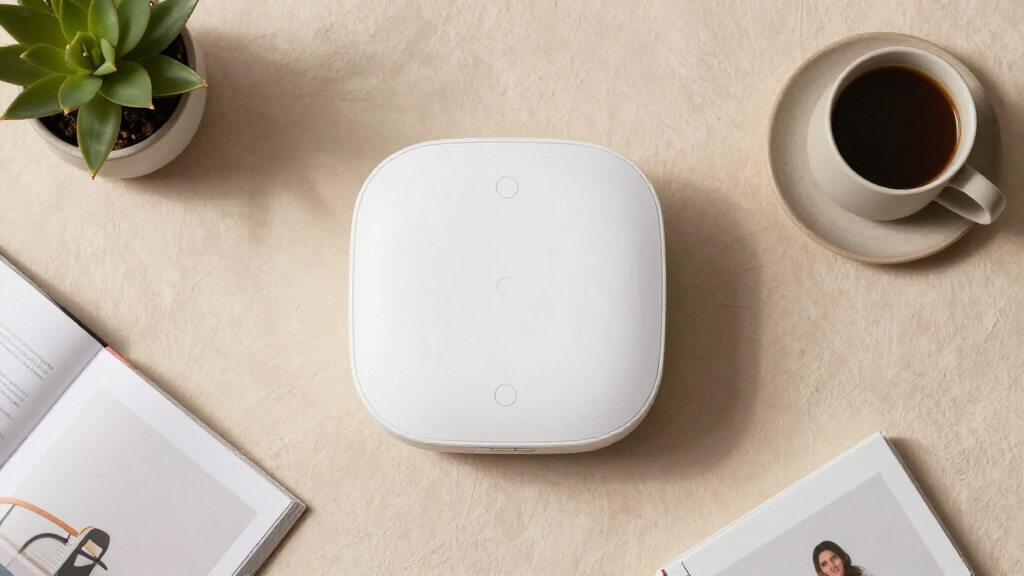
How We Picked
I judged every device against the realities of senior care rather than spec sheets. The first criterion was alert reach: does the notification stop at a pager in the next room, or does it travel to a family member’s phone across town? The second was ease of use for the senior — button size, wrist-wearability, whether pressing it requires grip strength or fine motor control, and how obvious the device is during a stressful moment. The third was setup burden, because a device that needs an hour of WiFi configuration and a companion app rarely gets installed correctly by the adult children buying it. Reliability factors came next: WiFi dependency, battery life, backup behavior during outages, and whether the system keeps working if the internet drops.
Ranking followed from those criteria. Devices that combine phone app alerts with wearable buttons ranked highest because they cover the widest range of caregiving situations. Offline pager systems ranked in the middle — extremely dependable, but limited to in-home caregivers. Single-purpose and voice-focused devices filled specific niches, and I weighted US-based support and monthly fee structure as tiebreakers, since hidden subscription costs and unresponsive overseas support are the two most common complaints in this category.
Factors to Consider When Choosing Senior-friendly Smart Home Devices
Choosing between these devices comes down to matching the technology to the caregiving situation, not buying the most features. Before committing to any of the 13 products above, work through the factors below.Who Actually Needs to Receive the Alert?
This is the single question that eliminates more options than any other. If a spouse or live-in caregiver is home most of the day, a simple offline pager like the CallToU or Smart Caregiver systems is all you need — adding WiFi complexity buys you nothing. If the senior lives alone or the caregiver works outside the home, a pager-only system is genuinely dangerous because it creates a false sense of security. In that case you need app-based alerts from a WiFi call button, or better yet, the JoneR’s two-way voice so the senior can speak to someone immediately. The most common mistake I see is adult children buying a pager system for a parent who lives alone, then discovering the alerts go nowhere. Match the alert pathway to where the caregiver actually spends their day.
WiFi Reliability and the 2.4GHz Catch
Nearly every app-based system in this roundup requires a 2.4GHz WiFi network, and this trips up buyers constantly. Most modern routers broadcast both 2.4GHz and 5GHz bands, and many phones auto-connect to 5GHz, causing setup failures that look like a defective product. Before buying, check that the senior’s router broadcasts a 2.4GHz network and that the signal reaches the bedroom and bathroom — the two places where buttons get pressed. A second, quieter issue: if the internet goes down, most WiFi buttons stop sending app alerts entirely, while offline pagers keep working. Households with flaky internet should either choose an offline system or accept that the device is a convenience layer, not a lifeline. Some families solve this by pairing a cheap offline pager with a WiFi button as backup.
Monthly Fees and the Subscription Trap
Traditional medical alert companies charge $25–50 per month for monitoring, and that adds up to thousands over a few years. Every device in this roundup is self-monitored, meaning family receives the alerts directly with no recurring cost — but self-monitoring has a real limitation worth understanding. If no one answers the app notification, nobody else will. That’s fine for check-ins and non-emergencies, but families managing serious fall risk should honestly ask whether they can respond at 3 AM. Some buyers combine a no-fee call button with a professional monitoring service for true emergencies, using each tool for what it does best. The mistake to avoid is assuming “no monthly fee” means the device replaces emergency services — it doesn’t.
Button Design and Physical Ability
The button only works if the senior can press it, and this is where product photos mislead buyers. Check the activation force and button size against the senior’s hands: arthritis, tremors, and weak grip make small recessed buttons nearly useless. Wrist-worn buttons like the DAYTECH’s watch-style unit work well for ambulatory seniors, but bedridden patients may do better with a pillow-mounted or bedside button. Water resistance matters more than most buyers expect, since falls cluster in the bathroom — a button that can’t survive a shower gets taken off at exactly the wrong time. Also consider whether the senior will actually wear it; dementia patients frequently remove unfamiliar devices, in which case a motion sensor system that requires no action from the senior is the smarter choice.
Proactive Versus Reactive Protection
Every button-based device in this roundup is reactive — it depends on a conscious, able senior pressing it. Falls that cause unconsciousness, strokes, and confusion episodes all defeat this design. Only the Smart Caregiver motion sensor system takes a proactive approach, alerting caregivers when someone gets out of bed at night or wanders near a door, before an incident occurs. For dementia and fall-risk cases, this monitoring-first approach often outperforms any button, because it removes the dependency on the senior’s judgment. The tradeoff is more false alarms and the need to tune sensor placement over a few weeks. Families of early-stage dementia patients should weight proactive monitoring heavily; families of cognitively sharp seniors can rely on buttons confidently.
Support, Setup Help, and Longevity
Setup friction is the number one reason these devices end up in a drawer, so factor in who will install it and who will answer questions later. Products with USA-based customer support — like the Smart Caregiver pager system — resolve setup problems far more smoothly than brands with overseas-only email support, which matters when the buyer is a 60-year-old child helping an 85-year-old parent remotely. Battery type also affects longevity: replaceable coin cells keep a system running for years, while sealed rechargeable units eventually die and require full replacement. Check whether replacement buttons can be added later, because expandability lets the system grow as needs change — starting with one button in the bedroom and later adding bathroom and living room coverage without replacing everything.
Frequently Asked Questions
Do these caregiver call buttons work if the power or internet goes out?
It depends entirely on the type of system. Offline pager systems like the CallToU Caregiver Pager and the Smart Caregiver Wireless pager use radio signals between the button and receiver, so they keep working during power and internet outages as long as the batteries are fresh. WiFi-enabled systems like the DAYTECH, SINGCALL, and CallToU Wi-Fi models all route alerts through your router, so an internet outage stops phone notifications completely — though some still trigger a local receiver if it has battery backup. If reliability during storms is a priority, either choose an offline system or run a WiFi button alongside a basic pager as a fallback. This hybrid approach costs little extra and covers the most failure modes.
Can a call button replace a professional medical alert service?
Not fully, and it’s worth being honest about the gap. Professional services connect to a 24/7 monitoring center that can dispatch emergency services, typically for a $25–50 monthly fee. The self-monitored devices in this roundup alert family members instead, which works well when someone reliably answers their phone and can respond within minutes. Where they fall short is overnight coverage, caregiver vacations, and situations where the senior can’t explain what’s wrong. Many families use a no-fee call button as their primary daily tool and keep a professional service as the emergency backstop, since the button handles 95% of situations — requests for water, help standing, minor worries — without touching the subscription. For seniors with serious cardiac or fall risk, though, professional monitoring remains the safer primary layer.
Button-based systems assume the senior recognizes an emergency and remembers the device exists — both assumptions that fail with dementia. In this roundup, the Smart Caregiver Wireless Motion Sensor Alarm System is the only proactive option, alerting caregivers when the senior gets out of bed at night or approaches an exit, with no action required from the senior at all. Pairing it with a pager near the caregiver’s bed covers the highest-risk window, which for dementia households is nighttime wandering. You can still place call buttons around the home, but treat them as a bonus rather than the core safety layer. Expect to spend a week or two adjusting sensor placement to cut false alarms from pets and routine bathroom trips.
Do I need a smartphone for these devices to be useful?
No, but your choice of product changes dramatically. Pager-based systems like the CallToU, Smart Caregiver, PILSAMAS, and the generic wireless pager all work without any smartphone — the senior presses the button, a receiver chimes or vibrates nearby, and that’s the whole system. Smartphone requirements only apply to the WiFi-enabled models (DAYTECH, SINGCALL, CallToU Wi-Fi, PILSAMAS WiFi, JoneR, and the no-fee WiFi medical alert system), where app setup and remote notifications are the main point. Note that the caregiver needs the phone, not the senior — the senior just presses a physical button either way. If no caregiver will install an app, skip the WiFi models entirely and put the savings toward extra call buttons around the house.
How many call buttons do I actually need around the house?
Fall data points to the bedroom and bathroom as the two highest-risk locations, so those should be your first two button placements. From there, add the living room or wherever the senior spends the most seated time, since requests for help standing up are the most common daily use. Single-button kits like the generic wireless pager are fine for a studio or one-bedroom apartment, but they force the senior to reach the button first — which defeats the purpose after a fall. Kits with two or more buttons, like the DAYTECH, PILSAMAS, and CallToU multi-button systems, let you cover the key rooms immediately and often support adding more buttons later. Wrist-worn buttons reduce the placement problem but only suit seniors who will consistently wear one.
Conclusion
After comparing all 13 devices, the right choice depends almost entirely on the caregiving setup rather than any single product’s quality. For best overall, the DAYTECH WiFi Caregiver Call Button System earns the top spot because it covers both scenarios — local pager alerts and remote phone notifications — with a wearable watch button included. For best value, the CallToU Caregiver Pager delivers dependable in-home coverage at a modest price with no WiFi or fees required. The JoneR WiFi Call Button with two-way voice is my best premium pick for seniors living alone, since speaking through the button beats a silent alert when every second matters. For beginners — families setting up their first safety device — the Smart Caregiver Pager System with USA-based support is the least frustrating to install and expand. And for specific needs, the Smart Caregiver motion sensor system handles dementia wandering and fall prevention proactively, while the Flipper Big Button TV Remote is the pick when the goal is daily independence and reduced frustration rather than emergency response. Whichever you choose, remember that a simple device the senior actually uses every day beats a sophisticated one sitting unused in a drawer.
Halloween Picks
halloween
As an affiliate, we earn on qualifying purchases.