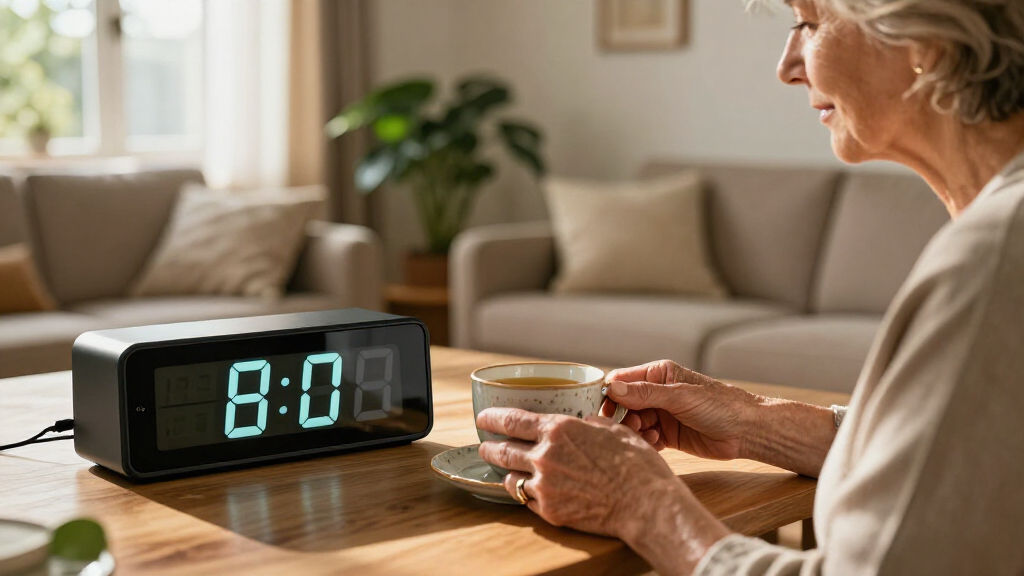
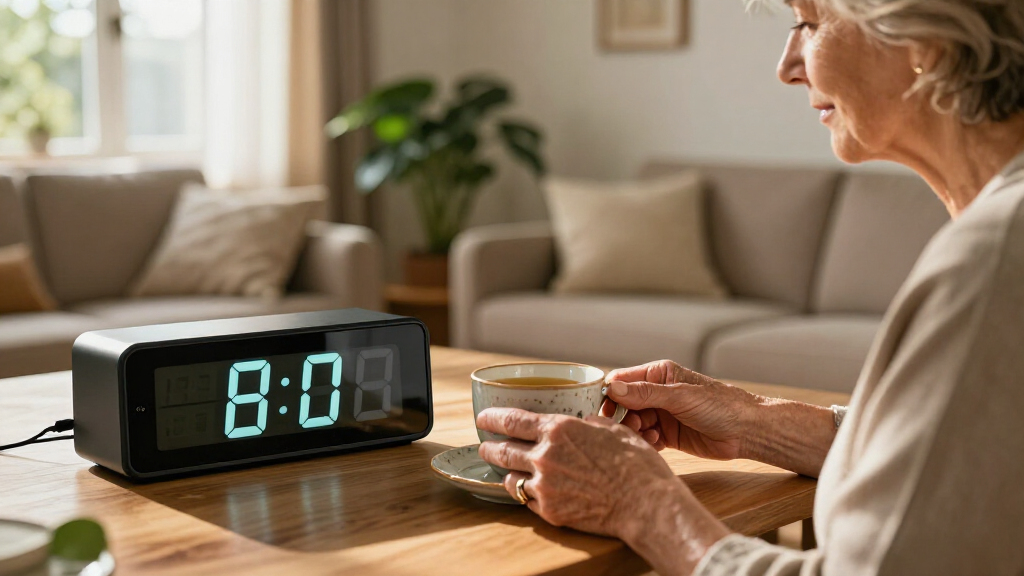
Easy read clocks for seniors can make it simpler to check the time, day, and date without squinting or sorting through small controls. My best overall pick is the SSYA 7 Inch Calendar Clock for its large display, automatic dimming, and multiple alarm options; the SSINI 7-inch Calendar Clock stands out for its many alarms, while the DreamSky Large Digital Alarm Clock suits shoppers seeking a more straightforward bedside display. The main tradeoffs are display size versus bedside footprint, calendar detail versus simplicity, and extra reminders versus setup effort. Read on for how the options differ and which features matter most for your needs.

Turn quiet afternoons into listening time
- Thousands of audiobooks, podcasts and originals
- Listen on your phone, tablet or Echo — also offline
- Cancel anytime
Complete the kit


Key Takeaways
Large digital displays lead this roundup: Several 7-inch clocks show the day and date alongside the time, which can help people who want more than a bigger set of clock numbers.
The SSYA is the most balanced pick: Its automatic dimming and multiple alarm options give it a wider range of bedside uses than a basic time-and-date display.
Alarm-heavy models suit reminder routines: The SSINI lists 15 alarms, but shoppers who need only a wake-up alarm may prefer a simpler clock.
Voice announcements offer another way to check the time: Two clocks in the lineup include voice features, but these add complexity that may not suit every household.
Analog remains an option for familiar routines: The lighted, no-ticking analog clock avoids a digital screen, while its hands and face may be harder to read than a large-number display for some buyers.


| easy read clocks for senior | Display Size | Dimensions | Power Source |
|---|---|---|---|
| 7-inch Digital Clock for Senio | 7 inches | — | Corded Electric |
| DreamSky Small Digital Alarm C | 2 inches | 5.3" W x 2.6" H | Corded with Battery Backup |
| SSYA 7 Inch Calendar Clock wit | 7 inches | 8.03" W x 5.63" H | — |
| Odokee Digital Alarm Clock for | 2 inches | 5.5" W x 4" H | AC with Battery Backup |
| SSINI Digital Calendar Dementi | 7 inches | — | Corded Electric |
| Digital Dementia Clocks for Se | 7 inches | 8.5"W x 6.7"H | Corded Electric |
| Soobest Dementia Clocks for Se | 7 inches | — | Corded Electric |
| Large No Ticking Analog Alarm | — | 5.5" x 5.5" x 2.2" | 1 AA Battery |
| Digital Alarm Clock with Date | 7 inches | 7.8"W x 5.6"H | Corded Electric |
| 7-inch Dementia Clocks for Sen | 7 inches | — | — |
| Clock with Day and Date for El | — | 7.17 × 4.6 inches | — |
| AuroraCalm Alarm Clock for Bed | — | 5.5 × 4 inches | — |
| Digital Alarm Clock with Date | — | 5.6 × 7.8 inches | — |
| DreamSky Large Digital Alarm C | Approximately 40 cm (15.75 inches), as listed | 8.5 × 4 inches | — |
More Details on Our Top Picks
7-inch Digital Clock for Seniors with Date and Time, Large Display
This clock stands out for its 1024×600 resolution, which renders text sharper than the standard LED digits found on the DreamSky Small Digital Alarm Clock. The seven-inch screen allows seniors to read time, date, and day from across the room without squinting. I appreciate the five manual brightness levels combined with auto-dimming, ensuring the display is never too harsh at night. However, the sheer number of customizable themes and language options might overwhelm users who prefer a fixed, simple interface. Unlike the SSYA Calendar Clock, this model lacks a dedicated battery backup for the display, meaning it goes blank during power outages. It is a premium choice for those who value visual crispness over basic functionality.
Pros:- High-definition 1024×600 resolution ensures crisp, legible text
- Five manual brightness settings plus auto-dimming for day and night comfort
- Supports six alarms and ten reminders for complex daily routines
- Multi-language support accommodates diverse household needs
Cons:- No battery backup for the display during power failures
- Complex menu system may confuse non-technical users
- Requires continuous electrical connection with original adapter
Best for: Seniors with moderate to severe vision impairment who need high-contrast, high-resolution text and live in areas with reliable power.
Not ideal for: Caregivers looking for a simple, unchangeable setup; users who experience frequent power outages since it lacks display battery backup.
- Display Size:7 inches
- Resolution:1024×600
- Alarms:6
- Reminders:10
- Brightness:5 levels + auto-dimming
- Power Source:Corded Electric
- Mounting:Tabletop or Wall
Our verdict“Choose this if you want the sharpest possible display and don’t mind a more complex setup process.”
DreamSky Small Digital Alarm Clock for Bedroom with Large Display, USB Charging, Dimmer, and Adjustable Volume
For bedrooms with limited nightstand space, this compact unit offers a 2-inch illuminated display that is surprisingly readable for its size. It is significantly smaller than the 7-inch Odokee Digital Alarm Clock but retains essential features like adjustable volume and a dimmer. The built-in USB charging port is a practical addition, allowing seniors to charge a phone without cluttering outlets. However, the battery backup here only preserves time settings; it does not keep the display lit or the alarm active during a blackout, unlike some premium competitors. It is the sensible choice for users who need a no-frills, space-saving device that handles the basics reliably.
Pros:- Compact footprint fits easily on crowded nightstands
- USB port allows convenient charging of mobile devices
- Adjustable brightness and alarm volume for personalized comfort
- Battery backup prevents time loss during short outages
Cons:- Display turns off completely during power failures
- 2-inch screen is smaller than dedicated senior-focused models
- Requires AC adapter for primary operation
Best for: Seniors living in small apartments or shared rooms who need a compact, affordable alarm clock with device charging.
Not ideal for: Users with severe low vision who require the maximum screen size, or those in areas prone to long power outages.
- Display Size:2 inches
- Display Type:Digital LED
- Power Source:Corded with Battery Backup
- Extra Feature:USB Charging Port
- Dimensions:5.3″ W x 2.6″ H
- Weight:8 ounces
- Controls:Dimmer, Volume, Snooze
Our verdict“A practical, space-saving option for those who prioritize simplicity and device charging over large displays.”
SSYA 7 Inch Calendar Clock with Auto Dimmable Display and Multiple Alarm Options
This model distinguishes itself with non-abbreviated day and date display, which is critical for orientation in dementia care. Compared to the 7-inch Digital Clock for Seniors, the SSYA offers more flexible alarm modes, including specific weekend settings, which helps maintain consistent sleep schedules. The auto-dimming feature is robust, reducing glare without manual intervention. While the interface is simpler than some high-end digital frames, it lacks the photo frame functionality found in the SSINI Digital Calendar Clock. It is a dedicated timekeeping tool rather than a multimedia device, making it less distracting for users who need to focus solely on the time and day.
Pros:- Full, non-abbreviated text for better cognitive orientation
- 12 distinct alarm modes including weekend-specific settings
- Effective auto-dimming reduces nighttime eye strain
- Supports 8 languages for diverse households
Cons:- Bulkier design than compact alarm clocks
- No integrated photo frame or media features
- Setup process can be less intuitive for some users
Best for: Caregivers managing dementia patients who need clear, unabbreviated day/date information and reliable alarm scheduling.
Not ideal for: Users who want a digital photo frame or those who prefer a simpler, single-alarm interface.
- Display Size:7 inches
- Alarm Modes:12 options
- Auto Dimming:Yes, 5 levels
- Languages:8 supported
- Battery Backup:Yes, for time/date
- Mounting:Tabletop or Wall
- Dimensions:8.03″ W x 5.63″ H
Our verdict“The go-to choice for dementia care where clear, consistent day and date orientation is the priority.”
Odokee Digital Alarm Clock for Bedrooms with Large Display and Brightness Dimmer
This clock is engineered for those who struggle to wake up, offering an alarm volume up to 110dB. This is significantly louder than the standard adjustable volume on the DreamSky Small Digital Alarm Clock. The five wake-up sounds range from gentle birds chirping to a sharp siren, allowing users to choose their preferred level of urgency. The 2-inch display is large for its class, though it does not match the clarity of the 7-inch screens on the SSINI or SSYA models. The inclusion of an 8-color night light adds a calming ambiance, but the primary strength here remains its auditory reliability for heavy sleepers.
Pros:- Maximum 110dB volume ensures audible wake-up calls
- Five distinct alarm tones to suit different sensitivity levels
- Built-in 8-color night light for gentle nighttime visibility
- USB port for convenient device charging
Cons:- 2-inch display is smaller than dedicated senior models
- Night light may be too bright for light-sensitive sleepers
- Batteries for backup are not included
Best for: Heavy sleepers or those with hearing difficulties who need exceptionally loud, customizable alarm sounds.
Not ideal for: Users who require a very large visual display or those who are easily disturbed by bright night lights.
- Display Size:2 inches
- Max Volume:110dB
- Wake-up Sounds:5 options
- Night Light:8 colors
- Power Source:AC with Battery Backup
- Dimensions:5.5″ W x 4″ H
- Weight:171 g
Our verdict“Ideal for heavy sleepers who need a loud, reliable alarm and appreciate a customizable night light.”
SSINI Digital Calendar Dementia Alarm Clock with Day and Date for Seniors – 7-inch Large Display, 15 Alarms, Multi-Color Options
The SSINI model shines with its capacity for 15 alarms and reminders, surpassing the 6 alarms offered by the 7-inch Digital Clock for Seniors. This makes it exceptionally useful for managing complex medication schedules. The digital photo frame feature allows families to upload images, providing emotional comfort alongside practical timekeeping. However, unlike the SSYA Calendar Clock, this unit does not have a battery backup for the display, meaning it goes dark during power cuts. It is a versatile device for those who want to combine timekeeping with personal memories, but it requires a stable power source to function as intended.
Pros:- 15 customizable alarms for rigorous medication and activity tracking
- Digital photo frame capability for personalized comfort
- Large 7-inch screen for easy reading of time and date
- Multi-language support for broader accessibility
Cons:- No battery backup for the main display
- Requires AC power to function fully
- Design is less sleek than minimalist alarm clocks
Best for: Seniors on complex medication regimens who also benefit from viewing family photos for emotional support.
Not ideal for: Users in areas with frequent power outages, as the display will not work without AC power.
- Display Size:7 inches
- Alarms:15
- Extra Feature:Digital Photo Frame
- Auto Dimming:Yes
- Power Source:Corded Electric
- Mounting:Wall or Tabletop
- Battery Backup:No display backup
Our verdict“Choose this for robust medication management and the added comfort of digital photo viewing.”
Digital Dementia Clocks for Seniors, 7 Inch, Black
This model stands out for its 12 customizable alarms, making it a strong choice for caregivers managing complex medication schedules. Compared to the Soobest Dementia Clocks, which offers 20 alarms, this unit provides sufficient reminders for most daily routines without overwhelming the user with excessive settings. The non-glare display is a significant advantage in rooms with natural light, reducing eye strain during daytime use. However, it lacks the battery backup found in some competitors, meaning it will reset during power outages, which could disrupt time accuracy until manually corrected. It is a focused tool for routine adherence rather than a feature-rich hub.
Pros:- Non-glare screen improves readability in bright rooms
- 12 customizable alarms support medication adherence
- Simple, intuitive setup reduces caregiver burden
- Durable plastic housing withstands accidental bumps
Cons:- No battery backup causes time loss during outages
- Limited to indoor use with no weather resistance
- Lacks smart connectivity for remote monitoring
Best for: Caregivers and seniors who need reliable, high-contrast reminders for medication and daily activities.
Not ideal for: Users in areas prone to frequent power outages who require uninterrupted timekeeping.
- Display Size:7 inches
- Display Type:Digital
- Power Source:Corded Electric
- Alarms:12 Customizable
- Dimensions:8.5″W x 6.7″H
- Key Feature:Non-Glare Display
Our verdict“Choose this clock if high-contrast visibility and straightforward medication alarms are your primary priorities.”
Soobest Dementia Clocks for Seniors, 7” Digital Date Clock with Large Display
The Soobest Dementia Clocks distinguishes itself with 20 programmable alarms, offering greater flexibility than the Digital Dementia Clocks for Seniors (Product 6), which limits users to 12. This expanded capacity is ideal for individuals with multiple medical appointments, therapy sessions, or dietary restrictions throughout the day. The inclusion of a memory function preserves settings during power interruptions, a practical benefit that many basic models lack. While the setup process is slightly more involved due to the higher number of customizable options, the result is a more tailored daily structure. The auto-dimming feature ensures the screen remains comfortable at night without manual adjustment.
Pros:- 20 alarms accommodate complex daily schedules
- Memory function retains settings during power cuts
- Auto-dimming reduces nighttime light pollution
- Adjustable volume and ringtones prevent alarm fatigue
Cons:- Setup can be complex for non-tech-savvy users
- Requires constant electrical connection
- Plastic casing feels less premium than metal alternatives
Best for: Individuals with busy schedules requiring numerous distinct reminders for meals, meds, and appointments.
Not ideal for: Users who prefer a minimal interface and may find 20 alarm settings confusing to manage.
- Display Size:7 inches
- Alarm Count:20 Alarms
- Power Source:Corded Electric
- Weight:8.32 ounces
- Special Feature:Memory Function
- Audio Options:3 Ringtones, Adjustable Volume
Our verdict“This is the superior choice for those who need to segment their day into many distinct, time-specific activities.”
Large No Ticking Analog Alarm Clock for Seniors, Easy to Read, Gentle Wake, Lighted on Demand, Battery Operated, Black
Unlike the digital options such as the Digital Alarm Clock with Date and Day of the Week (Product 9), this analog model eliminates digital glare and electronic hums, offering a silent, ticking-free mechanism that is ideal for light sleepers. The gradual rise alarm gently wakes users with increasing volume, avoiding the jarring effect of sudden electronic beeps common in digital competitors. Powered by a single AA battery, it operates independently of wall outlets, making it versatile for travel or bedside placement where cords are tripping hazards. However, it lacks the date and day-of-week display that dementia patients often need for orientation, limiting its utility for memory care compared to full digital calendars.
Pros:- Silent mechanism eliminates distracting ticking sounds
- Gradual rise alarm provides gentle wake-up experience
- Battery-operated design allows flexible placement
- On-demand lighting prevents constant glow
Cons:- No digital date or day-of-week display
- Requires AA battery replacement periodically
- Lacks multiple alarm capabilities
Best for: Seniors who struggle with digital light pollution or need a completely silent nighttime environment.
Not ideal for: Individuals with dementia or Alzheimer’s who require day/date orientation cues.
- Display Type:Analog
- Size:5.5 inches
- Power Source:1 AA Battery
- Sound:Silent / No Ticking
- Alarm Type:Gradual Rise
- Dimensions:5.5″ x 5.5″ x 2.2″
Our verdict“Ideal for those prioritizing silence and gentle waking over cognitive orientation features.”
Digital Alarm Clock with Date and Day of the Week for Seniors, Multiple Alarm Types, Voice Announcement, Auto DST
This clock introduces a voice announcement feature in 9 languages, a capability absent in the 7-inch Dementia Clocks (Product 10) and most other standard models. For seniors with declining vision who also speak a second language at home, hearing the time spoken aloud provides an accessible layer of interaction. The automatic DST adjustment simplifies maintenance, removing the need for manual time changes twice a year. While the voice feature is helpful, it may feel unnecessary for users who prefer silent operation, and the reliance on a power cord means it lacks the portability of the battery-operated Large No Ticking Analog Clock (Product 8). It balances visual clarity with auditory feedback effectively.
Pros:- Voice announcement supports 9 languages
- Auto DST adjustment reduces manual maintenance
- Large, bold fonts enhance visual readability
- Multiple alarm types offer flexible wake options
Cons:- Voice feature may be unwanted for some users
- No battery backup for power outages
- Lacks advanced dementia-specific orientation cues
Best for: Households with multilingual seniors or those who benefit from auditory time confirmation.
Not ideal for: Users who find voice announcements intrusive or prefer strictly silent timekeeping.
- Display Size:7 inches
- Voice Languages:9 Languages
- Power Source:Corded Electric
- DST:Automatic
- Dimensions:7.8″W x 5.6″H
- Dimming:Auto (7pm-7am)
Our verdict“A standout choice for families needing linguistic flexibility and auditory time access.”
7-inch Dementia Clocks for Seniors, Large Display Digital Clock with Date and Time
What sets this model apart is its dual wall-mount and tabletop capability, offering placement flexibility that the fixed-tabletop Soobest Dementia Clocks (Product 7) cannot match. The IPS screen ensures the display remains legible from wide angles, which is critical if the clock is mounted high on a wall or placed on a shelf. With 5 manual brightness levels plus auto-dimming, users can fine-tune visibility to their exact comfort level. However, the setup process is more complex than the plug-and-play simplicity of the Digital Dementia Clocks (Product 6), and the requirement for the original adapter means it is less forgiving if the power cord is lost. It is a robust, display-focused option for varied home layouts.
Pros:- IPS screen maintains clarity at wide viewing angles
- Dual mounting options (wall/tabletop) increase versatility
- 5 manual brightness levels allow precise customization
- Supports multiple languages for diverse households
Cons:- Complex setup compared to simpler models
- Dependent on specific original adapter
- No battery backup for emergency power loss
Best for: Users who need to mount the clock on a wall or place it at varying angles and heights.
Not ideal for: Caregivers seeking the simplest possible setup with minimal configuration steps.
- Display Size:7 inches
- Screen Type:IPS Display
- Mounting:Wall/Tabletop
- Brightness:5 Levels + Auto
- Alarms:6 Programmable
- Reminders:10 Customizable
Our verdict“The best pick for homes where clock placement needs to change or be mounted for optimal viewing.”
Clock with Day and Date for Elderly, 7-Inch Large Display Digital Calendar Clock
This clock is the most capable choice here for someone who needs more than a clear time display. Its 7-inch, 1024 × 600 screen shows the day, date, time, and time-of-day icons, while 20 standard alarms and 20 custom reminders can support recurring routines. Compared with the simpler DreamSky Large Digital Alarm Clock, it offers far more scheduling and calendar information, but that added flexibility also means more settings to learn. Brightness has 10 levels, and the display offers 12 themes, giving households more control over visibility and appearance. Photo playback adds a personal touch, though the required SD card or USB drive is not included. It runs from AC power; the two AA batteries provide backup, not regular cordless use.
Pros:- Large, high-resolution display shows time, day, date, and time-of-day icons together.
- Twenty standard alarms and twenty custom reminders support varied routines.
- Ten brightness levels and twelve themes allow display adjustments.
- Photo playback can add a familiar image to the clock.
Cons:- The many alarms, themes, and playback options may take time to set up.
- Needs AC power for normal operation; batteries are for backup.
- Photo playback requires an SD card or USB drive, neither included.
Best for: Older adults or caregivers who need a large date-and-time display plus several recurring daily reminders.
Not ideal for: Anyone who wants a very simple clock with minimal setup, or a portable clock that runs from batteries during normal use.
- Display:7 inches; 1024 × 600P
- Dimensions:7.17 × 4.6 inches
- Alarms and reminders:20 normal alarms and 20 custom reminders
- Brightness:10 levels
- Themes:12
- Languages:6
- Power:AC power with backup from 2 AA batteries (not included)
- Photo playback:Supported via SD card or USB drive
Our verdict“Choose this model when calendar visibility and flexible reminders matter more than a simple, low-setup bedside clock.”
AuroraCalm Alarm Clock for Bedroom Bedside with 2-Inch Large Numbers
AuroraCalm suits someone who mainly needs to read the time and hear a dependable wake-up alarm, without calendar features or a long list of reminders. Its 2-inch numerals, five brightness settings, and adjustable alarm volume make it more adaptable for a bedside table than a fixed-brightness clock. Compared with the DreamSky Large Digital Alarm Clock, AuroraCalm specifies a choice of five alarm sounds and a night light, while DreamSky emphasizes a much broader brightness range. The USB charging port is useful for keeping a phone nearby, but it does not turn this into a battery-powered travel clock: AC is required for normal operation, and the display goes dark when running on backup batteries. It is the simpler pick for alarm-first use, not for date awareness or scheduled medication prompts.
Pros:- Two-inch numerals are intended to be readable from across a room.
- Five brightness levels and four volume levels allow bedside adjustment.
- Five alarm sounds and a snooze function offer wake-up choices.
- USB charging port and night light add bedside convenience.
Cons:- The display does not light when the clock runs on backup batteries.
- Requires AC power for normal use, with two AAA backup batteries not included.
- Does not provide calendar information or multiple custom reminders.
Best for: Bedside users who want large numerals, adjustable alarm sound and volume, and a USB port without calendar or reminder functions.
Not ideal for: People who need the clock face visible during a power outage, or who need the day and date displayed for orientation.
- Display:5.5-inch digital display with 2-inch numbers
- Dimensions:5.5 × 4 inches
- Brightness:5 adjustable levels
- Alarm sounds:5 options
- Alarm volume:4 levels; up to 110 dB
- Power:AC with backup from 2 AAA batteries (not included)
- Additional features:USB charging port, snooze function, and night light
- Weight:6.08 ounces
Our verdict“Pick AuroraCalm for a simple bedside alarm with adjustable sound and charging, but choose a calendar clock if date orientation is a priority.”
Digital Alarm Clock with Date and Day of Week for Seniors, Voice Announcement, Multiple Alarms, Auto DST – Black
This clock stands out for people who may not be able to read a display reliably: it can announce the time aloud in nine languages, alongside its large digital screen showing the day and date. That spoken option gives it a different role from the AuroraCalm, which focuses on bedside alarm sounds rather than voice time announcements. Multiple alarms can help structure reminders, and automatic dimming reduces a bright display at night. The combination may suit someone who benefits from repeated verbal and visual cues, though the product data does not specify the exact alarm count or dimming schedule. It requires corded power, so it is less portable than a battery-operated clock, and its listed backup battery is nonstandard. Choose it for time announcements and orientation cues, not for maximum portability or extensive display customization.
Pros:- Seven-inch display presents large text for visual time and date checks.
- Voice announcement supports nine languages.
- Multiple alarms can help prompt routines.
- Automatic dimming can make the display less intrusive at night.
Cons:- Corded power limits placement away from an outlet.
- The listed backup battery is nonstandard and may be difficult to replace.
- The available product details do not state the alarm count or specific dimming controls.
Best for: Older adults with low vision or memory-related orientation needs who may benefit from hearing the time as well as seeing the day and date.
Not ideal for: Buyers who need a portable clock, easy-to-source backup batteries, or clearly specified controls for a large number of reminders.
- Display:7-inch digital display
- Dimensions:5.6 × 7.8 inches
- Weight:0.44 kg
- Voice announcement:Time announcement in 9 languages
- Display features:Day mode, LED display, and automatic dimming
- Alarms:Multiple alarms
- Power:Corded electric
- Backup battery:1 nonstandard battery required
Our verdict“Choose this clock when spoken time and day-and-date cues matter more than portability or detailed control over reminder settings.”
DreamSky Large Digital Alarm Clock for Seniors and Visually Impaired
For a buyer whose main difficulty is seeing the time from across a room, DreamSky’s 3-inch illuminated LED digits make a clear case for choosing it over a feature-heavy calendar model. Brightness can be adjusted from 0 to 100%, which gives more control over nighttime glare than the AuroraCalm’s five brightness levels. The tradeoff is simplicity: this clock is built around time and alarm visibility rather than day-and-date orientation, voice announcements, or custom reminder schedules. It includes adjustable alarm volume and a USB port, while its AC connection powers normal use; the two AAA batteries preserve settings during outages rather than keeping the display lit. That makes it a strong fit for a fixed bedside or dresser location, but a weaker choice for someone who needs a clock that continues displaying time without mains power.
Pros:- Three-inch illuminated digits prioritize visibility at a distance.
- Brightness adjusts from 0 to 100% for a broad range of room conditions.
- Alarm volume is adjustable.
- USB port provides a convenient place to charge a device.
Cons:- Offers simple alarm functions rather than calendar information or advanced reminders.
- Requires AC power for operation; backup batteries save settings only.
- Two AAA backup batteries are not included.
Best for: People with low vision who need large illuminated digits visible from across a bedroom and want flexible brightness control.
Not ideal for: Buyers who need the day and date, spoken time, several custom reminders, or a display that stays lit on battery power.
- Display:Digital LED; 3-inch digits
- Display size:Approximately 40 cm (15.75 inches), as listed
- Dimensions:8.5 × 4 inches
- Brightness:Adjustable from 0 to 100%
- Alarm volume:Adjustable
- Power:Corded electric with battery backup
- Backup batteries:2 AAA batteries, not included
- Additional feature:USB charging port
Our verdict“Choose DreamSky when oversized digits and fine brightness adjustment matter more than calendar details or spoken reminders.”
How We Picked
I compared these 14 clocks around the needs behind the search for easy read clocks for seniors: legible time displays, useful date information, straightforward controls, and bedside comfort. I also looked at how each clock handles brightness, alarms, voice announcements, power or charging features, and format. A large display can help at a glance, but it is less useful if a clock is hard to set or too bright at night.
The ranking favors clocks that combine clear reading with practical everyday functions, rather than models that simply list the most features. The SSYA 7 Inch Calendar Clock ranks first for its balance of display, dimming, and alarm flexibility. The SSINI model follows for buyers who want many alarm options; simpler DreamSky and Odokee models are more appealing when ease of use matters more than calendar reminders. Voice-enabled, analog, and compact options fill distinct needs, but rank lower for readers seeking a broadly useful, easy-to-read bedside clock.
Factors to Consider When Choosing Easy Read Clocks For Seniors
Before choosing, match the clock to the way its owner checks time and follows daily routines. A larger screen is only one part of readability: viewing distance, night brightness, display wording, and button layout can matter just as much. These questions help narrow the field without paying for features that may go unused.
Choose Display Information That Solves a Real Problem
Some people mainly need a larger time display, while others also lose track of the day or date. A calendar clock can put that information together on one screen, reducing the need to check a phone or wall calendar. More information can also crowd the display, so check whether the time remains prominent and the labels are easy to distinguish. If the user already knows the date and wants a quick bedside glance, a simpler clock may be easier to understand. Match the screen to the difficulty the clock is meant to address, not to the longest feature list.
Check Readability From the Actual Viewing Spot
Display size alone does not tell you whether a clock will be legible from a bed or chair. Think about how far away it will sit, whether the user views it straight on, and whether glasses are normally worn for distance. A bright, high-contrast display may read well across a room but feel harsh on a nightstand at bedtime. Automatic dimming can reduce manual adjustments, though its behavior may not suit every room’s lighting. If possible, check the product’s dimensions and display layout against the intended location before buying.
Balance Alarm Flexibility Against Setup Effort
Multiple alarms can support medication reminders, appointments, or different wake times, but each added setting can make initial setup more involved. Ask who will program and change the alarms, especially if the clock is intended for independent use. A single reliable wake-up alarm may be a better fit than a schedule full of unused alerts. Also check whether alarm choices include the kind of sound or announcement the user can hear comfortably. Keep the routine simple enough that the owner can recognize what each alert means.
Decide Whether Voice Features Help or Distract
A spoken time announcement can help someone who cannot easily read a display, but it is not automatically a benefit for every household. Consider whether the user can activate it without help and whether sound at the bedside is appropriate for anyone sharing the room. Voice options also do not replace a clear screen for people who prefer silent checks. Compare the controls for triggering an announcement with the owner’s dexterity and familiarity with buttons. If spoken information is not needed, a non-voice clock may keep the experience simpler.
Plan for Nighttime Brightness and Placement
A clock that is easy to see during the day can interfere with sleep if its display stays too bright at night. Before choosing, decide whether the user prefers a screen that dims automatically, a manual brightness control, or a display that lights only when requested. Place the clock where its face is visible without shining directly toward the sleeper. Check whether the chosen spot has access to the power connection the model requires, and note whether battery operation is part of the design. Poor placement can make an otherwise readable clock inconvenient, so measure the bedside area first.
Choose Digital or Analog for Familiarity
Digital clocks show exact numbers and can pair time with day and date, which may reduce the effort of interpreting a clock face. An analog model may feel more familiar to someone who has used hands to tell time throughout life. Its readability depends on face size, hand contrast, lighting, and the user’s comfort reading clock hands. A light-on-demand feature can help with nighttime checks, but it does not provide the same calendar information as a digital calendar clock. Ask the intended user which format feels natural before treating one style as universally easier.
Frequently Asked Questions
Is a 7-inch clock necessarily easier to read from bed?
Not necessarily: the display layout, contrast, viewing angle, and distance all affect legibility. A large screen with small secondary labels may make the time clear but leave the date hard to read. Check the product dimensions and images for the size of the actual digits, not only the overall screen measurement. If the clock will sit across the room, prioritize a display designed to be read at a distance. For a close bedside position, a smaller clock may be sufficient.
Should I choose a clock with multiple alarms for medication reminders?
Multiple alarms can help mark recurring parts of a daily routine, but they are useful only if the user can tell the alerts apart and manage the settings. Confirm that the clock’s alarm options fit the intended schedule and that the sound is noticeable without being uncomfortable. If another person will program it, ask how often settings may need to change. For a single daily reminder, a model with fewer controls may be easier to maintain. A clock alarm is not a substitute for a medication plan or a reminder system recommended by a care professional.
Is an automatic dimmer better than a manual brightness control?
Automatic dimming can cut down on nightly adjustments, which is helpful when the clock is used in a room with changing light. A manual control gives the owner more direct say over brightness, but requires them to find and use the setting. Automatic sensors may respond differently depending on placement, so avoid putting the clock where a lamp or window gives an unrepresentative reading. If the user is sensitive to light, check whether the display can be made dim enough for their sleep habits. The better choice depends on whether convenience or direct control matters more.
When does a voice-announcement clock make more sense than a large display?
A voice announcement can help when reading the screen is difficult, even after choosing large digits. It may also help someone who wants to check the time without sitting up or finding their glasses. A large display is a better match when silent, at-a-glance reading is the main goal. Consider whether the user can operate the voice control and whether audible announcements could disturb a partner. Some households may benefit from both spoken access and a readable screen, but voice features should not be selected without checking how they work in practice.
Should I buy a digital calendar clock or an analog alarm clock?
Choose a digital calendar clock if seeing the day and date alongside the time would help the user stay oriented. An analog clock can be a better fit for someone who already reads hands comfortably and wants a familiar, simple bedside alarm. Digital models tend to offer more calendar and reminder information, while analog models avoid a bright always-on screen if their light is activated only when needed. Consider whether the user can read the chosen format without strain, rather than assuming one is easier for everyone. The clock’s role in the daily routine should guide the choice.
Conclusion
For the broadest mix of easy reading and bedside flexibility, I recommend the SSYA 7 Inch Calendar Clock as best overall. The SSINI 7-inch Calendar Clock is my best value for buyers who will use its many alarm options, while the SSYA is also the best premium-style choice here for shoppers prioritizing automatic dimming and added flexibility. For beginners who want a more direct bedside setup, consider the DreamSky Large Digital Alarm Clock or the simpler Odokee model. Choose a voice-announcement clock when spoken time checks address a specific need, and the lighted analog option when familiar hands and a non-digital face are the priority. Before deciding, check the intended user’s preferred format, viewing distance, and comfort with the clock’s controls.
Halloween Picks
halloween
As an affiliate, we earn on qualifying purchases.