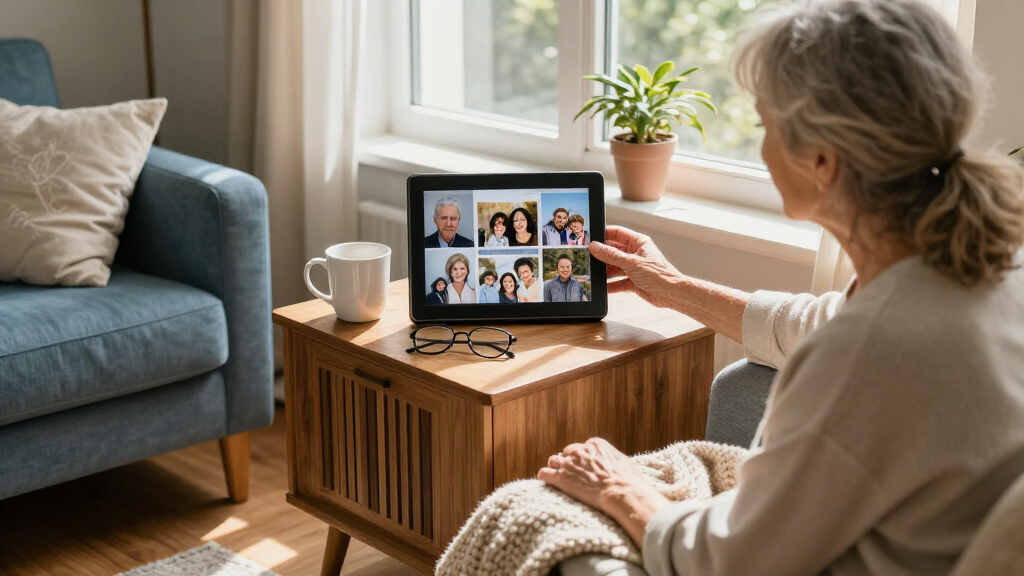

For seniors who want family photos to arrive without handling prints, I’d put the Aura Carver HD first for its straightforward shared-photo approach, while the Skylight 10-Inch is a clear alternative for people who prefer a simple email-based workflow. Families who need a larger image can look to the 15.6-inch Frameo models, though they take up more space and may call for more setup help. Across these 15 frames, the main tradeoffs are ease of sending photos, screen size, storage, and how much family involvement setup requires. A familiar app can make ongoing sharing easier, but the senior may still need help connecting Wi-Fi or adjusting settings. Read on for the full breakdown and help matching a frame to its recipient.

Turn quiet afternoons into listening time
- Thousands of audiobooks, podcasts and originals
- Listen on your phone, tablet or Echo — also offline
- Cancel anytime
Complete the kit


Key Takeaways
- Aura Carver HD is my best overall fit for a family that wants a dedicated frame and a low-effort way to share new photos remotely.
- The two Skylight and Aura options stand apart from the Frameo-branded group through their distinct sharing workflows, so the sender’s preferred method can matter as much as the screen.
- The 15.6-inch Flyruit, Pastigio, and Frameo frames suit recipients who benefit from a larger image, but their footprint and setup needs make them less suitable for a crowded side table.
- Many of the 10.1-inch Wi-Fi models list 32GB of storage, so choosing among them calls for checking app usability, setup support, and physical controls rather than relying on capacity alone.
- The lineup includes two Aura Carver HD color options and multiple similar Frameo 10.1-inch models; their names and listed sizes alone do not show enough to assume they work identically.
| 10.1-Inch Wi-Fi Digital Picture Frame with Touchscreen and 32GB Memory |  | Best for Adjustable Viewing | Display: 10.1-inch IPS touchscreen | Resolution: 1280 × 800 | Aspect ratio: 16:10 | VIEW LATEST PRICE | See Our Full Breakdown |
| 10.1-Inch Wi-Fi Digital Picture Frame with 32GB Storage |  | Best for Simple Family Sharing | Screen: 10.1-inch IPS touchscreen | Resolution: 1280 × 800 | Aspect ratio: 16:10 | VIEW LATEST PRICE | See Our Full Breakdown |
| Flyruit 15.6-Inch WiFi Digital Picture Frame with Frameo App |  | Best Large Screen | Display: 15.6-inch IPS touchscreen | Resolution: 1920 × 1080 Full HD | Aspect ratio: 16:9 | VIEW LATEST PRICE | See Our Full Breakdown |
| Frameo 10.1-Inch Wi-Fi Digital Photo Frame with Touchscreen |  | Best for Multiple Family Contributors | Display: 10.1-inch touchscreen | Resolution: 1280 × 800 | Aspect ratio: 16:10 | VIEW LATEST PRICE | See Our Full Breakdown |
| BIGASUO Frameo 10.1-Inch Wi-Fi Digital Picture Frame, 32GB |  | Best Compact Frameo Pick | Display: 10.1-inch IPS touchscreen | Resolution: 1280 × 800 | Storage: 32GB, expandable with Micro SD card | VIEW LATEST PRICE | See Our Full Breakdown |
| Aura Carver HD Digital Picture Frame, 10.1-Inch, Black |  | Best for Hands-Off Family Sharing | Display size: 10.1 inches | Resolution: WXGA | Connectivity: Wi-Fi | VIEW LATEST PRICE | See Our Full Breakdown |
| Skylight 10-Inch Wi-Fi Digital Picture Frame, Black |  | Best for Easy Gifting | Display size: 10 inches | Resolution: 1280 × 800 | Aspect ratio: 16:9 | VIEW LATEST PRICE | See Our Full Breakdown |
| Frameo 10.1-Inch Wi-Fi Digital Picture Frame, 32GB |  | Best for Private Family Sharing | Screen size: 10.1 inches | Display: IPS touchscreen | Resolution: 1280 × 800 | VIEW LATEST PRICE | See Our Full Breakdown |
| Frameo 10.1-Inch Wi-Fi Digital Picture Frame, 32GB |  | Best for Non-Wi-Fi Transfers | Display: 10.1-inch touchscreen | Resolution: 1280 × 800 | Aspect ratio: 16:10 | VIEW LATEST PRICE | See Our Full Breakdown |
| Akimart 10.1-Inch Wi-Fi Digital Photo Frame with 32GB Storage |  | Best for On-Screen Organization | Screen size: 10.1 inches | Display: IPS touchscreen | Resolution: 1280 × 800 | VIEW LATEST PRICE | See Our Full Breakdown |
| AEEZO 10.1-Inch Digital Picture Frame with 32GB Memory |  | Best for Adjustable Viewing | Screen size: 10.1 inches | Resolution: 1280 × 800 (WXGA) | Display: IPS touchscreen | VIEW LATEST PRICE | See Our Full Breakdown |
| Pastigio Frameo 15.6-Inch Wi-Fi Digital Picture Frame |  | Best for Easy Room Viewing | Display size: 15.6 inches | Resolution: 1920 × 1080 (Full HD) | Display type: IPS touchscreen | VIEW LATEST PRICE | See Our Full Breakdown |
| Aura Carver HD Digital Picture Frame, 10.1-Inch, Cool White |  | Best for Low-Maintenance Family Sharing | Display size: 10.1 inches | Resolution: WXGA | Aspect ratio: 16:9 | VIEW LATEST PRICE | See Our Full Breakdown |
| 15.6-Inch Frameo Wi-Fi Digital Picture Frame, 64GB |  | Best for a Large, Expanding Collection | Display: 15.6-inch IPS touchscreen | Resolution: 1920 × 1080 (Full HD) | Aspect ratio: 16:9 | VIEW LATEST PRICE | See Our Full Breakdown |
| Pastigio 10.1-Inch WiFi Digital Picture Frame |  | Best Compact Frame for Offline Transfers | Display: 10.1-inch IPS touchscreen | Resolution: 1280 × 800 | Aspect ratio: 16:10 | VIEW LATEST PRICE | See Our Full Breakdown |
| digital photo frames for senior | Resolution | Aspect ratio | Display | Connectivity |
|---|---|---|---|---|
| 10.1-Inch Wi-Fi Digital Pictur | 1280 × 800 | 16:10 | 10.1-inch IPS touchscreen | Wi-Fi; AiMOR app and touch controls |
| 10.1-Inch Wi-Fi Digital Pictur | 1280 × 800 | 16:10 | — | — |
| Flyruit 15.6-Inch WiFi Digital | 1920 × 1080 Full HD | 16:9 | 15.6-inch IPS touchscreen | 2.4GHz Wi-Fi, SD card, USB, and USB-C |
| Frameo 10.1-Inch Wi-Fi Digital | 1280 × 800 | 16:10 | 10.1-inch touchscreen | 2.4GHz Wi-Fi; Frameo app for iOS and Android |
| BIGASUO Frameo 10.1-Inch Wi-Fi | 1280 × 800 | — | 10.1-inch IPS touchscreen | Wi-Fi; Frameo app for iOS and Android |
| Aura Carver HD Digital Picture | WXGA | 16:9 | — | Wi-Fi |
| Skylight 10-Inch Wi-Fi Digital | 1280 × 800 | 16:9 | — | Wi-Fi |
| Frameo 10.1-Inch Wi-Fi Digital | 1280 × 800 | 16:10 | IPS touchscreen | — |
| Frameo 10.1-Inch Wi-Fi Digital | 1280 × 800 | 16:10 | 10.1-inch touchscreen | — |
| Akimart 10.1-Inch Wi-Fi Digita | 1280 × 800 | — | IPS touchscreen | — |
| AEEZO 10.1-Inch Digital Pictur | 1280 × 800 (WXGA) | 16:10 | IPS touchscreen | Wi-Fi |
| Pastigio Frameo 15.6-Inch Wi-F | 1920 × 1080 (Full HD) | 16:9 | — | — |
| Aura Carver HD Digital Picture | WXGA | 16:9 | — | Wi-Fi |
| 15.6-Inch Frameo Wi-Fi Digital | 1920 × 1080 (Full HD) | 16:9 | 15.6-inch IPS touchscreen | 2.4GHz Wi-Fi |
| Pastigio 10.1-Inch WiFi Digita | 1280 × 800 | 16:10 | 10.1-inch IPS touchscreen | Wi-Fi |
More Details on Our Top Picks
10.1-Inch Wi-Fi Digital Picture Frame with Touchscreen and 32GB Memory
I’d put this AiMOR frame near the top for a senior whose family wants to send pictures remotely and who benefits from a screen that adjusts to the room. Its automatic brightness and rotation can reduce the need to fiddle with settings as light or orientation changes. The 32GB storage also gives it more built-in room than the 16GB Frameo 10.1-Inch Wi-Fi Digital Photo Frame with Touchscreen. Families can add photos by Micro SD, though those files must be imported before playback, so it is less convenient for someone expecting a card to play directly. Video support is another limit: clips must be trimmed to 15 seconds. The touchscreen and app offer two ways to manage it, but a senior who dislikes touch controls may need family help with setup.
Pros:- Family can share photos and short videos over Wi-Fi through the AiMOR app.
- 32GB internal storage holds a sizeable collection without relying on a card.
- Automatic brightness and rotation adapt the display to the room and photo orientation.
- Touchscreen controls let users adjust the slideshow at the frame.
Cons:- Videos must be trimmed to 15 seconds.
- Files on a Micro SD card must be imported before they can be played.
Best for: Seniors whose families plan to send photos through the AiMOR app and who benefit from automatic brightness adjustment.
Not ideal for: People who want longer videos or expect to play media directly from an inserted Micro SD card.
- Display:10.1-inch IPS touchscreen
- Resolution:1280 × 800
- Aspect ratio:16:10
- Internal storage:32GB
- Expandable storage:Micro SD card up to 64GB
- Connectivity:Wi-Fi; AiMOR app and touch controls
- Video support:MP4 clips up to 15 seconds
- Power:Corded electric
Our verdict“Choose this AiMOR frame for a senior who wants family photo sharing and automatic display adjustments, provided short video clips are enough.”
10.1-Inch Wi-Fi Digital Picture Frame with 32GB Storage
This AiMOR frame suits families who want a familiar 10.1-inch touchscreen and remote sharing, with a one-year replacement service for quality-related issues as an added support option. Like the other AiMOR 10.1-Inch Wi-Fi Digital Picture Frame with Touchscreen, it offers 32GB of internal storage, auto-rotation, and auto-brightness. Its listed SD capacity reaches 128GB, exceeding that model’s 64GB limit for families who maintain a large archive. The tradeoff is the free app’s sharing cap: only nine photos or one video of up to 15 seconds can be sent at a time. That can make frequent family updates more stop-and-start than sending a batch. Large fonts and touch controls may help with on-frame use, but the corded power supply limits where it can sit.
Pros:- AiMOR app supports remote sharing from iOS and Android smartphones.
- 32GB internal storage plus SD card support up to 128GB accommodates a large library.
- Auto-rotation and auto-brightness adapt to photo orientation and room light.
- One-year replacement service is listed for quality-related issues.
Cons:- Free app sharing is limited to nine photos or one short video at a time.
- Corded power restricts placement to locations near an outlet.
Best for: Families who want to send occasional photo updates to a senior and value a replacement service for quality-related issues.
Not ideal for: Families who regularly send large batches of photos or seniors who need a frame that can be placed far from an outlet.
- Screen:10.1-inch IPS touchscreen
- Resolution:1280 × 800
- Aspect ratio:16:10
- Internal storage:32GB
- SD card support:Up to 128GB
- Sharing app:AiMOR for iOS and Android
- Display features:Auto-rotation and auto-brightness
- Power and service:Corded electric; one-year replacement service for quality-related issues
Our verdict“Pick this frame for occasional remote family updates and expandable storage, but expect to send photos in small batches.”
Flyruit 15.6-Inch WiFi Digital Picture Frame with Frameo App
For a senior who finds a standard 10.1-inch frame hard to see from across a room, the Flyruit’s 15.6-inch Full HD display makes a clear case for taking up more space. It offers the same 32GB internal capacity as the BIGASUO Frameo 10.1-Inch Wi-Fi Digital Picture Frame, but its larger, sharper screen is the key difference for shared viewing. Family can send media through Frameo, while SD card, USB drive, and USB-C transfers provide alternatives when Wi-Fi setup is a hurdle. That flexibility comes with more equipment and decisions: external storage is not included, and its Wi-Fi works on 2.4GHz only. The large tabletop footprint may suit a living room better than a bedside table, though it can also be wall-mounted.
Pros:- 15.6-inch Full HD IPS touchscreen is easier to view from a distance than a 10.1-inch frame.
- Frameo app supports remote sharing over Wi-Fi.
- SD card, USB drive, and USB-C transfers provide offline ways to add files.
- Can be used on a tabletop or mounted on a wall.
Cons:- Wi-Fi connectivity is limited to 2.4GHz.
- SD card and USB drive are not included.
- Its 10 × 16-inch dimensions need more display space than compact alternatives.
Best for: Seniors with limited vision or families who want photos to be easy to view across a larger room.
Not ideal for: People with little display space or families who need 5GHz Wi-Fi support or want included external storage.
- Display:15.6-inch IPS touchscreen
- Resolution:1920 × 1080 Full HD
- Aspect ratio:16:9
- Internal storage:32GB
- External storage:Up to 32GB via full-sized SD card or USB drive
- Connectivity:2.4GHz Wi-Fi, SD card, USB, and USB-C
- Supported formats:JPG, JPEG, BMP, PNG, and MP4
- Dimensions and mounting:10 × 16 inches; wall-mountable or tabletop
Our verdict“Choose the Flyruit when viewing size matters more than compact placement and you can accommodate its large screen.”
Frameo 10.1-Inch Wi-Fi Digital Photo Frame with Touchscreen
I’d favor this Frameo model when several relatives will contribute photos to one senior’s frame. The Frameo app allows multiple people to share, which makes it more suited to a family group than a setup managed by just one person. Its 10.1-inch touchscreen, automatic rotation, and adjustable slideshow and sleep settings keep everyday controls accessible at the frame. Compared with the BIGASUO Frameo 10.1-Inch Wi-Fi Digital Picture Frame, it has 16GB built-in storage rather than 32GB, so the library may need more frequent pruning. Micro SD support adds room, but is limited to 32GB. Wi-Fi is also 2.4GHz only, and videos are capped at 15 seconds. This is a straightforward shared display, though families with a large archive may prefer a higher-capacity option.
Pros:- Multiple people can send photos remotely through the Frameo app.
- Touchscreen offers adjustable slideshow and sleep settings.
- Automatic rotation supports portrait and landscape photos.
- Micro SD card support provides additional storage.
Cons:- 16GB built-in storage is less than the 32GB offered by the BIGASUO Frameo model.
- Wi-Fi supports 2.4GHz only.
- Videos are limited to 15 seconds.
Best for: Seniors whose children, grandchildren, or other relatives will regularly add photos through Frameo.
Not ideal for: Families with a large photo library or anyone needing longer video playback or 5GHz Wi-Fi.
- Display:10.1-inch touchscreen
- Resolution:1280 × 800
- Aspect ratio:16:10
- Built-in storage:16GB
- Micro SD support:Up to 32GB
- Connectivity:2.4GHz Wi-Fi; Frameo app for iOS and Android
- Orientation:Automatic portrait or landscape rotation
- Power and warranty:Corded electric; one-year warranty
Our verdict“Choose this Frameo frame for a senior whose wider family will contribute photos, as long as its storage and short-video limits fit.”
BIGASUO Frameo 10.1-Inch Wi-Fi Digital Picture Frame, 32GB
The BIGASUO is a compact choice for a senior who wants the Frameo family-sharing setup without giving a large screen much space. Its 10.1-inch IPS touchscreen fits a bedside table or smaller shelf, while 32GB of built-in storage doubles the capacity of the 16GB Frameo 10.1-Inch Wi-Fi Digital Photo Frame with Touchscreen. Brightness, slideshow, and sleep settings let the display fit the room and daily routine. The tradeoff is a corded power connection, which can constrain placement, and the engineered plastic frame is a simpler finish than some buyers may want in a prominent living-room setting. It also relies on app sharing over Wi-Fi, so a senior who cannot set up the app may need family assistance.
Pros:- Compact 10.1-inch footprint suits bedside tables and smaller shelves.
- 32GB built-in storage offers more room than the 16GB Frameo alternative.
- Frameo app lets family send photos and videos remotely.
- Brightness, slideshow, and sleep settings can be adjusted.
Cons:- Corded power limits placement.
- Engineered plastic construction may feel less substantial than a more premium frame.
Best for: Seniors with limited table space whose family can set up Frameo and share photos remotely.
Not ideal for: People who want a larger display for viewing across a room or a frame that can be placed away from an outlet.
- Display:10.1-inch IPS touchscreen
- Resolution:1280 × 800
- Storage:32GB, expandable with Micro SD card
- Connectivity:Wi-Fi; Frameo app for iOS and Android
- Display settings:Adjustable brightness, slideshow, and sleep mode
- Frame material:Engineered plastic
- Dimensions:7.2 × 10.5 inches
- Power and warranty:Corded electric; one year
Our verdict“Pick the BIGASUO for a compact Frameo setup with 32GB of storage, especially when family can handle app setup.”
Aura Carver HD Digital Picture Frame, 10.1-Inch, Black
Aura Carver HD suits seniors whose family wants to keep photos arriving without asking them to manage files. Relatives can share through the Aura app and supported services such as email, text, iCloud, and Google Photos, while unlimited free storage avoids the capacity limits found on the Skylight 10-Inch frame. Automatic brightness adjustment and on/off scheduling also reduce routine fiddling, and the stated one-minute setup is appealing when family members prepare the frame before delivery.
The tradeoff is dependence on Wi-Fi for sharing: it has no listed offline transfer option for new pictures, and its corded power keeps it near an outlet. I’d choose it over the Skylight when storage flexibility matters more than Gift Mode or touchscreen interaction. Seniors who prefer physical media transfers or want to tap through menus may find the Frameo 10.1-Inch models a better fit.
Pros:- Unlimited photo and video storage with no subscription fee
- Family can share through the Aura app, email, text, iCloud, and Google Photos
- Brightness adjusts to room lighting
- Automatic on/off and quick setup reduce routine adjustments
Cons:- Wi-Fi is needed for sharing features
- Corded power limits placement to locations near an outlet
Best for: Seniors whose relatives will send photos remotely and want a frame with minimal ongoing setup and no stated storage cap
Not ideal for: Seniors without reliable Wi-Fi, or households that want to load pictures by memory card or use a touchscreen
- Display size:10.1 inches
- Resolution:WXGA
- Connectivity:Wi-Fi
- Storage:Unlimited, free
- Aspect ratio:16:9
- Power source:Corded electric
- Dimensions:10.1 in L × 12.7 in W
- Warranty:1 year
Our verdict“Choose the Aura Carver HD when family members will send photos remotely and hands-off operation matters more than offline transfers or a touchscreen.”
Skylight 10-Inch Wi-Fi Digital Picture Frame, Black
Gift Mode makes the Skylight a practical pick when a relative wants to prepare a frame before giving it to a senior. Family can send photos and videos remotely to its email address, and the touchscreen gives the recipient a direct way to interact with the display. Unlike the Aura Carver HD, it also supports offline viewing of photos already stored on the frame, so a Wi-Fi outage does not stop a slideshow.
Its 8 GB storage is the main compromise: the Aura offers unlimited storage, while the Frameo 10.1-Inch models list 32 GB and memory card support. Skylight still makes sense for a straightforward gift with a modest photo collection, particularly if family handles new uploads. Skip it if the household wants local card transfers or expects a large library; Wi-Fi remains necessary to receive new pictures, and there is no SD card slot.
Pros:- Gift Mode lets family prepare the frame before giving it
- Photos and videos can be sent remotely over Wi-Fi
- Stored photos remain viewable offline
- Touchscreen provides direct on-frame interaction
Cons:- 8 GB storage is less than the 32 GB offered by the listed Frameo alternatives
- Wi-Fi is required to receive or upload new photos
- No SD card storage option
Best for: Families preparing a ready-to-use photo gift for a senior who can benefit from a touchscreen and occasional offline viewing
Not ideal for: Households with large photo libraries or unreliable Wi-Fi that need memory card transfers or a way to add new photos offline
- Display size:10 inches
- Resolution:1280 × 800
- Aspect ratio:16:9
- Storage capacity:8 GB
- Connectivity:Wi-Fi
- Touchscreen:Yes
- Power source:Corded electric
- Weight:680 g
Our verdict“Pick Skylight for a preloaded gift with touchscreen controls and offline viewing, provided its limited storage suits the family’s photo collection.”
Frameo 10.1-Inch Wi-Fi Digital Picture Frame, 32GB
The standout for a privacy-minded family is invited-user sharing: relatives send photos through the Frameo app, and access is limited to people invited to contribute. Its 32 GB of built-in storage gives it much more room than the Skylight 10-Inch’s 8 GB, while the microSD slot can help with transfers and backups. Calendar, album, and collage features add ways to organize what appears, though these options may matter more to the family setting it up than to the senior viewing it.
Compared with the other Frameo 10.1-Inch models here, this version’s clearest distinction is controlled sharing; the B0D41ZMYB2 listing adds USB-C and Windows transfer options. The short-video limit of 15 seconds also makes it better for brief moments than longer clips. It’s a good match when relatives can manage app invitations, but less suitable for someone who wants family to load a card without using an app.
Pros:- Invited-user sharing keeps photo contributions limited to approved family and friends
- 32 GB built-in storage
- MicroSD slot supports transfers and backups
- Calendar, album, and collage features offer ways to organize the display
Cons:- Videos sent through the app are limited to 15 seconds
- MicroSD cards larger than 32 GB may not work properly
- Remote sharing depends on Wi-Fi and the Frameo app
Best for: Seniors whose family wants remote sharing restricted to invited relatives and a sizeable on-frame photo library
Not ideal for: Families that need longer video clips or want USB-C and Windows computer transfer options
- Screen size:10.1 inches
- Display:IPS touchscreen
- Resolution:1280 × 800
- Aspect ratio:16:10
- Built-in storage:32 GB
- MicroSD support:Up to 32 GB recommended; FAT32 format
- Video length via app:Up to 15 seconds
- Power source:Corded electric
Our verdict“Choose this Frameo when invited-only sharing and ample built-in storage matter more than longer videos or computer-based transfers.”
Frameo 10.1-Inch Wi-Fi Digital Picture Frame, 32GB
For families who may need to load pictures without relying on Wi-Fi, this Frameo model offers unusually broad transfer choices: Micro SD, TF card, USB-C drive, USB-C cable, and a Windows computer. That flexibility distinguishes it from the Aura Carver HD, whose sharing features depend on Wi-Fi, and from the Skylight, which has no SD card storage. Its 32 GB touchscreen frame can sit in portrait or landscape orientation or be wall-mounted, giving families more placement choices around a senior’s home.
Those options come with setup friction. USB-C accessories are not included, non-Wi-Fi transfers require FAT32 formatting, and computer transfers are limited to Windows. The listed details also do not specify video length or card capacity, so I would not choose it on assumptions about those limits. It fits a family comfortable managing files and formats; app-based sending may be simpler for relatives who want a quick routine.
Pros:- Multiple non-Wi-Fi transfer methods, including Micro SD, TF card, USB-C, and Windows computer
- 32 GB built-in storage
- Can be positioned in portrait or landscape orientation
- Wall-mounting option adds placement flexibility
Cons:- USB-C drive and cable are not included
- Non-Wi-Fi transfers require FAT32 format
- Computer transfers are limited to Windows
Best for: Families who can prepare files and want several ways to load photos, including memory cards, USB-C, or a Windows computer
Not ideal for: Seniors or relatives seeking a simple, app-only setup, or households that rely on Mac computer transfers
- Display:10.1-inch touchscreen
- Resolution:1280 × 800
- Aspect ratio:16:10
- Built-in storage:32 GB
- Connectivity and transfers:Wi-Fi, Micro SD card, TF card, USB-C cable, USB-C drive
- Computer transfer compatibility:Windows
- Power source:Corded electric
- Frame material:Plastic
Our verdict“Choose this Frameo when the family values local transfer choices and can handle the file-format and Windows limitations.”
Akimart 10.1-Inch Wi-Fi Digital Photo Frame with 32GB Storage
Calendar syncing, custom albums, and collage layouts make the Akimart a fit for families who want to arrange what a senior sees, rather than simply send pictures into one stream. Its 10.1-inch IPS touchscreen supports automatic rotation, so portrait and landscape photos can appear in their intended orientation. With 32 GB of built-in storage plus Micro SD expansion, it also offers more room to grow than the Skylight 10-Inch’s 8 GB.
This feature set is less compelling if the senior wants a nearly hands-off frame and relatives only need to send occasional photos. The Frameo B0D41ZMYB2 offers more listed transfer routes, including USB-C and Windows computer transfers, while the Akimart emphasizes app-based sharing and on-screen organization. Videos are limited to 15 seconds, and remote sharing requires both Wi-Fi and the Frameo app. I’d choose it when organizing albums and calendar details matter to the family.
Pros:- 32 GB built-in storage with Micro SD expansion
- Automatic rotation supports portrait and landscape photos
- Calendar syncing, custom albums, and collages for up to six photos
- IPS touchscreen supports viewing from different angles
Cons:- App-shared video clips are limited to 15 seconds
- Remote photo sharing requires Wi-Fi and the Frameo app
Best for: Families who want to organize a senior’s display into albums, collages, and calendar-linked content
Not ideal for: Households that need longer video clips, multiple offline transfer methods, or a frame with minimal menus and features
- Screen size:10.1 inches
- Display:IPS touchscreen
- Resolution:1280 × 800
- Built-in storage:32 GB
- Expandable storage:Micro SD card
- Supported video format:MP4, up to 15 seconds
- Orientation:Automatic rotation; portrait or landscape
- Additional features:Calendar sync, collage mode for up to 6 photos, emoji reactions, custom albums
Our verdict“Pick the Akimart when family members will actively organize albums and calendar-linked displays, and the 15-second video limit is acceptable.”
AEEZO 10.1-Inch Digital Picture Frame with 32GB Memory
The AEEZO 10.1-inch frame suits seniors who want a modest-size display they can tune for their room and viewing habits. Its touchscreen lets a family member adjust brightness and slideshow settings, while auto-rotation accommodates portrait or landscape placement. Relatives can send photos through the AiMOR app, and 32 GB of internal storage gives the frame room for a growing collection. Compared with the larger Pastigio 15.6-Inch Frameo, this model takes up less space but is less suited to viewing across a large room. Its SD card support also requires importing files to the frame first, so it is less direct than simply browsing removable media. The corded power connection limits placement, though sleep mode can help fit it into a daily routine.
Pros:- Family and friends can share photos remotely through the AiMOR app
- 32 GB of built-in storage holds a substantial photo collection
- Auto-rotation supports portrait and landscape placement
- Brightness and slideshow settings can be adjusted on the touchscreen
Cons:- SD card media must be imported to the frame before viewing
- Corded power restricts placement
- The 10.1-inch screen is less visible from across a room than a 15.6-inch frame
Best for: Seniors who prefer a compact touchscreen frame with adjustable brightness and family photo sharing through an app
Not ideal for: People who want to view files directly from an SD card or place a frame where a power outlet is inconvenient
- Screen size:10.1 inches
- Resolution:1280 × 800 (WXGA)
- Display:IPS touchscreen
- Aspect ratio:16:10
- Internal storage:32 GB
- SD card support:Up to 64 GB; files must be imported to the frame
- Connectivity:Wi-Fi
- Power source:Corded electric
Our verdict“Choose the AEEZO if a compact screen with adjustable viewing and app-based family sharing matters more than a large display or direct SD card browsing.”
Pastigio Frameo 15.6-Inch Wi-Fi Digital Picture Frame
The Pastigio 15.6-inch Frameo makes the most sense when a senior wants photos that are easy to see from a chair or across a room. Its Full HD touchscreen gives it a sharper, larger viewing area than the 10.1-inch AEEZO, while family can send pictures through the Frameo app. For households with limited or unreliable Wi-Fi, photos can also be transferred using an SD card, USB drive, or Windows computer. That flexibility comes with setup details: USB drives must use FAT32, computer transfers require Windows and a USB-C cable, and video clips are capped at 15 seconds. The large screen takes up more space and still needs corded power. I’d choose it over smaller frames for visibility, but not for a compact bedside table or long video playback.
Pros:- 15.6-inch Full HD touchscreen provides a large viewing area
- Frameo app supports remote photo and video sharing
- SD card, USB drive, and Windows computer transfers offer offline options
- 32 GB of internal storage holds photos without a card attached
Cons:- USB drives must be formatted as FAT32
- Computer transfers require Windows and a USB-C cable
- Video clips are limited to 15 seconds
Best for: Seniors who want a large, easy-to-see display and have family members available to send photos or prepare offline transfers
Not ideal for: Buyers seeking a compact frame, longer video playback, or straightforward computer transfers from a non-Windows device
- Display size:15.6 inches
- Resolution:1920 × 1080 (Full HD)
- Display type:IPS touchscreen
- Aspect ratio:16:9
- Built-in storage:32 GB
- External storage:Up to 32 GB
- Video support:MP4; clips up to 15 seconds
- Power source:Corded electric
Our verdict“Pick this Pastigio for a prominent, sharp display and several transfer methods, provided its size and short video limit suit the household.”
Aura Carver HD Digital Picture Frame, 10.1-Inch, Cool White
The Aura Carver HD is the most hands-off choice here for a family that plans to keep adding photos remotely. Its app and supported services offer unlimited free storage, avoiding the 32 GB ceiling found on the AEEZO and the Pastigio Frameo models. Automatic brightness and on/off can reduce routine adjustments for the recipient, and the listed one-minute setup may help a relative get it ready quickly. The tradeoff is reliance on Wi-Fi for connected sharing, so it is less forgiving than the Pastigio 15.6-inch Frameo, which accepts offline transfers. Its 10.1-inch WXGA screen also gives up the larger, sharper viewing area of that Pastigio. I’d favor Aura when family members will manage photo sharing and the recipient mainly wants a frame that updates on its own.
Pros:- Unlimited photo and video storage at no subscription fee
- Automatic brightness adjustment responds to room lighting
- Automatic on/off can reduce daily interaction
- Quick setup and sharing through the Aura app and supported services
Cons:- Connected sharing features require Wi-Fi
- WXGA resolution is lower than the Full HD Pastigio 15.6-inch frame
- Corded power limits placement
Best for: Seniors whose relatives will regularly send photos through Wi-Fi and who want minimal storage management or daily adjustment
Not ideal for: People without dependable Wi-Fi or those who want a large Full HD screen for viewing from across a room
- Display size:10.1 inches
- Resolution:WXGA
- Aspect ratio:16:9
- Connectivity:Wi-Fi
- Storage:Unlimited, free
- Touchscreen:Yes
- Power source:Corded electric
- Warranty:1 year
Our verdict“Choose Aura when relatives will handle Wi-Fi photo sharing and you value automatic operation and storage without a fixed capacity.”
15.6-Inch Frameo Wi-Fi Digital Picture Frame, 64GB
This 15.6-inch Frameo frame pairs a large Full HD screen with 64 GB of built-in storage, giving it twice the onboard space of the 32 GB Pastigio 15.6-inch model. That suits families who plan to send many photos and want less need to manage storage. It also accepts SD cards and USB flash drives, and its speaker can play locally stored media. Portrait or landscape orientation and wall mounting offer more placement choices than the compact AEEZO. The limits matter: Wi-Fi is 2.4GHz only, app-uploaded videos are capped at 15 seconds, and external drives must use FAT32; larger capacities may not work properly. Its plastic body is functional rather than decorative, and a large screen needs suitable space and a nearby outlet.
Pros:- 15.6-inch Full HD touchscreen offers a large viewing area
- 64 GB of built-in storage exceeds the 32 GB Pastigio 15.6-inch frame
- SD card and USB flash drive support add local transfer options
- Can be placed in portrait or landscape orientation or mounted on a wall
Cons:- Wi-Fi is limited to 2.4GHz
- Frameo app video uploads are limited to 15 seconds
- External storage requires FAT32, and larger capacities may not work properly
Best for: Families building a large shared photo collection for a senior who has space for a 15.6-inch tabletop or wall-mounted display
Not ideal for: Buyers who need 5GHz Wi-Fi, longer app-shared video clips, or predictable support for large external drives
- Display:15.6-inch IPS touchscreen
- Resolution:1920 × 1080 (Full HD)
- Aspect ratio:16:9
- Built-in storage:64 GB
- Expandable storage:SD cards and USB flash drives
- Connectivity:2.4GHz Wi-Fi
- Video support:MP4; app uploads limited to 15 seconds
- Speaker:Built-in
Our verdict“Choose this Frameo model for a large screen and more internal storage, if its network and external-drive limits fit your setup.”
Pastigio 10.1-Inch WiFi Digital Picture Frame
The Pastigio 10.1-inch frame offers a compact option for families who want remote sharing plus ways to add photos without Wi-Fi. The Frameo app supports uploads from multiple users, while Micro SD, USB-C, and Windows computer transfers give relatives alternatives when the network is unavailable. Compared with the AEEZO 10.1-Inch, which requires importing SD card files before viewing, this Pastigio lists several offline transfer routes, including USB-C. Its 32 GB storage and 1280 × 800 touchscreen keep the setup simple for a modest-sized display, and auto-rotation supports different photo orientations. The screen is smaller and lower resolution than either 15.6-inch Full HD option, and Micro SD cards and USB-C drives are not included. Computer transfers are limited to Windows, and videos are capped at 15 seconds.
Pros:- Multiple users can share photos through the Frameo app
- Offline transfers support Micro SD cards, USB-C drives, and Windows computers
- Auto-rotation and touchscreen controls simplify everyday viewing
- Tabletop stand and wall-mount placement offer flexibility
Cons:- Micro SD card and USB-C drive are not included
- Computer transfer is limited to Windows
- Video clips are limited to 15 seconds
Best for: Seniors with relatives who can share through Frameo or prepare offline transfers using Micro SD, USB-C, or Windows
Not ideal for: Buyers seeking a large Full HD screen, longer videos, or computer transfers from a Mac
- Display:10.1-inch IPS touchscreen
- Resolution:1280 × 800
- Aspect ratio:16:10
- Storage:32 GB
- Connectivity:Wi-Fi
- Video support:Videos up to 15 seconds
- Offline transfer:Micro SD card, USB-C drive, or Windows computer
- Mounting:Adjustable stand or wall mount
Our verdict“Pick this Pastigio for a compact Frameo display with several offline transfer options, if the smaller screen and short video limit are acceptable.”
How We Picked
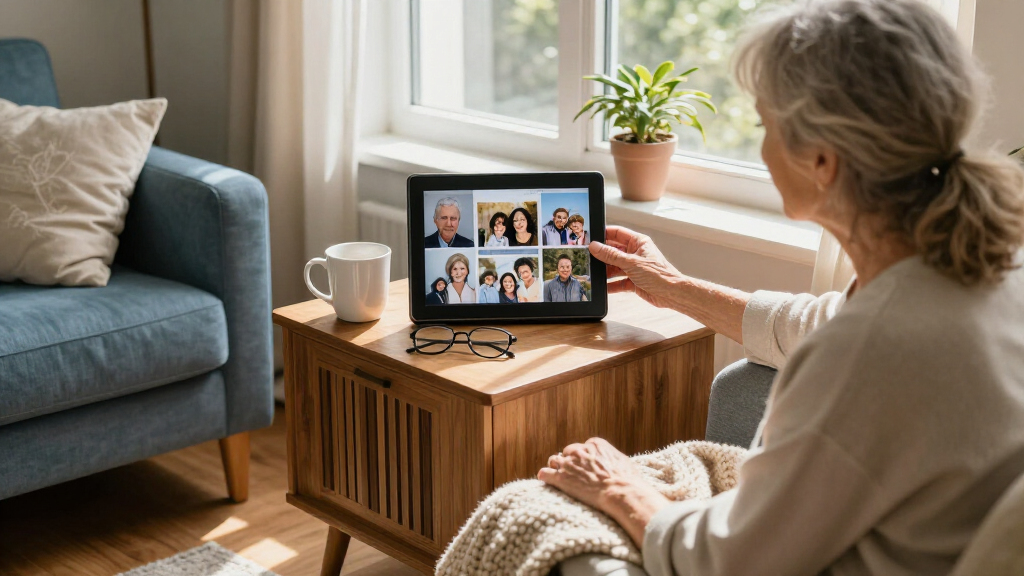
I ranked these frames around the needs that most affect a senior’s day-to-day experience: readable display size, simple operation, dependable family sharing, and manageable setup. A frame earns a higher place when relatives can send photos without asking the recipient to learn a complicated routine, and when the recipient can enjoy the display without frequent troubleshooting. I also weighed storage and flexibility, while treating listed capacity as a supporting feature rather than a substitute for an easy interface.
The order reflects distinct use cases rather than a claim that every specification is directly comparable. The Aura Carver HD leads for a family-first sharing setup; the Skylight offers a different, email-centered route; and larger Frameo models move up for viewers who prioritize image size. Similar-looking 10.1-inch frames are placed according to their stated features and likely fit, with a lower ranking where the product details supplied do not establish a clear advantage. Buyers should check the current listing for app requirements, included accessories, and setup details before choosing.
Factors to Consider When Choosing Digital Photo Frames For Seniors
Choosing a frame for an older relative is partly a technology decision and partly a family routine decision. I’d start with who will maintain the frame and how photos will get to it, then match the display and controls to the recipient’s space and comfort with devices.
Decide Who Will Send and Manage Photos
Before comparing frame features, agree on who will add photos and help if the connection stops working. A frame that relatives manage remotely can be a relief for someone who does not use a smartphone, but it makes the family sender’s app or upload process part of the experience. Ask whether several relatives should contribute and whether one person can help remove unwanted images or fix a Wi-Fi issue. A common mistake is buying for the recipient’s lack of technical interest without checking whether a relative is available to handle the setup. If support is occasional, favor a sharing method the family already understands. If support is dependable, a broader set of app-based choices may work well.
Match the Screen to Vision and Viewing Distance
Screen size matters most when the frame will sit across a room or the viewer has difficulty seeing smaller details. A 15.6-inch display can make faces easier to recognize from farther away, while a 10.1-inch model is easier to place on a bedside table or narrow shelf. Bigger is not automatically better: check the available surface, power-cable route, and usual viewing distance first. Also look for controls that allow brightness or display timing to suit the room, since a bright screen can be uncomfortable at night. Think about the photographs themselves too; close portraits and group pictures read differently at a distance. Choose for the spot where the frame will actually live.
Choose a Sharing Method the Family Will Keep Using
App-based sharing is useful when relatives already use the service, while email-style sending can feel simpler to family members who avoid installing another app. The recipient may not need to use either method, but someone in the family does. Check whether sharing requires account creation, whether more than one person can contribute, and what happens when the frame is offline. A frame can be easy on its first day and still be frustrating if sending later depends on steps nobody remembers. Avoid choosing solely by a familiar brand name; confirm the actual sharing process for the specific model. The best method is the one the family will reliably use after the gift is set up.
Treat Setup as Part of the Gift
Wi-Fi frames commonly need a network connection and some initial configuration, so plan to set one up before handing it over. Confirm the home has Wi-Fi where the frame will sit and that the network password is available. If the recipient may need to restart or reconnect the device, consider whether the power button and on-screen prompts are easy to find. Families often overlook that a technically capable relative may live far away and cannot help with a local network outage. A printed note with the sender’s contact and a few basic steps can prevent a small hiccup from making the frame unusable. When the recipient prefers no setup tasks, choose a model the family can configure and test in advance.
Think About Storage and Internet Dependence Together
Built-in storage helps keep a collection of photos on the frame, but it does not by itself tell you how new images are delivered or whether extra space can be added. Ask how many photos the family expects to send and whether old images should remain in rotation. A larger listed capacity may be useful for a large archive, yet a simple sending and cleanup routine can matter more than storing every photograph ever taken. Check whether the frame continues showing saved photos during an internet outage and whether new photos wait until the connection returns. Avoid treating storage size as the main measure of value. Match capacity to the family’s actual sharing habits.
Pick a Placement That Keeps the Frame Visible and Safe
A frame only brings joy if it is positioned where the recipient can comfortably see it. Check for a stable surface, a nearby outlet, and a cable path that will not cross a walking route or get caught during cleaning. A larger display may dominate a small room, while a compact unit can disappear on a deep shelf or be hard to see from a favorite chair. Consider glare from windows and lamps before settling on a location. If the frame will be mounted, confirm that the specific model supports the intended orientation and mounting method. These practical checks can matter more than choosing between two frames with similar sharing features.
Frequently Asked Questions
Can I set up a digital photo frame before giving it to a senior?
Yes, and doing so can make a Wi-Fi frame much easier to receive as a gift. Connect it to the recipient’s network if possible, confirm that photos arrive, and set a comfortable brightness and slideshow pace. Ask the family member who will send future photos to try the process before the handoff. If you cannot configure the recipient’s Wi-Fi in advance, include clear instructions and a contact for setup help. Check that the recipient is comfortable with where the frame will be placed and how it is powered.
Does the senior need a smartphone to view photos on these frames?
Usually, the recipient can view a frame’s slideshow without using a smartphone once someone has configured it. The people sending photos may need a phone, app, email account, or other supported method, depending on the model. That distinction makes remote sharing useful for seniors who do not want another device to manage. Before buying, confirm that relatives are willing and able to handle sending and any account setup. Also check what the recipient can do directly on the frame, such as pausing or adjusting settings.
Is a 15.6-inch frame worth choosing over a 10.1-inch frame?
A larger display can be a better fit if the senior watches from across a room or needs faces to appear larger. It also takes up more surface space and may be harder to place near an outlet without a visible cable. A 10.1-inch frame is often more practical for a bedside table or compact shelf. Measure the intended location and consider the viewing distance before deciding. If possible, compare a frame-sized paper outline in the room to judge its footprint.
Will a Wi-Fi photo frame keep working if the internet goes down?
That depends on the model and whether the photos have already been saved to its internal storage. Many Wi-Fi frames can continue displaying photos they have received, while new uploads generally need a connection. Check the specific product details for offline playback and how photos are stored. This matters if the home connection is unreliable or if the frame will be used somewhere without Wi-Fi. A family member should also know how the frame behaves after the connection returns.
Should I buy a frame with more storage if several relatives will send photos?
More storage can help a frame hold a larger collection, but it does not guarantee that several relatives can share easily. First confirm that the model supports contributions from multiple senders and that someone can manage duplicates or remove images. Think about whether the family wants a rotating set of recent photos or a long-running archive. If contributors send images often, agree on a simple routine for keeping the display fresh. Storage matters most when it matches a clear plan for how photos will be added and retained.
Conclusion
I’d choose the Aura Carver HD as the best overall match for families who want a dedicated frame and remote photo sharing with little day-to-day work for the recipient. For a distinct, email-centered sharing route, the Skylight 10-Inch is my best alternative; families comparing Frameo models should pick based on the specific listing and the recipient’s comfort with setup. For a larger display, consider the 15.6-inch Frameo options, including the Flyruit and Pastigio models, after checking room and table space. The 10.1-inch Wi-Fi models with 32GB storage are sensible value candidates when compact size and a substantial photo collection matter, though the available details do not identify one clear value leader among them. For beginners, I’d favor whichever model a relative can configure, test, and keep managing through a familiar sharing method. The best choice is the one that fits the senior’s eyesight and space while giving the family a sharing routine it will maintain.
Halloween Picks

Vexalify 11-Inch Halloween Pumpkin Fog Machine with 12-Color Lights

Halloween Inflatable Haunted House Maze – 20×20 ft with Removable Roof and Blower

Halloween Pumpkin Fog Machine with 12-Color LEDs, Bluetooth Speaker, and Remote
As an affiliate, we earn on qualifying purchases.