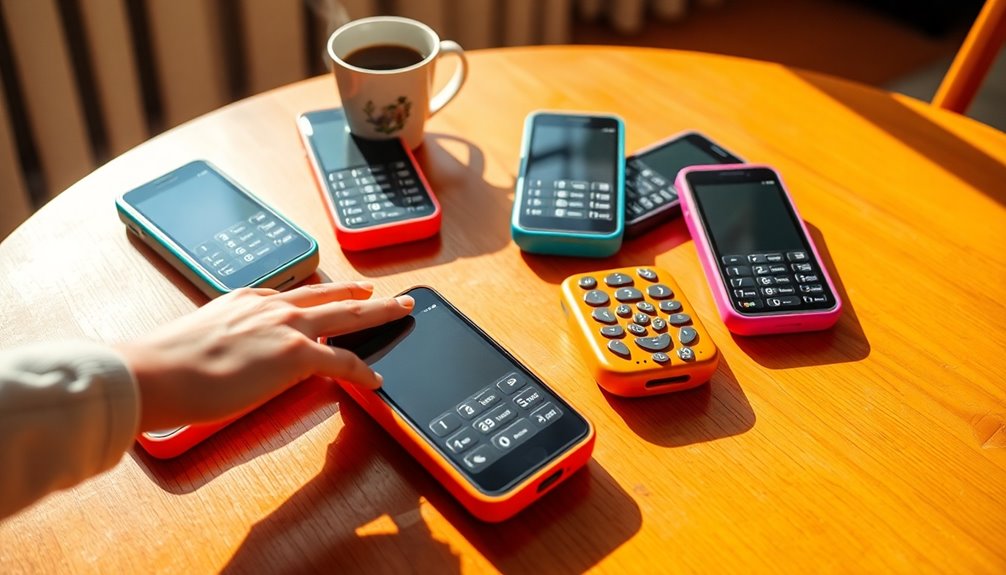

For a simple calling phone, I’d start with the LIVELY Jitterbug Flip2 for its senior-focused flip-phone design; the artfone C1+ stands out for large buttons, an SOS button, and a charging dock. Readers who want apps and a larger screen can compare the LIVELY Jitterbug Smart5, while the Jitterbug Flip2 keeps everyday use more focused on calls. The main tradeoff is between simpler controls and the flexibility of a smartphone, with network compatibility and emergency features also worth checking before buying. Read on for my comparison of all 13 options and guidance on choosing the right kind of phone.

Turn quiet afternoons into listening time
- Thousands of audiobooks, podcasts and originals
- Listen on your phone, tablet or Echo — also offline
- Cancel anytime
Complete the kit


Key Takeaways
- The lineup divides into three practical groups: basic phones with large keys, flip phones, and full-screen smartphones; the right group matters more than a small spec difference.
- The artfone C1+ pairs large buttons and an SOS button with a charging dock, making it a useful option for someone who prefers a straightforward bar-style phone.
- The LIVELY Jitterbug Flip2 is the clearest fit for a senior-focused flip-phone experience, while the Jitterbug Smart5 suits people who want smartphone functions.
- The Easyfone Prime-T6 uses picture buttons to make calling selected contacts more direct, a different approach from the large numeric keypads found on most basic models.
- Several listings advertise 4G or unlocked service, but those labels alone do not confirm compatibility with a buyer’s carrier; check supported bands and activation requirements before purchase.
| artfone C1+ 4G Cell Phone for Seniors with Large Buttons, SOS Button, and Charging Dock (Black) |  | Best Overall Basic Phone | Network compatibility: T-Mobile and its MVNOs only | Screen: 1.8-inch color LCD | Buttons: 21 raised backlit buttons | VIEW ON AMAZON | See Our Full Breakdown |
| Fabater Senior Flip Phone, 2.6-Inch Dual-Screen Unlocked Cell Phone with Large Buttons, Loud Speaker, Flashlight, Camera, and Bluetooth |  | Best for Simple Flip-Phone Basics | Displays: 2.6-inch screen; dual-screen design | Network bands: GSM 850/900/1800/1900 MHz | Memory: 32 MB + 32 MB | VIEW ON AMAZON | See Our Full Breakdown |
| Easyfone Prime-A1 Pro Unlocked 4G Flip Phone for Seniors, Red |  | Best for Hearing Aid Compatibility | Network: 4G | Main display: 2.4-inch HD | External display: 1.44-inch color HD | VIEW ON AMAZON | See Our Full Breakdown |
| Artfone G6 Flip Phone for Seniors – 4G Unlocked Basic Phone with SOS Button, Big Buttons, and Charging Dock (Red) |  | Best Flip Phone for Emergency Shortcuts | Network: 2G/3G/4G LTE (GSM) | Carrier compatibility: T-Mobile and T-Mobile MVNOs only | Displays: 2.4-inch inner screen; 1.8-inch outer screen | VIEW ON AMAZON | See Our Full Breakdown |
| Lively Jitterbug Smart3 Smartphone for Seniors |  | Best for Smartphone and Health Support | Screen: 6.2 inches | Network compatibility: Lively phone service only | Features: Voice typing, video chat, urgent response button | VIEW ON AMAZON | See Our Full Breakdown |
| Easyfone Prime-T6 4G Picture Button Cell Phone for Seniors |  | Best for Picture Dialing | Operating system: Easyfone OS | Network and SIM: Single Nano SIM; SpeedTalk SIM included; compatible with T-Mobile, SpeedTalk, and Tello Mobile | Battery: 1050mAh lithium-ion | VIEW ON AMAZON | See Our Full Breakdown |
| BLU Joy 2.4″ Unlocked Dual SIM Phone – Red |  | Best Compact Keypad Option | Display: 2.4 inches | Network: Unlocked GSM quad band 2G: 850/900/1800/1900 | SIM: Dual Micro SIM | VIEW ON AMAZON | See Our Full Breakdown |
| LIVELY Jitterbug Smart5 Smartphone for Seniors |  | Best for Guided Smartphone Use | Screen: 6.75 inches | SIM: Pre-installed | Carrier compatibility: Lively phone service only | VIEW ON AMAZON | See Our Full Breakdown |
| 4G Unlocked Flip Phone for Seniors with SOS Button, Big Buttons, Dual Screens, Camera, and FM Radio (Matte Black) |  | Best Flip Phone for Quick Glances | Model: C8 | Screens: 2.8-inch inner LCD and 1.5-inch outer display | Network: 4G VoLTE, 3G WCDMA, and 2G GSM | VIEW ON AMAZON | See Our Full Breakdown |
| Diydeg 4G Senior Cell Phone, 2.6in HD Screen Dual SIM, Large Buttons, 2500mAh Battery, LED Flashlight & FM Radio (Black) |  | Best for Longer Battery Life | Screen: 2.6-inch shatterproof HD screen | Battery: 2500mAh | Camera: 0.13MP | VIEW ON AMAZON | See Our Full Breakdown |
| 4G Senior Cell Phone Unlocked, 6.56″ HD+ Display, 3GB RAM 32GB ROM, 4000mAh Battery, eSIM Support |  | Best for a Large Screen | Display: 6.56-inch HD+ | Operating system: Android 13 | Memory and storage: 3GB RAM, 32GB storage | VIEW ON AMAZON | See Our Full Breakdown |
| artfone A400 4G LTE Senior Cell Phone with Big Buttons, SOS Button, Charging Dock, and 2MP Camera |  | Best for Calls and Emergency Contacts | Network: 2G, 3G, and 4G LTE | Carrier compatibility: T-Mobile and some T-Mobile network virtual operators; excludes Verizon, Boost, PagePlus, and AT&T | Display: 2.4-inch LCD | VIEW ON AMAZON | See Our Full Breakdown |
| LIVELY Jitterbug Flip2 Cell Phone for Seniors, Red |  | Best for Guided Support | Form factor: Flip phone | Color: Red | Screen: High-contrast display | VIEW ON AMAZON | See Our Full Breakdown |
| cell phones for elderly and senior citizen | Battery |
|---|---|
| artfone C1+ 4G Cell Phone for | 1800mAh; 7–8 hours talk time |
| Fabater Senior Flip Phone | 1400mAh lithium battery |
| Easyfone Prime-A1 Pro Unlocked | 1500mAh |
| Artfone G6 Flip Phone for Seni | — |
| Lively Jitterbug Smart3 Smartp | — |
| Easyfone Prime-T6 4G Picture B | 1050mAh lithium-ion |
| BLU Joy 2.4" Unlocked Dual SIM | 1400mAh listed; battery description lists 1300mAh |
| LIVELY Jitterbug Smart5 Smartp | — |
| 4G Unlocked Flip Phone for Sen | 1400mAh Li-ion |
| Diydeg 4G Senior Cell Phone | 2500mAh |
| 4G Senior Cell Phone Unlocked | 4000mAh, 18W fast charging |
| artfone A400 4G LTE Senior Cel | 1800mAh; product description states 8–10 hours talk time and nearly one week standby |
| LIVELY Jitterbug Flip2 Cell Ph | — |
More Details on Our Top Picks
artfone C1+ 4G Cell Phone for Seniors with Large Buttons, SOS Button, and Charging Dock (Black)
The artfone C1+ 4G is my strongest fit for someone who mainly needs clear calls and simple physical controls. Its raised, backlit buttons, large-font 1.8-inch screen, loud speaker, and voice time announcement support everyday use without a smartphone-style menu. The SOS key can contact up to five preset numbers, while the included dock gives the phone a stable place to charge. Compared with the Easyfone Prime-A1 Pro, this bar phone avoids a hinge and adds USB-C charging, but it lacks that model’s hearing aid compatibility and flip-phone protection. The tradeoff that matters most is network support: it works with T-Mobile and its MVNOs, not Verizon or AT&T. It also has no web browsing, so I’d choose it for calling rather than connected apps.
Pros:- Raised, backlit physical buttons and large fonts aid visibility and dialing.
- SOS button can call and message up to five emergency contacts.
- Loud speaker and voice time announcement support accessible everyday use.
- Includes both a charging dock and USB-C charging.
Cons:- Carrier compatibility is limited to T-Mobile and its MVNOs.
- Does not support internet browsing.
- Basic 1 MP front and rear cameras offer little for photo taking.
Best for: Seniors who want a straightforward calling phone with large tactile keys, an SOS shortcut, and a charging dock on a T-Mobile network.
Not ideal for: People using Verizon or AT&T, or anyone who needs web access, apps, or a higher-quality camera.
- Network compatibility:T-Mobile and its MVNOs only
- Screen:1.8-inch color LCD
- Buttons:21 raised backlit buttons
- Battery:1800mAh; 7–8 hours talk time
- Emergency feature:SOS calls and messages up to 5 contacts
- Charging:USB Type-C and charging dock
- SIM:Single Nano SIM
- Camera:1 MP front; rear camera with LED flash
Our verdict“I’d choose the C1+ for simple, accessible calling on T-Mobile, but skip it if carrier flexibility or internet access matters.”
Fabater Senior Flip Phone, 2.6-Inch Dual-Screen Unlocked Cell Phone with Large Buttons, Loud Speaker, Flashlight, Camera, and Bluetooth
The Fabater Senior Flip Phone offers a familiar open-to-answer format, large buttons, and an outer screen for checking call information without opening the phone. One-press speed dialing and a loud speaker keep its core call functions accessible, while the flashlight and radio add handy extras without requiring apps. Compared with the Artfone G6, it lists four Nano SIM slots and broad GSM bands, but its network description does not establish support for current US carriers; buyers should confirm compatibility before relying on it. Its 32 MB memory and 1.3 MP camera are modest, and the supplied details don’t list an SOS emergency button. I’d pick this when a basic flip design and external display matter more than emergency shortcuts or verified carrier support.
Pros:- Dual displays show call information without opening the phone.
- Large buttons and one-press speed dialing simplify calling.
- Loud speaker and vibration provide multiple call alerts.
- Built-in LED flashlight, radio, and Bluetooth add basic utility.
Cons:- GSM band listing does not confirm compatibility with a specific current US carrier.
- Very limited 32 MB + 32 MB memory and support for cards only up to 16 GB.
- No SOS emergency feature is listed.
Best for: Seniors who prefer a simple flip phone with large keys, an external call display, and basic extras such as a flashlight.
Not ideal for: Buyers who need a clearly specified US carrier match, an SOS key, hearing aid compatibility, or room for apps and media.
- Displays:2.6-inch screen; dual-screen design
- Network bands:GSM 850/900/1800/1900 MHz
- Memory:32 MB + 32 MB
- SIM slots:4 Nano SIM slots; four-card standby
- Battery:1400mAh lithium battery
- Camera:1.3 MP rear camera
- Memory card support:Up to 16 GB; card not included
- Connectivity and extras:Bluetooth, recorder, external radio, vibration, LED flashlight
Our verdict“I’d consider the Fabater for basic flip-phone use only after confirming network support, especially if an SOS button is not a priority.”
Easyfone Prime-A1 Pro Unlocked 4G Flip Phone for Seniors, Red
For a senior who relies on a hearing aid, the Easyfone Prime-A1 Pro has a clearer reason to make the shortlist than a general-purpose basic phone: it is HAC compatible and pairs that with large fonts, icons, and a clear-speaker system. The SOS key and photo speed dial also give familiar faces a more direct route to the screen and emergency contacts. Compared with the artfone C1+, this is a flip design with an external display and one-touch call blocking, but its listed carrier support is narrower and its battery is smaller. It includes a dock, though the supplied details don’t specify talk time or camera capability. I’d favor it when hearing aid support is a priority, after checking service availability for the intended carrier.
Pros:- Hearing aid compatibility is specified.
- Large fonts and icons make the interface easier to read.
- SOS button and photo speed dial provide direct access to contacts.
- Includes a charging dock and one-touch call-blocking shortcut.
Cons:- Compatible carrier list is limited to select providers, including T-Mobile prepaid, SpeedTalk, Tello, and Ultra Mobile.
- Supplied product details do not specify camera capability or talk time.
- 1500mAh battery capacity is lower than the artfone C1+’s 1800mAh.
Best for: Hearing aid users who want a basic flip phone with photo speed dial, an SOS key, and a charging dock.
Not ideal for: People who need broad carrier choice, a confirmed camera, or a phone with web and app features.
- Network:4G
- Main display:2.4-inch HD
- External display:1.44-inch color HD
- Battery:1500mAh
- Accessibility:Large fonts and icons; hearing aid compatible
- Emergency features:SOS button and photo speed dial
- Call management:One-touch blacklist shortcut
- Charging and carriers:Charging dock included; select carriers including T-Mobile prepaid, SpeedTalk, Tello, and Ultra Mobile
Our verdict“I’d choose the Prime-A1 Pro for its stated hearing aid compatibility and accessible flip-phone controls, provided its carrier support matches your service.”
Artfone G6 Flip Phone for Seniors – 4G Unlocked Basic Phone with SOS Button, Big Buttons, and Charging Dock (Red)
The Artfone G6 is the lineup’s more feature-rich basic flip phone for seniors who want a physical SOS key and help hearing conversations. Its hearing assistance mode, 21 oversized backlit buttons, and voice time announcement address accessibility directly, while the outer screen shows information when the phone is closed. The SOS button can dial up to five contacts, and the hinge is specified as tested for 120,000 flips. Compared with the Easyfone Prime-A1 Pro, the G6 lists more emergency contacts and adds a flashlight and FM radio, while the Easyfone explicitly states hearing aid compatibility. The G6’s major limitation is carrier support: it is for T-Mobile and its MVNOs, not AT&T or Verizon. Its 0.3 MP camera is basic, too.
Pros:- SOS button can dial up to five emergency contacts.
- 21 oversized backlit buttons and dual displays aid everyday use.
- Hearing assistance mode and voice time announcement add accessibility options.
- Charging dock, lanyard, flashlight, and FM radio are included features.
Cons:- Carrier support is limited to T-Mobile and its MVNOs; it does not support AT&T or Verizon.
- 0.3 MP camera is very basic.
- Hearing assistance mode is listed, but hearing aid compatibility is not specified.
Best for: Seniors on T-Mobile or a listed MVNO who want a flip phone with an SOS shortcut, large keys, and hearing assistance mode.
Not ideal for: AT&T or Verizon users, people who need a capable camera, or buyers requiring explicitly stated hearing aid compatibility.
- Network:2G/3G/4G LTE (GSM)
- Carrier compatibility:T-Mobile and T-Mobile MVNOs only
- Displays:2.4-inch inner screen; 1.8-inch outer screen
- Buttons:21 oversized backlit physical buttons
- SOS contacts:Up to 5 emergency contacts
- Contacts storage:Up to 1,000 contacts
- Camera:0.3 MP
- Extras:Hearing assistance mode, voice time announcement, flashlight, charging dock, lanyard, Bluetooth, FM radio
Our verdict“I’d choose the G6 for emergency shortcuts and hearing assistance on T-Mobile, but the carrier restriction rules it out for many households.”
Lively Jitterbug Smart3 Smartphone for Seniors
The Lively Jitterbug Smart3 is the clear choice here for someone who wants a large touchscreen, video chat, and access to health and safety services rather than a keypad phone. Its 6.2-inch display, list-based menu, and voice typing can make texting and basic phone tasks more approachable for a senior who is comfortable learning a smartphone. The urgent response service adds a kind of support that the artfone C1+’s SOS calling does not describe, while the Smart3 also supports video calls. That added service comes with a firm constraint: activation with Lively is required, and the phone cannot be used on other carriers. It is also substantially heavier than the basic phones in this batch. I’d select it for connected communication and Lively support, not for someone seeking simple buttons and carrier freedom.
Pros:- Large 6.2-inch screen and simple list-based menu.
- Voice typing can reduce the need for precise touchscreen typing.
- Supports video chat.
- Offers access to Lively health and safety services, including 24/7 urgent response.
Cons:- Requires activation with Lively phone service and does not support other carriers.
- At 1.405 lb, it is much heavier than the basic phones in this roundup.
- Touchscreen operation may be less suitable than physical keys for users with dexterity challenges.
Best for: Seniors who want a large-screen smartphone for video chat and are willing to use Lively service for health and emergency support.
Not ideal for: People who prefer tactile physical buttons, want a lightweight basic phone, or need to keep an existing non-Lively carrier.
- Screen:6.2 inches
- Network compatibility:Lively phone service only
- Features:Voice typing, video chat, urgent response button
- Weight:1.405 lb
- Dimensions:22.8 × 10.7 × 7.4
- Activation:Lively service required
Our verdict“I’d pick the Smart3 for a senior who wants video chat and Lively support, as long as the service lock-in and weight are acceptable.”
Easyfone Prime-T6 4G Picture Button Cell Phone for Seniors
The Prime-T6 makes familiar faces the main way to place a call: four large picture buttons let someone reach chosen contacts without searching a menu or remembering number shortcuts. Its hearing aid compatible sound, SOS button, and included charging dock also suit users who want a focused calling device with a simple place to recharge it. Compared with the BLU Joy, it offers 4G support and direct picture dialing, while the BLU has dual SIM slots but is limited to 2G networks. The tradeoff is carrier choice: this Easyfone is intended for T-Mobile-based service, so check coverage and compatibility before buying. Its 1050mAh battery is modest, and the phone is not water resistant.
Pros:- Four picture buttons make calling selected contacts more direct
- Hearing aid compatible audio supports users with compatible hearing aids
- SOS button provides a dedicated emergency calling option
- Charging dock and included SpeedTalk SIM simplify setup for compatible service
Cons:- Works with select T-Mobile network-based carriers rather than a broad range of networks
- 1050mAh battery is small compared with the Diydeg’s 2500mAh battery
- Not water resistant
Best for: Older adults who call a small, familiar circle and benefit from photo-based one-touch dialing or hearing aid compatibility.
Not ideal for: People who need broad carrier choice, water resistance, or smartphone apps; its carrier compatibility is limited and it is built mainly for calling.
- Operating system:Easyfone OS
- Network and SIM:Single Nano SIM; SpeedTalk SIM included; compatible with T-Mobile, SpeedTalk, and Tello Mobile
- Battery:1050mAh lithium-ion
- Connector:USB Type-C
- Weight:2.08 ounces
- Dimensions:4.53 x 2.05 x 0.63 inches
- Form factor:Bar
- Water resistance:Not water resistant
Our verdict“Choose the Prime-T6 if picture-based calling and hearing aid compatibility matter more than broad carrier choice or extra phone features.”
BLU Joy 2.4″ Unlocked Dual SIM Phone – Red
The BLU Joy keeps its pitch simple: a 2.4-inch screen, large keypad, and SOS button in a compact handset. Dual SIM support may appeal to someone who already manages two compatible lines, and its small size is easier to carry than the larger-screen Jitterbug Smart5. That portability comes with a major network constraint: this is a 2G GSM phone, and the supplied details rule out major networks and CDMA carriers including AT&T, T-Mobile, and Verizon. Buyers need to confirm that a local carrier still supports this phone before relying on it. Compared with the 4G Easyfone Prime-T6, the BLU offers a second SIM slot, but lacks picture dialing and 4G connectivity. Its camera and 32MB RAM are also very limited.
Pros:- Large keypad and SOS button offer straightforward basic controls
- Dual SIM slots support two compatible Micro SIM lines
- Compact, lightweight bar design is easy to carry
- Unlocked GSM configuration provides carrier choice where 2G service is supported
Cons:- 2G-only network support sharply limits carrier compatibility
- 0.3MP camera has no flash
- 32MB RAM and dated hardware limit its functions
Best for: Someone seeking a small keypad phone with dual SIM support who has confirmed access to a compatible 2G GSM carrier.
Not ideal for: People who need dependable current-network compatibility, use AT&T, T-Mobile, or Verizon, or want a capable camera.
- Display:2.4 inches
- Network:Unlocked GSM quad band 2G: 850/900/1800/1900
- SIM:Dual Micro SIM
- Operating system:KaiOS
- RAM:32MB
- Battery:1400mAh listed; battery description lists 1300mAh
- Camera:0.3MP front and rear; no flash
- Connector:Micro USB
Our verdict“Consider the BLU Joy only if a compatible 2G carrier is confirmed and compact keypad calling is the priority.”
LIVELY Jitterbug Smart5 Smartphone for Seniors
The Jitterbug Smart5 suits someone ready for a touchscreen but who wants a large 6.75-inch display, a simplified menu, and help close at hand. Real-time call captioning can make spoken conversations easier to follow, while the Urgent Response button and Lively support service give this pick a support-centered feel. Compared with the keypad-first Easyfone Prime-T6, the Smart5 can offer a more smartphone-like calling experience, but it asks the buyer to adapt to a touchscreen rather than physical buttons. Setup is streamlined by its pre-installed SIM and online activation; the tradeoff is that the phone is only compatible with Lively service, which requires a separate plan. That service commitment makes it less flexible than an unlocked phone such as the C8 flip phone.
Pros:- 6.75-inch screen offers more room for text and controls
- Simplified menu is designed to make navigation more approachable
- Real-time call captioning can help users follow voice calls
- Pre-installed SIM and online activation provide a guided setup path
Cons:- Compatible only with Lively phone service
- Requires a separate Lively service plan
- Touchscreen controls may be less suitable than physical buttons for some users
Best for: Older adults moving from a landline or basic phone to a large-screen smartphone who value call captions and access to Lively support.
Not ideal for: Buyers who want physical keys, app or carrier flexibility, or do not want a separate Lively service plan.
- Screen:6.75 inches
- SIM:Pre-installed
- Carrier compatibility:Lively phone service only
- Calling:Voice calling
- Accessibility feature:Real-time call captioning
- Emergency feature:Urgent Response button
- Interface:Easy-to-navigate menu
Our verdict“Pick the Smart5 for a supported, large-screen smartphone experience if Lively service and touchscreen controls suit the user.”
4G Unlocked Flip Phone for Seniors with SOS Button, Big Buttons, Dual Screens, Camera, and FM Radio (Matte Black)
The C8 adds a useful small convenience to a familiar flip design: its outer display lets users check the time or caller information without opening the phone. Inside, large buttons, speed-dial keys, loud speakers, and an SOS button support quick everyday calls. Compared with the picture-first Easyfone Prime-T6, the C8 offers a physical keypad and dual screens, while the Easyfone makes selected contacts more visually direct with picture buttons. The C8 is also more feature-packed, with Bluetooth, FM radio, a camera, and microSD expansion. Its main catch is network compatibility: it is aimed at T-Mobile and T-Mobile-based carriers, and the listed exclusions include AT&T and Verizon. Buyers wanting a flip phone should verify their carrier before purchase; the 1400mAh battery and basic camera are further limits.
Pros:- Outer display shows time and caller information without opening the phone
- Large buttons, speed-dial keys, and SOS button support direct calling
- Charging dock and up to 336 hours of listed standby time suit dock-based use
- Bluetooth, FM radio, and microSD expansion add practical extras
Cons:- Not compatible with AT&T, Verizon, Boost, or PagePlus according to the supplied details
- Basic camera and microSD expansion limited to 32GB
- Fixed-package SIM cards are not supported
Best for: Older adults who prefer a flip phone with tactile keys, speed dialing, and an outside screen for checking calls and time.
Not ideal for: People on AT&T, Verizon, or other unsupported networks, or buyers who need a strong camera or substantial storage expansion.
- Model:C8
- Screens:2.8-inch inner LCD and 1.5-inch outer display
- Network:4G VoLTE, 3G WCDMA, and 2G GSM
- Compatible carriers:T-Mobile and listed T-Mobile-based carriers
- Battery:1400mAh Li-ion
- Talk and standby time:6–8 hours talk; up to 336 hours standby
- Storage expansion:microSD up to 32GB
- Phonebook and SOS contacts:Up to 500 phonebook entries and 5 SOS numbers
Our verdict“Choose the C8 if a tactile flip phone with an outer caller display fits the user and their carrier is supported.”
Diydeg 4G Senior Cell Phone, 2.6in HD Screen Dual SIM, Large Buttons, 2500mAh Battery, LED Flashlight & FM Radio (Black)
The Diydeg is aimed at buyers who want a basic keypad phone that can go longer between charges. Its 2500mAh battery is notably larger than the 1050mAh unit in the Easyfone Prime-T6, while the spaced tactile buttons are intended to reduce accidental presses. A 2.6-inch shatterproof screen, built-in flashlight, FM radio, and dual SIM slots round out its practical extras. That makes it a more utility-focused choice than the BLU Joy, whose compact body and dual SIM support are paired with 2G-only network limits. The Diydeg’s stated quad-band GSM support still calls for a carrier compatibility check, and SIM cards are not included. Its 0.13MP camera is extremely basic, so this makes more sense for calls and everyday tools than photos.
Pros:- 2500mAh battery offers more capacity than the Prime-T6’s 1050mAh battery
- Spaced tactile buttons are designed to reduce accidental presses
- Shatterproof 2.6-inch screen and built-in flashlight serve practical daily needs
- Dual SIM slots and FM radio add utility without smartphone complexity
Cons:- 0.13MP camera is very limited
- SIM cards are not included
- Listed GSM quad-band specifications warrant a carrier compatibility check before purchase
Best for: Older adults who want tactile keypad controls, a larger stated battery, and simple extras such as a flashlight and FM radio.
Not ideal for: People who want a useful camera, included SIM cards, or assurance of compatibility without checking their carrier’s supported bands and service.
- Screen:2.6-inch shatterproof HD screen
- Battery:2500mAh
- Camera:0.13MP
- SIM:Dual SIM; cards not included
- Network:4G GSM quad band: 850/900/1800/1900MHz
- Color:Black
- Features:FM radio, LED flashlight, Bluetooth, music player, recorder, calculator, calendar, and games
Our verdict“The Diydeg is a sensible basic-phone candidate for users who value battery capacity and physical controls over camera quality or included service.”
4G Senior Cell Phone Unlocked, 6.56″ HD+ Display, 3GB RAM 32GB ROM, 4000mAh Battery, eSIM Support
This is the smartphone pick for an older adult who wants a roomier display for reading, video calls, and familiar Android apps. Its 6.56-inch HD+ screen is much larger than the artfone A400’s 2.4-inch display, but that size also makes the phone less pocket-friendly and may be harder to hold for someone with limited grip. The 4000mAh battery and 18W charging suit regular smartphone use, while IP52 protection offers some resistance to dust and splashes.
The main compromise is setup flexibility: this model is eSIM only and works with AT&T or T-Mobile service, excluding their MVNOs. Its 3GB RAM and 32GB storage are modest, so it is better for calls, messaging, and lighter app use than demanding multitasking. Choose the Jitterbug Flip2 instead if simple menus and a help button matter more than a large touchscreen.
Pros:- Large 6.56-inch HD+ display gives text and images more room.
- 4000mAh battery with 18W fast charging.
- IP52 rating provides dust and splash resistance.
- Android 13 supports smartphone apps and services.
Cons:- eSIM only; there is no physical SIM slot.
- Carrier support is limited to AT&T and T-Mobile, excluding their MVNOs.
- 3GB RAM and 32GB storage can constrain multitasking and app or media storage.
Best for: Older adults who want a large-screen Android phone for calls, messaging, and everyday apps and can activate an eligible AT&T or T-Mobile eSIM.
Not ideal for: People who need a physical SIM, use an excluded carrier or MVNO, or want a compact phone with generous storage for apps and media.
- Display:6.56-inch HD+
- Operating system:Android 13
- Memory and storage:3GB RAM, 32GB storage
- Battery:4000mAh, 18W fast charging
- SIM:eSIM only; no physical SIM slot
- Carrier compatibility:AT&T and T-Mobile; their MVNOs are excluded
- Cameras:13MP rear camera with autofocus and dual LED flash; 5MP front camera
- Durability:IP52 dust and splash resistance
- Connectivity:USB Type-C, dual-band Wi-Fi, Bluetooth, GPS
Our verdict“Choose this for a large-screen Android experience if the buyer can use a supported eSIM carrier and does not need substantial storage.”
artfone A400 4G LTE Senior Cell Phone with Big Buttons, SOS Button, Charging Dock, and 2MP Camera
The artfone A400 is a straightforward choice for someone who mainly needs calls and texts, not internet access. Its raised, backlit keypad, large fonts, loud speakers, and hearing enhancement mode focus on easier everyday phone use. A dedicated SOS button can call up to five saved contacts and send a distress message, and the included charging dock avoids the need to handle a charging cable each day.
Compared with the LIVELY Jitterbug Flip2, the A400 offers a dock and a specified multi-contact SOS feature, while the Jitterbug pairs its help button with Lively’s support and optional Urgent Response service. The A400’s 2.4-inch screen and lack of web browsing keep it firmly in basic-phone territory. Carrier support is also narrow, so buyers should confirm that their specific T-Mobile network service is compatible before choosing it.
Pros:- Raised backlit keypad and large fonts support easier dialing.
- SOS button calls up to five preset numbers and sends a distress SMS.
- Charging dock makes daily charging simpler.
- Loud stereo speakers and hearing enhancement mode support clearer calls.
Cons:- Carrier compatibility is limited to T-Mobile and some T-Mobile network virtual operators.
- Does not support internet browsing or smartphone apps.
- Small 2.4-inch display and 2MP camera are suited to basic use.
Best for: Older adults who want a basic calling and texting phone with a physical keypad, charging dock, and an SOS feature for preset contacts.
Not ideal for: People who need web browsing, smartphone apps, or service from Verizon, AT&T, Boost, PagePlus, or an unsupported carrier.
- Network:2G, 3G, and 4G LTE
- Carrier compatibility:T-Mobile and some T-Mobile network virtual operators; excludes Verizon, Boost, PagePlus, and AT&T
- Display:2.4-inch LCD
- Input:Raised backlit keypad with T9 predictive text
- Battery:1800mAh; product description states 8–10 hours talk time and nearly one week standby
- Emergency feature:SOS button calls up to five preset numbers and sends a distress SMS
- Camera:2MP
- Charging:Charging dock included
- Internet browsing:Not supported
Our verdict“Pick the A400 for simple calls, texts, and preset-contact SOS support if its limited carrier compatibility fits.”
LIVELY Jitterbug Flip2 Cell Phone for Seniors, Red
The Jitterbug Flip2 suits someone who wants a simple flip phone backed by a service built around older users. Big buttons, a high-contrast screen, simple menus, a powerful speaker, and one-touch speed dial make common tasks easier to reach. Its keypad help button and access to 24/7 U.S.-based customer service distinguish it from the artfone A400, which instead emphasizes a charging dock and an SOS button that contacts several preset numbers.
The defining limitation is service choice: the Flip2 works only with Lively phone service, so it is not a flexible unlocked phone to pair with an existing carrier. Optional Urgent Response service may suit buyers seeking an added emergency support option, but voice services and activation require engaging with Lively. Compared with the large-screen Android phone in this batch, the Flip2 offers fewer smartphone capabilities in exchange for simpler controls and a familiar flip-phone format.
Pros:- Big buttons and simple menus reduce steps for common tasks.
- High-contrast display and powerful speaker support visibility and hearing.
- One-touch speed dial and a keypad help button are easy to reach.
- 24/7 U.S.-based customer service and optional Urgent Response service are available through Lively.
Cons:- Compatible only with Lively phone service.
- Does not provide the app flexibility of an Android smartphone.
- Activation is online, which may require help from someone comfortable with setup.
Best for: Older adults who prefer a simple flip phone and want access to Lively customer support and the option of Urgent Response service.
Not ideal for: People who want to keep their current carrier, use smartphone apps, or choose among multiple mobile services.
- Form factor:Flip phone
- Color:Red
- Screen:High-contrast display
- Carrier compatibility:Lively phone service only
- Controls:Big buttons, simple menus, one-touch speed dial
- Audio and help:Powerful speaker, voice services, keypad help button
- Support:24/7 U.S.-based customer service
- Emergency service:Optional Urgent Response service
- Activation:Online activation
Our verdict“Choose the Jitterbug Flip2 for an uncomplicated flip phone when Lively’s service and support are a good fit.”

How We Picked
I compared the 13 phones by how well their designs address common senior needs: readable controls, simple call handling, emergency access, charging convenience, and the choice between basic calling and smartphone functions. Large buttons, picture dialing, SOS controls, loud speakers, and charging docks can reduce everyday friction, but each feature only helps when it matches the buyer’s habits and abilities.
The ranking favors clear usability and a well-defined audience over long feature lists. Senior-focused models with accessible controls rise above generic small phones when they offer a practical ease-of-use advantage; smartphones rank for buyers who need apps and a larger screen, while simpler phones suit those who mainly call and text. I also weighed tradeoffs such as limited app support, unfamiliar interfaces, and carrier compatibility. Product names and listings do not settle those questions, so buyers should confirm network support, service availability, and emergency-calling details before ordering.
Factors to Consider When Choosing Cell Phones For Elderly And Senior Citizens
Before choosing a model, I’d start with how the person will use it day to day. A phone that looks accessible on paper may still be awkward if its menus, charging routine, or service setup do not fit the user’s routine.
Choose the phone style around daily habits
Start by listing the tasks the phone needs to handle: calls, texts, photos, video calls, maps, or other apps. A basic phone can reduce menu clutter for someone who mostly calls family, while a smartphone gives access to services that may already be part of the person’s routine. A flip phone adds a physical open-and-close call action, which some people may find familiar and easy to recognize. Avoid buying a smartphone solely because it seems more capable if nobody will help with setup or updates. Likewise, do not assume a basic phone can run an app the user relies on. Match the phone’s abilities to the tasks the owner actually expects to do.
Check visibility and touch comfort in person
Screen size is only one part of readability. Text size, contrast, glare, button spacing, and how clearly a key responds can matter just as much. A large touchscreen may help someone who enlarges text, but it can be frustrating for a person who has trouble with precise taps. Physical keys offer tactile feedback, though small or crowded buttons can still be hard to distinguish. If possible, compare a phone’s display and controls with the user’s current device before choosing. Also check whether text size and display settings can be changed after setup. This can prevent a common mismatch: buying a phone with a large screen whose menus remain difficult to read.
Treat emergency features as part of a plan
An SOS button or emergency shortcut may provide a quicker way to place a call, but its behavior can differ by phone and service plan. Find out whether it calls a chosen contact, a response center, or emergency services, and whether setup or a subscription is required. Ask the intended contacts whether they can reliably respond, especially if the phone is meant to support someone living alone. Test the feature with the right people after activation, following the provider’s instructions. A shortcut cannot replace a charged phone, working cellular coverage, or a clear plan for who will answer. Do not choose by the presence of an SOS label alone; confirm what happens after it is pressed.
Confirm carrier support before you buy
“Unlocked” and “4G” do not guarantee that a phone will work with every carrier. Networks use different frequency bands and may have device approval or activation requirements. Check the exact model number against the carrier’s current compatibility information, then confirm that voice calling, messaging, and any needed emergency functions are supported. This matters especially for lesser-known models whose listings may not explain regional network details clearly. If the buyer wants to keep an existing number, ask the carrier about transferring it and activating the device. Sorting this out first can prevent a phone that powers on but cannot connect as expected.
Plan for charging, setup, and ongoing help
Think about where the phone will live and who will manage its setup. A charging dock can make returning a phone to its charging spot more obvious than handling a cable, but the dock still needs a stable, convenient location. Smartphone owners may need help with accounts, contacts, accessibility settings, software updates, and unwanted notifications. A simpler phone usually reduces that setup work, although it may offer fewer ways to customize the experience. Decide who can help if a password is forgotten or a setting changes. The best choice is one the owner can keep charged and use without relying on constant troubleshooting.
Spend more for a need, not a longer feature list
Paying for a smartphone can make sense when the user will use video calls, navigation, messaging apps, or a larger touch display. If the phone is mainly for occasional voice calls, those extra capabilities may add setup and maintenance without improving daily use. Picture dialing, loud audio, a charging dock, and physical keys solve different problems, so prioritize the feature tied to the owner’s biggest obstacle. Before paying for a specialized option, confirm that the person is comfortable using its controls and that the service supports it. Ask which two or three tasks matter most, then choose the least complicated phone that handles them well. This keeps the decision focused on practical benefit rather than specifications alone.
Frequently Asked Questions
Is a flip phone or a smartphone easier for an older adult to use?
It depends on the person’s familiarity and the tasks they need to do. A flip phone can keep calls and physical keys prominent, while a smartphone can enlarge text and provide video calls, maps, and messaging apps. Touchscreens may be harder for someone who has difficulty with precise taps, and physical keypads may be harder for someone with limited dexterity or vision. Consider the phone the user already knows and the functions they use each week. If possible, have them try the controls before making a decision.
Will an unlocked senior phone work with my carrier?
Not necessarily. “Unlocked” generally means the phone is not restricted to one carrier, but it does not confirm support for every network’s bands or activation rules. Check the exact model with the carrier before buying and ask about calling, texting, and any required device approval. If the phone will replace an existing device, confirm number transfer steps too. This check is especially useful for models with sparse network details in their listings.
How can I tell whether an SOS button will call the right person?
Look up the phone’s instructions and service terms to learn what the SOS button actually does. Some buttons call a programmed contact, while others may connect to a response service or use a different emergency process. Check how contacts are added and whether any paid plan or network connection is required. After setup, test the feature with the designated contacts according to the manufacturer’s guidance. Make sure everyone involved understands who is expected to respond.
Are picture buttons better than large-number buttons?
Picture buttons can make calling a few familiar people more direct, especially if remembering or entering numbers is difficult. Large-number buttons are more flexible for calling anyone whose number is known, but still require the user to dial. Picture dialing depends on correct contact setup and may not replace a full address book. Think about whether the user usually calls the same small group or needs to reach a wider range of people. The best control scheme is the one they can recognize and use consistently.
What should I set up before giving a senior a new phone?
Activate the phone with its carrier, add important contacts, and adjust display, sound, and accessibility settings before handing it over. Show the owner how to answer, end, and place calls, then let them practice those steps themselves. If there is an emergency shortcut, explain what it does and test it as directed. For a smartphone, set up only the accounts and apps the person needs, and make sure a trusted helper can assist with account recovery. Leave written instructions in a familiar place if the owner would find them useful.
Conclusion
For the strongest all-around fit among these picks, I’d choose the LIVELY Jitterbug Flip2 for someone who wants a senior-focused phone centered on calls. The artfone C1+ is my value-minded choice for buyers who prioritize big buttons, SOS access, and a charging dock, while the LIVELY Jitterbug Smart5 is the premium-style pick for someone who wants smartphone features and can manage a touchscreen. For beginners who want a simpler calling routine, compare the Jitterbug Flip2 with the artfone C1+ and choose based on preferred form and controls. For a person who benefits from calling a few contacts by image, the Easyfone Prime-T6 has a distinct picture-button approach. Before deciding, I’d verify carrier compatibility and confirm that the owner can use the phone’s key controls comfortably.
Halloween Picks
halloween
As an affiliate, we earn on qualifying purchases.