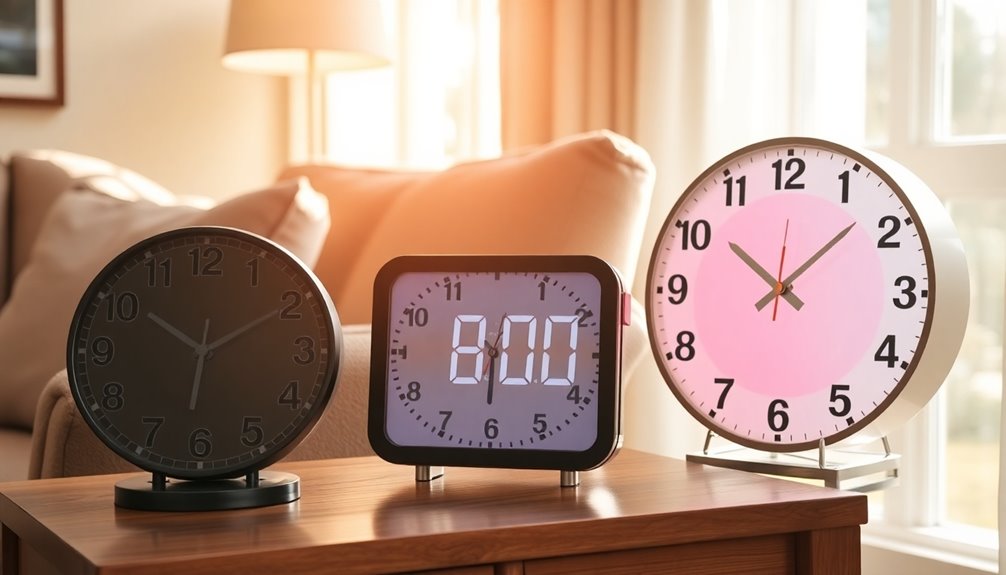

Finding the right clock for an elderly loved one can significantly improve their daily routine and independence. The best options combine large, easy-to-read displays with simple controls, but tradeoffs often include features like smart alarms or voice assistance that may be more or less useful depending on the user. The Soobest 7″ Digital Dementia Clock is the overall top pick for its clear display and straightforward operation, while the Talking Clock excels for those with low vision or hearing impairments. On the other hand, some clocks with extra features might overwhelm seniors or complicate usability. Continue reading for a detailed breakdown of each choice and how to pick the best clock for your needs.

Turn quiet afternoons into listening time
- Thousands of audiobooks, podcasts and originals
- Listen on your phone, tablet or Echo — also offline
- Cancel anytime
Complete the kit


Key Takeaways
- Large, high-contrast displays are essential for clarity and ease of use for seniors with vision impairments.
- Simple, intuitive controls often outperform feature-rich clocks that can confuse elderly users.
- Voice and auditory features are invaluable for those with low vision, but may be unnecessary or distracting for others.
- Battery-operated clocks minimize complexity and maintenance, but models with power ports can add convenience for charging multiple devices.
- Pricing varies widely; balancing features with ease of use helps find the best value for specific needs.
| Soobest 7″ Digital Dementia Clock for Seniors with Large HD Display |  | Best Overall for Visual Clarity and Custom Reminders | Display Size: 7 inches HD | Display Modes: 4 (white digits, yellow digits, analog clock face, color display) | Alarms: 20 customizable | VIEW ON AMAZON | See Our Full Breakdown |
| SSYA 7 Inch Digital Calendar Clock with Extra Large Display, 12 Alarms and Auto-Dimming |  | Best for Multilingual and Versatile Display Needs | Display Size: 7 inches | Resolution: 1024×600 HD LCD | Brightness Levels: 5 | VIEW ON AMAZON | See Our Full Breakdown |
| 11.5″ Digital Dementia Clock for Seniors with 10″ Large Display |  | Best for Extra-Large Display and Routine Reminders | Display Size: 10 inches | Display Type: Large digital | Reminders: 20 preset | VIEW ON AMAZON | See Our Full Breakdown |
| Digital Alarm Clock with Date and Day of Week for Seniors, Voice Announcement, Multiple Alarms, Auto Dimming, Black |  | Best Voice-Enabled Clock for Visual Impairments | Display Size: 7 inches | Voice Languages: 9 | Auto Dimming: Yes | VIEW ON AMAZON | See Our Full Breakdown |
| DreamSky Large Digital Alarm Clock with Big Numbers for Seniors and Visually Impaired |  | Best Budget-Friendly Large Digits with Brightness Control | Display: 3-inch jumbo LED | Brightness: Adjustable 0-100 levels | Alarm Volume: 30-90 dB adjustable | VIEW ON AMAZON | See Our Full Breakdown |
| Welgo Senior Friendly Digital Alarm Clock, 7.5 Inch Large Display with USB Charging Port |  | Best Overall for Visual Accessibility and Ease of Use | Display Size: 7.5 inches | Brightness Range: 0-100% dimmable | Alarm Volume: 30 levels, 30-90DB | VIEW ON AMAZON | See Our Full Breakdown |
| FAMICOZY Backlighted Analog Alarm Clock, Silent No Ticking, Battery Operated, Black |  | Best for Quiet Operation and Nighttime Reading | Dimensions: 4.72 x 3.66 x 2.55 inches | Power: 2 AA batteries (not included) | Display: Analog with large black numbers | VIEW ON AMAZON | See Our Full Breakdown |
| American Lifetime 2026 Dementia Clock – Large Digital Calendar Clock for Seniors with Day & Date Display, Custom Alarms, White |  | Best Discreet Digital Calendar for Daily Scheduling | Display: High-contrast digital | Alarms: Up to 5 | Auto-dimming: Yes | VIEW ON AMAZON | See Our Full Breakdown |
| Digital Alarm Clock with Date and Day of Week for Dementia Seniors |  | Best for Multi-Alarm Scheduling and Voice Assistance | Display Size: 7 inches | Voice Languages: 9 | Automatic DST: Yes | VIEW ON AMAZON | See Our Full Breakdown |
| 7-Inch Large Display Digital Calendar Clock with Day and Date for Elderly |  | Best Versatile Calendar with Customizable Features | Display: 7-inch 1024×600 LCD | Alarms: 20 | Reminders: 20 | VIEW ON AMAZON | See Our Full Breakdown |
| AuroraCalm Alarm Clock with 2-Inch Large Numbers, Bedside Plug-In Clock with USB Charging and Night Light |  | Best Overall for Visual Clarity and User-Friendly Features | Display: 2-inch large numbers | Brightness Levels: 5 adjustable | Alarm Sounds: 5 (Birds Chirping, Beep, Soft Music, Ode to Joy, Siren) | VIEW ON AMAZON | See Our Full Breakdown |
| Sharp Digital Alarm Clock with Swivel Base, Green LED, Dimmer, Silver |  | Best for Customizable Placement and Brightness Control | Display Type: Digital, green LED | Additional Features: Swivel Base, Brightness Dimmer | Power Source: Corded Electric with Battery Backup | VIEW ON AMAZON | See Our Full Breakdown |
| Talking Clock – Extra Loud Time & Date Announcement for Elderly, Dementia, and Low Vision Users |  | Best for Auditory and Simple Operation Needs | Display Type: Digital, high-contrast | Max Volume: 85 dB | Display Format: 12/24-hour | VIEW ON AMAZON | See Our Full Breakdown |
| clock for elderly | Power |
|---|---|
| Soobest 7" Digital Dementia Cl | Plug-in, Type-C adapter included |
| SSYA 7 Inch Digital Calendar C | A/C adapter included |
| 11.5" Digital Dementia Clock f | — |
| Digital Alarm Clock with Date | — |
| DreamSky Large Digital Alarm C | AC adapter included |
| Welgo Senior Friendly Digital | Corded outlet (AC powered) |
| FAMICOZY Backlighted Analog Al | 2 AA batteries (not included) |
| American Lifetime 2026 Dementi | — |
| Digital Alarm Clock with Date | AC adapter |
| 7-Inch Large Display Digital C | AC adapter |
| AuroraCalm Alarm Clock with 2- | AC powered with battery backup |
| Sharp Digital Alarm Clock with | — |
| Talking Clock | — |
More Details on Our Top Picks
Soobest 7″ Digital Dementia Clock for Seniors with Large HD Display
This clock stands out for its large 7-inch HD display, which offers excellent readability from across a room, making it ideal for seniors with vision impairment or dementia. Its 20 customizable alarms with icon-based reminders support medication schedules, meals, and hygiene routines, surpassing smaller or less flexible models like the DreamSky clock, which only offers basic alarm functions. However, it requires a wall outlet and has limited alarm sounds, which could be restrictive for users seeking more audio variety or battery independence. The auto-dimming feature helps reduce glare at night, and battery backup preserves settings during outages, ensuring consistent operation. This pick makes the most sense for users who need clear visuals and customizable alerts but don’t mind wired setup.
Pros:- Large, clear HD display easily visible from across the room
- Up to 20 customizable alarms with icon reminders for medications and routines
- Battery backup preserves settings during power outages
- Multiple display modes and auto-dimming for night use
Cons:- Requires constant wall power, limiting placement options
- Only three built-in alarm sounds, reducing choice for auditory alerts
Best for: Seniors with dementia or vision impairment who need large, easy-to-read information and customizable reminders.
Not ideal for: Users seeking portable, battery-powered clocks or those preferring wireless operation with multiple alarm sounds.
- Display Size:7 inches HD
- Display Modes:4 (white digits, yellow digits, analog clock face, color display)
- Alarms:20 customizable
- Alarm Sounds:3 built-in
- Volume Levels:1-10
- Brightness:Auto dimming + manual levels 1-5
- Power:Plug-in, Type-C adapter included
- Backup:Battery memory function
Our verdict“This clock is best suited for seniors needing large visuals and customizable reminders in a fixed location.”
SSYA 7 Inch Digital Calendar Clock with Extra Large Display, 12 Alarms and Auto-Dimming
This model excels in clarity and versatility, offering a 7-inch HD LCD display with full spelled-out time, date, and day, reducing confusion for users with memory issues. Its support for 8 languages and multiple date/time formats makes it a flexible choice for diverse households or care facilities, unlike the more basic DreamSky. Auto-dimming with five brightness levels ensures comfortable viewing at night, though its reliance on A/C power may limit portability. The 12 alarm modes with tags like Meal and Medicine support routine management effectively. Compared to the Soobest clock, it offers more language options and display customization, but it lacks a battery backup feature, which might be a drawback during power outages. It makes the most sense for users who need multilingual support and flexible display options in a fixed setting.
Pros:- Full spelled-out time and date improve clarity and reduce confusion
- Supports 8 languages and multiple date formats for versatility
- Auto-dimming with adjustable brightness levels for night use
- 12 alarm modes with descriptive tags for routines
Cons:- Requires A/C power, no battery backup option
- Auto-dimming defaults to a fixed schedule unless manually disabled
Best for: Caregivers or multilingual households seeking a highly customizable, clear display clock with multiple alarms.
Not ideal for: Seniors who need a portable or battery-powered device for use in multiple locations or during outages.
- Display Size:7 inches
- Resolution:1024×600 HD LCD
- Brightness Levels:5
- Alarm Modes:12
- Languages Supported:8
- Time Formats:12/24 HR, MM/DD/YY or DD/MM/YY
- Mounting:Wall or tabletop
- Power:A/C adapter included
Our verdict“Ideal for multilingual environments needing flexible, easy-to-read scheduling but not suited for users requiring portable power.”
11.5″ Digital Dementia Clock for Seniors with 10″ Large Display
This clock features a sizable 10-inch display that makes reading the time and schedule straightforward for users with significant visual challenges. Its 20 preset reminders for medication, meals, and daily routines outperform smaller clocks like the Soobest in visual clarity and organization. The multiple display options, including different clock faces and colors, enable customization based on personal preference. While the remote control and button operation make it accessible, the clock needs to be plugged in, and it doesn’t mention a backup battery, which could leave users without settings during outages. Compared with the SSYA clock, it offers a larger display and more preset reminders, but less language flexibility. This makes the most sense for users who prioritize a large, easy-to-understand display and routine management over multilingual features or portability.
Pros:- Large 10-inch display clearly shows time and schedule from across the room
- 20 preset reminders support daily routines effectively
- Multiple display and color options for visual comfort
- Supports 12/24-hour formats and auto daylight saving adjustment
Cons:- Requires constant plug-in power, limiting placement options
- No mention of a battery backup for outages
Best for: Seniors and caregivers who need a large, straightforward display with established reminders for daily routines.
Not ideal for: Individuals seeking a portable or multi-language clock, or those who prefer voice features or advanced customization.
- Display Size:10 inches
- Display Type:Large digital
- Reminders:20 preset
- Display Modes:Multiple including color options
- Time Format:12/24-hour
- DST Support:Yes
Our verdict“This clock is best suited for seniors requiring a large, easy-to-read display with routine reminders in a fixed location.”
Digital Alarm Clock with Date and Day of Week for Seniors, Voice Announcement, Multiple Alarms, Auto Dimming, Black
This model emphasizes accessibility with a large 7-inch display and voice announcement features in nine languages, making it suitable for users with serious visual impairments. Its voice prompts can greatly assist those who struggle with visual cues, outperforming clocks like the DreamSky that lack auditory support. The automatic dimming minimizes glare, improving comfort at night. However, it only comes in black, and there’s limited information on power backup—potential issues for users in areas with frequent outages. The operation is simple and intuitive, but its single color option might not appeal to all users. Compared to the Soobest model, it sacrifices some customization features for enhanced accessibility. This clock suits seniors who need auditory cues and easy operation but are okay with limited aesthetic choices.
Pros:- Large 7-inch display with high contrast for easy reading
- Voice announcement in 9 languages supports multiple users
- Auto dimming reduces glare and eye strain
- Simple operation ideal for users with cognitive difficulties
Cons:- Limited color options (only black)
- Lack of detailed power backup information
Best for: Seniors with visual impairments or low vision who rely on voice prompts and large displays for daily time awareness.
Not ideal for: Users seeking a colorful, multi-function clock or those requiring battery backup for outages.
- Display Size:7 inches
- Voice Languages:9
- Auto Dimming:Yes
- Alarm Settings:Multiple
- Color:Black
Our verdict“This clock is most suitable for visually impaired seniors who benefit from voice prompts and large, clear displays.”
DreamSky Large Digital Alarm Clock with Big Numbers for Seniors and Visually Impaired
The DreamSky clock offers a 3-inch jumbo LED display, making it easy to read from a distance, especially for users with impaired vision. Its adjustable brightness and alarm volume allow personalization, and the 9-minute snooze adds convenience. It includes a USB charging port, which is a useful feature for modern needs, and simple controls, making it accessible for seniors and even kids. Compared with the larger, more feature-rich clocks like the Soobest, it provides fewer preset reminders and alarms, but it excels in affordability and straightforward usability. Its reliance on AC power and the absence of backup batteries mean it’s less reliable during outages. This clock makes the most sense for those who want a large, easy-to-see display at a lower price point and are comfortable with basic alarm functions.
Pros:- Extra-large 3-inch LED digits for easy visibility
- Adjustable brightness and alarm volume for customization
- USB port for charging smartphones
- Simple, intuitive controls suitable for seniors
Cons:- Battery backup not included, risking lost settings during outages
- Alarm only supports one sound, limited customization
Best for: Budget-conscious seniors or caregivers seeking a straightforward large-display clock with adjustable settings.
Not ideal for: Users needing advanced reminders, multiple alarms, or a portable battery-powered device.
- Display:3-inch jumbo LED
- Brightness:Adjustable 0-100 levels
- Alarm Volume:30-90 dB adjustable
- Snooze:9 minutes
- Charging Port:USB
- Power:AC adapter included
- Backup Battery:Not included
Our verdict“This clock is best for users requiring large, clear digits on a budget with basic alarm functionality.”
Welgo Senior Friendly Digital Alarm Clock, 7.5 Inch Large Display with USB Charging Port
This model stands out for its extra-large 7.5-inch display with bold white numbers, making it highly visible for seniors and those with impaired vision. Its fully adjustable brightness ensures comfort regardless of lighting conditions, and the built-in USB port adds bedside convenience. Compared to the American Lifetime 2026 clock, it offers a more flexible brightness adjustment but trades off in having only a single alarm and requiring outlet power at all times. Its simple controls and gentle alarm volume make it a practical choice for users needing clear visibility and easy operation, though the need for AC power and the absence of additional alarms could be limitations for some.
Pros:- Extra-large 7.5-inch display with bold white numbers for maximum visibility
- Fully adjustable brightness from 0-100% for personalized comfort
- Built-in USB port for bedside device charging
- Simple operation with easy snooze and alarm on/off switches
Cons:- Requires outlet power to operate, limiting portability
- Batteries only preserve settings during outages, not display or alarm functions
- Single alarm only, which may not suit users with multiple reminders
Best for: Seniors with significant vision impairment seeking a large, easy-to-read display with added charging features
Not ideal for: Users who prefer battery-powered clocks or need multiple alarms without outlet dependence
- Display Size:7.5 inches
- Brightness Range:0-100% dimmable
- Alarm Volume:30 levels, 30-90DB
- Power:Corded outlet (AC powered)
- Backup Battery:2 x AAA (not included)
- USB Port:Yes, built-in
- Time Format:12-hour
- Product Dimensions:7in x 1.5in x 3in
Our verdict“This clock is ideal for seniors who need a large display and adjustable brightness but are okay with a single alarm and outlet power dependency.”
FAMICOZY Backlighted Analog Alarm Clock, Silent No Ticking, Battery Operated, Black
This analog clock excels in silent operation, with a no-tick sweeping second hand that prevents sleep disturbance, making it perfect for light-sensitive or easily disturbed seniors. Its auto-on soft backlight ensures visibility at night without glare, a feature not always present in digital counterparts like the Welgo clock. Compared to digital models, this clock’s simple knob controls and gentle ascending alarm cater to users who prefer straightforward, non-digital interfaces. However, its reliance on AA batteries means users must regularly replace them, and the backlight can accelerate battery drain. It’s less suitable for users needing multiple alarms or those who prefer plug-in power.
Pros:- Silent sweep second hand avoids sleep disruption
- Auto backlight for easy nighttime reading without glare
- Simple knob controls for easy setup
- Gentle ascending alarm wakes gradually
Cons:- Batteries not included, requiring regular replacement
- Backlight feature can drain batteries faster
- Limited alarm options for multiple reminders
Best for: Elderly individuals who prioritize silent operation, nighttime readability, and simple setup
Not ideal for: Users needing multiple alarms or a clock with continuous power without battery dependency
- Dimensions:4.72 x 3.66 x 2.55 inches
- Power:2 AA batteries (not included)
- Display:Analog with large black numbers
- Backlight:Auto or on-demand
- Alarm:Ascending volume
- Snooze:5 minutes, repeatable
Our verdict“This clock makes the most sense for seniors who want quiet, easy-to-read night visibility with minimal complexity, but not for those needing multiple alarms or continuous power.”
American Lifetime 2026 Dementia Clock – Large Digital Calendar Clock for Seniors with Day & Date Display, Custom Alarms, White
This digital calendar clock is tailored for users who need clear, comprehensive date and time displays, with the large high-contrast screen providing excellent readability. Its ability to support up to 5 daily alarms makes it especially suitable for medication and appointment reminders, rivaling the Digital Alarm Clock with Date and Day of Week. The auto-dimming feature adapts to ambient lighting, reducing glare, while the battery backup ensures the correct time remains during outages. Unlike more complex multi-function clocks, this model emphasizes simplicity and clarity, making it ideal for users with moderate cognitive challenges. Its discreet packaging avoids stigmatizing labels like ‘dementia,’ which can be a thoughtful touch for gift-giving. The absence of detailed independent reviews might concern some, but its design focuses on straightforward usability.
Pros:- Large, high-contrast display for easy reading in low light
- Supports up to five customizable alarms for daily routines
- Auto-dimming reduces glare and eye strain
- Battery backup preserves time during power outages
Cons:- Limited information on user satisfaction and independent reviews
- No specific price details provided for value assessment
- Design may be less modern compared to newer digital clocks
Best for: Seniors needing a large, high-contrast display with multiple alarms for daily medication and activity reminders
Not ideal for: Users seeking advanced features like music or photo playback, or those needing portable clocks
- Display:High-contrast digital
- Alarms:Up to 5
- Auto-dimming:Yes
- Backup Power:Yes
- Color:White
- Warranty:1-year
Our verdict“This clock fits seniors who need a large, clear display and multiple alarms without extra frills, though limited review data might be a concern.”
Digital Alarm Clock with Date and Day of Week for Dementia Seniors
This clock emphasizes multi-alarms and voice announcements, making it a strong option for seniors with memory challenges or those who benefit from auditory cues, similar to the Nimukol model but with support for nine languages. Its large 7-inch display shows the full date, day, and week in bold text, aiding comprehension. The automatic dimming feature creates a comfortable viewing experience, and the voice time announcements can assist users with visual impairments. Compared to the Welgo clock, it offers more alarms and language options but may be less intuitive for users unfamiliar with voice commands or automatic functions. Its fixed dimming schedule could limit customization for some.
Pros:- Large, bold display of date and day for easy reading
- Supports multiple alarms and reminders for medications
- Voice time announcements in 9 languages aid visually impaired users
- Automatic dimming adjusts to ambient light
Cons:- Automatic dimming times are fixed at 7 pm/7 am, with limited customization
- Complex features may overwhelm users unfamiliar with voice functions
- Brand recognition is lower compared to established clock brands
Best for: Seniors with multiple daily routines, medication schedules, or those who benefit from voice assistance
Not ideal for: Users who prefer simple, non-voiced clocks or who require a battery-powered device
- Display Size:7 inches
- Voice Languages:9
- Automatic DST:Yes
- Alarm Types:Multiple, medication reminders
- Dimming:Automatic
- Power:AC adapter
Our verdict“Ideal for seniors who need multiple alarms and voice assistance but may be less suitable for users seeking simple operation without voice features.”
7-Inch Large Display Digital Calendar Clock with Day and Date for Elderly
This clock offers a 7-inch HD LCD display with comprehensive information, including time, date, day, and six daily periods marked with sun/moon icons, making it highly suitable for users managing daily routines. Its 20 alarms and 20 reminders support medication schedules and appointments, while the ability to choose from 12 themes and 10 brightness levels provides customization for comfort. It also functions as a digital photo frame via SD card or USB, adding a personal touch. Compared to the Welgo clock, it provides more alarms and customization options but is more complex to operate and requires constant power. Its multi-functionality might be overwhelming for users seeking a straightforward device.
Pros:- Large, detailed HD display showing time, date, and day
- Supports 20 alarms and reminders for flexible scheduling
- Multiple themes and brightness levels for user comfort
- Doubles as a photo frame for personalization
Cons:- Requires constant outlet power, limiting portability
- Batteries only back up settings, not operation
- Additional accessories like SD cards and batteries are not included
Best for: Seniors who want a multi-purpose device for scheduling, reminders, and photo display
Not ideal for: Individuals preferring a simple, single-function clock with minimal setup
- Display:7-inch 1024×600 LCD
- Alarms:20
- Reminders:20
- Brightness Levels:10
- Themes:12
- Power:AC adapter
- Photo Playback:SD card, USB
Our verdict“This versatile clock suits tech-savvy seniors needing extensive scheduling features and personalization but may be excessive for those seeking simplicity.”
AuroraCalm Alarm Clock with 2-Inch Large Numbers, Bedside Plug-In Clock with USB Charging and Night Light
This clock stands out for its exceptionally large 2-inch numbers, making it highly visible from across the room—an advantage over smaller displays like the Sharp Digital Clock. Its loud alarm (up to 110 dB) caters to heavy sleepers, and the built-in USB port adds convenience for charging devices. The multiple night light colors and adjustable brightness enhance usability for nighttime visibility. However, the display doesn’t light up when on battery backup, which could be frustrating during power outages, and batteries are not included. Compared to the Sharp clock’s bright LED, AuroraCalm’s larger numbers are better for seniors with severe visual impairment, but it requires an outlet for full operation. Overall, this clock suits those needing highly visible, easy-to-operate features with additional charging and lighting options.
Pros:- Large 2-inch numbers highly visible from across the room
- Very loud alarm (up to 110 dB) suitable for heavy sleepers
- Includes USB charging port and customizable night light colors
- Front-facing buttons simplify operation for all ages
Cons:- Display remains unlit during power outages unless plugged in
- Batteries for backup not included, adding extra cost
- Requires outlet for full functionality
Best for: Seniors or visually impaired users who need large, clear numbers and versatile night lighting
Not ideal for: Users seeking a portable or battery-powered clock, since it relies on AC power and doesn’t light up on backup
- Display:2-inch large numbers
- Brightness Levels:5 adjustable
- Alarm Sounds:5 (Birds Chirping, Beep, Soft Music, Ode to Joy, Siren)
- Volume Levels:4, up to 110 dB
- Snooze:9 minutes
- Night Light:8 soft light options
- Power:AC powered with battery backup
- Backup Batteries:2 AAA (not included)
Our verdict“This clock is ideal for seniors needing large, clear visuals and versatile bedside features, provided they have access to power outlets.”
Sharp Digital Alarm Clock with Swivel Base, Green LED, Dimmer, Silver
The Sharp Digital Clock is a solid choice for those who appreciate adjustable brightness and flexible placement, thanks to its 90-degree swivel base and large, bright green LED display. Its adjustable dimmer makes it suitable for nighttime use without disturbing sleep, and the loud alarm with snooze caters well to heavy sleepers. It compares favorably to the AuroraCalm in display brightness but falls short because the screen goes blank during battery backup, which may be inconvenient during power outages. Its 6.25″W x 4″H size is compact enough for bedside tables, but it’s limited to indoor use and requires a 9V battery for backup, which is not included. Overall, this clock is better suited for users who want a highly adjustable display with flexible placement, but less so for those with severe visual impairments or power reliability concerns.
Pros:- Large, bright green LED display for high visibility
- Adjustable brightness and 90-degree swivel base for customization
- Loud alarm with snooze function for heavy sleepers
- Battery backup retains settings
Cons:- Screen turns blank during battery backup, losing visibility
- Requires a 9V battery for backup, not included
- Limited to indoor use only
Best for: Adults or seniors who value adjustable brightness and flexible placement options
Not ideal for: Users with significant visual impairments needing the largest possible display or who require the clock to work during power outages without display loss
- Display Type:Digital, green LED
- Additional Features:Swivel Base, Brightness Dimmer
- Power Source:Corded Electric with Battery Backup
- Batteries Required:1 9V battery
- Dimensions:6.25″W x 4″H
- Materials:Plastic and Metal
Our verdict“This model is best for users who want a customizable, adjustable display and placement but can tolerate display blackout during outages.”
Talking Clock – Extra Loud Time & Date Announcement for Elderly, Dementia, and Low Vision Users
This talking clock offers a straightforward, one-button operation that makes it especially suitable for users with cognitive or visual impairments. Its extra-loud 85 dB announcements ensure that even those with hearing challenges can easily hear the time, unlike visual-only models like the Sharp or AuroraCalm. The large high-contrast display with night mode is helpful for low-vision users, and the ability to turn off the screen at night prevents sleep disturbance. While it excels in ease of use and auditory clarity, it only offers an English voice and requires batteries for backup, which are not included. It’s less suitable for users who prefer visual cues or need multilingual support. Overall, this clock is perfect for seniors who need a simple, loud verbal cue and minimal interaction.
Pros:- Extremely simple one-button operation
- Extra-loud 85 dB volume for hearing-impaired users
- Large, high-contrast display aids low-vision users
- Night mode turns off screen to prevent sleep disruption
Cons:- Batteries not included, adding extra step
- Limited to English language voice
- No visual flashing or additional visual cues
Best for: Seniors with visual impairments or cognitive challenges needing audible time announcements
Not ideal for: Users seeking detailed visual displays or multilingual options, since it only uses English voice
- Display Type:Digital, high-contrast
- Max Volume:85 dB
- Display Format:12/24-hour
- Dimensions:6.7″W x 3.8″H
- Power Source:AC or 3 AA batteries (not included)
- Additional Features:Night mode, snooze
Our verdict“This clock is ideal for seniors who prioritize simple, loud verbal alerts over complex visual features, especially those with hearing or sight impairments.”
How We Picked
Our evaluation focused on usability, display size and clarity, feature relevance, build quality, and value. We prioritized clocks that are straightforward to operate, with large, high-contrast screens suitable for seniors with visual challenges. Features like alarms, auto-dimming, and voice announcements were considered based on their practicality for elderly users. We also assessed durability, power options, and overall design to ensure the clocks can withstand daily use. The ranking reflects a balance between simplicity and functionality, aiming to help caregivers and seniors find devices that are both effective and easy to use.
Factors to Consider When Choosing Clock For Elderly
Choosing the right clock for an elderly person involves more than just picking the largest display. It’s important to consider the user’s specific needs, including vision, hearing, and cognitive abilities. Features like automatic dimming can reduce glare, while voice announcements support those with low vision. Ease of operation is critical—complicated controls can frustrate rather than assist. Durability and power options also matter, especially if the clock will be used in a busy or unpredictable environment. Understanding these factors can help you avoid common pitfalls and select a clock that truly enhances daily living.
Display Size and Clarity
Large, high-contrast displays are vital for elderly users, especially those with impaired vision. Look for clocks with bold numerals, minimal clutter, and adjustable brightness to suit different lighting conditions. Avoid tiny or overly decorative fonts that can cause confusion or eye strain. A clear display ensures the time is quickly and easily read from a distance, reducing frustration and dependency.
Ease of Use and Controls
Simplicity in controls—large buttons, straightforward settings, and minimal steps—is key. Overly complex clocks with many features might seem appealing but can overwhelm seniors. Prioritize models that require minimal setup and offer intuitive operation, possibly with tactile or physical buttons instead of touchscreens. A clock that’s easy to set and adjust will be used consistently and reliably.
Auditory Features
For users with low vision or visual impairments, clocks with voice announcements or loud alarms are invaluable. However, consider whether these features might be distracting or unnecessary for the user’s lifestyle. An adjustable volume or multiple alarm options can add flexibility, ensuring the clock meets different needs without becoming a source of annoyance.
Power Options and Durability
Battery-powered clocks reduce dependency on outlets and are often more portable, but require regular battery checks. Clocks with plug-in options or USB charging are convenient but depend on power availability. Durability matters, especially if the clock will be in a busy household or used by someone with limited dexterity. Look for sturdy construction and straightforward maintenance routines.
Additional Features and Customization
Extras like auto-dimming, multiple alarms, or customizable displays can be helpful but should not complicate use. Evaluate whether these features genuinely add value or risk making the clock more confusing. For many seniors, basic features are sufficient, and additional options should be intuitive to activate and modify.
Frequently Asked Questions
What is the best type of clock for someone with low vision?
For individuals with low vision, clocks with large, high-contrast displays and voice or auditory features are ideal. Devices like talking clocks or those with extra-large numerals ensure they can read or hear the time clearly without strain. It’s also beneficial if the clock offers adjustable brightness or auto-dimming to minimize glare, making it easier for users to see the time in various lighting conditions.
Are digital or analog clocks better for elderly users?
Digital clocks are generally preferred for their clear, easy-to-read displays, especially for those with cognitive impairments or visual difficulties. Analog clocks can be more traditional and help with understanding time concepts, but they often require more visual acuity and familiarity. The choice depends on the user’s preferences and abilities; digital clocks with large numbers tend to be more straightforward for most seniors.
How important are alarm features in clocks for elderly people?
Alarms are often essential for helping seniors adhere to daily routines, medications, or appointments. Clocks with multiple alarms, customizable sounds, and volume controls offer flexibility. For users with memory issues, a clock with voice alerts or spoken time can reinforce time awareness. However, overly loud or frequent alarms might cause discomfort or confusion, so selecting a clock with adjustable alarm settings is advisable.
Should I prioritize battery life or features when choosing a clock?
Both matter, but prioritizing battery life ensures the clock remains functional without frequent replacements or recharges, especially if the user has limited mobility. If the clock has many advanced features like voice announcements or auto-dimming, choose a model with long battery life or easy recharging options. Balancing simplicity and durability typically yields the best long-term satisfaction and reliability.
Is a talking clock necessary for all elderly users?
Not all seniors need a talking clock, but it can be invaluable for those with significant vision impairments or cognitive challenges. If the user struggles to read the display or remember the time, spoken alerts and announcements provide an extra layer of support. For users with normal vision and good cognitive function, a large digital display might suffice, making a talking clock a helpful but not always essential feature.
Conclusion
For those seeking the best overall balance of simplicity and functionality, the Soobest 7″ Digital Dementia Clock stands out as an excellent choice. Caregivers of seniors with significant vision impairments or memory issues should consider the Talking Clock for its auditory support. Those who want a premium, feature-rich device might prefer clocks with auto-dimming, multiple alarms, or customizable options like the American Lifetime 2026 Dementia Clock. Beginners or users who prioritize straightforward operation will benefit from models with large displays and minimal controls, such as the Welgo Senior Friendly Digital Alarm Clock. Ultimately, selecting the right clock hinges on the user’s specific needs, preferences, and physical abilities.
Fall Picks
fall essentials
As an affiliate, we earn on qualifying purchases.