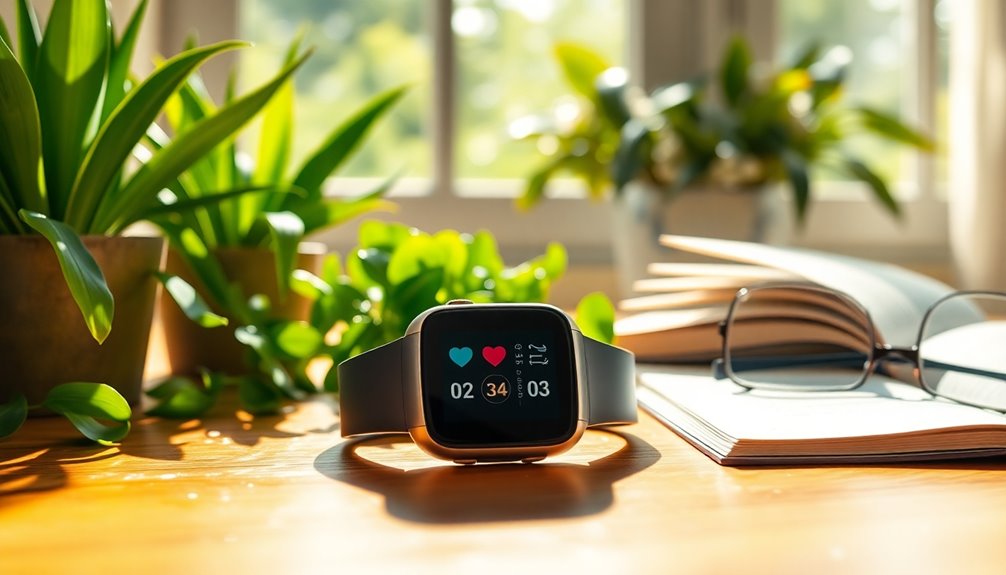

Not every Fitbit suits an older adult, and the difference usually comes down to screen size, simplicity, and day-to-day comfort rather than workout features. In this comparison, the Fitbit Charge 6 earns the top spot for its bright, easy-to-read display, physical button, and health tracking that family members can monitor through the Fitbit app. The Fitbit Inspire 3 stands out as the lighter, more affordable choice for seniors who want basics done well, while the screenless Fitbit Air removes the interface entirely for those who find displays confusing or frustrating. The main tradeoff in this category is between having more information on the wrist versus having less to learn and manage. Read on for the full breakdown of all six options and which type of user each one fits best.

Turn quiet afternoons into listening time
- Thousands of audiobooks, podcasts and originals
- Listen on your phone, tablet or Echo — also offline
- Cancel anytime
Complete the kit


Key Takeaways
- The Fitbit Charge 6 placed first because its physical side button and bright display solve the two most common senior complaints: finicky touchscreens and hard-to-read text.
- Both Inspire 3 colorways offer nearly identical value — the only real difference is band color, so buyers should choose based on visibility of the device on the wrist, not features.
- The screenless Fitbit Air models trade away any on-wrist feedback, making them better for seniors who want passive tracking reviewed by a caregiver or family member.
- The Fitbit Versa 4 is the most capable device here but also the most complex; it suits tech-comfortable seniors and backfires for those who want minimal menus.
- Lightweight bands and long battery life mattered more for all-day comfort than any advanced metric — heavier smartwatches were more likely to be taken off and forgotten.
| Google Fitbit Charge 6 Fitness Tracker, Obsidian/Black |  | Best for GPS and Navigation | Color: Obsidian/Black | Exercise modes: 40+ | GPS: Built-in | VIEW ON AMAZON | See Our Full Breakdown |
| Fitbit Versa 4 Fitness Smartwatch – Black/Graphite |  | Best for a Larger Watch Display | Color: Black/Graphite | Heart rate monitoring: 24/7 | GPS: Built-in | VIEW ON AMAZON | See Our Full Breakdown |
| Google Fitbit Inspire 3 Health & Fitness Tracker with Small and Large Bands (Lilac Bliss/Black) |  | Best for Beginners | Color: Lilac Bliss/Black | Bands included: Small and Large | Battery life: Up to 10 days | VIEW ON AMAZON | See Our Full Breakdown |
| Google Fitbit Air Screenless Activity Tracker, Obsidian |  | Best Screenless Pick | Color: Obsidian | Display: Screenless | Fit: One size, adjustable for 130–210 mm | VIEW ON AMAZON | See Our Full Breakdown |
| Google Fitbit Inspire 3 Fitness Tracker, Midnight Zen/Black, Small and Large Bands |  | Best for Guided Daily Routines | Color: Midnight Zen/Black | Band sizes: Small and Large | Compatibility: Apple iOS 16.4 or later; Android OS 11.0 or later | VIEW ON AMAZON | See Our Full Breakdown |
| Fitbit Google Air – Screenless Activity Tracker – Berry |  | Best for Set-and-Forget Simplicity | Color: Berry | Size: One Size (130-210 mm) | Display: Screenless | VIEW ON AMAZON | See Our Full Breakdown |
| fitbit for elderly | Color | Exercise modes | Battery life |
|---|---|---|---|
| Google Fitbit Charge 6 Fitness | Obsidian/Black | 40+ | — |
| Fitbit Versa 4 Fitness Smartwa | Black/Graphite | 40+ | 6+ days |
| Google Fitbit Inspire 3 Health | Lilac Bliss/Black | 20+ | Up to 10 days |
| Google Fitbit Air Screenless A | Obsidian | — | Up to one week |
| Google Fitbit Inspire 3 Fitnes | Midnight Zen/Black | 40+ | — |
| Fitbit Google Air | Berry | — | Up to 1 week |
More Details on Our Top Picks
Google Fitbit Charge 6 Fitness Tracker, Obsidian/Black
For an older adult who wants activity and health tracking plus directions on the wrist, the Fitbit Charge 6 offers more day-to-day utility than the simpler Inspire 3. Its built-in GPS can track outdoor exercise without carrying a phone, while Google Maps directions may help with routes when paired with a compatible phone. The screen and broad set of health metrics also make it more informative than the screenless Fitbit Air. That feature range comes with a tradeoff: navigating menus and using connected Google services may feel like extra work for someone who wants only step and sleep tracking. Google Health Premium costs extra, so some insights may require a separate subscription. I’d choose it for a tech-comfortable wearer who values route guidance and detailed tracking.
Pros:- Built-in GPS supports outdoor activity tracking without carrying a phone.
- Tracks heart rate, sleep, stress, and Daily Readiness.
- Google Maps directions and Wallet add useful connected features.
- More than 40 exercise modes and automatic exercise tracking.
Cons:- Google Health Premium is sold separately.
- Its many functions may be more involved than the simpler Inspire 3.
- Maps and other connected services depend on a compatible phone.
Best for: Older adults comfortable with a touchscreen who want built-in GPS, wrist directions, and a wide range of activity and sleep tracking.
Not ideal for: People who want a simple, screenless band or prefer not to use a compatible phone and Google services for connected features.
- Color:Obsidian/Black
- Exercise modes:40+
- GPS:Built-in
- Heart rate tracking:24/7
- Sleep features:Sleep Score and Smart Wake alarm
- Additional features:Stress management score, Google Maps directions, Google Wallet, and YouTube Music controls
Our verdict“Choose the Charge 6 if wrist navigation and broad tracking matter more than a simpler, lower-fuss band.”
Fitbit Versa 4 Fitness Smartwatch – Black/Graphite
The Versa 4 suits an older adult who would rather read notifications and health summaries on a watch-sized display than a slim tracker. Compared with the Charge 6, it puts smartwatch functions such as Bluetooth calls, Alexa, and Google Maps alongside fitness tracking, making it the more feature-rich wrist companion. Its 6+ days of battery life and 50-meter water resistance reduce the need for daily charging and allow swimming, though actual use can affect battery life. That larger, more capable format may be less comfortable for someone seeking a discreet or lightweight band; the Inspire 3 is a simpler alternative. The included small and large bands help with fit, but phone compatibility is needed for the health dashboard and notifications. Some features require a subscription after the included trial.
Pros:- Watch-style smart features include Bluetooth calls, notifications, Alexa, Google Wallet, and Maps.
- Built-in GPS and more than 40 exercise modes support varied workouts.
- Battery life is listed as 6+ days, reducing charging frequency.
- Water resistance to 50 meters and two included band sizes offer flexibility.
Cons:- Health dashboard and notifications require a compatible phone.
- Some features require a paid Google Health Premium subscription after the trial.
- The smartwatch form may feel less discreet than the Inspire 3.
Best for: Older adults who want a watch-style screen for calls, notifications, and fitness information, and are comfortable pairing it with a phone.
Not ideal for: People who prefer a discreet, lightweight tracker, or who want to avoid subscription-dependent features and connected-phone setup.
- Color:Black/Graphite
- Heart rate monitoring:24/7
- GPS:Built-in
- Exercise modes:40+
- Water resistance:50 meters
- Battery life:6+ days
- Band sizes:Small: 5.1–7 in wrists; Large: 6.5–8.6 in wrists
- Voice assistant:Amazon Alexa built-in
Our verdict“Pick the Versa 4 if a readable smartwatch experience matters more than a small, simple tracker.”
Google Fitbit Inspire 3 Health & Fitness Tracker with Small and Large Bands (Lilac Bliss/Black)
The Inspire 3 is a sensible starting point for an older adult who wants a compact band for everyday movement, sleep, and heart rate without the smartwatch extras of the Versa 4. Its up to 10-day battery life means fewer charging interruptions, and the included small and large bands make it easier to find a comfortable fit. It also tracks stress and sleep and offers a color touchscreen, while its 20+ exercise modes cover common activities. Compared with the Charge 6, it lacks built-in GPS and offers fewer exercise modes, so it is less suited to phone-free route tracking. Some sleep and readiness features require Premium after the included membership ends, and notifications depend on a nearby phone. It makes most sense for someone who wants the essentials in a lightweight form.
Pros:- Up to 10 days of battery life can mean less frequent charging.
- Small and large bands are included to accommodate different wrists.
- Tracks heart rate, sleep, stress, and SpO2.
- Lightweight, water-resistant design with a color touchscreen.
Cons:- No built-in GPS is listed, unlike the Charge 6 and Versa 4.
- Sleep Profile and Daily Readiness features require Premium after the included membership.
- Smart notifications work only when the phone is nearby.
Best for: Older adults starting with wearable tracking who want a lightweight band, long battery life, and basic activity, sleep, and heart rate data.
Not ideal for: People who want built-in GPS, extensive exercise options, or phone-free access to connected features.
- Color:Lilac Bliss/Black
- Bands included:Small and Large
- Battery life:Up to 10 days
- Water resistance:50 meters
- Exercise modes:20+
- Heart rate monitoring:24/7
- Compatibility:Apple iOS 15 or higher; Android OS 9 or higher
- Health metrics:SpO2, skin temperature, sleep tracking, menstrual health, and irregular heart rhythm notifications
Our verdict“Choose the Inspire 3 for straightforward everyday tracking and less frequent charging, provided GPS is not a priority.”
Google Fitbit Air Screenless Activity Tracker, Obsidian
The Fitbit Air is aimed at older adults who want tracking to happen quietly in the background rather than checking a display throughout the day. Its screenless design avoids the menus and notifications found on the Versa 4, and the adjustable fit is intended for wearing at work, during exercise, or while sleeping. A week of battery life and a quick five-minute charge for up to a day of use can help when charging routines are easy to forget. The tradeoff is clear: there is no on-device screen for checking activity or seeing information at a glance. Compared with the Inspire 3, it gives up the touchscreen experience and its listed health metrics are less specific. Coaching through Google Health Premium also requires a separate subscription.
Pros:- Screenless design avoids on-device menus and notifications.
- Micro-adjustable fit is designed for different wear settings.
- Battery lasts up to one week.
- Five minutes of charging provides up to one day of battery life.
Cons:- No screen means activity and health information cannot be viewed on the device.
- Google Health Premium coaching requires a separate subscription.
- The listed product details provide fewer specific tracking metrics than the Inspire 3.
Best for: Older adults who want a low-distraction, adjustable tracker for continuous wear and do not need to read data from the device.
Not ideal for: People who want a display for checking activity, notifications, or health information directly on their wrist.
- Color:Obsidian
- Display:Screenless
- Fit:One size, adjustable for 130–210 mm
- Battery life:Up to one week
- Fast charging:Five minutes provides up to one day of battery life
- Health tracking:24/7
Our verdict“Choose Fitbit Air if uninterrupted, screen-free wear matters more than checking data on your wrist.”
Google Fitbit Inspire 3 Fitness Tracker, Midnight Zen/Black, Small and Large Bands
This Inspire 3 fits older adults who want everyday movement and sleep tracking paired with cues that can support a regular routine. Automatic exercise tracking, mindfulness sessions, a daily Sleep Score, and a vibrating alarm give it a different emphasis from the Lilac Bliss Inspire 3, whose listed details highlight longer battery life, 20+ modes, and a Premium trial. Here, the supplied data lists 40+ exercise modes, but does not specify battery life or water resistance, so I would not assume those match the other Inspire 3 listing. It tracks heart rate, stress, SpO2, menstrual health, and sleep, though some measures may be less relevant to many older wearers. Phone compatibility also starts at newer operating system versions than the Lilac Bliss model.
Pros:- Tracks all-day activity, heart rate, stress, SpO2, and sleep.
- More than 40 exercise modes and automatic exercise tracking are listed.
- Mindfulness sessions and a daily Sleep Score support routine building.
- Vibrating alarm offers an on-wrist wake-up cue.
Cons:- Compatibility requires Apple iOS 16.4 or later or Android 11.0 or later.
- The provided product details do not state battery life or water resistance.
- Menstrual health tracking may be less relevant to many older buyers.
Best for: Older adults who want automatic activity and sleep tracking, mindfulness prompts, and a vibrating alarm in a compact band.
Not ideal for: People using older phones, or buyers who need confirmed battery-life and water-resistance details before choosing.
- Color:Midnight Zen/Black
- Band sizes:Small and Large
- Compatibility:Apple iOS 16.4 or later; Android OS 11.0 or later
- Exercise modes:40+
- Health tracking:Activity, heart rate, stress, SpO2, menstrual health, and sleep
- Sleep feature:Daily Sleep Score
- Alarm:Vibrating alarm
- Exercise tracking:Automatic exercise tracking
Our verdict“Pick this Inspire 3 for sleep scoring, mindfulness, and a vibrating alarm if your phone meets its newer compatibility requirements.”
Fitbit Google Air – Screenless Activity Tracker – Berry
The F screenless design here is exactly why some seniors will love it and others should skip it. With no display to fumble with, the Google Fitbit Air quietly tracks steps, sleep, and heart data around the clock — there are no menus, buttons, or tiny touchscreens to misread. Compared with the Fitbit Inspire 3, which forces you to interact with a small screen, this model trades convenience on the wrist for simplicity of wear. The micro-adjustable one-size band (130-210 mm) fits slim and larger wrists alike, and a full week of battery means far fewer charging sessions than a smartwatch like the Versa 4. The tradeoff is real, though: every health reading lives on a phone, so a family caregiver or a confident smartphone user needs to be part of the loop. And the Gemini-powered coaching only lasts three months before a paid subscription kicks in.
Pros:- No screen or buttons means zero learning curve on the wrist
- Up to a week of battery life, with 5 minutes of charging delivering a full day
- Micro-adjustable one-size band fits wrists from 130 to 210 mm comfortably
- Interchangeable bands let it double as a bracelet, sleep band, or workout tracker
Cons:- All health data must be viewed on a phone, with nothing readable on the device
- Gemini-powered coaching and premium insights require a paid Google Health subscription after the 3-month trial
Best for: Seniors who dislike fiddly screens and want effortless 24/7 tracking, ideally with a family member who checks the data on a phone
Not ideal for: Anyone who wants to glance at steps or heart rate on their wrist — all data here requires a paired smartphone
- Color:Berry
- Size:One Size (130-210 mm)
- Display:Screenless
- Battery Life:Up to 1 week
- Fast Charging:1 day of battery in 5 minutes
- Included Subscription:3-month Google Health Premium trial
- Band Style:Micro-adjustable, interchangeable bands
Our verdict“This pick makes the most sense for seniors who want invisible, maintenance-free tracking and have a family member willing to check the numbers on a phone.”

How We Picked
I ranked these six Fitbit models through a senior-focused lens rather than a general fitness lens. The criteria that mattered most were display readability (text size, brightness, glanceability), ease of operation (buttons versus touch-only navigation, menu depth), comfort for thin or sensitive wrists, and battery life, since frequent charging is one of the biggest reasons trackers end up in a drawer. I also weighed how easily a family member can follow the data remotely through the Fitbit app, which is often the real reason an older adult wears one at all.
The ranking logic follows a simple principle: the best Fitbit for an elderly user is the one that stays on the wrist and gets worn every day. That pushed the Charge 6 to the top for its balance of clarity and capability, positioned the Inspire 3 as the value pick, and reserved the Versa 4 for seniors who are genuinely comfortable with smartwatch menus. The screenless Air models landed last for independent use but fill a distinct role for seniors who resist wearing or reading any device at all.
| fitbit for elderly | Color |
|---|---|
| Google Fitbit Charge 6 Fitness | Obsidian/Black |
| Fitbit Versa 4 Fitness Smartwa | Black/Graphite |
| Google Fitbit Inspire 3 Health | Lilac Bliss/Black |
| Google Fitbit Air Screenless A | Obsidian |
| Google Fitbit Inspire 3 Fitnes | Midnight Zen/Black |
| Fitbit Google Air | Berry |
Factors to Consider When Choosing Fitbit For Elderly
Choosing a Fitbit for an older adult involves a different set of priorities than choosing one for yourself. These are the factors that most often decide whether the device gets worn for years or abandoned within a month.Screen Readability Comes Before Features
The single biggest predictor of long-term use is whether the wearer can actually read the display without reaching for glasses. Smaller bands like the Inspire 3 keep text compact, which suits some seniors but frustrates others — a larger-faced device like the Charge 6 or Versa 4 displays bigger, clearer text. Brightness matters just as much as size, since many older adults check the time in dim rooms or outdoors. A common mistake is buying based on feature lists and overlooking that a beautiful health dashboard is useless if the wearer cannot read it at a glance. If possible, compare display sizes side by side before committing.
Buttons Beat Touchscreens for Arthritic Hands
Capacitive touchscreens assume precise fingertip control, which is not a safe assumption for hands affected by arthritis, tremor, or reduced dexterity. A physical side button — like the one on the Charge 6 — lets the wearer wake the screen or pause tracking with a single firm press. Swipe-based navigation on slimmer trackers takes practice, and frustration during the first week often causes abandonment. Touchscreen-only devices also register accidental taps when sleeves brush against them, which can leave the wearer lost in a menu. For seniors with any hand mobility concerns, prioritize devices with at least one physical control.
Consider Who Actually Reads the Data
Be honest about the purpose: is the tracker for the senior’s own motivation, or for family members quietly monitoring activity, heart rate, and sleep from afar? Both setups work through the Fitbit app, but they point to different devices. A screenless option like the Fitbit Air works surprisingly well in the second scenario, since the wearer only needs to keep it charged and worn. For self-motivated users, an on-wrist display with daily stats is far more engaging. Deciding this question up front narrows the field faster than any spec comparison.
Weight, Band Fit, and Skin Sensitivity
Older skin is thinner and more prone to irritation, so band material and clasp style deserve more attention than most buyers give them. Lightweight trackers like the Inspire 3 nearly disappear on the wrist, which helps with all-day and overnight wear — important for sleep tracking. The Versa 4 is heavier, and some seniors find larger smartwatches uncomfortable enough to remove at night, silently killing sleep data. Bands that ship in both small and large sizes (as the Inspire 3 does) accommodate wrist changes over time. Snug-but-not-tight fit improves both comfort and sensor accuracy.
Charging Frequency and Setup Simplicity
Every charging interval is a failure point. Devices lasting a week or more between charges fit senior routines far better than smartwatches needing attention every few days, because a dead tracker delivers no data and often never gets revived. Setup is the other hidden hurdle: the initial pairing, account creation, and app configuration usually falls to a family member, so factor in whether someone can help with that first day. Proprietary charging cables also get lost easily, so establishing a fixed charging spot from day one is a small habit that prevents big gaps in tracking. Skip any device whose complexity exceeds the support available around it.
Frequently Asked Questions
Can a Fitbit detect falls or call for help?
No Fitbit model in this lineup is a medical alert device, and it should never replace a dedicated fall-detection pendant or emergency system. Fitbits track heart rate, movement, and some irregular-rhythm notifications, but they cannot summon help after a fall. What they can do is give family members visibility into daily activity, resting heart rate, and sleep patterns, which may reveal changes worth discussing with a doctor. If fall detection is the primary concern, budget for a separate medical alert device and treat the Fitbit as a wellness companion. This distinction is the most common point of confusion when families shop for senior wearables.
Is the screenless Fitbit Air a good choice if my parent resists technology?
It can be, precisely because it removes every interface the wearer has to learn. The Air tracks activity and health data silently, and everything is viewed through the app on a family member’s phone. The tradeoff is that the wearer gets no feedback, no time display, and no motivation from seeing their own stats — it is monitoring, not engagement. It works best for seniors who dislike gadgets but will tolerate a light band on their wrist. If your parent enjoys checking their step count or heart rate themselves, choose a display model like the Inspire 3 or Charge 6 instead.
Do family members need their own Fitbit account to see an elderly parent’s data?
Yes, the data flows through the Fitbit app tied to the wearer’s account, and the practical setup is usually the senior’s tracker paired to a phone managed by a caregiver or the senior themselves. Some families set up the app on the senior’s phone for independence, while others pair through a shared arrangement so an adult child can check activity remotely. Either way, one person needs to handle the initial pairing and occasional app updates. Before buying, decide who that person is, because an unpaired tracker provides no visibility at all. This planning step matters more than which model you choose.
Which Fitbit here is easiest to read without glasses?
The Charge 6 offers the best balance of large, bright text and simple navigation, with a physical button that wakes the display without swiping. The Versa 4 has a bigger face and can show larger text, but its touchscreen menus add complexity that cancels out the readability gain for some users. The Inspire 3 is readable but its narrow band keeps text small, so it suits seniors with decent close vision. If readability is the deciding factor and menus are a worry, the Charge 6 is the safer pick. Have the wearer test waking the screen with their own hands if possible.
How often do these Fitbits need charging, and why does it matter for seniors?
Expected battery life ranges from several days on the larger smartwatch-style Versa 4 up to around ten days for slimmer trackers like the Inspire 3, with usage and settings affecting real-world results. For an older adult, longer intervals between charges matter more than most specs, because a tracker that dies often stops being worn altogether. Proprietary charging docks are small and easily misplaced, so designate one permanent charging spot from day one. Setting a weekly charging routine — perhaps the same night each week — turns maintenance into a habit rather than a chore. When comparing models, weigh battery life against features honestly: extra capability is worthless on a dead device.
Conclusion
The right pick depends on who is wearing it and who is watching the data. For best overall, the Google Fitbit Charge 6 balances a bright display, a physical button, and robust health tracking in a comfortable band — the strongest fit for most seniors managing their own wellness. For best value, the Fitbit Inspire 3 (either colorway) delivers the core health metrics, all-day comfort, and long battery life at a lower commitment level, making it ideal for a first tracker. For best premium, the Fitbit Versa 4 suits tech-comfortable seniors who want a full smartwatch experience and can handle touchscreen menus. For beginners and the tech-averse, the Fitbit Air — in either Obsidian or Berry — is the gentlest entry point, working best when a family member monitors the app. Whichever you choose, match the device to the wearer’s eyes, hands, and habits, because the best Fitbit for an elderly user is simply the one that stays on the wrist.
Fall Picks
fall essentials
As an affiliate, we earn on qualifying purchases.