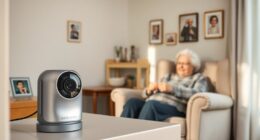
For families comparing indoor cameras for elderly relatives, my best overall pick is the eufy Security 4K Indoor Cam S350, whose dual cameras and zoom can help cover a room and check details from afar. The Tapo C211 2K two-pack is a practical value choice for monitoring more than one room, while the Blink Mini 2K+ suits buyers who want a small, straightforward camera. The main tradeoffs are room coverage versus simple fixed views, local versus subscription-based storage, and how much setup and app use the household can manage. A camera can support remote check-ins, but it cannot replace personal care or reliably detect every emergency. Read on for the full comparison and help choosing a setup that fits your relative’s home and preferences.

Give the gift of listening to someone you love
- Choose a 1-, 3-, 6- or 12-month membership
- They pick the audiobooks they love
- Easy to send by email
Complete the kit


Key Takeaways
- The S350 earns my overall pick because its dual-camera design and zoom offer more ways to inspect a room than a basic fixed-view camera; that added capability may be more than some households need.
- The Tapo C211 two-pack favors room coverage per device, making it a stronger starting point for multiple rooms than buying one premium camera.
- The Blink Mini 2K+ and Tapo C100 are simpler fixed-view options for buyers who want a familiar, lower-complexity starting setup, though they cover less of a room than pan-and-tilt models.
- Local-storage claims differ across the lineup: eufy and SensForge emphasize no subscription, while buyers should check each model’s current storage method and plan before relying on recordings.
- Multi-camera bundles solve coverage, not caregiving; LaView, Tapo C100, and Anona four-packs can span rooms, but more devices also mean more setup, alerts, and privacy decisions.
| eufy Security 4K Indoor Camera E30, No Subscription, Pet Camera |  | Best Overall for Local, Detailed Monitoring | Resolution: 4K Ultra-High Definition | Night vision: Color night vision with built-in spotlight | Coverage: 360° panoramic view | VIEW ON AMAZON | See Our Full Breakdown |
| Anona 4K UHD Indoor Camera – Pet/Dog/Baby Security with 360° Pan‑Tilt, Dual‑Band Wi‑Fi 6, Auto‑Tracking, Two‑Way Audio (2 Pack) |  | Best for Two-Room Coverage | Resolution: 4K UHD (8 MP) | Zoom: 8× digital | Pan and tilt: 355° pan and 110° tilt | VIEW ON AMAZON | See Our Full Breakdown |
| eufy Security 4K Indoor Cam S350, No Subscription, Dual Cameras, 8× Zoom |  | Best for Zoomed-In Detail | Resolution: 4K UHD | Camera type: Dual cameras | Zoom: 8× hybrid zoom | VIEW ON AMAZON | See Our Full Breakdown |
| Blink Mini 2K+ Indoor Security Camera (2-Pack) |  | Best for Simple Two-Room Setup | Resolution: 2K | Audio: Two-way audio with noise cancellation | Detection: Person and vehicle detection requires a subscription | VIEW ON AMAZON | See Our Full Breakdown |
| eufy Security Indoor Cam E220 Pan and Tilt Camera |  | Best for HomeKit Households | Resolution: Up to 2K; 1080p with HomeKit | Coverage: 360° pan and tilt | Connectivity: 2.4 GHz Wi-Fi only | VIEW ON AMAZON | See Our Full Breakdown |
| LaView Security Cameras 4pcs, Indoor 1080P Wi-Fi Home Security Camera with Motion Detection, Two-Way Audio, Night Vision, Alexa Compatibility |  | Best for Multi-Room Coverage | Number of cameras: 4 | Video resolution: 1080P HD | Night vision range: 33 ft | VIEW ON AMAZON | See Our Full Breakdown |
| Tapo C211 2K Pan/Tilt Indoor Security Camera, 2-Pack | 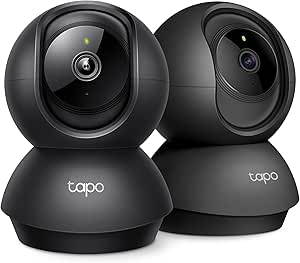 | Best for Following Room Activity | Quantity: 2 cameras | Video resolution: 2K | Horizontal pan: 360° | VIEW ON AMAZON | See Our Full Breakdown |
| TP-Link Tapo C206 HybridCam 1080p Pan/Tilt Indoor/Outdoor Security Camera |  | Best for Flexible Mounting | Resolution: 1080p Full HD | Field of view: 112° diagonal | Pan and tilt: 340° pan, 105° tilt | VIEW ON AMAZON | See Our Full Breakdown |
| TP-Link Tapo C100 1080p Indoor Security Camera, 4-Pack |  | Best Value for Fixed Room Checks | Pack size: 4 cameras | Resolution: 1080p | Field of view: 117° | VIEW ON AMAZON | See Our Full Breakdown |
| Aosu 2K Indoor Camera Baby Monitor for Home Security with 2.4GHz WiFi | 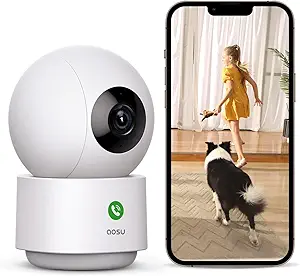 | Best for One-Room Motion Tracking | Resolution: 3 MP (2K) | Horizontal rotation: 360° | Tilt: 155° | VIEW ON AMAZON | See Our Full Breakdown |
| TP-Link Tapo C100 1080p Indoor Security Camera |  | Best for Straightforward Check-Ins | Resolution: 1080p | Night vision: Up to 30 ft | Detection: Motion, person, and baby-cry detection | VIEW ON AMAZON | See Our Full Breakdown |
| Blink Mini 2K+ Indoor Security Camera | | Best Compact Pick | Resolution: 2K (2560 × 1440) | Field of view: 138° diagonal | Frame rate: Up to 24/25 FPS | VIEW ON AMAZON | See Our Full Breakdown |
| Kasa 1080p Indoor Pan/Tilt Wired Security Camera, Baby & Pet Monitor | 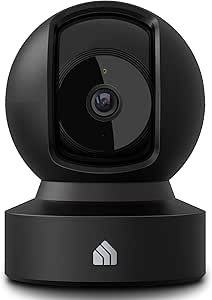 | Best for Following Room Activity | Resolution: 1080p HD | Pan and tilt: 360° horizontal, 113° vertical | Night vision: Up to 30 ft | VIEW ON AMAZON | See Our Full Breakdown |
| SensForge 2.5K Indoor Pan-Tilt Security Camera, 360° Dual-Band Wi-Fi, AI Human & Pet Detection, 64GB SD Card Included, Two-Way Talk, No Subscription |  | Best for Local Recording | Resolution: 2.5K HD | Pan and tilt: 360° horizontal, 90° vertical | Wi-Fi: Dual-band 2.4 GHz and 5 GHz | VIEW ON AMAZON | See Our Full Breakdown |
| Anona 4K UHD Indoor Security Camera with Pan-Tilt and AI Detection (4 Pack) |  | Best for Monitoring Multiple Rooms | Package: 4 cameras | Resolution: 4K UHD (8 MP) | Zoom: 8× digital zoom | VIEW ON AMAZON | See Our Full Breakdown |
| indoor cameras for elderly | Resolution | Storage | Power | Audio |
|---|---|---|---|---|
| eufy Security 4K Indoor Camera | 4K Ultra-High Definition | Local SD card storage; card sold separately | — | Two-way communication |
| Anona 4K UHD Indoor Camera | 4K UHD (8 MP) | Up to 512 GB microSD (not included) or AES-128-encrypted Anona Cloud | — | Two-way audio |
| eufy Security 4K Indoor Cam S3 | 4K UHD | Local SD card; card not included | Plug-in | — |
| Blink Mini 2K+ Indoor Security | 2K | Cloud storage; subscription required after trial | Plug-in; power adapters included | Two-way audio with noise cancellation |
| eufy Security Indoor Cam E220 | Up to 2K; 1080p with HomeKit | — | Corded electric, 5 V, 5 W | Two-way audio |
| LaView Security Cameras 4pcs | — | Cloud and microSD up to 128GB | — | Two-way audio |
| Tapo C211 2K Pan/Tilt Indoor S | — | microSD up to 512GB; optional cloud storage | — | — |
| TP-Link Tapo C206 HybridCam 10 | 1080p Full HD | microSD up to 512GB; optional cloud storage | 5.0 V/1 A DC adapter with 6.5-foot cord | — |
| TP-Link Tapo C100 1080p Indoor | 1080p | microSD up to 512GB; optional cloud storage | Constant power via included DC adapter | — |
| Aosu 2K Indoor Camera Baby Mon | 3 MP (2K) | — | Corded electric, 5V | Two-way audio |
| TP-Link Tapo C100 1080p Indoor | 1080p | MicroSD up to 512 GB (card not included) or Tapo Care cloud storage | Corded electric | Two-way audio with built-in siren |
| Blink Mini 2K+ Indoor Security | 2K (2560 × 1440) | — | Plug-in, 100–240 VAC | — |
| Kasa 1080p Indoor Pan/Tilt Wir | 1080p HD | MicroSD up to 256 GB or cloud storage | — | Two-way audio |
| SensForge 2.5K Indoor Pan-Tilt | 2.5K HD | 64 GB SD card included | Corded electric, 10.3 W | — |
| Anona 4K UHD Indoor Security C | 4K UHD (8 MP) | Supports microSD up to 512 GB or cloud storage | — | — |
More Details on Our Top Picks
eufy Security 4K Indoor Camera E30, No Subscription, Pet Camera
For families who want a detailed view of a room and local recording, the eufy Security 4K Indoor Camera E30 is the most balanced fit here. Its 360° pan, auto-tracking, and human and sound detection can help a caregiver check activity across a room, while two-way audio gives them a way to speak through the camera. Compared with the eufy Indoor Cam E220, the E30 offers 4K recording and color night vision with a spotlight, rather than 2K video and infrared night vision. Local storage avoids a required subscription for that functionality, though the SD card is sold separately. One limitation matters for Apple households: HomeKit use reduces video to 1080p. I would choose it for flexible, high-detail monitoring, but skip it if HomeKit resolution is a priority.
Pros:- 4K recording can make details easier to see when checking a room.
- 360° panoramic coverage and auto-tracking follow movement across the space.
- Human, pet, and sound detection can help surface activity for a caregiver to check.
- Local SD card storage supports recording without a required subscription.
Cons:- The SD card for local recording is sold separately.
- HomeKit use limits video resolution to 1080p.
- The spotlight used for color night vision may be disruptive in a dark bedroom.
Best for: Families who want local recording, room-wide tracking, and clear two-way communication for routine check-ins.
Not ideal for: Apple HomeKit households that want the camera’s full 4K resolution, or caregivers who need recording without buying a separate SD card.
- Resolution:4K Ultra-High Definition
- Night vision:Color night vision with built-in spotlight
- Coverage:360° panoramic view
- Audio:Two-way communication
- Storage:Local SD card storage; card sold separately
- AI detection:Humans, pets, and sounds
- Smart home compatibility:HomeKit, Alexa, and Google Assistant
- Auto-tracking:Yes
Our verdict“Choose the E30 for local, detailed room monitoring with two-way talk, provided its separate SD card and HomeKit resolution limit fit your setup.”
Anona 4K UHD Indoor Camera – Pet/Dog/Baby Security with 360° Pan‑Tilt, Dual‑Band Wi‑Fi 6, Auto‑Tracking, Two‑Way Audio (2 Pack)
The Anona 4K UHD two-pack suits families who want to place cameras in separate rooms, such as a bedroom and a shared living area. Each unit offers 355° pan, 110° tilt, auto-tracking, and two-way audio, so caregivers can check more than one space without moving a single camera. Its person, pet, and baby-cry detection is broader than the listed detection on the eufy Indoor Cam E220, and dual-band Wi-Fi 6 supports both 2.4 GHz and 5 GHz networks. The tradeoff is that the video runs at 15 fps, which may look less fluid when someone moves quickly. Local storage also requires a separate microSD card, while cloud recording uses Anona’s service. I’d pick this set for multi-room coverage, not for the smoothest motion or simplest storage setup.
Pros:- Two cameras let caregivers monitor separate rooms at once.
- 4K resolution and 8× digital zoom provide detail for checking activity.
- Pan, tilt, and auto-tracking cover a broad area in each room.
- Dual-band Wi-Fi 6 supports both 2.4 GHz and 5 GHz networks.
Cons:- 15 fps video may appear less smooth during movement.
- microSD cards for local recording are not included.
- Cloud storage depends on Anona’s cloud service.
Best for: Families who need cameras in two rooms and want person, pet, and baby-cry alerts over dual-band Wi-Fi.
Not ideal for: Caregivers who prioritize smooth video during movement or want local recording ready without purchasing microSD cards.
- Resolution:4K UHD (8 MP)
- Zoom:8× digital
- Pan and tilt:355° pan and 110° tilt
- Wi-Fi:Dual-band 2.4 GHz / 5 GHz Wi-Fi 6
- Storage:Up to 512 GB microSD (not included) or AES-128-encrypted Anona Cloud
- Audio:Two-way audio
- AI detection:Person, pet, and baby crying detection
- Frame rate:15 fps
Our verdict“Choose the Anona two-pack when coverage across two rooms matters more than higher frame rates or included local storage.”
eufy Security 4K Indoor Cam S350, No Subscription, Dual Cameras, 8× Zoom
When a caregiver needs to inspect activity farther across a room, the eufy Security S350 makes a strong case with its dual cameras and 8× hybrid zoom. It also pans through 360° and auto-tracks movement, giving it more reach for visual checks than the simpler eufy Indoor Cam E220. Infrared night vision works without the visible spotlight used by the E30, which may suit a bedroom where light could disturb sleep. Local SD storage offers a subscription-free recording path, but the card is not included. This model is also indoor-only and lacks HomeKit support, so Apple users may prefer the E30 or E220. I’d favor the S350 for caregivers who value zoom and quiet night viewing over broad smart-home compatibility.
Pros:- Dual cameras with 8× hybrid zoom help inspect details at a distance.
- 360° coverage and auto-tracking follow movement around the room.
- Infrared night vision avoids relying on a visible spotlight.
- Local SD card recording is available without a required subscription.
Cons:- SD card for local recording is sold separately.
- HomeKit is not supported.
- Indoor-only design is unsuitable for outdoor monitoring.
Best for: Caregivers who need to zoom in on activity across a larger room and prefer infrared night viewing.
Not ideal for: Apple HomeKit households, or anyone who needs one camera that can also be used outdoors.
- Resolution:4K UHD
- Camera type:Dual cameras
- Zoom:8× hybrid zoom
- Coverage:360° with auto-tracking
- Night vision:Infrared, up to 32 ft
- Storage:Local SD card; card not included
- Power:Plug-in
- Compatibility:HomeBase 3 and Alexa; no HomeKit support
Our verdict“Choose the S350 for zoom-focused indoor checks and infrared night vision if HomeKit compatibility is not needed.”
Blink Mini 2K+ Indoor Security Camera (2-Pack)
The Blink Mini 2K+ two-pack is a straightforward way to add a camera to two rooms, with included power adapters, USB cables, and mounting kits. For elderly care, its two-way talk with noise cancellation can support brief check-ins, while 2K video provides more detail than the 1080p option in the same brand’s single-camera lineup. Unlike the rotating eufy Indoor Cam E220, these cameras do not list pan-and-tilt coverage, so placement determines what each one can see. Person and vehicle detection requires a subscription, and cloud recording also becomes subscription-based after the trial. That recurring dependency makes it less suitable for families seeking independent local recording. I’d choose Blink for a simple Alexa-connected setup across two fixed views, rather than active room tracking.
Pros:- Two cameras and their power adapters are included for covering separate rooms.
- 2K video offers more detail than a 1080p camera.
- Noise-canceling two-way audio supports clearer spoken check-ins.
- Included mounting kits simplify placement.
Cons:- Person detection requires a subscription.
- Cloud recording requires a subscription after the trial.
- Fixed-view coverage does not offer the room tracking listed for the eufy E220.
Best for: Alexa households that want two fixed-view cameras with included mounting hardware and clear two-way audio.
Not ideal for: Caregivers who need pan-and-tilt tracking, local recording without a service plan, or subscription-free smart detection.
- Resolution:2K
- Audio:Two-way audio with noise cancellation
- Detection:Person and vehicle detection requires a subscription
- Power:Plug-in; power adapters included
- Storage:Cloud storage; subscription required after trial
- Connectivity:Wi-Fi
- Smart home compatibility:Alexa
- In the box:Two cameras, mounting kits, USB cables, and power adapters
Our verdict“Choose the Blink two-pack for simple Alexa-connected views in two rooms if subscription-based detection and recording suit your household.”
eufy Security Indoor Cam E220 Pan and Tilt Camera
For an Apple-focused household that wants a camera to follow movement around a room, the eufy Indoor Cam E220 pairs 360° pan-and-tilt coverage with on-device human and pet detection. Its two-way audio makes it useful for spoken check-ins, and support for HomeKit, Alexa, and Google Assistant gives it broader platform options than the eufy S350, which lacks HomeKit. The compromise is lower detail: it records up to 2K, and HomeKit use caps it at 1080p. It also needs a 2.4 GHz Wi-Fi network, while the Anona two-pack supports dual-band Wi-Fi 6. I’d choose the E220 for a modest, flexible room-monitoring setup, especially where HomeKit matters; skip it if 5 GHz Wi-Fi or sharper video is a must.
Pros:- 360° pan-and-tilt coverage with motion tracking follows activity through a room.
- On-device human and pet detection can identify relevant movement.
- Two-way audio supports remote spoken check-ins.
- Works with HomeKit, Google Assistant, and Alexa.
Cons:- Requires 2.4 GHz Wi-Fi and does not support 5 GHz.
- HomeKit use limits video resolution to 1080p.
- The corded, indoor-only camera needs a suitable outlet and placement.
Best for: Apple HomeKit households seeking room-wide motion tracking and two-way talk on a 2.4 GHz network.
Not ideal for: Caregivers with only 5 GHz Wi-Fi or those who want 4K detail and HomeKit at the same time.
- Resolution:Up to 2K; 1080p with HomeKit
- Coverage:360° pan and tilt
- Connectivity:2.4 GHz Wi-Fi only
- Detection:On-device human and pet detection; motion tracking
- Audio:Two-way audio
- Night vision:Infrared with 8 IR LEDs
- Power:Corded electric, 5 V, 5 W
- Smart home compatibility:HomeBase 3, Apple HomeKit, Google Assistant, and Alexa
Our verdict“Choose the E220 for HomeKit-friendly room tracking if 2.4 GHz Wi-Fi and its lower HomeKit resolution meet your needs.”
LaView Security Cameras 4pcs, Indoor 1080P Wi-Fi Home Security Camera with Motion Detection, Two-Way Audio, Night Vision, Alexa Compatibility
Four cameras in one set make the LaView a practical pick when I want to check several rooms where an older family member spends time. Its two-way audio supports quick check-ins, while app and web access plus multi-user sharing let more than one relative keep watch. Compared with the Tapo C211 2-Pack, LaView gives me twice as many camera units, but the Tapo adds pan-and-tilt coverage and person detection that can help follow activity within a room. LaView’s fixed 1080P view is simpler, though it may leave blind spots unless I place cameras carefully. Its 2.4GHz-only Wi-Fi rules out some network setups, and the 33-foot night vision range may be limiting in larger or dim spaces. Cloud storage can also add ongoing costs after the trial.
Pros:- Four cameras make it easier to monitor several frequently used rooms.
- Two-way audio supports remote verbal check-ins.
- App and web access with sharing for multiple users.
- Night vision supports monitoring in low light.
Cons:- Requires 2.4GHz Wi-Fi and does not support 5GHz networks.
- Fixed camera views can leave blind spots without careful placement.
- Night vision is specified to 33 feet, and cloud storage may incur fees after the trial.
Best for: Families who want cameras in several rooms and need shared remote access for multiple relatives.
Not ideal for: Households with only 5GHz Wi-Fi or anyone who needs a camera to pan and follow movement across a room.
- Number of cameras:4
- Video resolution:1080P HD
- Night vision range:33 ft
- Connectivity:2.4GHz Wi-Fi
- Storage:Cloud and microSD up to 128GB
- Audio:Two-way audio
- Compatibility:Alexa, iOS, Android, and web
Our verdict“I’d choose LaView for shared, multi-room check-ins when four fixed views matter more than pan-and-tilt tracking.”
Tapo C211 2K Pan/Tilt Indoor Security Camera, 2-Pack
When I want a camera to cover more than the spot directly in front of it, the Tapo C211’s 360° pan and 114° tilt offer a useful advantage over fixed-view options such as the Tapo C100 4-Pack. The pair records in 2K and adds person detection, two-way audio, and baby-crying alerts, giving family members several ways to notice activity and check in. That moving view can reduce blind spots in a room, though it still depends on power and a 2.4GHz Wi-Fi connection. Local recording to a microSD card up to 512GB avoids requiring cloud storage, but I have to supply the card separately. Compared with the C100 set, I get fewer cameras and more adjustable coverage per unit, so this is better for a couple of rooms than a whole-home multi-room setup.
Pros:- 2K video and broad pan-and-tilt movement help cover more of each room.
- Person and baby-crying detection can flag relevant activity.
- Two-way audio supports remote check-ins.
- Local microSD recording is available up to 512GB.
Cons:- A microSD card is not included, and cloud storage requires a subscription.
- Requires 2.4GHz Wi-Fi.
- Two cameras may provide less room coverage than the four-camera Tapo C100 pack.
Best for: Families who want to follow activity in one or two rooms with adjustable views and person alerts.
Not ideal for: Buyers who need cameras distributed throughout many rooms or want local recording without purchasing a memory card.
- Quantity:2 cameras
- Video resolution:2K
- Horizontal pan:360°
- Vertical tilt:114°
- Detection:Motion, person, and baby crying
- Storage:microSD up to 512GB; optional cloud storage
- Connectivity:2.4GHz Wi-Fi
- Compatibility:Alexa, Google Assistant, RTSP/ONVIF
Our verdict“I’d pick the C211 pair for adjustable, higher-resolution coverage in a small number of rooms.”
TP-Link Tapo C206 HybridCam 1080p Pan/Tilt Indoor/Outdoor Security Camera
The Tapo C206 suits households that need to place a camera in an unconventional spot: it supports tabletop, wall, ceiling, or pole mounting and is rated for temperatures from -4°F to 122°F. For monitoring an older relative indoors, its person detection, activity zones, and two-way audio can make alerts and check-ins more targeted. It also offers color spotlight and infrared night vision, plus local microSD recording without a subscription. Compared with the indoor-only Tapo C211, the C206 is more flexible about mounting and conditions, but it records at 1080p rather than 2K and has a narrower stated pan-and-tilt range. The card is sold separately, and its 2.4GHz Wi-Fi requirement may not suit every network. Its broad coverage still depends on positioning the camera well.
Pros:- Multiple mounting options make placement adaptable.
- Person detection and customizable activity zones can focus alerts.
- Color spotlight and infrared night vision provide two low-light modes.
- Local microSD recording is available without a cloud subscription.
Cons:- Records at 1080p, below the 2K resolution of the Tapo C211.
- A microSD card is sold separately.
- Requires 2.4GHz Wi-Fi.
Best for: Families who need flexible mounting or want one camera that can handle varied indoor and outdoor conditions.
Not ideal for: Buyers who prioritize 2K detail or need the widest mechanical pan-and-tilt movement in an indoor camera.
- Resolution:1080p Full HD
- Field of view:112° diagonal
- Pan and tilt:340° pan, 105° tilt
- Night vision:Color spotlight and infrared black-and-white
- Storage:microSD up to 512GB; optional cloud storage
- Connectivity:2.4GHz Wi-Fi
- Power:5.0 V/1 A DC adapter with 6.5-foot cord
- Mounting:Tabletop, wall, ceiling, or pole
Our verdict“I’d choose the C206 when flexible mounting and varied operating conditions matter more than 2K resolution.”
TP-Link Tapo C100 1080p Indoor Security Camera, 4-Pack
If the goal is to place a straightforward camera in several rooms, the Tapo C100 4-Pack gives me four fixed-view units with person detection, two-way audio, and a built-in siren. Its 40-foot infrared night vision reaches farther on paper than the LaView set’s 33-foot range, while the C100 also supports local microSD recording up to 512GB. Compared with the Tapo C211 2-Pack, I get more cameras and a wider stated night vision range, but give up 2K video and pan-and-tilt movement. That makes placement more important: a fixed camera cannot turn to follow someone across the room. The cameras also need constant power and 2.4GHz Wi-Fi, and I must supply the memory card separately. I’d favor this set for several familiar spaces rather than rooms needing a moving view.
Pros:- Four cameras support monitoring multiple rooms.
- Person and baby-cry detection can provide targeted notifications.
- Infrared night vision is specified up to 40 feet.
- Supports two-way audio, a siren, and microSD recording up to 512GB.
Cons:- Requires constant power and is not battery-powered.
- Fixed views cannot pan or tilt to follow movement.
- A microSD card is sold separately, and the camera requires 2.4GHz Wi-Fi.
Best for: Families placing fixed cameras in several rooms who want person alerts, two-way audio, and local recording.
Not ideal for: Buyers who need battery operation, camera movement, or high-resolution detail beyond 1080p.
- Pack size:4 cameras
- Resolution:1080p
- Field of view:117°
- Night vision range:Up to 40 ft
- Detection:Motion, person, and baby crying
- Storage:microSD up to 512GB; optional cloud storage
- Power:Constant power via included DC adapter
- Connectivity:2.4GHz Wi-Fi
Our verdict“I’d pick the C100 four-pack for broad, fixed-view coverage across several rooms with local recording available.”
Aosu 2K Indoor Camera Baby Monitor for Home Security with 2.4GHz WiFi
The Aosu is aimed at families who want a single camera to move with activity: its 360° horizontal rotation, 155° tilt, and smart motion tracking can keep a wider portion of a room in view than the fixed Tapo C100. It also records at 2K and includes two-way audio, which supports remote check-ins with an older relative. Alexa and Google Assistant compatibility adds voice control. The tradeoff is that the provided product details do not specify recording options, so I can’t compare its storage flexibility with the Tapo C211’s microSD support or the C206’s local recording. It also needs wired power and 2.4GHz Wi-Fi. Its 33-foot night vision range is shorter than the C100’s stated 40 feet, making the Tapo a stronger fit for rooms where longer infrared reach matters.
Pros:- 2K, 3MP video provides more detail than 1080p models such as the Tapo C100.
- 360° rotation and 155° tilt support broad room coverage.
- Smart motion tracking can follow activity.
- Two-way audio and Alexa or Google Assistant compatibility support remote interaction.
Cons:- Requires wired power and 2.4GHz Wi-Fi.
- Storage options are not specified in the provided product data.
- 33-foot night vision range is shorter than the Tapo C100’s stated 40 feet.
Best for: Families who want one pan-and-tilt camera with motion tracking for a frequently used room.
Not ideal for: Buyers who need confirmed local or cloud recording details, battery operation, or longer stated night vision reach.
- Resolution:3 MP (2K)
- Horizontal rotation:360°
- Tilt:155°
- Night vision range:33 ft
- Wi-Fi:2.4GHz
- Audio:Two-way audio
- Power:Corded electric, 5V
- Compatibility:Smartphone, Alexa, and Google Assistant
Our verdict“I’d choose Aosu for a single room where motion tracking and 2K video matter more than documented storage options.”
TP-Link Tapo C100 1080p Indoor Security Camera
I’d choose the Tapo C100 for a household that wants a simple way to see and speak with an older relative from another room. Its two-way audio supports quick check-ins, while person alerts and baby-cry detection add notifications beyond basic motion sensing. Night vision reaches up to 30 feet, and the built-in siren offers an extra alert option. Compared with the Kasa EC71, the C100 stays fixed rather than panning to follow activity, so placement matters more. It can record to a microSD card or cloud storage, but the card is sold separately, and cloud use depends on Tapo Care. The tradeoff is a modest 1080p picture and a corded setup; this is a practical stationary monitor, not a roaming room-view camera.
Pros:- Two-way audio allows remote conversation through the camera
- Person and baby-cry detection add alert options beyond general motion
- Night vision reaches up to 30 feet
- Supports microSD recording as well as cloud storage
Cons:- Fixed viewing angle cannot pan to cover activity across the room
- Requires a nearby power outlet and a microSD card is not included
- 1080p resolution offers less image detail than the 2K and 4K options
Best for: Families who want a fixed, plug-in camera for voice check-ins and person alerts in one room
Not ideal for: Caregivers who need the camera to follow someone moving around a room or want higher-resolution footage
- Resolution:1080p
- Night vision:Up to 30 ft
- Detection:Motion, person, and baby-cry detection
- Audio:Two-way audio with built-in siren
- Storage:MicroSD up to 512 GB (card not included) or Tapo Care cloud storage
- Compatibility:Amazon Alexa, Google Assistant, RTSP, and ONVIF
- Power:Corded electric
Our verdict“Pick the Tapo C100 for affordable-feeling simplicity in a fixed room where two-way check-ins matter more than pan-and-tilt coverage.”
Blink Mini 2K+ Indoor Security Camera
The Blink Mini 2K+ suits caregivers who want a small camera that can sit discreetly on a shelf or be mounted near a bed. Its 2K video and 138° diagonal view give more detail and wider coverage than the fixed 1080p Tapo C100, and noise-canceling two-way audio is useful for clearer check-ins. At just 65 grams, it is easier to place in a tight room than the larger multi-camera setups in this roundup. The compromises are its Alexa-centered compatibility and 2.4 GHz Wi-Fi requirement; it does not support 5 GHz networks. Some advanced detection features and cloud storage require a subscription, so ongoing service needs may shape the choice. Unlike the Kasa EC71, it does not offer pan-and-tilt movement to follow activity.
Pros:- 2K resolution provides more image detail than 1080p models
- Compact 65 g design fits shelves and small spaces
- Noise-canceling two-way audio supports clearer conversations
- 138° diagonal field of view covers a broad area from a fixed position
Cons:- Works on 2.4 GHz Wi-Fi only
- Advanced detection and continued cloud storage require an optional paid subscription
- Alexa-focused compatibility is less flexible than models supporting Google Home
Best for: Caregivers who need a lightweight camera for a bedside table or small room and already use Alexa
Not ideal for: Households on 5 GHz-only Wi-Fi or those who need a camera to pan across a room
- Resolution:2K (2560 × 1440)
- Field of view:138° diagonal
- Frame rate:Up to 24/25 FPS
- Connectivity:2.4 GHz Wi-Fi (802.11b/g/n)
- Weight:65 g
- Dimensions:2 × 2 × 1.57 in
- Compatibility:Alexa, iOS 16.4+, and Android 10+
- Power:Plug-in, 100–240 VAC
Our verdict“Choose the Blink Mini 2K+ for a compact, fixed check-in camera if Alexa and 2.4 GHz Wi-Fi fit your home.”
Kasa 1080p Indoor Pan/Tilt Wired Security Camera, Baby & Pet Monitor
For an older adult who moves between parts of a room, the Kasa EC71’s 360° pan and 113° tilt can be more useful than the fixed view of the Tapo C100. Motion tracking and instant alerts help the camera respond to activity, while two-way audio gives caregivers a way to speak through it. Night vision reaches 30 feet, and the camera supports local microSD recording as well as cloud storage. Compared with the SensForge 2.5K Pan-Tilt, the Kasa records at 1080p and has a narrower vertical tilt range, but it supports both Alexa and Google Home. Setup may take more effort than a stationary camera, and local storage requires buying a card separately. Its 2.4 GHz Wi-Fi support also rules out a 5 GHz-only network.
Pros:- 360° horizontal and 113° vertical movement can cover a room from one position
- Motion tracking and instant alerts can help caregivers notice activity
- Two-way audio supports remote check-ins
- Works with Alexa and Google Home
Cons:- 1080p resolution provides less detail than the SensForge 2.5K option
- MicroSD card is not included and extended cloud storage requires a subscription
- Supports 2.4 GHz Wi-Fi only, and setup may be complex for some users
Best for: Caregivers who want one camera to track movement across a room and use Alexa or Google Home
Not ideal for: Households with 5 GHz-only Wi-Fi or buyers who prefer a simple fixed camera with minimal setup
- Resolution:1080p HD
- Pan and tilt:360° horizontal, 113° vertical
- Night vision:Up to 30 ft
- Detection:Motion tracking and instant alerts
- Audio:Two-way audio
- Storage:MicroSD up to 256 GB or cloud storage
- Connectivity:2.4 GHz Wi-Fi
- Compatibility:Alexa and Google Home
Our verdict“Pick the Kasa EC71 when room-wide movement tracking matters more than higher resolution or a simple fixed setup.”
SensForge 2.5K Indoor Pan-Tilt Security Camera, 360° Dual-Band Wi-Fi, AI Human & Pet Detection, 64GB SD Card Included, Two-Way Talk, No Subscription
The SensForge 2.5K Pan-Tilt stands out for families who want room coverage and local recording ready out of the box. Its included 64 GB SD card avoids the separate card purchase required by the Kasa EC71, and the 2.5K resolution captures more detail than the Kasa’s 1080p video. Pan-and-tilt movement covers 360° horizontally, while AI human and pet detection can help narrow alerts to relevant activity. It also supports both 2.4 and 5 GHz Wi-Fi, a broader choice than the Blink Mini 2K+. The tradeoffs are a required power connection and an app listed as available only in the U.S. and Canada. Check that regional limit before choosing it; without access to its app, remote caregiving would be impractical.
Pros:- 2.5K resolution offers more detail than the 1080p Kasa EC71
- Included 64 GB SD card supports local recording without an extra card purchase
- 360° horizontal pan and AI human and pet detection support room monitoring
- Dual-band Wi-Fi supports both 2.4 and 5 GHz networks
Cons:- App availability is limited to the U.S. and Canada
- Corded power restricts placement to locations near an outlet
- Indoor-only design is unsuitable for monitoring outdoor areas
Best for: Caregivers in the U.S. or Canada who want pan-and-tilt coverage, higher detail, and included local storage
Not ideal for: Buyers outside the app’s listed regions or anyone who needs a battery-powered or outdoor camera
- Resolution:2.5K HD
- Pan and tilt:360° horizontal, 90° vertical
- Wi-Fi:Dual-band 2.4 GHz and 5 GHz
- Storage:64 GB SD card included
- Night vision:Up to 30 ft
- Detection:AI human and pet detection
- Power:Corded electric, 10.3 W
- App availability:SensForge app listed for the U.S. and Canada
Our verdict“Choose SensForge for detailed, room-wide monitoring with included local storage if its app is available in your region.”
Anona 4K UHD Indoor Security Camera with Pan-Tilt and AI Detection (4 Pack)
Families monitoring several rooms may find the Anona four-pack more useful than buying a single high-resolution camera: separate units can cover a bedroom, living area, and other key spaces. Each camera offers 4K video, 8× digital zoom, and 360° pan, with AI detection for people, pets, and crying. That combination gives caregivers more ways to inspect a scene than the 2.5K SensForge, though the Anona’s listed frame rate is 15 fps. It supports dual-band Wi-Fi 6 and voice assistants, but each unit still needs power and a microSD card is not included. The listing also describes a 355° viewing angle alongside 360° pan, so the headline coverage figures may not mean a completely unobstructed view. This is a multi-room choice with a more involved setup.
Pros:- Four cameras can cover multiple rooms from one package
- 4K resolution and 8× digital zoom provide more detail than the SensForge 2.5K
- AI detection includes persons, pets, and crying
- Dual-band Wi-Fi 6 and Alexa and Google Assistant compatibility
Cons:- Each camera requires a power source, which can limit placement
- MicroSD cards are not included
- 15 fps is lower than the Blink Mini 2K+ frame-rate specification
Best for: Families who need cameras in several rooms and want high-resolution views with zoom and crying detection
Not ideal for: Buyers who need a single compact camera, battery operation, or higher frame rates for smoother motion
- Package:4 cameras
- Resolution:4K UHD (8 MP)
- Zoom:8× digital zoom
- Pan and tilt:360° pan, 110° tilt
- Wi-Fi:Dual-band Wi-Fi 6 (2.4 GHz/5 GHz)
- Storage:Supports microSD up to 512 GB or cloud storage
- Frame rate:15 fps
- Detection:AI detection for persons, pets, and crying
- Compatibility:Smartphone, Alexa, and Google Assistant
Our verdict“Choose the Anona four-pack when multi-room coverage and detailed zoomed views matter more than a simple, single-camera setup.”

How We Picked
I ranked these cameras for the practical needs of remote family check-ins: seeing enough of a room, getting a usable view in ordinary lighting, communicating through two-way audio, and managing the camera without an unnecessarily complicated setup. Pan-and-tilt, zoom, resolution, and bundled camera counts matter when they improve the chance of viewing the relevant area, but a long feature list alone does not make a camera a better fit for an older adult’s home.
I gave more weight to a balance of coverage, ease of use, and storage clarity than to headline resolution. That places the eufy S350 first for flexible room viewing, with the Tapo C211 two-pack and Blink Mini 2K+ among the more practical alternatives for multi-room value or a simpler fixed view. Premium and multi-camera models rank lower when their extra capability brings more setup or does not clearly benefit every household. Product names and listed features come from the supplied lineup; confirm current app, storage, and network requirements before purchase.
| indoor cameras for elderly | Audio |
|---|---|
| eufy Security 4K Indoor Camera | Two-way communication |
| Anona 4K UHD Indoor Camera | Two-way audio |
| eufy Security 4K Indoor Cam S3 | — |
| Blink Mini 2K+ Indoor Security | Two-way audio with noise cancellation |
| eufy Security Indoor Cam E220 | Two-way audio |
| LaView Security Cameras 4pcs | Two-way audio |
| Tapo C211 2K Pan/Tilt Indoor S | — |
| TP-Link Tapo C206 HybridCam 10 | — |
| TP-Link Tapo C100 1080p Indoor | — |
| Aosu 2K Indoor Camera Baby Mon | Two-way audio |
| TP-Link Tapo C100 1080p Indoor | Two-way audio with built-in siren |
| Blink Mini 2K+ Indoor Security | — |
| Kasa 1080p Indoor Pan/Tilt Wir | Two-way audio |
| SensForge 2.5K Indoor Pan-Tilt | — |
| Anona 4K UHD Indoor Security C | — |
Factors to Consider When Choosing Indoor Cameras For Elderly
The right camera setup depends on what a family needs to see and how the older adult feels about being monitored. I would start with the purpose of each camera and the household’s comfort with alerts, recordings, and remote conversations. These broader choices can matter more than resolution alone.
Decide What a Camera Can and Cannot Do
Start by naming the specific reason for a camera, such as checking whether a shared room is occupied or making a quick video call. A camera shows only what its lens can see, and motion alerts do not reliably identify falls or medical distress. If the need is emergency response, discuss a suitable alert device or care plan with the older adult and their support team. Avoid treating continuous video as a substitute for visits, check-in calls, or professional care. A clear, limited purpose makes it easier to choose placement and reduces unnecessary monitoring.
Match the View to the Room
A fixed camera can work well when one doorway, chair, or common area is the main concern. Pan-and-tilt models help when a person may move around a larger room, but the camera may not show every area at once. Zoom can help inspect a distant part of the room, while wider coverage can reduce blind spots. Before buying, sketch the room and note where the camera can sit near power and a stable network connection. Avoid placing it where furniture, windows, or bright backlighting will obscure the view.
Choose Alerts That Help Rather Than Overwhelm
Motion detection can prompt a useful check-in, but everyday movement, pets, shadows, or changing light may generate notifications. Human or pet detection can narrow some alerts, though it should not be treated as a guaranteed safety system. Think about who will receive alerts, what hours they should arrive, and who will respond if the primary contact is unavailable. Too many notifications can lead family members to ignore them. A short trial with one camera can reveal whether the alert settings fit the household before adding more devices.
Check Storage, Network, and Ongoing Requirements
Live viewing and saved recordings are different needs: some families only want to check in, while others want to review past activity. Confirm whether a camera requires a memory card, cloud plan, hub, or particular Wi-Fi band for the features you need. Local storage can avoid a recurring service plan, but the card still needs setup and may have limited capacity. A dual-band model does not guarantee every feature works on every router, so review the manufacturer’s current compatibility details. Make this check before buying a bundle, where a mismatch affects several cameras at once.
Agree on Privacy and Camera Placement
Talk with the person being monitored about which rooms are in scope, who can view footage, and whether recordings should be saved. Shared living areas may serve a different purpose from bedrooms or bathrooms, where cameras can feel invasive. Use account access controls and strong, unique passwords, and remove access when a caregiver no longer needs it. If two-way audio is planned, agree on how family members will announce themselves and when they may speak through the camera. A mutually understood setup is more likely to remain useful and respectful.
Pay for Coverage That Solves a Real Gap
Extra cameras make sense when separate rooms need separate views or when a blind spot remains after careful placement. They add power needs, app setup, account management, and more locations to maintain. A premium zoom or dual-camera model is most useful when the household will use those views regularly, rather than simply because the specifications look stronger. For a single room and occasional check-ins, a basic camera may be enough. Add devices only after the first camera shows what the household still cannot see.
Frequently Asked Questions
Can an indoor camera reliably detect a fall or medical emergency?
No camera in this lineup should be treated as a dependable fall detector or emergency service. Motion and person detection describe activity the camera can see, and a fall may happen outside its view or fail to trigger an alert. If emergency response is the main concern, discuss a dedicated alert system and response plan with the older adult and their care team. A camera can still help family members check a room or communicate, but it fills a different role. Set expectations before making it part of a safety plan.
Should I choose a pan-and-tilt camera or a fixed-view model?
Choose pan-and-tilt when the person may move around a larger shared room and remote repositioning would help. A fixed-view model can be easier to place and manage when one doorway or seating area is the only intended view. Pan-and-tilt also requires someone to operate it through the app if the relevant area changes. Neither design removes blind spots, so placement matters. The Tapo C100 and Blink Mini 2K+ represent fixed-view choices in this lineup, while the E220 and C211 offer pan-and-tilt.
Do I need cloud storage if I only want to check in live?
Not necessarily: live viewing and keeping recordings are separate requirements. If you only want to see the room at the moment you open the app, saved clips may not be needed. If you want to review activity after an alert, check whether the camera supports local memory, cloud recording, or both, and whether a subscription is required. A no-subscription claim does not by itself explain how long footage is kept or what hardware is needed. Verify the exact model’s current storage terms before setting it up.
How many cameras should I start with in an older adult’s home?
Start with the smallest number that covers the specific shared areas the older adult has agreed to monitor. One camera can show whether a single room setup works, while a multi-camera bundle is useful only if separate rooms need their own views. More cameras create more alerts, power connections, account settings, and privacy decisions. Test the network and app in the first location before expanding. Add another camera only when you can name a practical coverage gap it will fill.
What should I check before installing a camera for a relative who is not comfortable with apps?
Check who will own the account, install updates, manage alerts, and help if the camera disconnects. Keep the first setup simple: agree on one location, one or two trusted viewers, and a clear reason for each notification. Test two-way audio together so the older adult knows how it works and can say whether it feels comfortable. Confirm the Wi-Fi and power requirements in advance, since a camera that repeatedly disconnects can cause confusion. If the app remains difficult to use, family members can handle remote access while explaining when they are checking in.
Conclusion
For the best overall balance of room coverage and detail, I would start with the eufy Security 4K Indoor Cam S350, provided the household wants its dual-camera and zoom features. My best value choice for covering multiple rooms is the Tapo C211 two-pack; for beginners who want a compact fixed view, the Blink Mini 2K+ is a simpler starting point. Choose the Anona four-pack or LaView four-pack when several rooms need cameras and the family is ready to manage a larger setup. For buyers who prioritize a listed no-subscription approach, compare the eufy E30 and SensForge storage details against the household’s recording needs. Whichever model you choose, agree on placement and access with the older adult, then treat the camera as one part of a broader check-in plan.