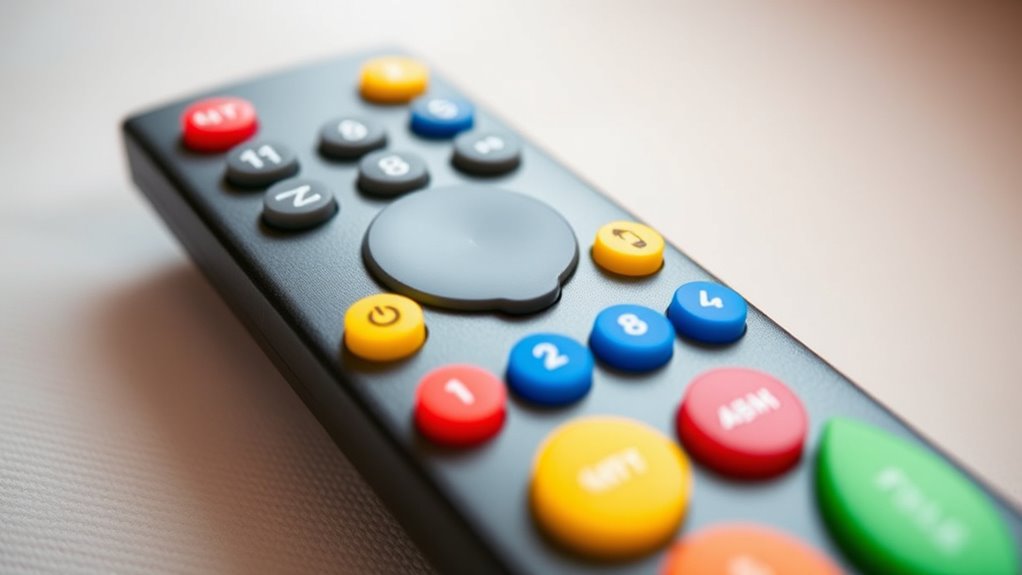

If you’re looking for the best large button remote controls for seniors that are simple, reliable, and easy to use, there are many options designed with accessibility in mind. These remotes feature big, tactile buttons, bright labels, and minimal layouts to reduce confusion. They support multiple devices and are often easy to set up. Keep reading to discover detailed reviews and tips that will help you find the perfect remote for your needs.
Key Takeaways
- Large, tactile, and color-coded buttons enhance visibility and ease of use for seniors with visual or dexterity impairments.
- Many models support controlling multiple devices, simplifying remote management for elderly users.
- Easy setup features like pre-programmed codes and automatic search make installation quick and straightforward.
- Glow-in-the-dark keys and ergonomic designs improve usability in low-light conditions and ensure comfortable handling.
- Simplified, minimalist layouts with large buttons reduce confusion, making remote controls reliable and user-friendly for seniors.
Flipper Big Button Universal TV Remote for Seniors and Dementia
The Flipper Big Button Universal TV Remote is an excellent choice for seniors and individuals with dementia because of its large, color-coded tactile buttons that simplify operation. Its straightforward design features only essential functions like On/Off, Channel Up/Down, Volume Up/Down, and Mute, reducing confusion. It works with most TVs and cable boxes, including popular brands like Xfinity, Spectrum, and DirecTV. You can program up to 25 favorite channels for quick access, and a silicon cover prevents accidental button presses. Easy to set up and use, it requires just two AA batteries and provides a reliable, user-friendly experience for those needing simple remote control.
Best For: seniors, individuals with dementia, or those with low vision who need a simple, easy-to-use TV remote with large, tactile buttons.
Pros:
- Large, color-coded tactile buttons make operation easy and accessible.
- Simplified functions focus on essential controls, reducing confusion.
- Programmable for up to 25 favorite channels for quick access.
Cons:
- Does not support streaming devices or apps like Roku or Netflix.
- Requires line of sight; IR signals may need extenders if devices are hidden.
- No voice control or advanced smart features, limiting functionality beyond basic TV control.
GE Universal Remote Control for Smart TVs and Streaming Devices
If you’re looking for a remote that simplifies control of smart TVs and streaming devices, the GE Universal Remote Control (Model 33701) is an excellent choice for seniors. It features large, easy-to-read buttons and can control up to two devices, including TVs, soundbars, and streaming players. The remote is preprogrammed for Samsung TVs but works with all major brands, making setup straightforward. With automatic code search, direct code entry, and a master volume control, it offers simple, reliable operation. Its ergonomic design and clear layout make it ideal for those with impaired vision or limited dexterity, providing an all-in-one solution for modern entertainment.
Best For: seniors and individuals with impaired vision or limited dexterity seeking a simple, reliable remote for controlling multiple entertainment devices.
Pros:
- Large, easy-to-read buttons designed for impaired vision
- Controls up to two devices, reducing clutter and complexity
- Preprogrammed for Samsung TVs with straightforward setup options
Cons:
- Limited to controlling only two devices at a time
- Requires two AA batteries (not included), which may be inconvenient to purchase separately
- Basic functionality may not support advanced features found in more complex remotes
Samsung Replacement TV Remote (Black) for Samsung TVs
Designed specifically for seniors and individuals with limited dexterity, the Samsung Replacement TV Remote (Black) offers large, tactile buttons that make controlling your Samsung TV straightforward and comfortable. It features an easy big button design, including an extra-large enter button and universal controls, catering to those with visual impairments or limited dexterity. No programming or pairing is needed—just insert 2 AAA batteries to start using it immediately. Compact and lightweight, it’s simple to handle and store. With a customer rating of 4.5 stars, this remote is an excellent choice for seniors, grandparents, or anyone needing a reliable, easy-to-use remote for their Samsung TV.
Best For: seniors, visually impaired individuals, and those with limited dexterity seeking an easy-to-use remote for their Samsung TV.
Pros:
- Large, tactile buttons designed for easy operation and accessibility
- No programming or pairing required—ready to use out of the box
- Lightweight and compact, making it simple to handle and store
Cons:
- Compatible only with Samsung TVs, not other devices or streaming platforms
- Requires 2 AAA batteries, which are not included
- Limited features beyond basic remote control functions
TV Remote for Seniors, Big Button, Compatible with Major Brands
For seniors or anyone with visual impairments and limited dexterity, a remote with large, tactile buttons can make TV control much easier. This big button, universal remote is designed specifically for easy use, with tactile feedback to help distinguish buttons. It’s lightweight and compact, making it simple to handle and store. Compatible with major TV brands, it’s straightforward to set up—just turn on your TV, press and hold Mute and Volume+ until the volume changes. Note that it only controls TVs, not streaming devices or cable boxes. Powered by 2 AAA batteries, it’s an ideal, reliable choice for seniors, grandparents, or anyone needing simplified TV control.
Best For: seniors, visually impaired individuals, and those with limited dexterity seeking an easy-to-use TV remote.
Pros:
- Large, tactile buttons with feedback for easy identification and use
- Simple setup process suitable for non-technical users
- Compatible with major TV brands, ensuring broad usability
Cons:
- Not compatible with streaming devices or cable boxes
- Requires two AAA batteries, which are not included
- Limited to TV control only, not suitable for smart TV apps or other devices
LG Replacement TV Remote Compatible with LG TV’s ONLY
The LG Replacement TV Remote is an excellent choice for seniors who own LG televisions, as it’s built exclusively for LG models. Its large, tactile buttons and simplified layout make it easy to operate, especially for those with visual impairments or limited dexterity. The remote’s compact size (7 x 2 x 1 inches) ensures comfortable handling and portability. It’s designed solely for LG TVs, so it won’t control streaming devices or cable boxes. Powered by two AAA batteries (not included), it offers a straightforward, reliable experience. This remote is a practical, user-friendly option for seniors who want an easy, dedicated remote for their LG television.
Best For: seniors, visually impaired individuals, or those with limited dexterity who own LG TVs and need an easy-to-use remote.
Pros:
- Large, tactile buttons for effortless operation
- Compact size for comfortable handling and portability
- Simplified layout designed specifically for LG TVs, reducing confusion
Cons:
- Not compatible with streaming devices, cable boxes, or other TV platforms
- Requires 2 AAA batteries (not included), which may need frequent replacement
- Limited functionality compared to standard remote controls
Big Button Universal Remote Control for TVs
A Big Button Universal Remote Control for TVs stands out as an ideal choice for seniors or anyone who struggles with small, complex remote buttons. Its large, simplified buttons make reading and navigation easy, reducing frustration. Designed for comfort, it fits well in the hand and prevents slipping, thanks to its compact size. It’s compatible with most TV brands, set-top boxes, and DVD players, functioning via infrared technology. Setup is straightforward, using a learning function that pairs it with your existing remote in minutes. With fast response times and reliable performance up to 10 meters, it’s a dependable, user-friendly option for easier TV control.
Best For: seniors or individuals who prefer large, simple buttons and easy-to-use remote controls for their TV and entertainment devices.
Pros:
- Large, simplified buttons for easy reading and navigation.
- Easy pairing with existing remotes using the learning function, quick setup.
- Reliable performance with a range of up to 10 meters and fast response time.
Cons:
- Requires the original remote for programming, which may be inconvenient if unavailable.
- Number functions won’t work if the original remote lacks number buttons.
- Batteries are not included, so an additional purchase is needed before use.
Universal Big Button Remote for Seniors and Elderly
Those with low vision or cognitive impairments will find the Universal Big Button Remote especially helpful, as its large, color-coded tactile buttons make controlling devices straightforward and accessible. It works seamlessly with major brands of TVs, streaming devices, soundbars, and more, supporting control of two devices at once with easy switching. Designed for seniors and the elderly, it features large, easy-to-identify buttons, making it dementia-friendly and safe. The remote can memorize two device models thanks to its learning function, simplifying setup. With simple instructions and no batteries included, this remote is a reliable, user-friendly choice for anyone seeking effortless device control.
Best For: seniors, elderly individuals, and those with low vision or cognitive impairments seeking an easy-to-use, universal remote control.
Pros:
- Large, color-coded tactile buttons make device control simple and accessible.
- Supports control of two devices simultaneously with easy switching.
- Learning function allows memorization of two device models, simplifying setup.
Cons:
- Batteries are not included, requiring users to purchase them separately.
- Compatibility may require initial setup with specific device buttons.
- Limited to controlling two devices at a time, which may not suit users with multiple devices.
LuckyStar Big Button Universal Remote Control (A-TV2)
For seniors seeking an easy-to-use remote, the LuckyStar Big Button Universal Remote Control (A-TV2) stands out due to its large, well-sized buttons and ergonomic design. It offers three operation modes compatible with most US brands like LG, Samsung, Sony, and more. The remote features pre-programmed codes and a code search function, making setup simple and quick. Its compact, lightweight design guarantees comfort during extended use. With no extra programming needed after initial setup, it provides a hassle-free experience. Customers appreciate its natural grip, clear readability, and broad device compatibility, making it an excellent choice for seniors who want a reliable, easy-to-operate remote.
Best For: seniors and users seeking an easy-to-operate remote with large buttons and quick setup compatible with most US TV brands.
Pros:
- Large, well-sized buttons for easy pressing and enhanced readability.
- Ergonomic, lightweight design for comfortable extended use.
- Pre-programmed codes and simple setup options for quick device pairing.
Cons:
- Limited to basic control functions without advanced features.
- May not be compatible with some newer or less common device brands.
- Requires batteries, which need to be purchased separately.
Anderic RR1004 Big Button TV Remote Control (2 Pack)
The Anderic RR1004 Big Button TV Remote Control (2 Pack) stands out as an excellent choice for seniors who need a simple, easy-to-use remote with clear visibility. Its large glow-in-the-dark keys make it easy to see in low-light settings, reducing frustration. The minimalist design features only essential buttons—Power, Volume, Channel, Mute, and Closed Captioning—eliminating confusion. Compact and lightweight, it’s comfortable to handle. Compatible with most IR TVs, including LG, Samsung, and Sony, it’s straightforward to set up, especially with the included guides. The 2-pack offers added convenience for multiple rooms or as a backup, making it a reliable option.
Best For: seniors and individuals with limited dexterity seeking a simple, easy-to-use TV remote with large, glow-in-the-dark buttons.
Pros:
- Large glow-in-the-dark keys enhance visibility in low-light environments.
- Minimalist design with only essential buttons reduces confusion and simplifies operation.
- Compatible with most IR TVs and includes learning technology for easy setup.
Cons:
- Not compatible with RF or Bluetooth systems such as Roku or Fire TV.
- Initial setup may require assistance, especially for programming non-LG TVs.
- Requires 2 AAA batteries, which are not included, adding to the setup process.
Big Button Universal TV Remote (Orange)
The Big Button Universal TV Remote (Orange) stands out as an excellent choice for seniors and individuals with limited dexterity or vision. Its large, tactile buttons, including an extra-large enter button, make navigation straightforward. It’s compatible with major TV brands, simplifying setup—just turn on your TV, press and hold Mute and Volume+ for up to 60 seconds, then release when the volume+ changes. Lightweight and compact (7 x 2 x 1 inches), it’s easy to handle and store. Requires 2 AAA batteries (not included). This remote makes a thoughtful gift for seniors, grandparents, or anyone needing a simple, reliable remote.
Best For: seniors, visually impaired individuals, and those with limited dexterity seeking an easy-to-use, accessible TV remote.
Pros:
- Large, tactile buttons including an extra-large enter button for easy navigation
- Compatible with major TV brands, simplifying setup
- Compact and lightweight design for comfortable handling and storage
Cons:
- Not compatible with cable boxes, Firestick, or Roku stick
- Requires 2 AAA batteries, which are not included
- Limited to TV control, does not support additional devices or streaming services
Vizio Replacement TV Remote Control
Vizio Replacement TV Remote Control stands out as an ideal choice for seniors and individuals with limited dexterity or vision impairments. Its big button design, featuring an extra-large enter button and tactile feedback, makes operation simple and comfortable. The remote is compact and lightweight, measuring 7 x 2 x 1 inches, so it’s easy to handle and store. It’s specifically designed for Vizio TVs, requiring no programming—just insert batteries, and it works immediately. While it doesn’t support streaming devices or cable boxes, it’s perfect for those who need straightforward, reliable remote control. Its user-friendly features make it an excellent gift for elderly family members.
Best For: seniors, individuals with limited dexterity, and those with vision impairments seeking an easy-to-use remote for Vizio TVs.
Pros:
- Big button design with tactile feedback makes it easy to operate.
- No programming required—works immediately after inserting batteries.
- Compact and lightweight for comfortable handling and storage.
Cons:
- Not compatible with streaming devices or cable boxes.
- Batteries are not included, requiring separate purchase.
- Limited to Vizio TV compatibility, restricting use with other brands or devices.
QFX REM-115 8 in 1 Universal Remote Control
For seniors who want a straightforward remote that consolidates multiple devices, the QFX REM-115 8-in-1 Universal Remote Control is an excellent choice. It controls up to eight devices, including HDTVs, soundbars, Blu-ray players, and cable boxes, and works exclusively with Smart TVs with internet capabilities. Its jumbo buttons are glow-in-the-dark, making it easy to use day or night. The remote features five shortcut buttons for quick access to streaming platforms like Netflix and YouTube. Compact and user-friendly, it simplifies device management, reducing frustration and making entertainment more accessible. It’s a reliable, well-designed option for those seeking simplicity.
Best For: seniors and individuals seeking a simple, easy-to-use universal remote that consolidates multiple devices with glow-in-the-dark buttons and quick access to streaming platforms.
Pros:
- Jumbo glow-in-the-dark buttons for easy visibility and use in any lighting conditions
- Controls up to eight devices, reducing the need for multiple remotes
- Features shortcut buttons for instant access to popular streaming services like Netflix and YouTube
Cons:
- Compatible only with Smart TVs that have internet capabilities, limiting its use with older TVs
- Requires 2 AA batteries, which are not included
- Customer ratings are moderate at 3.8 out of 5 stars, indicating some users may experience usability issues
Samsung TV Remote Replacement Compatible with Samsung TVs
If you’re looking for a remote that simplifies TV control for seniors, the Samsung TV Remote Replacement is an excellent choice. It’s designed specifically for Samsung TVs, so no programming or pairing is needed—just insert two AAA batteries and start watching. The big, tactile buttons, including an extra-large enter key, make navigation easy, even for those with limited dexterity or visual impairments. Its compact and lightweight design fits comfortably in hand and is simple to store. This remote offers essential controls, reducing frustration and making TV viewing more accessible for seniors, grandparents, or anyone needing a straightforward, reliable remote.
Best For: seniors, grandparents, or individuals with visual impairments or limited dexterity seeking an easy-to-use Samsung TV remote.
Pros:
- No programming or pairing required—simply insert batteries and start using immediately.
- Large, tactile buttons, including an extra-large enter key, enhance accessibility and ease of navigation.
- Compact, lightweight design makes it comfortable to hold and easy to store.
Cons:
- Compatible only with Samsung TVs; not suitable for streaming devices or cable boxes.
- Batteries are not included, requiring an additional purchase.
- Limited to essential functions, so advanced features are not available.
Sony Replacement TV Remote for Sony TVs (Black)
Looking for a remote that simplifies TV control for seniors? The Sony Replacement TV Remote for Sony TVs (Black) is designed specifically for easy use. It works only with Sony models—no programming required—just insert batteries and start watching. Its large buttons, including an extra-large enter key, provide tactile feedback, making navigation straightforward. The compact, lightweight design (7 x 2 x 1 inches) makes it easy to handle, even for those with limited grip strength. Powered by 2 AAA batteries (not included), it’s a reliable, no-fuss option perfect for seniors, grandparents, or anyone needing a simple, accessible remote.
Best For: seniors, grandparents, or individuals with limited dexterity seeking an easy-to-use TV remote exclusively compatible with Sony models.
Pros:
- No programming or pairing needed—simply insert batteries and start using.
- Large, tactile buttons including an extra-large enter key for easy navigation.
- Compact and lightweight design enhances handling for users with limited grip strength.
Cons:
- Compatible only with Sony TVs; not suitable for other brands or devices.
- Batteries are not included, requiring an additional purchase.
- Limited features compared to universal or smart remotes with more functions.
Big Button Universal TV Remote Control for Seniors
The Big Button Universal TV Remote Control is an excellent choice for seniors who need a simple, easy-to-use device that works with most major TV brands. It supports Samsung, LG, Sony, TCL, Hisense, Vizio, Roku-TV, Panasonic, Philips, Sharp, and more, offering broad compatibility. Switching brands is quick—just hold the Power and brand key for 2 seconds. It also allows cycling through models for Hisense and Toshiba TVs. The remote’s learning function copies commands from original remotes, controlling multiple devices with up to 14 programmed buttons. Its clear LED indicators and straightforward setup make it user-friendly, perfect for seniors seeking simplicity and reliability.
Best For: seniors or individuals seeking a straightforward, easy-to-use universal TV remote compatible with most major brands.
Pros:
- Broad compatibility with major TV brands including Samsung, LG, Sony, and more.
- Large buttons and simple design tailored for seniors’ ease of use.
- Learning function allows control of multiple devices with up to 14 programmed buttons.
Cons:
- May require initial setup and troubleshooting for optimal operation.
- Cycling through models for certain brands like Hisense and Toshiba can be time-consuming.
- Limited advanced features compared to more complex remotes.
Factors to Consider When Choosing Large Button Remote Controls for Seniors
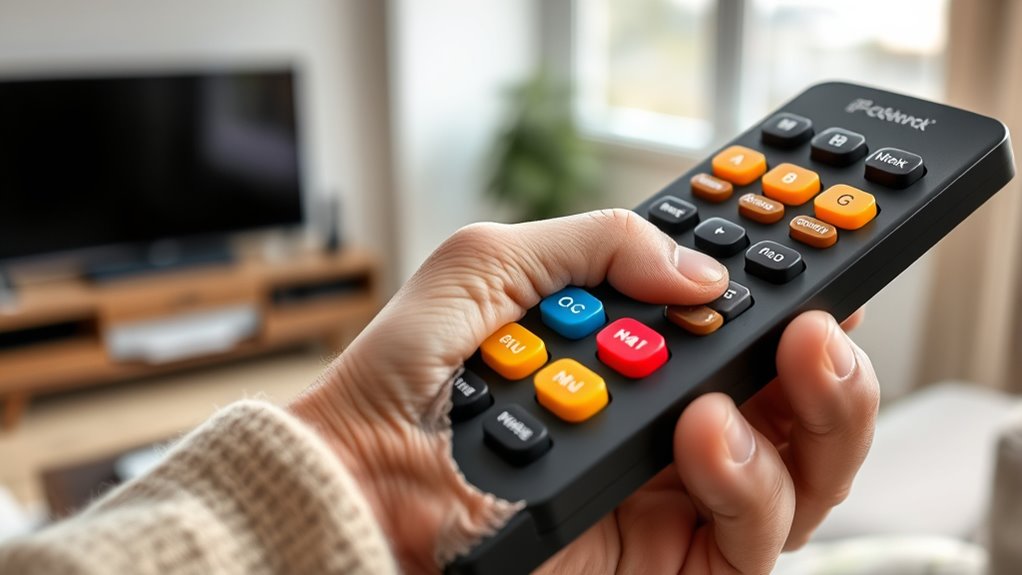
When choosing a large button remote for seniors, I focus on button size and layout to guarantee easy use. Compatibility with their devices, simple programming, and clear visual or tactile features are also key factors. Ultimately, I consider battery life and power to keep the remote reliable over time.
Button Size and Layout
Choosing a remote with appropriately sized buttons and a logical layout is essential for making device operation straightforward for seniors. Large buttons improve visibility and help reduce errors, especially for those with impaired vision. A well-organized layout with clearly separated buttons prevents accidental presses and makes navigation easier. Tactile feedback on buttons allows users to confirm their selections without needing to see the remote clearly, boosting confidence during use. Simplified arrangements with minimal functions prevent confusion and make the remote more intuitive. Consistent button size and spacing support ergonomic handling and accessibility for users with limited dexterity. When these factors are prioritized, seniors can operate their remotes more comfortably and accurately, leading to a better overall experience and increased independence.
Compatibility With Devices
Ensuring that a remote control works seamlessly with your devices is key to simplifying your entertainment setup. First, I always check if the remote is compatible with my specific TV or device model to avoid any functionality issues. It’s also helpful if the remote supports multiple device control, like TVs, cable boxes, and soundbars, so I don’t need extra remotes. I look for infrared (IR) or learning technology that matches my existing devices for smooth operation. If I use streaming devices or smart TV apps, I verify that the remote is compatible with those as well. Ultimately, I review the manufacturer’s compatibility list to confirm it works with all my devices before making a purchase. This guarantees a hassle-free, integrated experience.
Ease of Programming
Selecting a large button remote that’s easy to program is essential for seniors who want a hassle-free setup. Look for remotes with simple, step-by-step instructions to help prevent errors during setup. Devices that support automatic code search or direct code entry make programming quick and straightforward, saving time and frustration. Clear indicator lights or prompts are helpful guides, ensuring users know when they’ve successfully programmed the remote. It’s best to choose models that don’t require complex pairing procedures or multiple software downloads, as this can complicate setup. In conclusion, opt for remotes with minimal buttons and dedicated functions, which simplifies the process further. A user-friendly programming experience ensures seniors can enjoy their remote controls with confidence and ease.
Visual and Tactile Features
When it comes to large button remote controls for seniors, visual and tactile features play a vital role in making the device user-friendly. High contrast colors on large buttons improve visibility for those with low vision, making it easier to identify functions quickly. Tactile feedback, like clicks or vibrations, confirms selections without needing to see the remote clearly. Raised or textured buttons enable users to identify and operate controls by touch, reducing accidental presses. Bright, bold labels or color coding further simplify differentiation between buttons, especially for those with cognitive or visual challenges. Additionally, the size and spacing of buttons prevent accidental presses of neighboring controls, enhancing accuracy and ease of use. These features collectively create a more accessible and confident user experience.
Battery Life and Power
Battery life is a crucial factor when choosing large button remote controls for seniors, as it directly impacts how often the device needs maintenance or replacement. Longer battery life means the remote stays functional for extended periods without frequent recharging or battery swaps, which is especially helpful for seniors who may find it challenging to replace batteries often. Devices with energy-efficient circuitry can considerably extend battery lifespan, reducing hassle and ongoing costs. Many remotes use standard batteries like AA or AAA, which are easy to find and affordable. Some models include low battery indicators, alerting users before power runs out. Additionally, rechargeable or reversible batteries offer sustainable options, decreasing environmental impact and the need for constant replacements. Reliable power management is essential for ensuring uninterrupted use.
User-Friendliness
A remote’s user-friendliness plays a vital role in guaranteeing seniors can operate their devices comfortably and confidently. Large buttons with clear labels and tactile feedback make pressing easier and help prevent mistakes, especially for those with visual impairments. Simplified layouts with minimal functions reduce confusion, allowing for quick learning and straightforward use. An intuitive setup process, like step-by-step instructions or automatic code search, minimizes frustration and saves time. Features such as glow-in-the-dark keys improve usability in low-light conditions, making nighttime operation easier. Ergonomic designs that fit comfortably in the hand prevent slips and reduce fatigue, even after extended use. When choosing a remote, prioritizing these user-friendly features ensures a more enjoyable and accessible experience for seniors.
Frequently Asked Questions
Are Large Button Remotes Compatible With All Smart TV Brands?
Most large button remotes are compatible with many smart TV brands, but not all. I recommend checking the remote’s compatibility list before buying, as some are designed specifically for certain brands like Samsung or LG. Universal remotes often work well across multiple brands, but I still suggest verifying compatibility with your specific TV model. This way, you avoid frustrations and guarantee it’s easy to use right out of the box.
Do These Remotes Require Internet Connection or Wi-Fi?
Think of these remotes as a sturdy bridge connecting you to your TV; they don’t require Wi-Fi or internet. I’ve found that most large button remotes operate via infrared or RF signals, which means a direct line of sight isn’t always necessary. So, you can enjoy your favorite shows without worrying about your internet connection, making them reliable and simple to use, even in areas with weak Wi-Fi signals.
Can Seniors Program These Remotes Without Technical Assistance?
Yes, seniors can usually program these remotes without technical help. Most are designed with simplicity in mind, featuring straightforward instructions and easy-to-press buttons. I’ve found that once you follow the step-by-step guide, setting up is manageable even for those less tech-savvy. Just take your time, keep the manual handy, and don’t hesitate to ask a family member if you need extra help.
Are Replacement Batteries Included With These Remote Controls?
Yes, replacement batteries often come with these remote controls. Imagine unboxing your new remote, excited to use it, only to find a surprise inside—fresh batteries ready to go. Many models include them so you’re set right out of the box, but it’s always good to verify the package details. Having spare batteries on hand ensures you won’t be left in the dark when the power runs low.
What Is the Typical Lifespan of a Large Button Remote?
The typical lifespan of a large button remote is about 2 to 5 years, depending on usage and battery quality. I’ve found that batteries usually last 6 months to a year, so it’s good to keep spare batteries handy. Regularly cleaning the buttons and handling it gently also helps extend its life. If it stops working, replacing the batteries often solves the issue quickly.
Conclusion
Choosing the right large button remote can simplify your life, making TV time hassle-free. It’s easy to focus on features and brand names, but what truly matters is how comfortable and reliable the remote feels in your hand. Just like a familiar friend, a well-chosen remote brings ease and confidence, turning what once felt complicated into a simple, enjoyable experience. After all, isn’t that what we all want—less frustration and more relaxation?