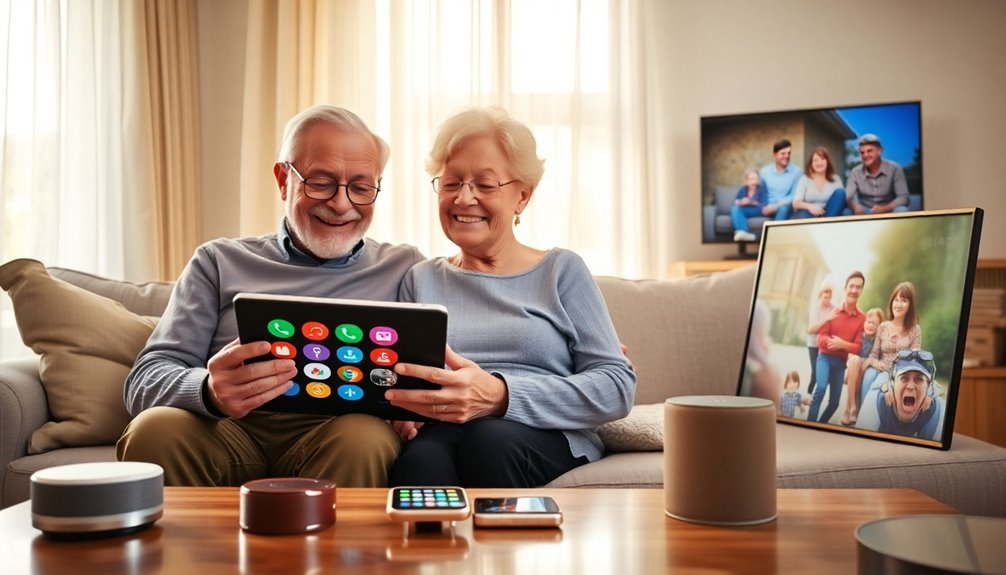

Finding the right tech gadgets for seniors involves balancing ease of use, features, and affordability. The 7-Inch Large Display Digital Calendar Clock stands out as the best overall for its clarity and simple design, while the Pix Star Touch Tablet offers versatile functionality for tech-savvy seniors. The main tradeoffs involve choosing between dedicated simplicity and multifunctionality, often forcing a compromise between ease of use and feature set. Continue reading for a detailed comparison that helps you identify the ideal gadget for your needs.

Turn quiet afternoons into listening time
- Thousands of audiobooks, podcasts and originals
- Listen on your phone, tablet or Echo — also offline
- Cancel anytime
Complete the kit


Key Takeaways
- Large, high-contrast displays are essential for readability, especially for seniors with vision issues.
- Ease of setup and intuitive controls are common differentiators between top picks and less user-friendly options.
- Devices with dedicated functions like clocks or reminders tend to be simpler, while multifunctional tablets offer broader use at a complexity cost.
- Price variations reflect differences in features and build quality, making it important to prioritize what features are most needed.
- Many top products include customizable alarms or alerts, which are crucial for memory support and daily routines.
| 7-Inch Large Display Digital Calendar Clock with Day and Date for Elderly |  | Best Overall Senior Calendar and Reminder Clock | Display: 7-inch 1024×600 HD LCD | Alarms: 20 normal alarms, 20 reminders | Brightness Levels: 10 | VIEW ON AMAZON | See Our Full Breakdown |
| Mitoart Digital Alarm Clock with Date and Day of Week for Dementia Seniors, Voice Time Announcement, Multiple Alarms, Auto DST – Black |  | Best Voice-Enabled Clock for Memory Loss | Display Size: 7 inches | Voice Languages: 9 | Night Brightness: 50 cd/m² | VIEW ON AMAZON | See Our Full Breakdown |
| JubileeTV Remote Care System for Seniors |  | Best Remote Control System for Family Monitoring | Connectivity: Bluetooth, Infrared, Wi-Fi | Compatible Devices: TV, streaming device, set-top box, DVD/Blu-ray | Max Supported Devices: 4 | VIEW ON AMAZON | See Our Full Breakdown |
| 5.0-inch Foldable Digital Magnifier with 4X-32X Zoom |  | Best Portable Magnifier for Low Vision | Screen Size: 5.0 inches | Zoom: 4X-32X | Color Modes: 17 | VIEW ON AMAZON | See Our Full Breakdown |
| Soobest 7″ Digital Dementia Clock for Seniors with Large HD Display |  | Best Budget Large Display Reminder Clock | Display Size: 7 inches | Display Modes: 4 (white, yellow, analog, color) | Alarms: 20 customizable | VIEW ON AMAZON | See Our Full Breakdown |
| Pix Star Touch Easy-to-Use Tablet for Seniors – 10.1″ Touch Screen, WiFi, Dual Cameras |  | Best Overall Senior-Friendly Tablet | Screen Size: 10.1 inches | Storage: 32 GB | Connectivity: WiFi | VIEW ON AMAZON | See Our Full Breakdown |
| SSINI Digital Calendar Dementia Alarm Clock with Day and Date for Seniors – 7-inch Large Display, 15 Alarms, 5 Colors |  | Best Specialized Calendar and Reminder Device | Display Type: Digital | Screen Size: 7 inches | Dimensions: 8.03″W x 5.63″H | VIEW ON AMAZON | See Our Full Breakdown |
More Details on Our Top Picks
7-Inch Large Display Digital Calendar Clock with Day and Date for Elderly
This clock stands out for its large, high-contrast display, making it ideal for seniors with vision impairments. Its extensive alarm and reminder options, including medication alerts, surpass many basic clocks like the Soobest 7″ Digital Dementia Clock, offering more customization and flexibility. The inclusion of a photo frame feature adds a layer of personal touch, but it requires separate SD cards or USB drives, and it relies entirely on outlet power, which could be limiting. The adjustable brightness and sleep mode help reduce nighttime strain, making it suitable for daily use. Compared to simpler models, this device balances visibility and functionality but at a higher cost and with more setup requirements.
Pros:- Large, high-contrast LCD display enhances readability for vision-impaired users
- Up to 20 alarms and reminders support medication and schedule management
- Adjustable brightness and sleep mode reduce eye strain at night
- Includes photo display function for personalization
Cons:- Requires constant outlet power, limiting placement options
- Batteries only back up settings, not operation during power outages
- Photo playback features require separate SD or USB storage devices
Best for: Seniors who need a highly visible, customizable calendar and reminder system integrated with their daily routine.
Not ideal for: Individuals who prefer a portable device or need battery-powered operation, as this clock requires constant power and is primarily wall-mounted.
- Display:7-inch 1024×600 HD LCD
- Alarms:20 normal alarms, 20 reminders
- Brightness Levels:10
- Display Themes:12
- Volume Levels:9
- Power:Outlet powered with battery backup
- Photo Playback:SD card or USB (not included)
- Languages:6
- Snooze Options:3, 5, 9 minutes
Our verdict“This pick is best for seniors who need a comprehensive, easy-to-read calendar and reminder system in a stationary setup.”
Mitoart Digital Alarm Clock with Date and Day of Week for Dementia Seniors, Voice Time Announcement, Multiple Alarms, Auto DST – Black
This clock is designed specifically for seniors with dementia, offering large, bold display text that avoids abbreviations, making it easier for users to recognize the time and date. Its standout feature is voice time announcements in 9 languages, which can be more accessible than visual cues, especially compared to the Soobest 7-inch clock. The auto-dimming feature ensures comfortable viewing at night without glare, though the fixed schedule for dimming at 7 PM and 7 AM may not suit all preferences. The simple setup via button or remote is a plus for users who struggle with complex interfaces, but it lacks advanced customization options that some seniors might desire. This device prioritizes ease of use and clarity, but the fixed dimming times could be a limitation for flexibility.
Pros:- Large, bold display enhances readability for poor vision
- Voice announcements in 9 languages improve accessibility
- Multiple alarms support medication and daily routines
- Automatic dimming reduces glare at night
Cons:- Fixed auto-dimming schedule not customizable
- Limited advanced features for customization
- No photo or multimedia options
Best for: Families caring for seniors with dementia or significant memory challenges who need a straightforward, easy-to-hear clock.
Not ideal for: Tech-savvy seniors or those wanting customizable auto-dimming times, as the schedule is fixed and not adjustable.
- Display Size:7 inches
- Voice Languages:9
- Night Brightness:50 cd/m²
- Day Brightness:250 cd/m²
- Auto Dimming Schedule:Dims at 7:00 PM, brightens at 7:00 AM
- Automatic DST:Yes
- Color:Black
Our verdict“This clock is ideal for seniors with dementia who benefit from simple, clear visual and auditory cues with minimal setup complexity.”
JubileeTV Remote Care System for Seniors
This system integrates with a senior’s existing TV, offering remote control and monitoring features that can ease family concerns. Its remote control is large, backlit, and voice-enabled, simplifying TV access for users with cognitive decline. Unlike standalone clocks, this system allows caregivers to control the TV remotely, send video calls, medication reminders, and view room activity—providing a multi-layered support platform. However, the need for a paid membership ($29/month or more) and the requirement for an active internet connection could limit accessibility for some families. Compared to simpler clocks, this system offers a broader range of functionalities but at the cost of ongoing expenses and setup complexity. It’s best for families seeking a comprehensive monitoring and communication solution.
Pros:- Remote control from family members reduces need for physical assistance
- Large, backlit voice remote is easy for seniors to handle
- Video calling and medication alerts enhance communication and care
- Works with most TVs via HDMI and supports multiple devices
Cons:- Requires ongoing paid membership for full features
- Limited to U.S. availability and specific TV setups
- Setup complexity may be challenging for less tech-savvy families
Best for: Families who want to stay connected with seniors via their TV and need remote control and monitoring features.
Not ideal for: Seniors who prefer small, portable devices or do not have a compatible TV setup, as this system relies on existing TV equipment and Wi-Fi.
- Connectivity:Bluetooth, Infrared, Wi-Fi
- Compatible Devices:TV, streaming device, set-top box, DVD/Blu-ray
- Max Supported Devices:4
- Controller Type:Voice Control
- Remote Features:Backlit, voice search, remote finder, universal
- Range:10 meters
- Membership:$29/month or $600 one-time
- Remote Batteries:2 AAA
Our verdict“This system suits families seeking a connected, remote-controlled TV environment to monitor and communicate with seniors regularly.”
5.0-inch Foldable Digital Magnifier with 4X-32X Zoom
This compact magnifier provides adjustable zoom from 4X to 32X, making it suitable for reading small print or detailed tasks. Its foldable design enhances portability, ideal for outdoor or on-the-go use, especially compared to larger, less flexible magnifiers like the Pix Star Touch Tablet. Multiple color modes and brightness levels help users with different vision needs, including color blindness. Although it supports snapshot and data storage, details about battery life are not specified, which could be a concern for extended outdoor use. The absence of included TF cards and limited info on battery performance mean users should consider the need for additional accessories. Overall, this unit offers high versatility in a small package but requires careful consideration of power and storage needs.
Pros:- Adjustable 4X-32X zoom for personalized magnification
- Foldable and lightweight for easy carrying
- Multiple color modes for different reading needs
- Supports data storage and AV output for versatile use
Cons:- TF card not included
- Battery life details are missing
- Limited information on battery performance for extended use
Best for: Seniors needing a portable, adjustable magnifier for reading or detailed viewing outside the home.
Not ideal for: Users seeking a large, stationary magnification solution or long battery life without extra accessories, as those details are lacking.
- Screen Size:5.0 inches
- Zoom:4X-32X
- Color Modes:17
- Brightness Levels:5
- TF Card Support:up to 32GB
- Foldable:Yes
- Battery:Not specified
Our verdict“This foldable magnifier is perfect for seniors who need portable, adjustable magnification for on-the-go reading assistance.”
Soobest 7″ Digital Dementia Clock for Seniors with Large HD Display
This clock offers a large, high-definition display, making it easy for seniors with vision issues to see the time and reminders from across the room. Its customizable alarms—up to 20 with icons for medication, meals, and hygiene—are comparable to the 7-Inch Large Display Digital Calendar Clock but at a more affordable price point. The auto-dimming feature and multiple display modes enhance night-time usability, yet setup via buttons can be less intuitive compared to touchscreen or app-based controls. It also requires a wall outlet and has a basic interface, making it suitable for seniors who prioritize simplicity over advanced features. Overall, this clock balances visibility and affordability but might lack some customization options of higher-end models.
Pros:- Large, HD display easy to read from across a room
- 20 customizable alarms for medication and routines
- Memory backup preserves settings during outages
- Auto-dimming display for comfortable night viewing
Cons:- Requires wall outlet (plug-in only)
- Button-based setup can be tedious
- Limited advanced customization features
Best for: Budget-conscious families or seniors needing a straightforward, large-display clock for daily reminders.
Not ideal for: Tech-savvy users or those wanting advanced features like photo display or extensive customization, as this model is more basic.
- Display Size:7 inches
- Display Modes:4 (white, yellow, analog, color)
- Alarms:20 customizable
- Alarm Sounds:3 (wave, birds, etc.)
- Volume Levels:10
- Brightness:Auto or manual 5 levels
- Power:Plug-in (Type-C adapter included)
- Memory Backup:Yes
Our verdict“This budget-friendly clock is suitable for seniors who need a large, clear display and basic reminder functions without extra bells and whistles.”
Pix Star Touch Easy-to-Use Tablet for Seniors – 10.1″ Touch Screen, WiFi, Dual Cameras
This 10.1-inch Android tablet stands out for its simple, intuitive interface, making it ideal for seniors who want a device that minimizes complexity. Unlike the smaller Soobest 7″ Digital Dementia Clock, this tablet offers a larger display for easier reading and navigation. The zoom feature, which enlarges the interface, proves especially helpful for users with vision challenges. Its automatic photo capture and straightforward sharing make social interactions more accessible, surpassing the basic photo functions of other gadgets. However, with only 32 GB of storage, it might quickly fill up if users download many apps or store lots of photos, which is a tradeoff compared to larger-capacity devices. The Google Play Store access allows for additional app downloads, further customizing the experience. This pick makes the most sense for seniors who want a versatile device for communication, browsing, and entertainment without the learning curve of more complex tablets.
Pros:- Large, clear 10.1-inch display simplifies reading and navigation
- Easy-to-use interface with highlighted buttons reduces learning time
- Zoom feature enhances accessibility for users with visual impairments
- Automatic photo capture and sharing streamline social interactions
Cons:- Limited 32 GB storage may fill quickly with apps and photos
- No cellular connectivity, relying solely on WiFi
Best for: Seniors and beginners seeking an easy-to-use, multi-purpose device for communication and entertainment
Not ideal for: Tech-savvy seniors or those needing large storage capacity for extensive media collections
- Screen Size:10.1 inches
- Storage:32 GB
- Connectivity:WiFi
- Ports:1 USB-C
- Cameras:Front and rear camera
- App Store:Google Play Store
Our verdict“This tablet is best suited for seniors who want a straightforward, versatile device with a large display for communication and entertainment.”
SSINI Digital Calendar Dementia Alarm Clock with Day and Date for Seniors – 7-inch Large Display, 15 Alarms, 5 Colors
This 7-inch digital clock excels at helping seniors manage daily routines with its large, easy-to-read display and multiple alarm options. Compared with the Pix Star tablet, which offers a broad digital experience, the SSINI clock focuses on simplicity and medication reminders, making it ideal for users needing dedicated routine support. Its auto-dimming feature reduces eye strain, especially in low-light environments, and the device doubles as a digital photo frame, adding a touch of personalization. However, its reliance on corded power limits portability, and some might find the multitude of features overwhelming if they prefer minimalistic gadgets. Its compact size and wall-mount or tabletop options make it perfect for bedroom or kitchen use, but it’s not suitable for outdoor or mobility needs. This device makes the most sense for seniors who primarily need reminders and clear time display to stay organized indoors.
Pros:- Large, high-definition 7-inch display enhances readability
- Multiple alarms and medication reminders support daily routine management
- Auto-dimming feature reduces eye strain and adapts to lighting conditions
- Doubles as a digital photo frame for sharing memories
Cons:- Requires corded power, limiting mobility and placement options
- Features may be excessive for users needing only basic time display
Best for: Seniors who need a dedicated, easy-to-read clock with reminders for medication and daily routines
Not ideal for: Tech-savvy users seeking multifunctional tablets or portable devices for outside use
- Display Type:Digital
- Screen Size:7 inches
- Dimensions:8.03″W x 5.63″H
- Power Source:Corded Electric
- Additional Features:Alarm, Auto Dimmable, Calendar Display
- Mounting Type:Wall Mount / Tabletop
Our verdict“This clock is ideal for seniors who need a straightforward, highly visible device to support daily routines and memory care indoors.”
How We Picked
To select the best senior-friendly tech gadgets, I focused on key factors that matter to older users: simplicity of use, display clarity, and reliability. Devices had to feature large, easy-to-read screens and straightforward controls, minimizing learning curves. I also evaluated build quality, customization options, and value for money, ensuring the options cater to different levels of tech comfort. The ranking emphasizes products that strike the best balance between usability and functionality, with a clear focus on aiding daily routines and safety.Factors to Consider When Choosing Senior Friendly Tech Gadgets
When choosing tech gadgets for seniors, it’s important to prioritize usability and safety features. Consider how intuitive the device is, whether it minimizes the need for complex setup, and if it provides clear visual or audio cues. Durability and support services also matter, especially if the user might need assistance. Additionally, think about the specific needs—whether it’s reminding about medication, enhancing communication, or simply providing entertainment—and choose devices that align with those priorities. Budgeting for future-proof features can also ensure longevity and ongoing satisfaction.Display Size and Clarity
A large, high-contrast display is vital for seniors with visual impairments. Devices with screens over 5 inches and bold fonts reduce eye strain and improve readability. However, larger displays can be bulkier and less portable, so weigh portability versus visibility based on the user’s lifestyle.
Ease of Use and Controls
Intuitive interfaces with minimal buttons or simple touchscreens are preferred. Devices with dedicated physical buttons for common functions help avoid confusion. Overly complex menus can frustrate users, so look for products that prioritize straightforward operation, especially for those less familiar with technology.
Functionality and Customization
While simple devices excel at specific tasks like displaying time or reminders, multifunctional gadgets may offer additional benefits like video calls or entertainment. Be cautious of feature overload, which can complicate usage. Customizable alarms, alerts, and visual cues enhance safety and independence, so consider what features align with daily needs.
Build Quality and Support
Durability is important, especially if the device will be used frequently or carried around. Look for products with sturdy construction and reliable customer support options. Easy access to troubleshooting resources can save frustration and ensure continuous use.
Price and Value
Budget constraints are common, but spending a bit more on well-designed, reliable devices can be worthwhile. Cheaper models may lack durability or clarity, leading to frustration. Consider long-term value over initial cost, especially if the device is critical for safety or daily routines.
Frequently Asked Questions
How do I choose a device that my parent can easily learn to use?
Focus on devices with simple interfaces, large buttons, and clear instructions. Look for products specifically designed for seniors, which often include features like large displays and minimal menu options. Additionally, choosing a device with good customer support or instructional resources can make the learning process smoother. Testing a device beforehand, if possible, or selecting one with a trial period can also help ensure it matches your parent’s comfort level.
Are multifunctional tablets suitable for seniors who struggle with technology?
Multifunctional tablets can be suitable if they are designed with senior-friendly features, such as simplified interfaces and large icons. However, they may pose a learning curve for those unfamiliar with tech. If ease of use is a priority, starting with a dedicated device like a senior-specific tablet or a simple clock might be better. Over time, some seniors may enjoy expanding their skills with a tablet that offers communication, entertainment, and safety features.
What safety features should I look for in senior gadgets?
Safety features like loud alarms, visual alerts, and emergency call buttons are fundamental. Devices that allow quick access to help or include fall detection and medication reminders can enhance safety significantly. Ensure the device’s alerts are customizable to match the user’s hearing or vision needs, and verify that it has reliable connectivity and support options to prevent failures during emergencies.
How can I balance cost and quality when buying senior tech devices?
Investing in higher-quality devices often results in better durability, clearer displays, and more reliable support, which can save money and frustration in the long run. Focus on essential features that meet the user’s needs rather than additional functions that might complicate usage. Sometimes, a mid-range device with good reviews and a strong warranty strikes the best balance, delivering value without unnecessary expense.
Should I prioritize a device with voice commands or large displays?
Both features serve different purposes: large displays improve visual clarity, especially for those with impaired vision, while voice commands can simplify operation for users with limited dexterity or familiarity with technology. The best choice depends on the senior’s specific needs—if they struggle with small text, prioritize a large display; if manual operation is difficult, a device with voice command capability can be more helpful. Combining both features offers the most accessible experience but often at a higher cost.
Conclusion
For those seeking the best overall experience, the 7-Inch Large Display Digital Calendar Clock offers simplicity and reliability. Budget-conscious buyers will find the SSINI Digital Calendar Dementia Alarm Clock provides solid features at a lower price. If ease of use is paramount, the Pix Star Touch Tablet balances functionality with accessibility for tech-savvy seniors. For users with specific needs like reminders or large visual cues, dedicated clocks like the Soobest Digital Dementia Clock excel. Ultimately, selecting the right device depends on the senior’s individual abilities and daily routines, ensuring they stay safe, connected, and independent.Cold & flu season Picks
humidifiers
As an affiliate, we earn on qualifying purchases.