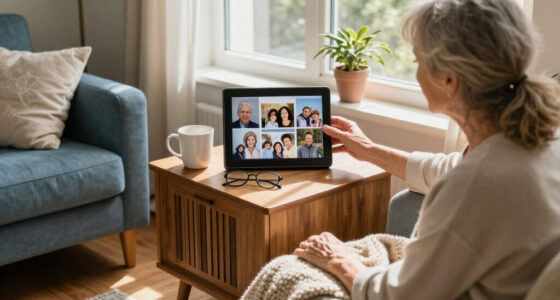
Choosing the right TV for an elderly loved one with dementia involves balancing simplicity, accessibility, and engaging visuals. The Roku 24-Inch Select Series HD Smart TV offers a bright, user-friendly interface perfect for small spaces, but its limited resolution might not satisfy all viewers. The Big Button Remote and Flipper Remote focus on making remote control easy, though they don’t support streaming apps. For those wanting a smart TV with streaming, the Insignia 32″ Fire TV provides vibrant 1080p visuals and Alexa voice control, while the Samsung 32″ HD Smart TV emphasizes security and free channels. Each option involves tradeoffs between simplicity, resolution, and smart features—so understanding these helps match the right model to your loved one’s needs.

Turn quiet afternoons into listening time
- Thousands of audiobooks, podcasts and originals
- Listen on your phone, tablet or Echo — also offline
- Cancel anytime
Complete the kit


Key Takeaways
- Large, color-coded remote controls greatly improve ease of use for seniors with dementia.
- Screen size and resolution should align with the viewer’s visual needs—smaller screens may be easier to manage but offer less immersive visuals.
- Smart features like voice control are beneficial but can add complexity; simpler models excel for basic TV needs.
- Built-in security and simplified interfaces help reduce confusion and frustration.
- Tradeoffs between smart capabilities and simplicity must be balanced based on the user’s cognitive and physical abilities.
| Roku 24-Inch Select Series HD Smart TV |  | Best Overall for Ease of Use and Smart Features | Screen Size: 24 inches | Resolution: 720p HD | Smart TV: Yes | VIEW ON AMAZON | See Our Full Breakdown |
| Big Button TV Remote for Seniors, Dementia – Easy Setup with Large Color-Coded Buttons |  | Best for Simplified Remote Control | Compatibility: All major TV brands and cable providers | Button Size: Large | Color Coding: Yes | VIEW ON AMAZON | See Our Full Breakdown |
| Flipper Big Button TV Remote for Seniors, Dementia – Easy Setup |  | Best for Minimalism and Basic TV Control | Designed for: Seniors & Dementia | Button Layout: Large, 4 main buttons with customizable options | Compatibility: All major TV brands, cable, satellite | VIEW ON AMAZON | See Our Full Breakdown |
| Insignia 32″ Class FE Series LED Full HD Smart Fire TV with Voice Remote and Alexa |  | Best Smart TV for Streaming and Visual Quality | Screen Size: 32 inches | Resolution: Full HD 1080p | Display Technology: LED-backlit LCD | VIEW ON AMAZON | See Our Full Breakdown |
| Samsung 32-Inch HD Smart TV (2025 Model) with HDR and Object Tracking Sound Lite |  | Best for Visuals, Sound, and Security | Screen Size: 32 inches | Resolution: HD | HDR: Yes | VIEW ON AMAZON | See Our Full Breakdown |
| tv for elderly people with dementia | Screen Size | Resolution |
|---|---|---|
| Roku 24-Inch Select Series HD | 24 inches | 720p HD |
| Big Button TV Remote for Senio | — | — |
| Flipper Big Button TV Remote f | — | — |
| Insignia 32" Class FE Series L | 32 inches | Full HD 1080p |
| Samsung 32-Inch HD Smart TV | 32 inches | HD |
More Details on Our Top Picks
Roku 24-Inch Select Series HD Smart TV
This 24-inch Roku TV stands out for its bright 720p display and straightforward setup, making it ideal for small spaces like bedrooms or kitchens. Its user-friendly interface and voice control support (including Siri, Alexa, and Google Assistant) provide accessible smart features, while Apple AirPlay support enhances connectivity. Its main limitation is the resolution—720p is adequate for casual viewing but falls short for viewers craving sharper images. The small size also means it might not suit all preferences, especially if larger screens are desired for better visibility. Compared with larger models, it offers a compact, simple, yet capable entertainment solution that promotes independence without overwhelming the user.
Pros:- Bright, clear 720p HD display
- Simple setup and intuitive interface
- Supports voice control and AirPlay
- Bluetooth headphone compatibility
Cons:- Limited to 720p resolution, not Full HD
- Small screen size may reduce visibility for some users
- Basic sound quality despite enhancements
Best for: Elderly users who want a compact, easy-to-operate smart TV with voice control.
Not ideal for: Those seeking 4K resolution or larger screens for a more immersive experience.
- Screen Size:24 inches
- Resolution:720p HD
- Smart TV:Yes
- Wi-Fi:Yes
- Voice Control:Roku Voice, Siri, Alexa, Google Assistant
- Apple AirPlay:Supported
- Bluetooth:Yes
- Remote:Voice remote
Our verdict“A compact, easy-to-use smart TV perfect for small spaces and users who value simplicity.”
Big Button TV Remote for Seniors, Dementia – Easy Setup with Large Color-Coded Buttons
This remote is designed specifically for seniors and those with impaired vision, featuring oversized, color-coded buttons that dramatically reduce confusion. It is compatible with all major TV brands and cable providers, making it a versatile choice for caregivers and users alike. The large, tactile buttons facilitate easy operation, promoting independence. However, it only covers basic functions—no smart features or streaming navigation—and requires line of sight for some cable setups. It’s an excellent choice for those who need straightforward control without extra bells and whistles, but less suited for tech-savvy users or those wanting modern streaming access.
Pros:- Large, color-coded, tactile buttons
- Universal compatibility
- Simplifies TV control and independence
Cons:- Requires line of sight for some cable setups
- Limited to basic functions, no smart features
- No backlit buttons for low-light use
Best for: Elderly individuals who need simple, tactile remote controls to regain control over their TV experience.
Not ideal for: Users wanting advanced features or streaming app navigation, as it only supports basic TV functions.
- Compatibility:All major TV brands and cable providers
- Button Size:Large
- Color Coding:Yes
- Warranty:90 days
Our verdict“A straightforward remote designed to make TV control accessible for seniors with visual or cognitive impairments.”
Flipper Big Button TV Remote for Seniors, Dementia – Easy Setup
The Flipper remote simplifies TV operation with a minimal four-button layout, large, color-coded buttons, and a focus on essential functions like power, volume, and channel. Its design reduces confusion for users with dementia or low vision, supporting up to 25 favorite channels with simple customization. It’s compatible with all major TV brands and cable providers, but it doesn’t support streaming apps or voice control. This remote makes sense for users who primarily need to watch traditional TV channels without complexity, but it falls short if streaming or voice commands are desired for greater independence.
Pros:- Large, tactile, color-coded buttons
- Simple, intuitive design
- Universal compatibility
- Customizable channel favorites
Cons:- No streaming app support
- Requires two AA batteries (not included)
- Limited to basic functions only
Best for: Those seeking a straightforward remote to access favorite channels with minimal fuss.
Not ideal for: Users wanting streaming capabilities or voice control features.
- Designed for:Seniors & Dementia
- Button Layout:Large, 4 main buttons with customizable options
- Compatibility:All major TV brands, cable, satellite
- Channels:Up to 25
- Batteries:2 AA (not included)
Our verdict“An excellent choice for seniors who need simple, reliable control over traditional TV channels.”
Insignia 32″ Class FE Series LED Full HD Smart Fire TV with Voice Remote and Alexa
This 32-inch Insignia Fire TV delivers vibrant 1080p visuals with HDR support, making images pop with vivid colors and contrast. Its built-in Alexa voice remote simplifies navigation, allowing users to access over a million movies and shows easily. The multiple connection options—including HDMI, USB, and Ethernet—offer versatility for various entertainment needs. However, at only 32 inches, the screen size may not suit all viewers, and streaming subscriptions might be necessary for full access. This model is ideal for users comfortable with basic smart features who want a colorful, engaging viewing experience without complex setup.
Pros:- Vivid 1080p HD picture with HDR
- Built-in Alexa voice remote
- Supports streaming and Apple AirPlay
- Multiple connection options
Cons:- Limited to 32-inch size
- Streaming services may require subscriptions
- Basic smart features lacking advanced customization
Best for: Elderly users who want an engaging smart TV with voice control and high-quality visuals.
Not ideal for: Those preferring larger screens or seeking 4K resolution for a more detailed picture.
- Screen Size:32 inches
- Resolution:Full HD 1080p
- Display Technology:LED-backlit LCD
- Smart TV:Yes
- Voice Remote:Yes with Alexa
- HDMI Ports:3
- Supports Apple AirPlay:Yes
Our verdict“A capable, visually appealing smart TV suitable for seniors who appreciate vibrant images and voice navigation.”
Samsung 32-Inch HD Smart TV (2025 Model) with HDR and Object Tracking Sound Lite
This Samsung 32-inch HD smart TV emphasizes vibrant visuals with HDR support and immersive sound that tracks on-screen motion. Its focus on security with Samsung Knox and long-term platform stability—7 years of automatic updates—adds peace of mind. Accessing over 2,700 free channels and apps, it offers a broad range of content, though the smaller size may limit viewing for some. Its straightforward interface and security features make it suitable for users who want safe, vibrant entertainment without added complexity, but it lacks built-in voice control, which could be a drawback for some.
Pros:- Vivid visuals with HDR and contrast
- Object Tracking Sound Lite
- Enhanced security with Samsung Knox
- Access to many free channels
Cons:- Limited to 32-inch size
- No mention of built-in voice control
- HD resolution may not satisfy 4K enthusiasts
Best for: Those seeking a secure, visually engaging TV with an emphasis on sound and free content.
Not ideal for: Users desiring a larger screen or integrated voice control features.
- Screen Size:32 inches
- Resolution:HD
- HDR:Yes
- Sound:Object Tracking Sound Lite
- Security:Samsung Knox
- Smart Platform:One UI Tizen
- OS Updates:7 years automatic
Our verdict“A secure, visually vibrant TV with immersive sound, ideal for users prioritizing safety and free content.”

How We Picked
Our selection focuses on TVs that prioritize accessibility, ease of use, and minimal setup for elderly users with dementia. We evaluated models that combine straightforward remote controls, clear displays, and simple interfaces. Smart features like voice control or streaming capabilities were considered if they enhanced usability without overwhelming the user. Durability, compatibility with existing devices, and safety features such as security updates were also key factors. Ultimately, each product was chosen based on how well it balances simplicity against feature richness, with an eye toward reducing confusion and fostering independence.
Factors to Consider When Choosing Tv For Elderly People With Dementia
When selecting a TV for someone with dementia, prioritizing simplicity, clarity, and ease of operation is essential. Consider screen size and resolution—larger screens with high contrast can improve visibility, while overly complex smart features may cause frustration. Remote controls should be large, tactile, and color-coded to facilitate independence. Smart features like voice control can be helpful but should be balanced against the risk of confusing or overwhelming the user. Security and durability are also important, especially for long-term use. The goal is to find a device that enhances engagement without adding confusion or stress.Screen Size and Resolution
For elderly users with dementia, larger screens—around 32 inches or more—are usually easier to see and less straining. Higher resolution (Full HD or better) provides sharper images, which can help with recognition and reduce eye fatigue. However, smaller screens may be easier to manage physically and fit into limited spaces. The choice depends on the user’s visual needs and available space.
Remote Control Design
Remote controls should feature large, tactile, and preferably color-coded buttons to minimize confusion. Simpler remotes with fewer buttons—ideally only essential functions—prevent accidental presses and frustration. Universal compatibility ensures the remote works with various devices, but dedicated remote controls designed for seniors can significantly improve independence.
Smart Features and Voice Control
Smart features like voice control can assist users in navigating content without complex remote use, yet they can also be confusing if not implemented intuitively. For some, basic smart functions that require minimal interaction are best, while others may benefit from voice commands if they are comfortable with technology. Be mindful that added features might require ongoing setup or subscriptions.
Visual and Audio Clarity
High contrast, HDR, and vibrant colors improve visual clarity, making content more recognizable for users with visual impairments or cognitive challenges. Enhanced sound systems or sound tracking features can also help users follow on-screen action more easily, reducing confusion and promoting engagement.
Security and Long-Term Use
Devices with built-in security features like Samsung Knox or automatic OS updates provide peace of mind, protecting against vulnerabilities and ensuring the device remains functional for years. Durable builds and straightforward interfaces reduce the need for frequent repairs or replacements, making devices more practical long-term solutions.
Frequently Asked Questions
What size TV is best for someone with dementia?
Generally, larger screens around 32 inches or more are preferable for elderly users with dementia, as they provide better visibility and reduce eye strain. Size should also consider the physical space available and the user’s ability to focus on the screen comfortably.
Are smart features necessary for a dementia-friendly TV?
Smart features like voice control and streaming can be helpful by reducing the need for complex remote operation. However, they can also introduce confusion if not simplified. For many, a basic TV with large buttons and clear visuals is more suitable, but the decision depends on the individual’s comfort with technology.
How important are remote control features?
Remote controls with large, tactile, and color-coded buttons are crucial for ease of use. Simplicity reduces frustration and helps users regain independence, especially if they have impaired vision or cognitive difficulties. Universal compatibility with all major brands ensures flexibility and longevity.
Should I prioritize visual quality or smart features?
For elderly users with dementia, visual clarity and simplicity often take precedence, making high-contrast displays and easy-to-use remotes essential. Smart features are valuable if they enhance usability without adding complexity. Balance depends on the user’s comfort with technology and specific needs.
What security features are important in a TV for dementia patients?
Long-term security features like automatic OS updates and built-in protections such as Samsung Knox help safeguard against vulnerabilities. These features extend the device’s lifespan, providing a safer, more reliable experience for users who may not recognize or respond to security threats.
Conclusion
For caregivers seeking simplicity and ease of use, remote controls like the Big Button Remote or Flipper Remote are excellent, especially for traditional TV viewing. If the user is comfortable with technology and desires more engaging content, the Insignia Fire TV or Samsung Smart TV offer vibrant visuals and smart features, but with added complexity. Smaller, basic models are suitable for those who primarily want to watch familiar channels without extra features. Matching the device to the individual’s visual, cognitive, and comfort needs is key to fostering independence and enjoyment.
Cold & flu season Picks
humidifiers
As an affiliate, we earn on qualifying purchases.