
Finding the right TV for elderly viewers involves balancing simplicity, clarity, and accessibility. The INSIGNIA 32″ Class FE Series LED Full HD Smart Fire TV stands out as the overall best for its user-friendly interface and integrated voice control. For those seeking a budget-friendly, straightforward option, the Roku 32-Inch Select Series offers excellent value. Meanwhile, the Samsung 40-Inch FHD Smart TV provides larger screen size and sharp picture quality for viewers with visual impairments. The main tradeoffs involve balancing ease of use against features like smart capabilities and screen size. Continue reading for a detailed breakdown of each model and how to choose the best TV for your needs.

Turn quiet afternoons into listening time
- Thousands of audiobooks, podcasts and originals
- Listen on your phone, tablet or Echo — also offline
- Cancel anytime
Complete the kit


Key Takeaways
- Larger screens generally improve visibility, but can be less space-efficient.
- Simplified remotes and voice control significantly enhance usability for seniors.
- Smart features add convenience but may complicate setup for some users.
- Picture clarity and contrast often outweigh the importance of 4K resolution in this demographic.
- Compatibility with streaming devices expands options without overwhelming basic models.
| INSIGNIA 32″ Class FE Series LED Full HD Smart Fire TV with Alexa Voice Remote |  | Best Overall for Seniors Who Want Smart Features and Versatility | Screen Size: 32 inches | Resolution: 1080p Full HD | Display Type: LED-backlit LCD | VIEW ON AMAZON | See Our Full Breakdown |
| Roku 32-Inch Select Series HD Smart TV | 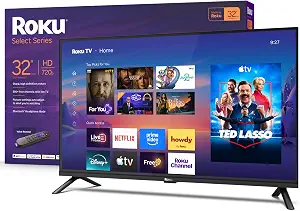 | Best for Easy, Straightforward Streaming in Small Spaces | Screen Size: 32 inches | Resolution: 720p HD | Smart Platform: Roku | VIEW ON AMAZON | See Our Full Breakdown |
| Jexiop 14 Inch LED HD TV with HDMI Input, Built-in Digital Tuner, USB, 12V DC, Wall-Mountable |  | Best for Portable, Compact Viewing in RVs, Bedrooms, and Outdoor Settings | Screen Size: 14 inches | Resolution: HD 1080p | Tuner: Built-in ATSC | VIEW ON AMAZON | See Our Full Breakdown |
| Flipper Big Button TV Remote for Seniors and Dementia |  | Best for Simplified Remote Control for Low Vision and Dementia | Buttons: 4 large color-coded buttons | Programmable Channels: Up to 25 | Compatibility: All major TV brands and providers | VIEW ON AMAZON | See Our Full Breakdown |
| INSIGNIA 43″ Class F50 Series LED 4K UHD Smart Fire TV with Voice Remote | 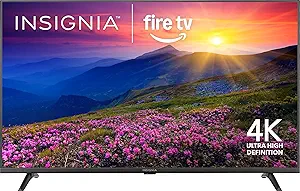 | Best for Larger Screen with 4K and HDR for Enhanced Viewing | Screen Size: 43 inches | Resolution: 4K Ultra HD (2160p) | HDR Support: HDR10 | VIEW ON AMAZON | See Our Full Breakdown |
| Amazon Ember 32″ 2-Series with Fire TV (newest model), HD smart TV with Alexa Remote |  | Best for Tech-Savvy Elderly Who Appreciate Personalized Content | Screen Size: 32 inches | Resolution: HD 720p | Processor: Quad-core | VIEW ON AMAZON | See Our Full Breakdown |
| Westinghouse 32 Inch HD LED Flat Screen TV, Non-Smart, Compatible with Streaming Devices |  | Best Budget-Friendly Non-Smart TV for Basic Viewing | Screen Size: 32 inches | Resolution: 720p HD | Inputs: HDMI, USB, VGA | VIEW ON AMAZON | See Our Full Breakdown |
| Samsung 40-Inch Class Full HD F6000 Smart TV (2025 Model) | 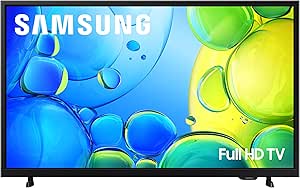 | Best for Viewers Wanting Vibrant Picture and Secure Smart Features | Screen Size: 40 inches | Resolution: Full HD | HDR: Yes | VIEW ON AMAZON | See Our Full Breakdown |
| Roku 55-Inch Select Series 4K QLED Smart TV (2026) |  | Best for Elderly Who Want a Big, Bright 4K Picture and Versatile Voice Control | Screen Size: 55 inches | Resolution: 4K | Display Type: QLED | VIEW ON AMAZON | See Our Full Breakdown |
| tvs for elderly | Screen Size | Resolution |
|---|---|---|
| INSIGNIA 32" Class FE Series L | 32 inches | 1080p Full HD |
| Roku 32-Inch Select Series HD | 32 inches | 720p HD |
| Jexiop 14 Inch LED HD TV with | 14 inches | HD 1080p |
| Flipper Big Button TV Remote f | — | — |
| INSIGNIA 43" Class F50 Series | 43 inches | 4K Ultra HD (2160p) |
| Amazon Ember 32" 2-Series with | 32 inches | HD 720p |
| Westinghouse 32 Inch HD LED Fl | 32 inches | 720p HD |
| Samsung 40-Inch Class Full HD | 40 inches | Full HD |
| Roku 55-Inch Select Series 4K | 55 inches | 4K |
More Details on Our Top Picks
INSIGNIA 32″ Class FE Series LED Full HD Smart Fire TV with Alexa Voice Remote
This Insignia Fire TV stands out for delivering a full HD picture in a compact design, making it an excellent choice for those seeking an affordable yet feature-rich smart TV. Compared to the Roku 32-Inch Select Series, it offers a more robust smart platform with access to over 1.5 million movies and TV episodes via Fire TV, plus built-in Alexa voice control for hands-free operation. However, its 1080p resolution limits sharpness compared to 4K models, and the small size may not suit larger rooms or viewers wanting a more immersive experience. The multiple HDMI ports and AirPlay support add to its versatility, but its price is slightly higher for a 32-inch screen. This pick makes the most sense for seniors comfortable with smart technology and who want broad streaming options.Pros:- Built-in Fire TV platform with access to major streaming services
- Alexa Voice Remote for hands-free control
- Multiple HDMI ports and Apple AirPlay support
- Immersive DTS TruSurround audio
Cons:- 1080p resolution limits sharpness compared to 4K models
- Small 32-inch size may not suit larger rooms or immersive viewing preferences
Best for: Seniors who want a smart TV with voice control and versatile connectivity for everyday entertainment
Not ideal for: Those seeking a large screen for a living room or ultra-high-definition picture, as this model is limited to 1080p and small size
- Screen Size:32 inches
- Resolution:1080p Full HD
- Display Type:LED-backlit LCD
- Smart Platform:Amazon Fire TV
- Voice Control:Alexa Voice Remote
- HDMI Ports:3
- Audio:DTS TruSurround
- Other Connections:Composite (AV), optical, USB, Wi-Fi, Ethernet
Our verdict“Ideal for seniors who want a compact, smart, and voice-controlled TV for everyday streaming and entertainment.”
Roku 32-Inch Select Series HD Smart TV
This Roku 32-inch TV provides a bright, clear 720p HD picture that suits bedrooms, kitchens, or small apartments where simplicity matters most. Compared with the Insignia Fire TV, it lacks 4K resolution but offers a straightforward interface with Roku’s intuitive platform, making it easier for seniors to navigate without extensive tech knowledge. Its built-in voice control and Apple AirPlay add convenience, but the limited resolution may fall short for viewers wanting sharper images, especially for movies or detailed content. The absence of advanced smart features beyond Roku’s platform simplifies operation, but it also restricts app choices compared to more comprehensive systems. This model makes sense for users prioritizing ease of use over top-tier picture quality.Pros:- Bright, clear 720p HD picture suitable for small spaces
- Easy setup with a user-friendly interface
- Supports voice control and Apple AirPlay
- Built-in Bluetooth for wireless headphones
Cons:- Limited to 720p resolution, not suitable for high-definition viewing
- Small screen size may not satisfy those with larger viewing areas
Best for: Seniors seeking a simple, reliable streaming TV for casual viewing in small rooms
Not ideal for: Those wanting a high-resolution or 4K experience, or a larger screen for more immersive watching
- Screen Size:32 inches
- Resolution:720p HD
- Smart Platform:Roku
- Connectivity:Wi-Fi, Bluetooth, Apple AirPlay
- Remote:Voice remote
- Additional Features:Night mode, voice control
Our verdict“Best for seniors who prefer straightforward streaming and simple operation over ultra-high-definition picture quality.”
Jexiop 14 Inch LED HD TV with HDMI Input, Built-in Digital Tuner, USB, 12V DC, Wall-Mountable
This compact 14-inch Jexiop TV excels in portability, perfect for those who need a small screen for traveling, RV living, or secondary rooms. Its full HD 1080p resolution provides decent picture quality for its size, and the built-in digital tuner offers free-to-air channels, reducing the need for additional equipment. Compared to larger models like the Insignia 43-inch 4K, this is more specialized for on-the-go use and limited space. The small size means a less immersive experience for main-room viewing, and its unknown brand status raises questions about long-term durability. Nonetheless, for users who prioritize portability and multi-device connectivity, this makes a compelling choice.Pros:- Compact and portable, ideal for small spaces or travel
- Built-in digital tuner for free local channels
- Versatile connectivity including HDMI, AV, and USB
- Runs on 12V DC, compatible with RV power sources
Cons:- Small 14-inch screen limits viewing comfort for larger rooms
- Limited brand recognition may impact durability or support
Best for: Travelers, RV owners, and seniors needing a small, wall-mountable TV for secondary spaces
Not ideal for: Those wanting a main TV for living rooms or high-resolution viewing experiences
- Screen Size:14 inches
- Resolution:HD 1080p
- Tuner:Built-in ATSC
- Inputs:HDMI, AV, USB
- Power:12V DC
- Wall Mountable:Yes
Our verdict“Best suited for users needing a portable, wall-mountable TV for travel, RVs, or secondary rooms.”
Flipper Big Button TV Remote for Seniors and Dementia
This Flipper remote offers a straightforward solution for seniors with low vision, arthritis, or dementia, featuring just four large, color-coded buttons for essential functions. Compared to standard remotes, it minimizes confusion and frustration, making it ideal for caregivers or users who struggle with complex controls. However, it cannot operate streaming apps or smart TV menus, limiting its use to controlling traditional TVs and cable boxes. The limited buttons mean fewer options for navigation or streaming, which could be a drawback for tech-savvy seniors who want more control. Overall, this remote makes the most sense for users who need simple, tactile controls and don’t rely on streaming content.Pros:- Oversized, color-coded, tactile buttons ideal for low vision
- Simple 4-button design minimizes confusion
- Controls TV and cable/satellite box, reducing remotes
- Pre-programmable favorite channels for quick access
Cons:- Cannot navigate streaming apps or smart TV menus
- Requires two AA batteries (not included)
Best for: Seniors with low vision, arthritis, or dementia who need a simple, easy-to-use remote for TV control
Not ideal for: Users wanting to access streaming apps or navigate smart TV interfaces
- Buttons:4 large color-coded buttons
- Programmable Channels:Up to 25
- Compatibility:All major TV brands and providers
- Controls:TV and cable/satellite box
- Power:2 AA batteries (not included)
Our verdict“A perfect remote for seniors who need simple, tactile controls without extra complexity.”
INSIGNIA 43″ Class F50 Series LED 4K UHD Smart Fire TV with Voice Remote
This Insignia 43-inch 4K UHD Fire TV offers a sharper picture with HDR10 support, making it a strong choice for those who want more detailed and vibrant visuals. Compared to the smaller 32-inch models, its larger size and 4K resolution provide an immersive experience, especially for viewers with good eyesight who want to enjoy movies or sports. Its built-in Fire TV platform offers access to over 1.8 million titles, and the Alexa remote simplifies navigation. However, the need for subscriptions for many streaming services, and the absence of Dolby Vision or Dolby Atmos, may limit premium viewing. This model fits well for seniors who desire a bigger screen and better picture quality, provided they are comfortable with the potential extra cost for subscriptions.Pros:- 4K UHD resolution with HDR10 for vibrant, sharp images
- Built-in Fire TV with access to millions of titles
- Alexa voice remote and smart home integration
- VESA wall mount compatibility
Cons:- Subscription fees may apply for streaming content
- No Dolby Vision or Dolby Atmos for enhanced HDR and sound
- Larger size may be unsuitable for small rooms
Best for: Seniors who want a larger, high-resolution screen with extensive streaming options and voice control
Not ideal for: Those with limited space or on a strict budget, as larger models tend to be more expensive and require more room
- Screen Size:43 inches
- Resolution:4K Ultra HD (2160p)
- HDR Support:HDR10
- Smart Platform:Fire TV
- Voice Assistant:Alexa
- HDMI Ports:3
- Additional Connections:Composite, optical, USB, Ethernet, Wi-Fi
- VESA Mount Pattern:200 x 300
Our verdict“Ideal for seniors seeking a larger, high-resolution smart TV with voice control for immersive viewing experiences.”
Amazon Ember 32″ 2-Series with Fire TV (newest model), HD smart TV with Alexa Remote
This model stands out for its modern Fire TV interface and fast Wi-Fi 6 streaming, making it ideal for seniors comfortable with smart features. Compared to the Westinghouse 32 Inch HD LED TV, the Ember offers a more intuitive platform and voice control, enhancing ease of use. However, its HD 720p resolution might feel limited for viewers seeking sharper images, especially if they are accustomed to Full HD screens. The built-in sensors and Alexa remote streamline daily operation, but subscription fees for some content can add up. Overall, this pick makes the most sense for elderly users who want a connected, customizable experience without complexity.
Pros:- Fast streaming with Wi-Fi 6 support ensures smooth content access
- User-friendly Fire TV interface with personalized recommendations
- Built-in sensors for quick wake-up and display management
- Alexa voice remote simplifies control
Cons:- Limited to HD 720p resolution, which may be less sharp for some viewers
- Small 32-inch size might not suit those wanting a larger display
Best for: Elderly individuals who are comfortable with smart technology and want personalized streaming options
Not ideal for: Seniors who prefer simple, plug-and-play TVs without smart features or voice control
- Screen Size:32 inches
- Resolution:HD 720p
- Processor:Quad-core
- Wi-Fi Support:Wi-Fi 6
- Remote:Alexa Voice Remote Enhanced
- HDMI Inputs:2
Our verdict“This TV is ideal for tech-savvy seniors seeking a smart, interactive viewing experience with voice control.”
Westinghouse 32 Inch HD LED Flat Screen TV, Non-Smart, Compatible with Streaming Devices
This TV offers a straightforward, compact design suited for small spaces like bedrooms or RVs, especially since it doesn’t include smart features. Unlike the Amazon Ember, it requires external streaming devices, which adds complexity but also flexibility for those who prefer dedicated devices. The 720p resolution is basic, but for casual viewing, especially in a secondary space, it’s sufficient. Its multiple input options, including HDMI and USB, cater to users who want versatility. Parental controls and antenna compatibility make it a solid choice for families or caregivers managing safe viewing. However, the need for an external streaming device and the non-smart nature may be limiting for tech-savvy users.
Pros:- Compact size fits well in various small spaces
- Multiple inputs offer flexible connectivity options
- Parental control features add safety for family use
Cons:- 720p resolution may seem outdated for some viewers
- Requires external streaming device for smart content
Best for: Elderly users requiring a simple, affordable TV for occasional viewing in small spaces
Not ideal for: Tech-savvy seniors who want an all-in-one smart TV with built-in streaming
- Screen Size:32 inches
- Resolution:720p HD
- Inputs:HDMI, USB, VGA
- Features:Parental control with V-chip
Our verdict“This TV is best suited for elderly users who want a basic, no-frills TV in a small space without the complexity of smart features.”
Samsung 40-Inch Class Full HD F6000 Smart TV (2025 Model)
Compared to smaller smart options like the Amazon Ember, the Samsung 40-inch provides a larger screen with vibrant HDR and immersive sound, making it ideal for seniors who value picture quality and simple access to a wide array of channels. Its security features, including Samsung Knox, add peace of mind for elderly users concerned about online safety. The sleek, bezel-less design enhances aesthetics and ease of viewing. However, the 40-inch size may be too large for some small rooms, and the need for a compatible soundbar for Q Symphony can increase setup complexity. This model makes the most sense for seniors who prioritize picture quality, security, and a broad content library.
Pros:- Vivid HDR picture with vibrant color and contrast
- Secure with Samsung Knox security system
- Access to over 2,700 channels and apps
- Sleek, modern design
Cons:- Soundbar needed for Q Symphony for optimal audio
- Limited to 40-inch size, which might be too large for some spaces
Best for: Elderly viewers seeking a larger, vibrant display with integrated security features
Not ideal for: Seniors with limited space or those who prefer straightforward, non-smart TVs
- Screen Size:40 inches
- Resolution:Full HD
- HDR:Yes
- Security:Samsung Knox Security
- Operating System:Tizen
Our verdict“This TV best serves seniors who want a larger, high-quality picture with added security features and a wide content selection.”
Roku 55-Inch Select Series 4K QLED Smart TV (2026)
This model makes an excellent choice for those who want a large screen with stunning 4K clarity and a broad range of voice assistant options. Its bright QLED display with HDR10 delivers vibrant colors, and Roku’s straightforward interface simplifies streaming navigation. Compared with the Samsung 40-inch, the Roku 55-inch offers a significantly larger viewing area, ideal for living rooms or spaces where size matters. Its remote includes a lost-remote finder and Bluetooth headphone support, adding convenience. The main tradeoff involves speakers that might not match dedicated sound systems, and Roku’s interface can lean heavily toward its own content, which might frustrate some users seeking more neutral access. Overall, this TV suits seniors who want big, bright visuals with flexible voice control options.
Pros:- Bright 4K QLED display with HDR10 for vivid, sharp images
- Large 55-inch screen ideal for spacious rooms
- Multiple voice assistant compatibility (Roku Voice, Siri, Alexa, Google Assistant)
- Features like lost remote finder and Bluetooth headphones enhance usability
Cons:- Speakers may need external support for better sound quality
- Roku interface favors Roku services, limiting some content options
Best for: Elderly viewers who desire a giant, vibrant 4K display with extensive voice assistant compatibility
Not ideal for: Seniors who prefer smaller screens or are sensitive to interface limitations favoring Roku’s ecosystem
- Screen Size:55 inches
- Resolution:4K
- Display Type:QLED
- HDR Support:HDR10
- Features:Apple AirPlay, Bluetooth Headphone Mode
Our verdict“This TV is perfect for seniors seeking a large, vivid display with versatile voice control and smart features in a big-screen format.”
How We Picked
To determine the best TVs for elderly users, I focused on factors that directly impact ease of use, visibility, and accessibility. Performance was evaluated based on picture quality and interface simplicity, while usability considerations included remote design, voice command support, and setup process. Build quality and durability mattered, as well as features like adjustable stand height and compatibility with assistive devices. These models were ranked to offer a range of options suited for different needs, from basic models to feature-rich smart TVs, ensuring that each choice addresses common challenges faced by older viewers.Factors to Consider When Choosing Tvs For Elderly
Choosing a TV for elderly viewers involves more than just screen size and resolution. It’s important to consider how easy the TV is to operate, how well it can be seen and heard, and whether it supports features that enhance accessibility. A good TV for seniors should minimize complexity while maximizing clarity and convenience. Here are key factors to help guide your decision and avoid common pitfalls in selecting the right model.Screen Size and Viewing Distance
For elderly viewers, larger screens often translate to easier viewing, especially for those with visual impairments. A screen size of 32 to 43 inches tends to strike a good balance between visibility and space efficiency. Larger screens, like 55 inches, offer a more immersive experience but require a bigger viewing distance and more space in the room. Remember, the ideal size depends on the room layout and the user’s eyesight, so measure your space carefully before choosing.
Ease of Use and Remote Design
Simplified remotes with large, well-spaced buttons significantly reduce frustration. Look for models with minimal button clutter, or those that support voice control to eliminate the need for complex navigation. Some TVs feature dedicated shortcut buttons to essential functions like volume and power, which can make a big difference for seniors with limited dexterity or eyesight. Avoid models with overly complicated menus or small controls, which can add to the learning curve.
Picture Quality and Accessibility Features
High contrast, bright displays, and adjustable settings improve visibility for those with visual impairments. Features like screen magnification, closed captioning, and audio description support are valuable additions. While 4K resolution offers sharper images, many seniors prioritize clarity and contrast over ultra-high resolution, especially on smaller screens. Consider a TV with adjustable picture settings to customize contrast and brightness for optimal viewing comfort.
Smart Features and Connectivity
Smart TVs can provide access to streaming services and other entertainment options, but they can also be overwhelming for less tech-savvy users. Devices with simplified interfaces, voice search, and easy setup tend to be better choices. If smart features seem too complicated, consider models that support external streaming devices like Roku or Fire TV Stick, which often offer more straightforward controls. Compatibility with hearing aids and other assistive devices can also enhance accessibility.
Sound Quality and Volume Control
Good audio quality is essential, especially for viewers with hearing difficulties. Look for TVs with clear, loud speakers or compatibility with external sound systems. Some models include volume amplification or speech enhancement features, which can make dialogue easier to understand. Avoid models with tinny sound or complicated audio settings that require frequent adjustments; instead, prioritize straightforward volume controls.
Frequently Asked Questions
Can I connect a streaming device to a non-smart TV for easier use?
Yes, connecting a streaming device like Roku, Fire TV, or Chromecast can transform a basic TV into a smart one with a simpler interface. Many of these devices come with remote controls designed for ease of use, including voice commands. This setup allows you to access streaming platforms without navigating complex menus on the TV itself. It’s a good option if you want smart features but prefer to keep the TV simple and straightforward.
What size TV should I choose for limited space or small rooms?
For smaller rooms or limited space, a 32 to 43-inch TV usually offers a comfortable viewing experience without overwhelming the area. These sizes are easier to place on standard tables or wall mounts and still provide good visibility for viewers with impaired eyesight. Larger models like 55 inches may look impressive but can be less practical if space is tight or the viewing distance is short. Measure your room and seating distance before making a decision.
Are voice control features reliable for elderly users?
Voice control can significantly simplify TV operation, especially for users with limited mobility or dexterity. Most voice-enabled TVs and remote apps are quite reliable, though performance varies depending on the quality of the microphone and the voice recognition software. Clear, simple commands tend to work best. If voice control is a priority, choose models with dedicated voice buttons or compatibility with popular voice assistants like Alexa or Google Assistant.
Should I prioritize 4K resolution or picture clarity?
While 4K resolution provides sharper images, many seniors find that high contrast and brightness are more impactful for visibility and comfort. For smaller screens, Full HD often suffices and can save money. If you have a larger screen or plan to watch in a well-lit room, opting for 4K can enhance the viewing experience. Consider your primary usage and eyesight when balancing resolution against other accessibility features.
What features are most helpful for seniors with hearing impairments?
For those with hearing difficulties, look for TVs with built-in speech enhancement or compatibility with external hearing aids. Some models include clearer, louder audio options or support for closed captioning. External sound systems like soundbars can also boost audio clarity. When shopping, prioritize models that offer easy volume controls and audio customization, making it easier to hear dialogue without constant adjustments.
Conclusion
The ideal TV choice depends largely on individual needs. For overall ease of use and a balanced feature set, the INSIGNIA 32″ Class FE Series makes a compelling option. Budget-conscious buyers will find the Roku 32-Inch Select Series offers great value with straightforward functionality. Those seeking a larger, sharper display should consider the Samsung 40-Inch FHD Smart TV. For users with visual or hearing impairments, models with enhanced accessibility features and simplified controls are best. Ultimately, matching the TV to your space, tech comfort level, and specific accessibility needs will ensure a more enjoyable viewing experience for elderly viewers.
Fall Picks
fall essentials
As an affiliate, we earn on qualifying purchases.