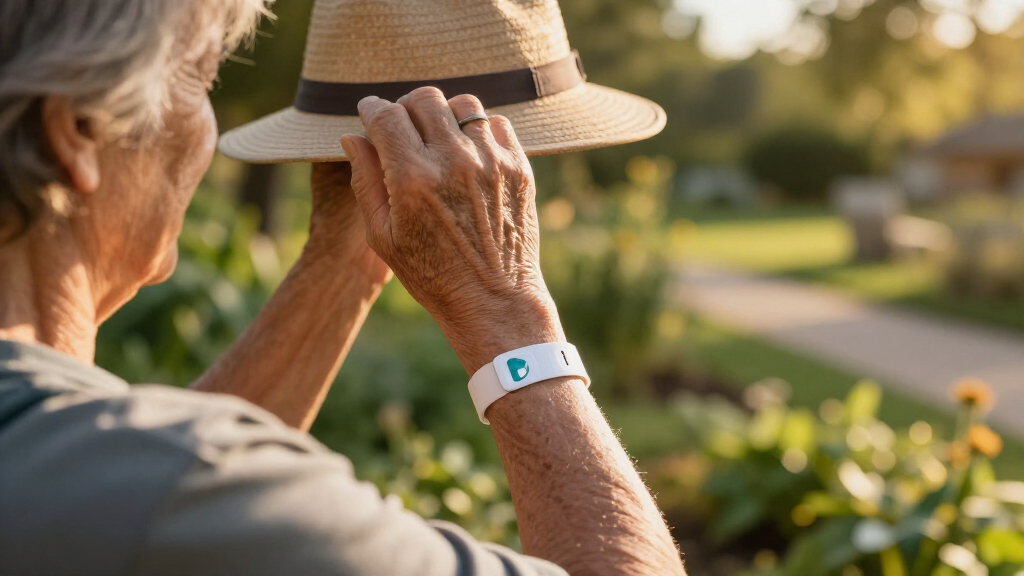

The whole point of an easy-to-use medical alert system is that a senior in distress can operate it without thinking twice, and my top pick reflects exactly that: the WiFi Caregiver Pager Life Alert System wins best overall because its one-button call pagers and caregiver app require no subscription, no charging schedule, and virtually no learning curve. Close behind, the Life Alert System with 2-Call Buttons offers similar no-fee simplicity at a lower price, making it the best value for families on a budget, while the Bay Alarm Medical SOS Mobile GPS stands out if you want a professionally monitored option that works outside the home. The main tradeoff in this category is between fee-free caregiver pagers, which alert family instead of a call center, and monitored GPS systems, which connect to trained operators but charge monthly. There’s also the question of whether automatic fall detection is worth the extra complexity and battery drain. Keep reading for the full breakdown of all nine systems.

Turn quiet afternoons into listening time
- Thousands of audiobooks, podcasts and originals
- Listen on your phone, tablet or Echo — also offline
- Cancel anytime
Complete the kit



Key Takeaways
- Seven of the nine systems require no monthly fee, but only three of those connect to a live emergency response center — the rest alert family caregivers through an app or pager, which is a critical distinction for seniors who live alone.
- Setup difficulty varied more than button difficulty: the WiFi caregiver pagers took minutes to configure, while the GPS fall-detection watches and the SecuLife pendant required app pairing, SIM activation, or charging routines that some seniors will need help with.
- Fall detection added the most usability friction across the lineup — it demands daily charging on watch-style devices and can trigger false alarms, so it only makes sense for seniors with a genuine fall history.
- Waterproofing was inconsistent even among wearables; the pager wristbands and the Bay Alarm pendant are shower-safe, while several GPS smartwatches must be removed before bathing — exactly when falls are most common.
- The professionally monitored options (Bay Alarm Medical and ADT On-The-Go) were the only picks with 24/7 live operators, but they carry monthly fees that can total over $400 per year, nearly ten times the cost of the one-time-purchase pagers.


| easy-to-use medical alert system | Connectivity | Fall Detection |
|---|---|---|
| WiFi Caregiver Pager Life Aler | 2.4GHz Wi-Fi | — |
| Fall Detection Watch for Senio | 4G cellular (data-only SIM) | Automatic |
| Life Alert Systems for Seniors | Wi-Fi and wireless signal, 2.4GHz only | — |
| Medical Alert Pendant for Seni | 4G LTE cellular | — |
| Medical Alert System for Senio | — | Optional, $4.99/month |
| SecuLife Medical Alert Pendant | Cellular with 2-way calling | Yes, automatic |
| Bay Alarm Medical SOS Mobile G | — | Yes |
| ADT On-The-Go Emergency Medica | Built-in GPS and cellular | Optional, integrated |
| Life Alert System No Monthly F | 2.4GHz WiFi | — |
More Details on Our Top Picks
WiFi Caregiver Pager Life Alert System for Seniors with App Control, Waterproof Call Button, Watch Button, and Receiver
This option stands out for alerting an entire caregiver network at once, which is where it pulls ahead of simpler setups like the No-Fee 4G LTE Pendant. Instead of calling one number, app notifications go to multiple family members simultaneously, so nobody is the single point of failure. The 656-foot range with wall penetration beats the 300-foot reach of the 2-call-button system, making it the stronger pick for larger homes or single-story spread-out layouts.
The tradeoffs are real, though. It depends entirely on a 2.4GHz Wi-Fi network — anyone with a newer 5GHz-only router will hit setup friction — and SMS or phone-call alerts sit behind a subscription, undercutting the no-fee appeal. There is also no professional monitoring, so this only works if family can realistically respond. Compared with the monitored Mini Device with Fall Detection, you give up 24/7 emergency dispatch in exchange for zero ongoing costs.
Pros:- Simultaneous app alerts to multiple caregivers
- 656-foot range penetrates walls in larger homes
- Three wearable options: call button, watch button, and receiver
- Customizable ringtones and volume for hearing needs
Cons:- Requires a 2.4GHz Wi-Fi network to function
- SMS and phone-call alerts require a paid subscription
- No professional monitoring option at all
Best for: Families where several relatives share caregiving duties in a larger home and want simultaneous smartphone alerts without monitoring fees
Not ideal for: Seniors living alone who need a guaranteed human response — alerts go only to family, with no call center backup
- Connectivity:2.4GHz Wi-Fi
- Range:656 feet (200 meters)
- Waterproof:Yes
- Included Components:Waterproof call button, watch button, receiver
- Mounting Options:Screw, adhesive patch, lanyard
- Alerts:App notifications; SMS/call via subscription
Our verdict“Buy this if a distributed family team can respond to app alerts; skip it if you need a guaranteed emergency dispatcher on the other end.”
Fall Detection Watch for Seniors with GPS Tracker and SOS Button, Heart Rate & Step Counter, Waterproof, No Monthly Fee (Red)
Most systems in this roundup are built for the home; this one is built for the senior who still drives, gardens, and travels. The combination of automatic fall detection plus GPS geo-fencing means family can see where Mom is and get pinged if she wanders outside a set boundary — something the WiFi Caregiver Pager simply cannot do outside Wi-Fi range. Add two-way video calling and heart-rate tracking, and it doubles as a wellness device rather than just a panic button.
The catch is complexity. Unlike the plug-and-play pager systems, this watch needs a data-only SIM card, app setup, and some smartphone fluency on the caregiver’s side. It also cannot place voice calls to 911 the way the No-Fee 4G LTE Pendant can, since the SIM is data-only — emergency contact is routed through the app. Seniors who struggle with wearables or resist charging a device nightly will fight this one.
Pros:- Automatic fall detection with emergency alerts on the go
- Real-time GPS tracking and geo-fencing for wandering concerns
- Two-way video calling reduces isolation
- IP67 waterproof for daily wear including washing up
Cons:- Requires a data-only SIM card that cannot dial 911 directly
- Setup and features demand smartphone app familiarity
- Only 1 GB of storage limits health data history
Best for: Active seniors who leave the house regularly and want location tracking, fall detection, and family video calls on one wrist
Not ideal for: Tech-averse seniors or families unwilling to manage a SIM card and companion app
- Connectivity:4G cellular (data-only SIM)
- Water Resistance:IP67
- Fall Detection:Automatic
- Location:GPS tracking with geo-fencing
- Health Features:Heart rate, steps, sleep tracking
- Compatibility:Android and iOS smartphones
- Storage:1 GB
Our verdict“The strongest choice for an active senior’s safety outside the home, provided a caregiver can handle the app and SIM logistics.”
Life Alert Systems for Seniors No Monthly Fee App-Controlled with Waterproof Wristband and 2-Call Buttons
This is the lowest-friction entry point in the lineup: two call buttons, a waterproof wristband that works in the shower, and app alerts with no monthly fees. Compared with the WiFi Caregiver Pager, you trade half the range (300 feet versus 656) but gain coverage in more rooms thanks to the second button — one by the bed, one in the bathroom, the two highest-risk spots in most homes. Like that pager system, it supports multiple caregivers through app sharing, so alerts are never bottlenecked through one person.
The compromises are budget-shaped. It is Wi-Fi-only on 2.4GHz, SMS notifications sit behind a subscription, and there is no professional monitoring or true fall detection — the ‘detection’ here means someone must still press the button. For a senior prone to falls that leave them unresponsive, the Fall Detection Watch or the monitored Mini Device is the safer spend.
Pros:- No monthly fees for caregiver app alerts
- Two call buttons cover bedroom and bathroom
- Waterproof wristband usable in the shower
- App sharing supports multiple caregivers
Cons:- 300-foot range is half what competing pager systems offer
- Wi-Fi limited to 2.4GHz networks only
- No automatic fall detection or professional monitoring
Best for: Budget-conscious families covering a modest home who want shower-safe buttons in two rooms with free app alerts
Not ideal for: Seniors at risk of falls that cause unconsciousness — every alert requires a manual button press
- Call Buttons:2 plus waterproof wristband
- Waterproof Wristband:Yes, shower-safe
- Range:Up to 300 feet
- Connectivity:Wi-Fi and wireless signal, 2.4GHz only
- App Compatibility:Tuya Smart, Smart Life
- Monthly Fees:None for caregiver alerts; SMS via subscription
- Display:6 LED number display
Our verdict“A sensible low-cost pick for manual-call coverage in a small home, as long as the user can always press a button.”
Medical Alert Pendant for Seniors – 4G LTE Emergency Call Button with Microphone & Speaker, No Monthly Fees
If the guiding question is ‘what can a senior operate with zero learning curve,’ this pendant is the answer. One button, direct to 911, no call center, no middleman — press it, speak through the built-in microphone and speaker, and you are talking to a dispatcher. Unlike the WiFi pager systems, there is no app, no Wi-Fi setup, no subscription, and the AAA batteries last roughly a year, so there is nothing to charge and nothing to configure. That simplicity is exactly why it beats fancier options for the least tech-comfortable users.
But simplicity cuts both ways. There is no fall detection and no GPS — if the wearer cannot press the button, nothing happens, and if they cannot speak, dispatchers only get a location ping from the cellular network. The Fall Detection Watch covers both gaps, and the Mini Device adds professional monitoring. This is a single-purpose tool, and buyers should want exactly that.
Pros:- Direct 911 calling with no call center delays or fees
- Year-long battery life on standard AAA cells
- Lightweight 3 oz pendant works for all ages
- Works nationwide wherever cellular coverage exists
Cons:- No automatic fall detection or GPS
- Useless in areas with poor cellular coverage
- Emergency-only — no caregiver alerts or health features
Best for: Tech-averse seniors and their families who want a one-button, fee-free connection to 911 with no setup or charging routine
Not ideal for: Seniors at risk of falls that prevent pressing a button, or anyone needing location tracking for wandering
- Connectivity:4G LTE cellular
- Emergency Calling:Direct to 911
- Batteries:3x AAA, up to 1 year
- Dimensions:2.8 x 1.75 x 0.6 inches
- Weight:3 oz
- Two-Way Communication:Built-in microphone and speaker
- Included:Neck lanyard, protective call cover
Our verdict“The purest ‘press one button, reach 911’ device here, ideal when simplicity matters more than features.”
Medical Alert System for Seniors – Mini Device with Fall Detection, 24/7 Monitoring, GPS, Waterproof Pendant, Caregiver App
This is the only product in the batch that puts a trained emergency responder on the line 24/7, which is the whole ballgame for seniors who live alone. When the pendant’s button is pressed — or an automatic fall detection event fires — a monitoring center responds and can dispatch family, neighbors, or EMS. GPS plus nationwide coverage on Verizon and AT&T means it works away from home, unlike the WiFi pager options, and the caregiver app gives family visibility similar to the Fall Detection Watch. Activation is genuinely easy, with a QR-code or phone-based setup.
The cost of that safety is literal: $39.99 per month, plus $4.99 more if you want fall detection, which most buyers of this class should. Battery life of up to five days with daily charging recommended also demands a routine that the one-year AAA pendant avoids entirely. Compared with the no-fee alternatives, you are paying roughly $500 a year for guaranteed human response — the central question every buyer should weigh.
Pros:- 24/7 professional monitoring with rapid emergency dispatch
- Optional automatic fall detection for unresponsive incidents
- Nationwide GPS coverage on Verizon and AT&T
- Simple QR-code or phone activation
Cons:- $39.99 monthly subscription plus extra fee for fall detection
- Up to 5-day battery with daily charging recommended
- Dependent on cellular coverage quality in your area
Best for: Seniors living alone whose families want professional 24/7 monitoring and automatic fall detection rather than relying on relatives
Not ideal for: Budget-limited families — the annual subscription cost dwarfs the free app-based alternatives, and daily charging adds a routine
- Monthly Subscription:$39.99
- Fall Detection:Optional, $4.99/month
- Network:Verizon + AT&T, 4G LTE
- Monitoring:24/7 emergency response center
- GPS:Yes, nationwide
- Water Resistance:Yes
- Battery Life:Up to 5 days, daily charging recommended
Our verdict“The pick when guaranteed human backup justifies the monthly fee — best-in-class protection for seniors living alone.”
SecuLife Medical Alert Pendant for Seniors with Fall Detection and GPS Tracking
This option stands out for its large readable display, which shows the time, battery level, and signal strength at a glance — a small detail that matters enormously for seniors who get anxious about whether their device is actually working. Compared with the Bay Alarm Medical SOS Mobile, the SecuLife makes its status visible instead of forcing users to guess, and its IP67 waterproof rating is more reassuring for shower wear than Bay Alarm’s vaguer “water-resistant” claim. The built-in fall detection and geo-fencing go beyond what no-fee systems like the Life Alert Caregiver Pager can offer, since alerts reach family directly even outside the home. The tradeoff is a $20 monthly subscription plus dependence on cellular service, so budget-conscious families comparing no-fee options should factor in roughly $240 per year.
Pros:- Large screen displays time, battery, and signal status so users can confirm the device is live
- IP67 waterproof rating is genuinely shower-safe, not just splash-resistant
- Automatic fall detection plus geo-fence zones alerts family even if the wearer can’t press a button
- Up to 6 days of battery life means less frequent charging anxiety
Cons:- $20 monthly subscription adds up to $240/year in ongoing costs
- Requires cellular service to function, so it’s useless in dead zones
- Manufacturer documentation is thin on detailed features, which makes pre-purchase research harder
Best for: Active seniors who leave the house regularly and want fall detection plus GPS with a display they can actually read
Not ideal for: Homebound seniors whose caregivers live in the same house — a no-subscription pager system covers that for far less
- Fall Detection:Yes, automatic
- GPS Tracking:Yes, with geo-fence zones
- Water Resistance:IP67
- Battery Life:Up to 6 days
- Monthly Subscription:$20
- Connectivity:Cellular with 2-way calling
- Display:Large screen showing time, battery, signal
Our verdict“This pendant makes the most sense for independent, on-the-go seniors who want visible device status and automatic fall protection, provided the household accepts the subscription cost.”
Bay Alarm Medical SOS Mobile GPS 4G Medical Alert System for Seniors
What separates this device from the SecuLife pendant is its caregiver mobile app, which lets family members stay in the loop without hovering — a genuine advantage for adult children managing an aging parent’s safety remotely. Setup is refreshingly simple: one button summons help, and at under 2 ounces, it’s lighter and more discreet than display-equipped pendants, worn either on a neck lanyard or belt clip depending on preference. The 4G LTE connectivity with GPS tracking covers travel nationwide, unlike Wi-Fi-only systems such as the Life Alert Caregiver Pager, which stops working at the front door. Families should weigh the required subscription carefully, and note that “water-resistant” falls short of the SecuLife’s IP67 rating — I’d keep this out of the shower.
Pros:- One-button emergency access keeps operation dead simple for the wearer
- Caregiver mobile app gives family remote visibility and peace of mind
- Two wearing options (lanyard or belt clip) suit different comfort preferences
- Under 2 oz weight makes all-day wear realistic
Cons:- Subscription required for any real functionality — the hardware alone does little
- Water resistance won’t handle shower or heavy water exposure
- Battery life varies noticeably with usage, so charge times are less predictable than fixed-estimate devices
Best for: Long-distance caregivers who want app-based oversight of a parent who still drives, travels, or runs errands alone
Not ideal for: Seniors who want shower coverage or a subscription-free setup — this requires ongoing fees and isn’t fully waterproof
- Coverage:4G LTE nationwide
- Weight:Under 2 oz
- Water Resistance:Water-resistant (not shower-proof)
- Battery Life:Several days, varies with usage
- Wearing Options:Neck lanyard, belt clip
- Fall Detection:Yes
- Subscription Required:Yes
Our verdict“The strongest pick when a remotely located family wants both a simple senior-facing device and their own app window into it — just plan around the subscription and skip the shower.”
ADT On-The-Go Emergency Medical Alert for Seniors, All-in-One
The ADT brand name carries real weight here, and the headline difference from the SecuLife and Bay Alarm devices is 24/7 professional monitoring — when the button is pressed, a trained dispatcher answers, not just a family member who might be driving or in a meeting. As a true all-in-one device with no external pendants or accessories, it removes the fumbling factor that trips up some seniors with multi-piece systems. One quirk worth knowing: activation requires a phone call, which is a modest barrier for tech-averse buyers or family members purchasing on behalf of a parent. Also, fall detection here is optional rather than standard, and like every fall-detection system, it won’t catch every fall — so it shouldn’t replace a display-equipped pendant like the SecuLife for users who obsessively check device status.
Pros:- 24/7 professional monitoring means a trained dispatcher always answers
- All-in-one design eliminates separate pendants, chargers, or accessories to misplace
- Built-in GPS and cellular work anywhere with coverage, at home or away
- Recognizable brand with an established monitoring infrastructure
Cons:- Fall detection is optional, doesn’t detect all falls, and may cost extra
- Requires a monthly monitoring plan on top of the device
- Activation requires a phone call, a hurdle for very tech-averse users
Best for: Seniors living alone whose families want a nationally known monitoring center answering, not just relatives
Not ideal for: Buyers avoiding monthly plans or unwilling to complete a phone-based activation call
- Device Type:All-in-one mobile medical alert
- Monitoring Service:24/7 professional monitoring, monthly plan required
- Fall Detection:Optional, integrated
- Connectivity:Built-in GPS and cellular
- Accessories:None needed
- Activation:Via phone call
Our verdict“The right call for buyers who value a professional dispatch service behind the button more than the lowest long-term cost.”
Life Alert System No Monthly Fee, Caregiver Pager Call Button for Seniors with App, Panic Alarm System, 2.4GHz WiFi Receiver, Necklace & Bracelet
For seniors who rarely leave the house, this system’s zero monthly fee is its whole argument — compared with the roughly $240/year the SecuLife pendant costs, this pays for itself quickly. It includes both a waterproof pendant and an SOS watch-style button plus a plug-in receiver, so the wearer can choose a necklace or wristband and be covered in the bathroom, bedroom, and kitchen. Alerts go to caregivers via app and receiver rather than to a professional monitoring center like the ADT On-The-Go, which is the fundamental tradeoff: help only comes if someone on the network responds. It also runs on 2.4GHz Wi-Fi, so it’s home-only by design — no GPS, no cellular, no protection at the grocery store. Sparse documentation on battery life and app features means buyers are gambling a bit on long-term reliability.
Pros:- No monthly fee or subscription — a one-time purchase
- Includes both waterproof pendant and wrist-worn button for wearing flexibility
- Instant alerts through both the app and the plug-in receiver
- Waterproof buttons work in the bathroom, where many falls happen
Cons:- Wi-Fi dependent and home-only — no protection outside the house
- No professional monitoring; safety depends entirely on a caregiver responding
- Battery life and app capabilities are poorly documented
Best for: Budget-minded families where a caregiver, spouse, or relative is home or nearby and can respond to alerts
Not ideal for: Seniors living alone or who leave the house often — Wi-Fi range and lack of GPS or monitoring leave real gaps
- Connectivity:2.4GHz WiFi
- Included Buttons:Waterproof call button and SOS watch button
- Receiver:Plug-in receiver
- Notifications:App and receiver alerts
- Waterproof:Yes
- Monthly Fee:None
- Use Cases:Bedroom, bathroom, kitchen, living room, hallway, wheelchair
Our verdict“A smart low-cost choice when a capable caregiver is nearby and the senior stays home — anyone needing away-from-home coverage should pay for a cellular system instead.”
How We Picked
Because this roundup is specifically about ease of use, I weighted everyday simplicity far more heavily than raw feature counts. The core criteria were: how many steps it takes to call for help (one button beats a menu), how much setup and maintenance the system demands (charging, app pairing, SIM cards, WiFi configuration), and whether a senior with limited dexterity, vision, or tech comfort could live with the device independently. I also factored in who actually responds when the button is pressed — a family caregiver via app, or a trained operator at a monitoring center — because response quality matters as much as response speed.
Secondary criteria included monthly cost versus one-time price, water resistance for shower and bath coverage, GPS accuracy for on-the-go protection, and reliability of automatic fall detection. Products were then ranked by how well their strengths matched a clear buyer type: low-maintenance caregiver pagers ranked highest for pure simplicity, monitored systems ranked highly for seniors living alone, and feature-rich smartwatches landed mid-pack because their complexity undercuts the easy-to-use promise — even when their specs look impressive on paper.
| easy-to-use medical alert system | Fall Detection |
|---|---|
| WiFi Caregiver Pager Life Aler | — |
| Fall Detection Watch for Senio | Automatic |
| Life Alert Systems for Seniors | — |
| Medical Alert Pendant for Seni | — |
| Medical Alert System for Senio | Optional, $4.99/month |
| SecuLife Medical Alert Pendant | Yes, automatic |
| Bay Alarm Medical SOS Mobile G | Yes |
| ADT On-The-Go Emergency Medica | Optional, integrated |
| Life Alert System No Monthly F | — |
Factors to Consider When Choosing Easy-to-use Medical Alert Systems
Choosing among these nine systems comes down to a handful of decisions that have less to do with specs and more to do with the senior’s living situation, support network, and tolerance for technology. Before buying, work through the factors below — they explain most of the price and usability differences in this lineup.
Who Actually Answers the Call?
The single biggest distinction in this category is between caregiver alert systems and professionally monitored systems. Caregiver pagers and app-based systems send an alert to family members’ phones — fast and free, but only useful if someone reliable can respond within minutes. Monitored services like Bay Alarm Medical and ADT connect to a 24/7 call center staffed by trained operators who can dispatch EMS, which matters enormously for seniors who live alone or whose family is spread across the country. A common mistake is buying the cheaper caregiver option without honestly asking whether a family member can always drop everything. If the answer is no, the monthly fee for monitoring is money well spent.
Indoor Range Versus Nationwide Coverage
WiFi and radio-based pagers only work within a limited range of the home receiver — usually fine for a house or apartment, but useless at the grocery store or on a walk. GPS-enabled devices like the fall detection watch, the 4G LTE pendant, and the mobile systems from Bay and ADT work anywhere with cellular coverage. The tradeoff: mobile devices need charging every one to two days, while home pagers run for months on a single battery or plug into the wall. A smart pattern I saw repeatedly is pairing both — a home pager as the always-ready primary and a GPS device for outings — which costs less than one premium monitored plan.
Is Fall Detection Worth the Complexity?
Automatic fall detection sounds like an obvious upgrade, but it introduces real tradeoffs that marketing pages gloss over. It drains batteries faster, requires more frequent charging, and can generate false alarms from bending over or sudden movements — which frustrates seniors and leads them to stop wearing the device altogether. Fall detection makes the most sense for seniors with a documented fall history, balance conditions, or memory issues that might prevent them from pressing a button. For everyone else, a simple large call button worn at all times often delivers better real-world protection than a sophisticated device that sits on a charger.
Wearability and Water Resistance
A system only works if it’s actually being worn, and bathroom coverage is where many setups fail. Look for pendants and wristbands rated waterproof rather than water-resistant — the difference matters in the shower, where falls are statistically among the most common. Button size and tactile feedback matter too: seniors with arthritis or low vision need a button they can find and press without fumbling. Neck pendants generally outperform watches here because they can’t be forgotten during a morning routine and don’t require daily removal for charging.
Hidden Costs Beyond the Sticker Price
The no-monthly-fee label on several of these products deserves scrutiny. Some 4G devices require you to supply and pay for your own SIM card and cellular plan, which can quietly add $10–25 per month. Monitored systems advertise low starting rates that often apply only to annual prepaid plans, with month-to-month pricing noticeably higher. Factor in replacement batteries, add-on call buttons, and potential cancellation fees before comparing prices. The true five-year cost of a monitored system can run past $2,000, while a caregiver pager setup typically stays under $100 total — a gap large enough to reshape the decision.
Matching the System to the Senior’s Tech Comfort
Be honest about who will manage the device day to day. If a senior can’t reliably charge a phone, a smartwatch-style alert with a two-day battery will spend most of its life dead, no matter how good its features are. App-controlled systems shift the burden to a family member, which works well if a tech-savvy caregiver lives nearby and can handle setup and troubleshooting. The simplest designs — a wearable button and a plug-in receiver with no apps, accounts, or charging — remain the most foolproof option for seniors who want zero interaction with technology beyond pressing a button when they need help.
Frequently Asked Questions
Do no-monthly-fee medical alert systems actually work in an emergency?
They work, but they work differently — and that difference is the whole decision. No-fee systems like the caregiver pagers in this lineup send an alert to a smartphone app or a plugged-in receiver, which means a family member or neighbor must see the alert and respond. If your primary caregiver checks their phone regularly and lives within a few minutes’ reach, response times can rival a monitoring center. But if the senior lives alone, sleeps at different hours than their contacts, or family is spread out geographically, an unanswered alert defeats the purpose. Monitored systems from Bay Alarm Medical and ADT guarantee a trained operator answers 24/7 and can dispatch emergency services directly, which is precisely what the monthly fee buys.
Are fall detection watches a good substitute for a traditional medical alert pendant?
For some seniors, yes — but the substitution fails more often than buyers expect. Watches must be charged every one to two days, and a dead watch provides zero protection, whereas a pendant on a long-life battery or a plug-in pager is always ready. Watches also get removed for showering, which eliminates coverage during one of the highest-risk activities for falls. Where watches excel is for active seniors who leave home regularly and benefit from GPS location tracking, heart rate monitoring, and step counting alongside the SOS function. If you go the watch route, build a charging habit into a fixed daily routine, like brushing teeth, or the device will quietly stop protecting them.
How many call buttons do I need for one senior?
Most single-button systems assume the senior is wearing the button at all times, but real behavior breaks that assumption — buttons get taken off for bathing, charging, or comfort at night. That’s why the systems in this roundup that include two buttons, like the Life Alert System with wristband and call button, offer better real-world coverage than they first appear to: one can live on the nightstand while the other stays on the wrist. For larger homes, adding a wall-mounted button in the bathroom and kitchen covers the two rooms where falls happen most. As a rule of thumb, one worn button plus one fixed button in the bathroom covers the vast majority of scenarios for a senior living alone.
What happens if the power or WiFi goes out with a no-fee system?
This is the Achilles’ heel of WiFi-based caregiver systems, and it’s worth understanding before buying. Plug-in receivers stop working during a power outage unless they have battery backup, and app-based alerts fail if the home internet drops — which is exactly when emergencies can spike. The 4G LTE cellular pendants in this lineup sidestep the problem by running on the cellular network with their own battery, typically lasting 24–48 hours per charge. Professionally monitored systems from Bay and ADT usually include backup batteries and cellular failover for this reason. If you choose a WiFi system, pair it with a charged phone kept on the senior’s person as a fallback, and check the receiver after every outage.
Is it worth paying for GPS tracking if the senior mostly stays home?
Usually not, and paying for capability you won’t use is one of the most common overspending patterns in this category. GPS adds cost, battery drain, and often a subscription, all in exchange for protection that only matters outside the home. For a homebound senior, a simple pager system delivers faster response, longer battery life, and simpler operation at a fraction of the price. GPS becomes worthwhile when the senior still drives, walks independently, has dementia and wanders, or spends regular time away from home. If outings are occasional, a better approach is a cheap cellular pendant kept charged for trips rather than an always-on GPS device worn every day.
Conclusion
After comparing all nine systems, the right choice depends almost entirely on who responds when the button is pressed and how much technology the senior will tolerate. For best overall, the WiFi Caregiver Pager Life Alert System delivers the easiest operation in the lineup — wearable waterproof buttons, app alerts, and no fees or charging anxiety. The Life Alert System with 2-Call Buttons takes best value with nearly identical simplicity at a lower price, while the 4G LTE Medical Alert Pendant is the best pick for beginners thanks to its single-button cellular design that works without WiFi or a receiver.
For specific needs: the SecuLife pendant and the Mini Device with fall detection suit seniors with fall histories who need automatic detection, the fall detection GPS watch fits active seniors who want fitness tracking alongside SOS protection, and the Bay Alarm Medical SOS Mobile GPS is the best premium choice for anyone living alone who needs a live 24/7 monitoring center. The ADT On-The-Go system serves a similar role with a trusted brand name behind it. Whatever you pick, the easiest system to use is always the one that’s charged, worn, and within reach when it matters — choose for the senior’s real daily habits, not the longest spec sheet.