TL;DR
Medical alert systems for seniors connect a wearable button or mobile device to help, either through a home base station or cellular service. Compare coverage, comfort, battery life, fall detection, monitoring, privacy, and monthly cost against the person’s real routine; typical monthly fees range from $20 to $50, with prices varying by features and provider. A system can make it easier to call for help, but it does not replace medical care or guarantee that every fall will be detected.
A help button only helps if you wear it—and if it works where you need it. That small detail can shape whether a medical alert system for seniors becomes a reassuring part of the day or an expensive gadget left charging on a kitchen counter.
These systems connect a wearable button or mobile device to a monitoring center or chosen contacts. Depending on the setup, you may get 24/7 professional monitoring, location tracking, or fall detection. The right choice depends on where you spend your time, how comfortable you feel wearing a device, and who should answer when you call.
This guide walks you through system types, practical features, costs, privacy, and questions to ask. You’ll see why a home-only pendant may suit one person while a cellular device fits someone who walks the dog or visits the garden. The goal is a setup that supports your independence and gives your family a clearer plan for getting help.
Match an in-home or mobile system to the places you regularly spend time, and confirm coverage there.
Ask how fall detection works and what its limitations are; it can be a backup, not a guarantee.
Compare comfort, battery life, monitoring response, equipment charges, and cancellation terms before signing up.
Decide with family which alerts and location details will be shared, and keep emergency contacts current.
Build charging and testing into an existing routine so the device stays ready and wearable.
See how one button can connect you to help
A medical alert system for seniors links a wearable button or mobile device to a monitoring center or chosen contacts, so you can ask for help without reaching a phone. A home system usually sends the alert through a base station; a mobile unit can use cellular service and GPS. The response depends on the plan and the information you provide when you set it up.
For example, if you slip beside the bathtub, you can press the pendant and speak with a trained operator through the base station or device. The operator can ask what happened and contact your designated person or emergency services, depending on your situation and plan. That two-way conversation can be useful when you cannot easily get to a phone.
Some devices include automatic fall detection, which uses sensors to recognize a possible fall and send an alert if you cannot press the button. Detection is not perfect: a device can miss a fall or mistake another movement for one. Think of it as a backup, not a guarantee. According to the CDC, falls are the leading cause of injury among adults aged 65 and older, which helps explain why families ask about this feature. A system can connect you to help, but it does not prevent falls or replace medical care.
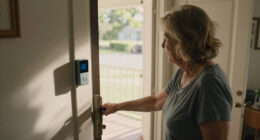
A wearable works best when it fits into the day. If you take it off to shower, ask whether the device is waterproof and whether your plan covers the places where you spend time.
Senior medical alert system with fall detection
As an affiliate, we earn on qualifying purchases.
As an affiliate, we earn on qualifying purchases.
Match the system to where you spend your day
The main difference is where the system can connect: in-home systems rely on a base station, while mobile systems travel with you using cellular connectivity and often GPS. Fall detection can be an added feature in either setup. Your daily routine is a better guide than the device’s feature list because a system only helps in places where it can send and receive an alert.
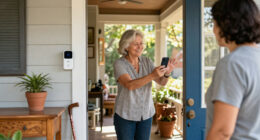
If you mostly stay at home, an in-home pendant may be simple and convenient. Imagine a person who reads in the living room, cooks lunch, and tends a small patio garden. They should check that the wearable reaches the base station on the patio and through the rooms where they spend time. Range varies, so ask how it is measured and whether walls or the layout can affect coverage. A home unit may mean less charging and a familiar place to speak with an operator, but it offers little protection once the person leaves its range.
If you take regular walks, visit a neighbor, or run errands alone, a mobile device may make more sense. Check whether cellular coverage is reliable around your home and along your usual routes. GPS can help a monitoring center find you when you call, but its accuracy and availability can vary, especially indoors. A mobile unit extends coverage beyond the home, but that freedom comes with a charging routine and dependence on cellular service. Some devices need regular charging, which can create a gap if you forget to put them back on.
| Option | Often suits | Check before choosing |
|---|---|---|
| In-home base station | Time spent mostly at home | Wearable range, connection type, and coverage outdoors |
| Mobile cellular device | Walks and time away from home | Cell service, GPS, charging routine, and included monitoring |
| Fall detection add-on | Someone who may be unable to press a button | Limits, device fit, extra cost, and what happens after an alert |
One system does not fit everyone. An active person who lives alone may value mobile coverage enough to accept frequent charging, while someone who rarely leaves home may prefer a base station with fewer charging demands. If the person splits time between home and outings, compare the cost and upkeep of a mobile plan with the practical risk of being unprotected away from the base station.
Check these five details before you sign up
Choose a system by checking coverage, comfort, battery life, monitoring, and total cost against the person’s real routine. A long feature list sounds reassuring, but a device that feels clunky or runs out of charge can end up in a drawer. Try to picture an ordinary Tuesday, from the first cup of tea to bedtime. Each detail affects whether help is reachable: coverage determines where the alert goes through, comfort affects whether the device is worn, and battery and monitoring determine what happens after an alert.
For instance, a senior who showers independently, walks to the mailbox, and visits a nearby shop needs to know whether the wearable can be worn in the shower, whether the signal reaches the mailbox, and whether the mobile unit works at the shop. Ask the provider to explain exactly what happens after a button press, including who answers and how they identify the person’s location. This helps reveal gaps that a brochure may not make obvious, such as a device that works outdoors but needs charging during the person’s usual walk.
- Coverage: Ask where the pendant or mobile device works, and whether the provider can help check your home’s cellular signal. A weak connection can delay or prevent an alert, so consider the actual rooms, yard, and routes rather than relying on a general coverage claim.
- Comfort: Try the pendant or wristband if possible. Ask about water resistance and wearing it in the shower. A device that pinches, swings, or must be removed for daily activities is less likely to be there when needed.
- Battery: Find out how long it lasts, how you know it needs charging, and what happens if it runs low. Longer battery life reduces the number of charging gaps, while a device that needs frequent charging may be easier to forget or leave behind.
- Monitoring: Compare 24/7 professional monitoring with alerts sent to family or other contacts. Confirm who responds if no one answers. Family-only alerts may cost less, but they depend on someone noticing the message and being available to act.
- Cost and terms: Request the full monthly price, equipment charges, fall detection fee, contract length, and cancellation terms. The lowest monthly fee may not be the lowest total cost if equipment or add-ons are billed separately.
The research brief estimates that monthly fees typically range from $20 to $50, depending on the system and services. That range is a starting point, not a quote: extras and equipment can change the bill. Ask for a written breakdown before you commit so you can compare the service you will actually receive with the amount you will pay.
Know what newer features can—and can’t—do
Newer medical alert systems can add GPS, family notifications, smart home controls, and activity tracking to a help button. These features can give a household more ways to stay connected, but they work only when the device, network, and service plan support them. A bigger feature list does not automatically make a system safer or easier to use. Consider the daily problem each feature is meant to solve and the extra steps it introduces.
Take a senior who uses voice commands to turn on the hall light at night. A compatible smart home setup may let them control a light or thermostat without walking across a dark room, which could make a familiar task easier. However, it depends on compatible equipment, power, and a working network. Family apps may also send alerts or show device activity, depending on the system. Before sharing access, agree on who receives notifications and what they mean; too many routine alerts can make important ones easier to overlook, and a missed check-in should not be treated as a medical diagnosis.
Some providers describe their services as using artificial intelligence to identify unusual activity or improve fall detection. Ask for plain-language details: What data does the feature use? Does it contact anyone automatically? Can you turn it off? The research brief also notes that fall detection and health monitoring features continue to develop, but it does not provide comparative accuracy figures. That means a broad claim such as “smarter” or “more accurate” is difficult to compare without a clear explanation of how the feature works and what happens when it is uncertain.
Think of extra technology as a set of tools on a key ring. GPS may help locate a mobile user; a family notification may prompt a check-in; a wearable button may connect to an operator. Each tool has a different job, and none guarantees a particular outcome. Choose features that solve a real problem for the person using them, since every added alert, app, or charging need also adds something to learn and maintain.
Protect privacy while keeping family in the loop
Before buying, find out what information the provider collects, who can see it, and how alerts are shared. Medical alert devices may handle contact details, emergency notes, location, and activity information. Privacy practices differ between providers, so read the policy and ask questions you can understand before sharing access with relatives. The tradeoff is practical: more shared information can help family respond quickly, but it can also reveal routines the wearer would rather keep private.
For example, a daughter may want a phone notification when her father presses his button, while he may prefer that she sees alerts only during an emergency. A clear conversation can turn an app from a source of friction into a useful safety tool. Decide together who receives alerts, whether location sharing stays on, and how the family will respond if a notification arrives. An agreement also prevents repeated check-ins over routine notifications that were never meant to signal an emergency.
Ask whether the provider encrypts information, how long it keeps records, and how you can correct or delete data when possible. Request details about account security and what steps to take if a phone or login is lost. The supplied research brief says reputable providers use secure data handling and follow applicable privacy laws, but that is not a substitute for checking the practices of a specific company. Clear answers help you judge whether the convenience of an app or location feature is worth the data it collects.
Keep emergency contacts current. A monitoring center may need to know whom to call, how to enter the home if responders are dispatched, and whether there are access instructions. Share only what helps staff respond, and review those details after a move, a new caregiver, or a change in health needs. Outdated information can slow a response, while sharing more than staff need may expose personal details without improving it.
Make a small routine that keeps the device ready
A medical alert device is useful only when it is charged, within reach, and worn where it can connect. Build a simple routine around something you already do, such as charging the mobile unit while brushing your teeth or checking the pendant before breakfast. A visible charging spot can help turn an easy-to-forget task into a habit. The routine matters because even a well-chosen system cannot connect you if it is uncharged or left in another room.
Picture a weekly visit from a family member. They can check that the device charges, confirm the emergency contacts are current, and help place a test call using the provider’s instructions. Testing matters because a button that worked months ago may be disconnected, muted, or out of range after furniture moves or a router changes. A brief check can catch a problem while there is time to contact the provider and fix it.
- Wear it consistently: Pick a pendant or wristband you can tolerate throughout the day. Comfort makes regular use more likely, especially during activities when you might otherwise set it aside.
- Follow charging instructions: Learn the low-battery signal and the device’s charging time. If charging leaves the person without protection, ask whether the provider offers a longer-lasting option or a way to reduce that gap.
- Test as directed: Use the provider’s test process rather than calling emergency services to check it. The test confirms the connection and teaches the wearer what speaking with an operator feels like.
- Update contacts: Review phone numbers, address details, and access instructions when circumstances change. Accurate details help the response match the person’s current situation.
For an older adult who spends time in the garden, practice using the system from the patio or yard. For someone with limited hand strength, check that the button is easy to press and the speaker is loud enough. These small trials reveal practical problems before you depend on the device in a stressful moment, when there is less time to work out how it behaves.
Frequently Asked Questions
How do medical alert systems work?
You press a wearable button or mobile device to contact a monitoring center or chosen contacts, usually through a base station or cellular connection. Staff can speak with you and follow the response instructions on your account, which may include contacting an emergency contact or emergency services.
Will fall detection always recognize a fall?
No device can promise to detect every fall. Sensors may miss some falls or trigger an alert for another movement, so fall detection works best as a backup to a wearable button and a clear response plan.
Does Medicare or insurance pay for a medical alert system?
Coverage varies, and many people pay out of pocket. Some long-term care policies or Medicaid programs may offer help, so check directly with your insurer or state program and ask the provider for an itemized cost.
Can you wear a medical alert device in the shower?
Some pendants and wristbands are designed to be water resistant or waterproof, while others are not. Check the exact device’s instructions before wearing it in the shower, where a fall may be more likely and the floor can be slippery.
What should you compare before choosing a system?
Compare coverage where you live and travel, comfort, battery life, monitoring response, fall detection limits, and the full monthly and equipment cost. A mobile device may suit someone who goes out often, while an in-home system may fit someone who spends most of the day at home.
Are smartphone apps or fitness watches a substitute?
Some phones and watches offer emergency calling or fall alerts, but features, battery needs, connectivity, and monitoring vary. Compare how an alternative works in the places you go and who receives its alerts before relying on it as your only way to call for help.
Conclusion
Choose the system that fits the person’s ordinary day: where they go, what they can comfortably wear, and who should respond when they press the button. Before you enroll, test the signal, read the full price and service terms, and make a plan for charging and emergency contacts.
A little practice now can make the device feel familiar later—like knowing exactly where the porch light switch is when the evening turns dark.