TL;DR

Turn quiet afternoons into listening time
- Thousands of audiobooks, podcasts and originals
- Listen on your phone, tablet or Echo — also offline
- Cancel anytime
Video doorbells for seniors can show who is at the door and let residents speak with visitors before opening it, but the experience depends on clear alerts, usable controls, reliable connectivity, and a camera angle that fits the entrance. Compare wired and battery models, check recording fees and privacy settings, and agree on who will maintain the system or respond to alerts.
A knock can arrive when you’re across the room, halfway through dinner, or simply not ready to answer. A video doorbell can put the visitor on a phone or compatible screen and let you speak through a small speaker, so you can decide what to do with more information.
This guide explains how these devices work, which features can help older adults, and what to check before you buy. You’ll also find a practical comparison of several replacement options for a wired Ring model, plus advice on privacy, accessibility, and the everyday tasks that keep a doorbell working.
A camera is an awareness tool, not a promise of safety. A good choice fits your home and your habits: it gives you alerts you can notice, a view you can use, and a setup you or a trusted helper can manage.
Test the camera view at the actual doorway; the listed field of view cannot account for mounting height, porch shape, or a visitor’s approach.
Choose wired power if compatible wiring and installation fit the home; choose battery power only with a realistic charging plan.
Check whether recording history, detection features, and shared access require a subscription or particular account setup.
Test alerts from the resident’s usual room, including sound, screen visibility, and two-way audio.
Agree who receives alerts, who can view footage, and what happens if the resident does not answer.
See who is at the door before you decide to answer
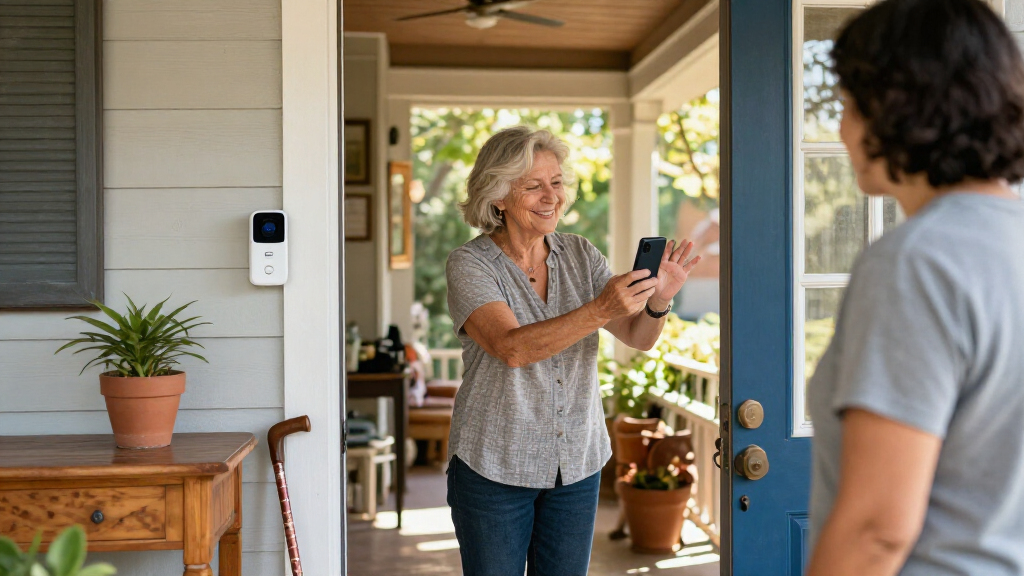
Video doorbells for seniors combine a camera, microphone, speaker, button, and motion sensor so you can check the entrance before opening it. Depending on the model, you may get a phone alert, a live view, a recording, or two-way audio. The practical benefit is choice: you can ask who is there, say you’ll be a moment, or leave the door closed.
Imagine you’re seated in the living room and someone rings while you’re recovering from a walk. Instead of hurrying down the hall, you can check the image and speak through the doorbell. Research summarized in the supplied source brief describes these devices as a way to help older adults see who is at the door before opening it [1]. That can make an ordinary delivery or unexpected visit easier to handle.
Motion alerts may also tell you that a parcel has arrived, but detection and notification features vary by model. A camera can miss movement outside its view, and an alert can arrive late if the internet connection falters. A familiar face on a screen is still not proof of identity, so keep using your usual judgment.
More information can give you more time to choose. It cannot guarantee that every visitor is honest or every event is captured.
Think of the doorbell as another way to pause and assess, alongside your peephole, door chain, accessible lock, or personal plan for visitors. If you live alone, tell a trusted person what you want them to do if an alert reaches them and you don’t respond.
wireless video doorbell for seniors
As an affiliate, we earn on qualifying purchases.
As an affiliate, we earn on qualifying purchases.
Choose wired or battery power based on the home you have
Wired models use existing doorbell wiring and can avoid routine battery charging, while battery models are often easier to place but need periodic recharging or battery replacement. Your best fit depends on the wiring, the mounting location, the resident’s ability to maintain the device, and whether someone can help when it needs attention.
If an older doorbell is already installed, don’t assume every smart model can use its wires. Check the manufacturer’s voltage and wiring requirements, and ask an electrician or installer if you’re unsure. A wired unit may also need a compatible transformer or plug-in adapter. For a renter, drilling or changing wiring may require permission; a removable or battery-powered option could be more practical.
Battery power brings a different chore. A device on a busy porch may wake often, and cold weather can shorten battery life. For example, a daughter who visits every few weeks could put a calendar reminder on her phone to check the charge while helping her father with other household tasks. That small routine can prevent the doorbell from going quiet at the wrong time.
Here’s a quick way to compare the tradeoffs:
| Choice | What may suit you | What to check |
|---|---|---|
| Wired | Less charging upkeep | Existing wiring, voltage, chime, installation rules |
| Battery | Flexible placement and simpler installation | Charging access, battery life, cold-weather performance |
Power and connectivity are separate issues. A battery can keep a camera running during a household power interruption, but remote alerts and live viewing may still depend on your internet router and service.
Compare replacement options by the features you’ll actually use
For a replacement, compare the everyday features first: view, audio, power, connection, and weather rating. A Ring Wired Doorbell 2K with 6x Enhanced Zoom appears in the supplied brief as a reference product that may be discontinued or unavailable, so check current manufacturer and retailer details before relying on any listing. The alternatives below share some of its listed specifications, but no single match guarantees the same experience.
The table uses the supplied product specifications [2]. “Not specified” means the brief did not provide that detail; it does not mean the product lacks the feature. Confirm measurements, chime behavior, recording options, and app compatibility with the manufacturer before purchase, since product details can change.
| Model | Video and view | Power and connection | Other listed details |
|---|---|---|---|
| Ring Wired Doorbell 2K reference | Retinal 2K; 140° × 140° | Wired, compatible adapter, or transformer; 2.4 GHz Wi-Fi | Two-way talk; IP65 |
| Ring Battery Doorbell 2K | Retinal 2K; 140° × 140° | Built-in lithium-ion battery; 2.4 GHz Wi-Fi | Two-way talk; weather rating not specified |
| Tapo D205 2K Wireless Smart Video Doorbell | 2K, 3 MP; 160° | Power and connectivity not specified | Two-way audio; IP54 |
| Wyze Battery Video Doorbell | 1536 × 1536; 150° × 150° | Rechargeable battery or hardwired; Wi-Fi | Two-way audio; weather rating not specified |
| TKMARS Wireless Doorbell Camera with Monitor | 1080p; 170° | 2.4G wireless direct connection | Two-way audio; IP65 |
For example, a resident who values a familiar app and a similar listed resolution might start by checking the Ring battery option. Someone who would rather use a supplied monitor than depend on a smartphone might investigate the TKMARS model, while confirming exactly how its direct connection works. Treat resolution and field-of-view numbers as starting points; the view at your actual doorway matters more.
Set the camera and alerts up so you can use them comfortably
A usable setup puts the camera at a helpful height and angle, makes alerts easy to notice, and gives the resident a simple way to answer. A wide lens alone cannot fix a poor mounting position. Before you drill, test the view with a helper standing where visitors normally approach and check whether faces, packages, and the threshold appear clearly.
Use this short setup sequence:
- Check the entrance. Note the existing button, wiring, porch cover, steps, and usual visitor path. In an apartment, check building rules before recording a shared hallway.
- Test the connection. Check Wi-Fi where the doorbell will sit, not just beside the router. A phone that struggles to load a page on the porch may also struggle to show a live view.
- Choose alert settings. Adjust motion zones and notification volume so a passing car does not trigger a constant stream of alerts. Ask the resident which sound or screen alert they can notice.
- Practice a visit. Ring the button, answer from the usual chair or room, and test speaking at a normal volume. If the resident uses a smart display or speaker, check that the announcement is clear there too.
- Write down the upkeep plan. Record who handles charging, app updates, account recovery, and troubleshooting.
Consider Elena, who has limited mobility and prefers not to walk to the front door for every ring. Her son could set up a large, easy-to-see phone alert and practice the talk button with her from the kitchen. If she cannot hear the phone, a louder indoor chime or compatible visual alert may help, provided that the chosen model and setup support it.
Accessibility is personal. A bright screen may help one person, while another may prefer a loud chime and no app interaction. Test the alert in the room where the resident spends most of the day, then adjust it until it stands out without becoming irritating.
Check recording, subscriptions, and privacy before sharing access
Video storage and sharing rules vary by doorbell. Some devices offer local storage, while others save clips online and may require a subscription for video history or advanced detection. Live viewing, recording length, person or package alerts, and sharing permissions can differ even among products from the same brand, so check the current plan details before choosing.
Suppose a family wants an adult child to receive door alerts while the resident keeps control of the camera. Look for permission settings that match that arrangement: can the family member view live video, play recordings, change settings, or only receive notifications? Agree on who gets access and when to remove it. The resident should know who can see the footage and how to revoke access.
Security also means managing the account carefully. Use a strong, unique password and turn on two-factor authentication if the service offers it. Review how long clips remain stored, where they are saved, and how to delete them. A paid plan can add convenience, but the ongoing fee and recording limits should fit the household’s budget and needs.
Placement matters for privacy as well as usefulness. Aim the camera at the entrance and trim its view of a neighbor’s window or a shared hallway where possible. A visitor, courier, or passerby may be recorded, so check local rules and building policies. For a rental, ask the landlord or manager about drilling, wiring, and camera placement before installation.
Agree on access before the first alert. A quick conversation can prevent confusion about who is watching, who responds, and what happens to stored clips.
For instance, a resident might want a niece to help with setup but not review recordings. Confirm that the product’s account controls allow this distinction instead of assuming that every shared account has fine-grained permissions.
Build a simple plan for missed alerts and unexpected visitors
A doorbell works best as one part of a visitor plan. It can help you screen someone and talk through the speaker, yet it cannot guarantee that an alert arrives, capture every angle, or confirm a visitor’s identity. Keep ordinary door precautions in place and decide what you’ll do if the phone is silent or the live picture will not load.
For example, a resident might agree with a caregiver that an unanswered alert gets one callback, followed by a phone call or an in-person check only if that fits their arrangement. That plan avoids leaving the caregiver to guess whether the person simply missed a notification or needs help. It also respects the resident’s preference to answer—or not answer—on their own.
Scammers can imitate familiar organizations or use a name that sounds convincing. Don’t open the door simply because a person appears familiar on camera, and don’t share personal or financial details through the doorbell speaker. If someone claims to represent a utility, bank, or agency, use a number from a bill or official document to verify the visit separately.
Connectivity failures deserve a backup too. If the internet goes down, remote viewing and alerts may stop even when the doorbell still has power. Check whether an existing indoor chime rings without internet, and keep a working phone nearby if visitors or deliveries matter. For people who may not hear a chime, arrange another way for a trusted helper to reach them.
A camera can offer a calm pause: listen, look, and choose. That pause is useful, but a door chain, peephole, accessible lock, and agreed visitor routine still have a place in the home.
Frequently Asked Questions
Are video doorbells easy for seniors to use?
They can be, if the alerts and controls fit the resident’s hearing, vision, mobility, and comfort with a phone. A trusted person can help configure the app and practice answering, but test the alert in the rooms where the resident spends time.
Can a video doorbell work without Wi-Fi or a smartphone?
Many remote features, including phone alerts and live viewing, need internet access and an app. Some setups may still ring an indoor chime, and certain models include a separate monitor or direct connection. Check the specific product’s requirements rather than assuming every feature will work offline.
Can family members or caregivers receive doorbell alerts?
Many systems support shared users or household accounts, but permissions differ. Confirm whether another person can receive alerts only or also see live video, recordings, and settings, then get the resident’s agreement about access.
Do video doorbells require a subscription?
Not always. Basic live viewing may be available without a plan, while video history or advanced detection may be subscription features. Check current plan terms, recording limits, and ongoing fees before deciding.
Is a wired or battery doorbell better for an older adult?
Wired models can reduce charging tasks but rely on compatible wiring and may need installation help. Battery models allow more flexible placement but need recharging or replacement, sometimes more often in cold weather or with frequent activity. Choose based on the home and who can manage upkeep.
Will a video doorbell prevent scams or break-ins?
A camera can help you screen a visitor and may record some activity, but it cannot guarantee prevention or identify every person accurately. Keep normal door precautions, and verify claims from unexpected visitors through a trusted phone number or other independent source.
What should you check for hearing or vision needs?
Look for alert volume controls, a clear screen, useful night video, simple app controls, and compatibility with devices the resident already uses. Features vary, so test the complete setup in the actual home and at the times alerts are most likely to matter.
Conclusion
Choose the doorbell around the person who will live with it: the alerts they notice, the controls they can manage, the view their doorway provides, and the upkeep someone can reliably handle. Check wiring, Wi-Fi, storage, permissions, and building rules before you install it.
Then practice one ordinary visit together. A clear alert, a familiar voice through the speaker, and a moment to decide can make the front door feel less like a race and more like a choice.
Halloween Picks
halloween
As an affiliate, we earn on qualifying purchases.