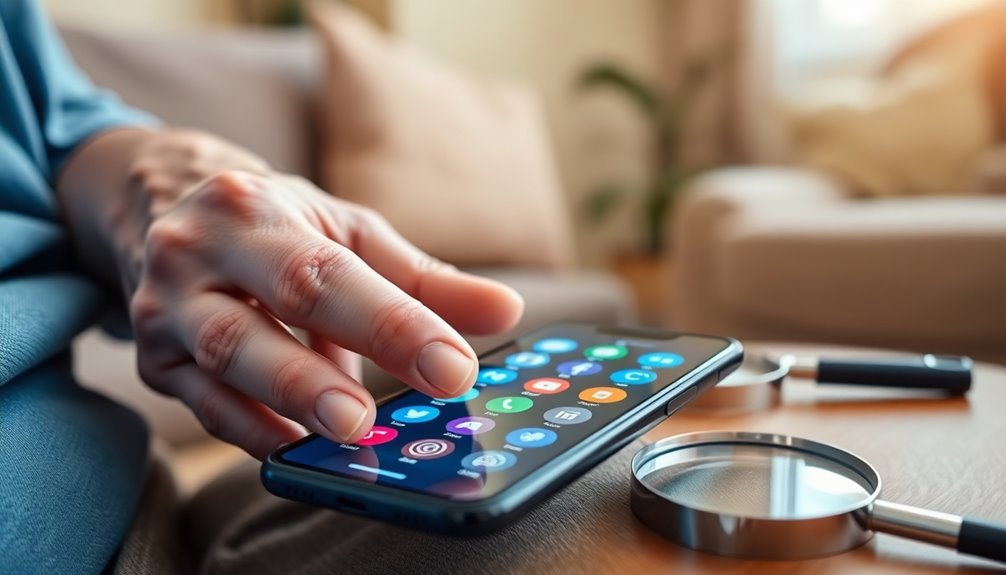

Finding a cell phone suited for blind elderly users involves balancing accessibility, simplicity, and reliability. The Blindshell Classic 3 stands out as the best overall choice thanks to its dedicated accessibility features. The LIVELY Jitterbug Flip offers a familiar flip design with large buttons, ideal for those less comfortable with smartphones. Meanwhile, the RealSAM Pocket provides a voice-operated experience for hands-free use, perfect for users with advanced vision loss. Many options face tradeoffs between feature set and ease of use, with some sacrificing modern functionalities for simplicity. Continue reading for an in-depth comparison to help you find the best fit for your needs.

Turn quiet afternoons into listening time
- Thousands of audiobooks, podcasts and originals
- Listen on your phone, tablet or Echo — also offline
- Cancel anytime
Complete the kit


Key Takeaways
- Dedicated accessibility features like voice commands and large buttons are essential for effective use by blind elderly users.
- Flip phones with large, tactile buttons often provide the easiest experience for those unfamiliar with smartphones.
- Voice-activated smartphones excel for users with advanced vision loss, but may require more setup and learning.
- Battery life and durability remain critical, especially for users who may forget to recharge frequently.
- Balancing simplicity with essential features prevents overwhelming users while maintaining independence.
| Blindshell Classic 3 |  | Best Overall for Voice and Accessibility Features | Interface: Tactile buttons, voice control | Connectivity: Remote assistance via Tandem App | AI Assistant: Luna | VIEW ON AMAZON | See Our Full Breakdown |
| Easyfone Prime-A1 Pro Unlocked 4G Flip Cell Phone for Seniors |  | Best Value for Simplicity and Safety | Display: 2.4″ HD main, 1.44″ external | Battery: 1500mAh | Connectivity: 4G LTE | VIEW ON AMAZON | See Our Full Breakdown |
| Senior Flip Cell Phone with 4G, Big Buttons, Loud Audio, 4800mAh Battery, 2.4 Inch Screen, for Elderly |  | Best for Extended Use and Basic Connectivity | Material: Zinc Alloy | Screen Size: 2.4 Inch | Battery: 4800mAh | VIEW ON AMAZON | See Our Full Breakdown |
| Easyfone Prime-T6 4G Picture Button Cell Phone for Seniors |  | Best for Visual Simplicity and Emergency Safety | Battery Capacity: 1050mAh | Network Compatibility: T-Mobile, SpeedTalk, Tello | Includes: SIM, charging dock, lanyard, picture adapter | VIEW ON AMAZON | See Our Full Breakdown |
| 2G Senior Cellphone with 2.6in HD Screen and 16800mAh Battery, Unlocked |  | Best for Long Battery Life and Durability | Display: 2.6in HD | Battery: 16800mAh | Connectivity: Unlocked, 2G only | VIEW ON AMAZON | See Our Full Breakdown |
| VBESTLIFE 2G Unlocked Rugged Senior Phone with 2.4-inch HD Screen, 16800mAh Battery, Flashlight, Radio, MP3 |  | Best for Durability and Long Battery Life | Screen: 2.4-inch HD | Battery: 16800mAh | Network: 2G (850/900/1800/1900MHz) | VIEW ON AMAZON | See Our Full Breakdown |
| LIVELY Jitterbug Flip Cell Phone for Seniors, Flip2, Red |  | Best for Simplicity and Emergency Support | Operating System: Lively Proprietary | RAM Memory: 2 GB | Processor Speed: 1.1 GHz | VIEW ON AMAZON | See Our Full Breakdown |
| Tangxi 4G LTE Unlocked Senior Cell Phone with SOS Button, Loud Speaker, Large Buttons, 2.6 Inch Display, 2500mAh Battery |  | Best for Safety and Clear Communication | Display: 2.6 Inch HD | Battery: 2500mAh | Connectivity: 4G LTE | VIEW ON AMAZON | See Our Full Breakdown |
| artfone A400 Big Button Cell Phone for Seniors, 4G LTE Unlocked, SOS Button, 2MP Camera, Large Fonts, Voice Time, Silver |  | Best for Multimedia and Safety Features | Carrier Compatibility: Supports 2G/3G/4G LTE | Display: 2.4-inch LCD HD | Camera: 2 MP | VIEW ON AMAZON | See Our Full Breakdown |
| Unlocked Cell Phone for Seniors, 2.4 Inch 2G Dual SIM |  | Best for Backup and Rugged Use | Network Compatibility: 2G GSM 900/1800 MHz | Display: 2.4 inch HD | Durability: Shock absorption, drop resistant | VIEW ON AMAZON | See Our Full Breakdown |
| RealSAM Pocket – 5G Voice-Operated Smartphone for Blind Users |  | Best Overall for Advanced Accessibility and Connectivity | Operating System: Android 14 | RAM: 4 GB | Processor: Snapdragon 2 GHz | VIEW ON AMAZON | See Our Full Breakdown |
| artfone C1+ 4G Cell Phone for Seniors, Large Buttons, SOS Button, Charging Dock, Loud Speaker, FM Radio, 1800mAh Battery, Black |  | Best for Basic, Reliable Communication with Emergency Features | Network Compatibility: 2G/3G/4G LTE | Display: 1.8-inch color LCD | Battery: 1800mAh | VIEW ON AMAZON | See Our Full Breakdown |
| 4G Senior Mobile Phone with Big Buttons, 2.6 Inch HD Display, SOS Function, 2500mAh Battery, Flashlight, Double SIM |  | Best for Basic Use with Visual Clarity and Safety Features | Display: 2.6 Inch HD | Battery: 2500mAh | SOS Function: Yes | VIEW ON AMAZON | See Our Full Breakdown |
| BlindShell Classic 3 4G Phone for Blind and Low-Vision Users |  | Best Tactile and Voice-Accessible Smartphone Alternative | Connectivity: Unlocked 4G | Buttons: Large tactile | Voice Control: Full voice commands | VIEW ON AMAZON | See Our Full Breakdown |
| Diydeg 4G Cell Phone for Seniors, 2.6-inch HD Screen, Dual SIM, Large Buttons, 2500mAh Battery, LED Flashlight & FM Radio | | Best for Budget-Friendly, Multi-Function Simplicity | Display: 2.6 inch HD | Battery: 2500mAh | Features: FM radio, flashlight, dual SIM | VIEW ON AMAZON | See Our Full Breakdown |
| cell phone for blind elderly | Display | Battery |
|---|---|---|
| Blindshell Classic 3 | — | — |
| Easyfone Prime-A1 Pro Unlocked | 2.4" HD main, 1.44" external | 1500mAh |
| Senior Flip Cell Phone with 4G | — | 4800mAh |
| Easyfone Prime-T6 4G Picture B | — | — |
| 2G Senior Cellphone with 2.6in | 2.6in HD | 16800mAh |
| VBESTLIFE 2G Unlocked Rugged S | 2.6-inch | 16800mAh |
| LIVELY Jitterbug Flip Cell Pho | — | — |
| Tangxi 4G LTE Unlocked Senior | 2.6 Inch HD | 2500mAh |
| artfone A400 Big Button Cell P | 2.4-inch LCD HD | 1800mAh |
| Unlocked Cell Phone for Senior | 2.4 inch HD | — |
| RealSAM Pocket | — | — |
| artfone C1+ 4G Cell Phone for | 1.8-inch color LCD | 1800mAh |
| 4G Senior Mobile Phone with Bi | 2.6 Inch HD | 2500mAh |
| BlindShell Classic 3 4G Phone | — | — |
| Diydeg 4G Cell Phone for Senio | 2.6 inch HD | 2500mAh |
More Details on Our Top Picks
Blindshell Classic 3
The Blindshell Classic 3 stands out for its tactile buttons and voice control, making it a top choice for those who prioritize accessibility and ease of use. Compared to the simpler flip phones like the Easyfone Prime-A1 Pro, it offers AI-powered assistance with Luna and remote help capabilities, which can significantly enhance independence. However, its hardware specs are less detailed, and the app ecosystem is more limited than mainstream smartphones, which may restrict advanced customization. This device is ideal for users needing comprehensive accessibility features integrated into a dedicated device, especially those who prefer voice commands over touchscreens.
Pros:- Accessible tactile and voice-controlled interface
- Supports remote assistance and AI help via Luna
- Includes emergency SOS button for safety
- Compatible with accessible apps from the BlindShell App Catalog
Cons:- Limited hardware specifications details
- Smaller app ecosystem compared to mainstream smartphones
- May lack advanced multimedia features
Best for: Visually impaired seniors who want a dedicated device with advanced voice and remote assistance features
Not ideal for: Tech-savvy users seeking a smartphone with extensive app options or high-performance hardware
- Interface:Tactile buttons, voice control
- Connectivity:Remote assistance via Tandem App
- AI Assistant:Luna
- App Compatibility:BlindShell App Catalog and third-party apps
- Emergency Feature:SOS button
Our verdict“This phone suits those needing a highly accessible device with voice assistance, at the expense of mainstream app flexibility.”
Easyfone Prime-A1 Pro Unlocked 4G Flip Cell Phone for Seniors
The Easyfone Prime-A1 Pro makes a compelling case for users who need a straightforward, reliable phone with large buttons and clear sound. Compared with the more feature-rich senior flip like the Senior Flip Cell Phone with 4G, it offers a simplified interface with safety features like an SOS button and call blocking, all while supporting major carriers like T-Mobile. Its small screen size and basic features might disappoint tech enthusiasts or those who want multimedia capabilities, but for users prioritizing simplicity, it reduces confusion and enhances safety. This model is perfect for seniors who want a dependable, easy-to-use device that minimizes complexity.
Pros:- Large buttons and icons for easy dialing
- Long battery life with simple charging dock
- Safety features like SOS and call blocking
- HAC compatible for hearing aid users
Cons:- Limited carrier options, may not work everywhere
- Small screen and basic features may feel restrictive
- Lacks advanced multimedia functions
Best for: Elderly users with limited tech experience seeking a straightforward emergency-ready flip phone
Not ideal for: Younger seniors or tech-savvy individuals who want multimedia or customizable features
- Display:2.4″ HD main, 1.44″ external
- Battery:1500mAh
- Connectivity:4G LTE
- Carrier Compatibility:T-Mobile, SpeedTalk, Tello, Ultra Mobile
- Special Features:SOS, photo speed dial, call blocking, HAC
Our verdict“This phone is ideal for seniors who prioritize safety and simplicity over advanced features or extensive connectivity options.”
Senior Flip Cell Phone with 4G, Big Buttons, Loud Audio, 4800mAh Battery, 2.4 Inch Screen, for Elderly
This Senior Flip Cell Phone is tailored for those who need reliable, long-lasting communication with large controls and loud audio. Its robust 4800mAh battery surpasses many competitors like the Easyfone Prime-A1 Pro, making it suitable for extended outings or prolonged use without frequent charging. The 2.4-inch screen and simple interface make it accessible, but its limited camera quality and basic features may deter users seeking multimedia or internet access. It excels for seniors who primarily need voice calls and basic connectivity, especially in areas with inconsistent power or network coverage.
Pros:- Large buttons and screen for easy operation
- Extended 4800mAh battery for long standby and talk time
- Enhanced loudspeaker and clear audio
- Supports 4G for reliable network connection
Cons:- Limited camera and multimedia capabilities
- Memory may be insufficient for media storage
- Basic features may not satisfy tech-savvy users
Best for: Elderly users who need a durable, long-lasting device for voice calls and simple messaging
Not ideal for: Younger users or tech enthusiasts wanting multimedia, camera, or internet features
- Material:Zinc Alloy
- Screen Size:2.4 Inch
- Battery:4800mAh
- Network Standard:GSM 900/1800, WCDMA B1 B5 B8
- Memory Options:64MB/128MB, supports up to 32GB SD card
- Card Slots:1 MicroSD, 2 Nano SIM
Our verdict“This phone is best for users needing a durable, long-lasting device focused on voice communication and basic features.”
Easyfone Prime-T6 4G Picture Button Cell Phone for Seniors
The Easyfone Prime-T6 is designed with simplicity in mind, featuring large picture memory buttons and clear sound, making it especially suitable for users with visual impairments or cognitive challenges like dementia. Its inclusion of an emergency SOS button and HAC compatibility supports hearing aid users, providing safety and accessibility. Compared to the Senior Flip Cell Phone with 4G, the Prime-T6 offers dedicated picture buttons, which can be easier for users with memory or vision difficulties. Its basic features, however, limit multimedia use, making it less attractive for those wanting more connectivity or entertainment options.
Pros:- Large picture memory buttons for easy calling
- Clear sound and HAC compatibility
- Emergency SOS button for safety
- Includes user-friendly accessories
Cons:- Limited network compatibility, check coverage
- Basic features restrict entertainment or internet use
- Lacks advanced functionalities
Best for: Seniors with visual or cognitive impairments needing a simplified, safety-focused phone
Not ideal for: Users seeking multimedia functions or high customization options
- Battery Capacity:1050mAh
- Network Compatibility:T-Mobile, SpeedTalk, Tello
- Includes:SIM, charging dock, lanyard, picture adapter
- Operating System:Minimalist UI
Our verdict“This device is ideal for seniors prioritizing visual simplicity and safety features over advanced connectivity.”
2G Senior Cellphone with 2.6in HD Screen and 16800mAh Battery, Unlocked
The 2G Senior Cellphone offers a large 2.6-inch HD display combined with an enormous 16800mAh battery, making it a practical choice for users needing extended usage without frequent charging. Its shock absorption and noise-canceling microphones add to its durability and call clarity. However, its reliance on 2G networks limits compatibility with newer carriers, and its basic multimedia functions may not meet the needs of those seeking smartphone capabilities. It is a solid option for seniors who primarily want a dependable device for calls and emergencies in areas with limited network upgrades.
Pros:- Large HD screen for clear visuals
- High-capacity battery for extended use
- Shock absorption and noise-canceling mics improve durability and call quality
- Dual LED flashlights and speed dial for convenience
Cons:- Limited to 2G network, not future-proof
- Basic feature set, no internet or app support
- Small screen for detailed visuals
Best for: Seniors in areas with 2G networks needing a durable, long-lasting phone for calls and basic use
Not ideal for: Users wanting internet access, apps, or multimedia features on a smartphone platform
- Display:2.6in HD
- Battery:16800mAh
- Connectivity:Unlocked, 2G only
- Features:Shock absorption, noise-canceling, dual LED flashlight
- Size:Compact and durable
Our verdict“This phone is suited for users needing a rugged, long-lasting device for voice calls in areas with outdated network infrastructure.”
VBESTLIFE 2G Unlocked Rugged Senior Phone with 2.4-inch HD Screen, 16800mAh Battery, Flashlight, Radio, MP3
This rugged model excels in durability and extended use, making it ideal for seniors who need a tough device for outdoor or active lifestyles. Compared with the Artfone A400, it offers a significantly larger battery capacity—16800mAh versus 1800mAh—ensuring days of use without charging. However, its reliance on 2G networks limits future connectivity as networks phase out, a tradeoff for the robust build. The simple interface with large buttons and basic multimedia functions makes it accessible, yet the small internal memory restricts app and media storage. Designed for users prioritizing durability and battery life over multimedia or network speed, this phone fits well for outdoor enthusiasts or seniors in areas with limited network options. Limitations include basic camera quality and outdated network technology, which could affect usability over time.
Pros:- Durable and shock-resistant construction suitable for active seniors
- Exceptional 16800mAh battery for extended periods without charging
- Simple interface with large buttons and basic functions
Cons:- Limited to 2G network, which may become obsolete soon
- Small internal memory restricting storage options
- Basic camera with low resolution
Best for: Seniors who need a durable, long-lasting phone for outdoor use or those in areas with limited network infrastructure.
Not ideal for: Elderly users seeking modern features or internet access, as it lacks 3G/4G support and multimedia options.
- Screen:2.4-inch HD
- Battery:16800mAh
- Network:2G (850/900/1800/1900MHz)
- Memory:32MB + 32MB
- Display:2.6-inch
- Camera:300,000 pixels
Our verdict“Best suited for seniors needing a rugged device with unmatched battery life, accepting limited network and multimedia features.”
LIVELY Jitterbug Flip Cell Phone for Seniors, Flip2, Red
The Jitterbug Flip2 makes sense for seniors who value straightforward operation and reliable emergency features. Its large, high-contrast buttons and clear display stand out against more complex smartphones, making it accessible for users with visual impairments. Unlike the more feature-rich Tangxi 4G LTE, this flip phone focuses on essential functions, with a dedicated emergency button and 24/7 support, ideal for those who want peace of mind. Its limited cellular compatibility—only with Lively service—might restrict flexibility, and it lacks water resistance, which could be a drawback for some users. This device is perfect for seniors who prioritize safety, simplicity, and dependable support over advanced multimedia capabilities or internet access. The absence of water resistance and advanced features means it’s not suited for tech-savvy elders seeking multifunctionality.
Pros:- Large, tactile buttons and high-contrast display for easy use
- Includes 24/7 US-based support and emergency assistance
- Simple activation and dedicated help button
Cons:- Only compatible with Lively service, limiting carrier options
- Limited features compared to smartphones or 4G devices
- No water or dust resistance
Best for: Elderly users who need a simple, reliable device with emergency support and minimal complexity.
Not ideal for: Seniors wanting internet browsing, apps, or multimedia features, as it offers limited functionality and carrier restrictions.
- Operating System:Lively Proprietary
- RAM Memory:2 GB
- Processor Speed:1.1 GHz
- Memory Storage Capacity:16 GB
- Battery Capacity:1780 mAh
- Camera Rear:8 MP
Our verdict“Ideal for seniors who need a straightforward phone with emergency support and minimal features, accepting carrier limitations.”
Tangxi 4G LTE Unlocked Senior Cell Phone with SOS Button, Loud Speaker, Large Buttons, 2.6 Inch Display, 2500mAh Battery
The Tangxi 4G LTE model is a well-rounded choice for seniors who prioritize safety and straightforward communication. Its large, well-spaced buttons and 2.6-inch HD display make dialing and reading easy, surpassing the smaller screen of the Unlocked Cell Phone for Seniors. The inclusion of loud voice announcements and a dedicated SOS button adds layers of safety, making it suitable for users with hearing difficulties or those who need quick emergency access. While it doesn’t offer internet browsing or multimedia, its 4G LTE support ensures reliable connectivity where available. The absence of camera or advanced features keeps the device simple but limits multimedia use. This phone fits best for safety-conscious seniors who want dependable communication and emergency features without the complexity of a smartphone.
Pros:- Large, easy-to-press buttons suitable for seniors
- Built-in SOS emergency button for quick help
- Loud speaker and voice notifications for hearing impairments
Cons:- Limited to basic calling and texting, no internet
- Small display size may not be suitable for all users
- No camera or multimedia features
Best for: Seniors seeking a reliable, easy-to-use device focused on safety and clear voice communication.
Not ideal for: Elderly users expecting internet access or multimedia functions, as it is a basic phone without a touchscreen or camera.
- Display:2.6 Inch HD
- Battery:2500mAh
- Connectivity:4G LTE
- Buttons:Large, well-spaced
- Special Features:SOS button, voice announcements
Our verdict“A solid safety-focused option for seniors who want a simple, reliable device with emergency features and loud audio.”
artfone A400 Big Button Cell Phone for Seniors, 4G LTE Unlocked, SOS Button, 2MP Camera, Large Fonts, Voice Time, Silver
The artfone A400 balances safety with basic multimedia, making it suitable for seniors who want a bit more functionality. Its large buttons and high-definition display simplify operation, much like the LIVELY Jitterbug Flip, but with added features like a 2MP camera and Bluetooth. These extras make it more versatile for users who occasionally want to take photos or connect accessories, yet it remains straightforward enough for less tech-savvy seniors. Its long-lasting battery and charging dock enhance ease of use, but the device’s limited internet capabilities and compatibility only with certain carriers restrict its flexibility. This phone suits elderly users who need safety features and occasional multimedia use but don’t require a smartphone’s complexity.
Pros:- Large, tactile buttons and high-contrast display for easy operation
- Includes SOS button and long battery life with charging dock
- Offers basic camera and Bluetooth for added versatility
Cons:- Limited internet browsing and app support
- No water resistance or advanced multimedia features
- Some features may require familiarity with simple tech
Best for: Seniors who want a straightforward device with safety features and occasional photo capture or Bluetooth use.
Not ideal for: Elderly users requiring internet browsing, advanced apps, or compatibility with all carriers, as it mainly supports LTE and basic features.
- Carrier Compatibility:Supports 2G/3G/4G LTE
- Display:2.4-inch LCD HD
- Camera:2 MP
- Battery:1800mAh
- Special Features:SOS button, voice time, Bluetooth
Our verdict“A balanced choice for seniors seeking safety, basic multimedia, and ease of use without the complexity of smartphones.”
Unlocked Cell Phone for Seniors, 2.4 Inch 2G Dual SIM
This simple dual SIM phone emphasizes durability and emergency readiness, making it ideal for seniors who need a dependable backup or outdoor device. Its 2.4-inch HD screen and large, well-labeled buttons align with other basic models like the LIVELY Jitterbug Flip, but it stands out with shock absorption and drop resistance, offering extra protection against accidents. The limited 2G network support makes it less future-proof, and the absence of internet or multimedia features restricts its appeal to those solely needing calling and emergency functions. Its rugged build makes it suitable for active seniors or those in environments where a breakage-resistant device matters most. However, the outdated network support could pose connectivity issues as networks evolve.
Pros:- Shock absorption and drop-resistant design for durability
- Large, easy-to-press buttons for simple operation
- Dual SIM support for flexibility in networks
Cons:- Limited to 2G networks, which may be phased out
- No camera or multimedia features
- Basic display and interface
Best for: Seniors needing a tough, reliable backup phone or an outdoor device for safety and calls.
Not ideal for: Elderly users wanting internet access, multimedia features, or compatibility with newer networks like 4G or 5G.
- Network Compatibility:2G GSM 900/1800 MHz
- Display:2.4 inch HD
- Durability:Shock absorption, drop resistant
- Emergency Features:SOS with 9 contacts
- Buttons:Large, well-labeled
Our verdict“Best for seniors needing a rugged, dependable backup phone with emergency features, accepting limited network support.”
RealSAM Pocket – 5G Voice-Operated Smartphone for Blind Users
The RealSAM Pocket stands out for integrating powerful 5G connectivity with tailored voice controls, making it ideal for users who want a smartphone experience designed specifically for the blind and visually impaired. Unlike the BlindShell Classic 3, which offers tactile navigation, this device emphasizes voice commands and remote sighted assistance, providing a more modern interface. The tradeoff is that it requires familiarity with Android 14 and voice operation, which may be a learning curve for some seniors. Its support for sight assistance and volunteer help makes it especially suited for those seeking independence without sacrificing support. However, its reliance on English commands and the need for a compatible SIM card can limit usability for some international or less tech-savvy users.
Pros:- Powerful 5G connectivity supports all major carriers
- Voice-activated commands for calls, messages, and navigation
- Includes sight assistance and volunteer support features
- Complete kit with accessories and free customer support
Cons:- Limited to English language commands, reducing usability for non-English speakers
- Requires compatible carrier-specific SIM cards, adding setup complexity
Best for: Tech-savvy seniors or visually impaired users seeking a high-tech, voice-controlled smartphone with connectivity for emergencies and navigation.
Not ideal for: Elderly users unfamiliar with smartphones or those requiring simple, tactile-only devices without voice commands.
- Operating System:Android 14
- RAM:4 GB
- Processor:Snapdragon 2 GHz
- Storage Capacity:64 GB
- Connectivity:5G
- Weight:184 g
Our verdict“This device is best suited for users comfortable with voice controls who need advanced connectivity and assistance options.”
artfone C1+ 4G Cell Phone for Seniors, Large Buttons, SOS Button, Charging Dock, Loud Speaker, FM Radio, 1800mAh Battery, Black
The artfone C1+ is a straightforward device tailored for seniors who prioritize simplicity and emergency safety. Its large, backlit buttons and easy-to-read fonts make it more accessible than compact, feature-rich smartphones like the RealSAM Pocket. Compared with the BlindShell Classic 3, which offers voice control, the C1+ relies solely on physical buttons, making it ideal for those less comfortable with voice commands. The tradeoff is that it lacks internet browsing or app support, limiting functionality to calls and texts. The inclusion of a charging dock and SOS button enhances its convenience and security, but its small display and basic features restrict use for tech-savvy users or those seeking multimedia options.
Pros:- Large, backlit buttons for easy dialing
- Long battery life with 1800mAh capacity
- Included charging dock simplifies recharging
- SOS emergency button adds security
Cons:- Limited to basic calling and messaging, no internet browsing
- Small screen size may be limiting for some users
Best for: Seniors who need a simple, dependable device with emergency features and large buttons, especially those with limited tech experience.
Not ideal for: Younger users or seniors wanting internet access, messaging apps, or multimedia capabilities beyond basic calls.
- Network Compatibility:2G/3G/4G LTE
- Display:1.8-inch color LCD
- Battery:1800mAh
- Emergency Features:SOS button
- Additional Features:FM radio, flashlight
- Weight:approximately 4.6 ounces
Our verdict“This phone makes the most sense for seniors who need a simple device with emergency support and minimal tech features.”
4G Senior Mobile Phone with Big Buttons, 2.6 Inch HD Display, SOS Function, 2500mAh Battery, Flashlight, Double SIM
The 4G Senior Mobile Phone offers a larger 2.6-inch HD display and big, well-spaced buttons, making it easier for users with visual impairments to read and press. Compared with the artfone C1+, it provides a slightly larger screen and brighter visuals, which can benefit those with moderate low vision. The built-in SOS function, flashlight, and voice announcements enhance safety and usability. However, it lacks the advanced features or voice control of the BlindShell Classic 3, making it better suited for those who prefer physical buttons over touchscreens and voice commands. Its simple design ensures straightforward operation, but tech-savvy users might find it too basic.
Pros:- Large, bright, HD display for easy reading
- Big, well-spaced buttons for simple operation
- Built-in SOS and flashlight improve safety
- Voice announcements aid in use
Cons:- Limited advanced features and no touchscreen
- Basic design without multimedia capabilities
Best for: Seniors who want a larger, clear display with safety features but prefer physical buttons over voice control or touchscreen interfaces.
Not ideal for: Younger or more tech-oriented users seeking multimedia or app-based functionality.
- Display:2.6 Inch HD
- Battery:2500mAh
- SOS Function:Yes
- Flashlight:Yes
- SIM Card Slots:Double SIM, Double Standby
- Weight:around 4.8 ounces
Our verdict“Ideal for seniors seeking a visually accessible phone with safety features and large physical controls.”
BlindShell Classic 3 4G Phone for Blind and Low-Vision Users
The BlindShell Classic 3 is a robust choice for users who prefer tactile keys combined with full voice control. Unlike the more modern RealSAM Pocket, it offers a distraction-free interface with large tactile buttons, making it suitable for those who rely on touch rather than sight. Its compatibility with major networks and full voice commands makes it versatile, but it lacks the multimedia and internet browsing capabilities of smartphones like the RealSAM. The absence of a touchscreen might feel limiting for users accustomed to modern smartphones, but it provides a straightforward, distraction-free experience tailored for independence and safety. Its simplicity and tactile design make it a preferred choice for those who prioritize tactile feedback over visual or touch interfaces.
Pros:- Large tactile buttons with clear feedback
- Full voice control and spoken menus
- Compatible with major carriers worldwide
- SOS button for emergency alerts
Cons:- Limited app selection compared to smartphones
- No touchscreen, which may be less familiar for some
Best for: Visually impaired users who prefer tactile navigation and a simple, dedicated device over complex smartphones.
Not ideal for: Users seeking internet access, multimedia, or touchscreen features in their device.
- Connectivity:Unlocked 4G
- Buttons:Large tactile
- Voice Control:Full voice commands
- Emergency Feature:SOS button
- Apps:WhatsApp, web browsing
- Audio:Loud speaker
Our verdict“This phone is best suited for users who want tactile, voice-guided operation over touchscreen features.”
Diydeg 4G Cell Phone for Seniors, 2.6-inch HD Screen, Dual SIM, Large Buttons, 2500mAh Battery, LED Flashlight & FM Radio
The Diydeg 4G Cell Phone offers a balanced mix of essential functions in a simple design. Its 2.6-inch HD screen and large, tactile buttons make it accessible for seniors needing straightforward communication. Compared with the artfone C1+, it adds features like FM radio, music player, and dual SIM support, providing more versatility at a similar price point. However, it has a low-resolution camera and lacks advanced features or voice commands, making it less suitable for tech-savvy users or those seeking multimedia integration beyond basic functions. Its long battery life and simple interface ensure dependable use, making it a solid choice for minimal tech needs.
Pros:- Large tactile buttons with ample spacing
- Long-lasting 2500mAh battery
- Supports multiple functions including FM radio and flashlight
- Dual SIM support for flexibility
Cons:- Low-resolution camera (0.13MP)
- Limited advanced features and no voice control
Best for: Budget-conscious seniors who want a reliable, multi-function device with large buttons and basic multimedia features.
Not ideal for: Users who want a smartphone experience or advanced app support; those needing high-quality photos or internet browsing.
- Display:2.6 inch HD
- Battery:2500mAh
- Features:FM radio, flashlight, dual SIM
- Camera:0.13MP
- Dimensions:5.35 x 3.62 x 2.48 inches
- Weight:5.6 ounces
Our verdict“This phone offers essential functions with a focus on affordability and simplicity for basic communication needs.”

How We Picked
To compile this list, I focused on products specifically designed or adapted for blind elderly users, emphasizing ease of use, accessibility features, and reliability. Performance was assessed based on user interface simplicity, voice and tactile accessibility, and battery life. Build quality and durability were also considered, given the needs of elderly users. Value was evaluated by comparing features relative to price, while versatility and support for various levels of vision loss played a role in ranking. Only devices with proven accessibility support and positive feedback from similar users made it onto this list, ensuring each option addresses real needs effectively.Factors to Consider When Choosing Cell Phone For Blind Elderly
Selecting the right cell phone for a blind elderly person involves more than just choosing the latest model. Key factors include ease of use, accessibility features, battery life, and durability. Understanding these elements helps prevent common mistakes, such as overloading a device with unnecessary features or opting for models that are too complex. A well-chosen phone should empower independence without overwhelming the user, so considering how each factor aligns with their specific needs is essential.Accessibility Features
Look for phones that include voice control, screen readers, large tactile buttons, and customizable alerts. Devices that integrate with popular screen readers like TalkBack or VoiceOver greatly enhance usability for blind users. Avoid phones that lack dedicated accessibility options or rely solely on visual cues, as these will hinder independent use. The best devices are those that seamlessly combine tactile and audio feedback, reducing frustration and improving confidence.
Ease of Use
Simplicity is vital. Phones with minimal menus, large icons, and straightforward navigation help users feel in control. Flip phones or phones with physical buttons tend to be more intuitive than complex smartphones, especially if they include dedicated speed dials or emergency buttons. Beware of overly complicated interfaces that require multiple taps or settings adjustments, which can be overwhelming for elderly users unfamiliar with technology.
Battery Life and Durability
Many blind elderly users value long-lasting batteries that support multiple days of use without frequent recharging. Durability is equally important; devices should withstand accidental drops or exposure to dust and moisture. Consider models with reinforced casings or water-resistant features if the user’s environment demands it. A reliable device minimizes the risk of being left powerless or damaged at critical moments.
Price and Value
While premium devices with advanced features can be beneficial, they often come with higher costs. Conversely, budget options may lack crucial accessibility features or durability. Striking a balance between affordability and essential functionalities ensures the user gets the most value without sacrificing usability. Always compare what features are included relative to the price to avoid paying extra for unnecessary bells and whistles.
Support and Compatibility
Check whether the device supports common accessibility apps and if the manufacturer offers dedicated customer support for accessibility issues. Compatibility with existing services or emergency systems is also important. Devices that are unlocked or work across multiple carriers provide flexibility, especially if the user might switch providers or travel frequently. Good support can make setup and troubleshooting much easier, leading to a more satisfying experience.
Frequently Asked Questions
Can a blind elderly person learn to use a touchscreen smartphone?
Many blind elderly users can learn to use touchscreen smartphones with proper accessibility features enabled. Voice control, screen readers, and tactile overlays can make navigation feasible even for those unfamiliar with modern devices. However, the learning curve varies depending on the individual’s comfort with technology and their specific level of vision loss. Starting with simplified devices designed for accessibility can ease this transition and build confidence.
Are flip phones still a good option for blind elderly users?
Flip phones with large buttons and simple interfaces remain an excellent choice for users who prioritize ease of use and tactile feedback. They tend to have fewer confusing features and are less overwhelming than smartphones, making them suitable for those less familiar with technology. Still, they may lack advanced features like voice commands or internet access, which could be a drawback for some users seeking more connectivity or independence.
What features are most important for a cell phone used by a blind elderly person?
Key features include voice control, screen reader compatibility, large tactile buttons, loud audio output, and emergency SOS functions. Long battery life and durable construction are also critical, ensuring the device can withstand daily use without frequent recharging or damage. A simple, intuitive interface that minimizes complex navigation is equally important to promote independence.
Is it necessary to buy a specialized device, or can a regular smartphone be adapted?
While some regular smartphones can be adapted with accessibility apps, they often require more setup and learning, which might be challenging for some elderly users. Specialized devices designed explicitly for accessibility tend to offer a more straightforward experience, with hardware and software features integrated for ease of use. For users with significant vision loss or limited tech experience, choosing a dedicated accessible device generally results in a smoother, more satisfying experience.
How important is battery life in choosing a cell phone for a blind elderly user?
Battery life is particularly important because it ensures the device remains functional throughout the day without frequent recharging, which can be inconvenient or confusing. Devices with long-lasting batteries provide peace of mind, especially in emergency situations where quick access to help might be needed. A dependable battery life reduces the risk of being cut off from communication when it matters most.
Conclusion
For those seeking a straightforward, reliable option, the Blindshell Classic 3 offers a well-rounded balance of accessibility and simplicity, making it the best overall choice. Budget-conscious users will find the Easyfone Prime-A1 Pro provides essential features at a lower cost, while tech-savvy seniors who want voice control may prefer the RealSAM Pocket. If durability and long battery life are priorities, models like the VBESTLIFE Rugged Senior Phone excel. Ultimately, selecting the right device depends on the user’s comfort with technology, vision level, and specific needs—this guide aims to help you make an informed decision based on those factors.
Fall Picks
fall essentials
As an affiliate, we earn on qualifying purchases.