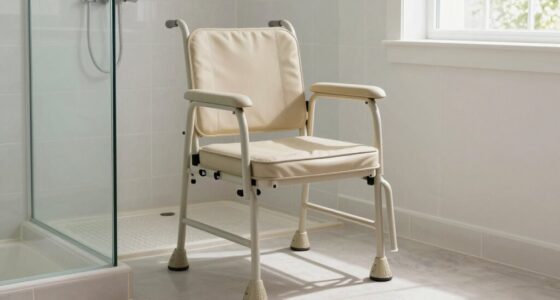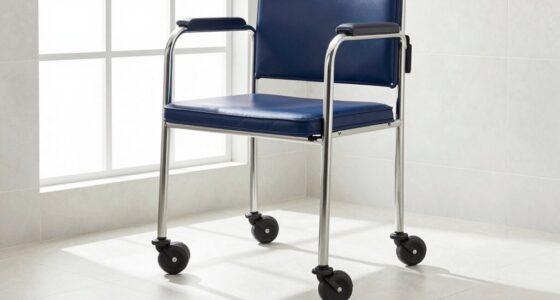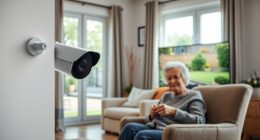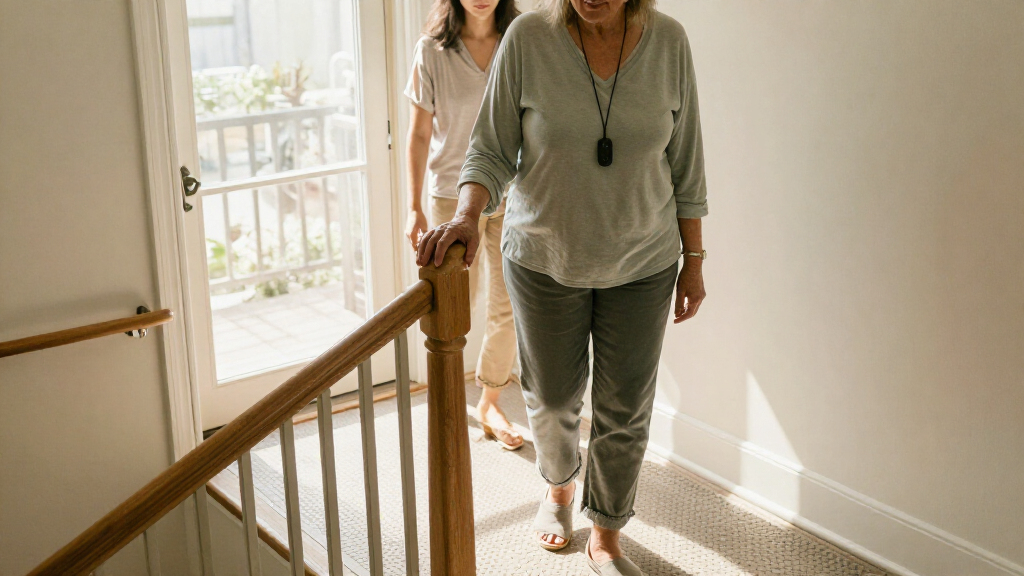
Choosing a fall prevention device is really a choice about how help should be summoned: by the older adult pressing a button, or by a system sensing a possible fall. Medical alert devices, including pendants, wristbands and mobile units, offer a direct way to call a monitoring center or a trusted contact. Home fall detection systems use room sensors, cameras or other equipment to recognize movement patterns and send an alert, sometimes without requiring a button press.

Turn quiet afternoons into listening time
- Thousands of audiobooks, podcasts and originals
- Listen on your phone, tablet or Echo — also offline
- Cancel anytime

Smart Caregiver Wireless Floor Mat Alarm and Pager System, 24 x 48 in
- ✔ Model: WPFM7-SYS
- ✔ Mat dimensions: 48 × 24 × 0.5 in
- ✔ Included components: PTFM-07C wireless floor mat and TL-2020P caregiver pager

Vive Gait Belt with 7 Handles, Adjustable Transfer Belt
- ✔ Handle count: 7 padded handles
- ✔ Waist fit: Up to 51 inches
- ✔ Stated weight capacity: 350 lbs

NIMOOD L1 Adjustable Stand Assist Rail for Couch and Chair
- ✔ Model: L1
- ✔ Materials: Stainless steel and aircraft-grade aluminum
- ✔ Stated maximum weight capacity: 300 lb (136 kg)
Neither category prevents every fall, and detection is not guaranteed. A wearable is usually the stronger fit for someone who can recognize an emergency and reliably press a button, especially when they leave home. Sensor systems may suit someone who often forgets or cannot reach a wearable, provided they spend much of their time in the monitored home and accept the system’s privacy and coverage limits. The central tradeoff is user-initiated help and portability versus passive monitoring at home.
At a Glance
| Criteria | Medical alert devices | Home fall detection systems | Winner |
|---|---|---|---|
| How help is triggered | Wearer presses a button to contact help; some models add automatic fall detection | Sensors infer a fall or unusual inactivity and send an alert; features vary by system | Depends |
| Coverage | Home base models cover a limited area; mobile models can work away from home where cellular service is available | Usually limited to equipped rooms or the home; remote coverage depends on connectivity and service | A |
| Works when user cannot press | Only if the device includes automatic fall detection, which may not detect every fall | Potentially, if sensors detect the event and the alert pathway works | B |
| False alerts and missed events | Button calls are intentional; automatic detection can misread movement or miss a fall | May generate alerts from ordinary activity and can miss events outside sensor coverage | A |
| Privacy | Usually limited to a wearable and communications equipment | May involve cameras or in-home activity monitoring; sensor types differ | A |
| Setup and daily use | Requires wearing or carrying the device and keeping it charged | Requires installation, sensor placement and reliable power or connectivity | A |
| Cost and value | Often a lower-cost starting point; monitoring fees and fall detection may add cost | Can cost more to install or subscribe to; value depends on coverage and alert reliability | Depends |
Smart Caregiver Wireless Floor Mat Alarm and Pager System, 24 x 48 in
For households that need notice when someone steps out of bed or toward an exit, the Smart Caregiver wireless floor mat system addresses a different part of fall prevention than either support device in this lineup. The 24-by-48-inch contact mat sends an alert to the caregiver pager when stepped on. The pager can sound or vibrate, so a caregiver can choose an alert style that suits the setting. Its stated range of up to 300 feet may allow the caregiver to move around the home while carrying the pager, though walls and layout can affect practical coverage.Compared with the Vive belt and NIMOOD rail, this is the only pick that can notify a caregiver without requiring them to hold or install a handhold at the moment of movement. That makes it useful for monitoring, but the mat does not catch or steady anyone. It only alerts after contact, and someone still needs to respond. The pager requires two AA batteries, which are not included, and other compatible sensors are sold separately. We rank it first because it offers the broadest monitoring role of these three, not because it is a substitute for direct assistance or a comprehensive fall prevention plan.
Pros:
- Audible and vibration alert options on the pager.
- Mat can be positioned beside a bed or near an exit.
- Pager can be carried or placed nearby within the stated range.
- Can pair with compatible Smart Caregiver devices.
Cons:
- Requires two AA pager batteries, not included.
- Additional compatible sensors are sold separately.
- Alerts after the mat is stepped on and does not provide physical support.
Best for: A household with a caregiver who wants an alert when someone steps beside a bed or near a monitored exit.
Not ideal for: People who need physical support to stand or walk, or caregivers who cannot reliably respond to pager alerts.
Bottom line: Choose this system when caregiver notification at a specific bedside or exit area is the priority, and pair it with appropriate supervision.
“Choose this system when caregiver notification at a specific bedside or exit area is the priority, and pair it with appropriate supervision.”
Vive Gait Belt with 7 Handles, Adjustable Transfer Belt
When the main concern is helping someone move between a bed, chair or standing position, the Vive gait belt provides a caregiver with more grip choices than a conventional single-loop belt. Seven padded handles are arranged to offer access from different angles, which can be useful when the helper needs to adjust hand placement during a transfer. The wide, 4-inch nylon webbing is designed to spread pressure, while reinforced stitching and a metal quick-release buckle provide a substantial fastening system.Unlike the Smart Caregiver mat, this belt is not a monitoring device: it works only when a caregiver is present and holding it. Compared with the NIMOOD rail, it can accompany a transfer rather than remain fixed to one chair, but it also requires the caregiver to know how to assist safely. The belt adjusts to waists up to 51 inches, a firm boundary for fit, and its width may feel bulky. Its stated 350-pound capacity is a product specification, not a guarantee that a particular transfer method is safe for every person. We place it second because its useful grip options address hands-on movement, while its effectiveness depends heavily on correct fit and caregiver technique.
Pros:
- Seven padded handles offer grip points from multiple angles.
- Adjustable webbing fits waists up to 51 inches.
- Four-inch width is designed for comfort and pressure dispersion.
- Metal quick-release buckle allows removal after use.
Cons:
- Maximum stated waist fit is 51 inches.
- Wide webbing may feel bulky for some users.
- Requires a caregiver and safe transfer technique.
Best for: Caregivers who provide hands-on assistance during transfers and need multiple padded grip positions.
Not ideal for: Anyone seeking a device to monitor movement without a caregiver present, or users whose waist exceeds 51 inches.
Bottom line: Choose the Vive belt for caregiver-led transfers when its waist fit is appropriate and the helper can use it safely.
“Choose the Vive belt for caregiver-led transfers when its waist fit is appropriate and the helper can use it safely.”
NIMOOD L1 Adjustable Stand Assist Rail for Couch and Chair
The NIMOOD L1 stand assist rail targets one specific moment: pushing up from a sofa or chair. Its dual foam-padded handles create a nearby grip point, and adjustable arm width and handle height allow some adaptation to the user and furniture. The frame combines stainless steel and aircraft-grade aluminum, with a stated capacity of 300 pounds. For someone who mainly needs a handhold when standing, this fixed support may be simpler to reach than a transfer belt that must be fitted and held by a caregiver.That focus also limits its usefulness. The rail requires a firm cushion at least 4 inches thick and removable cushions, and it is not suitable for recliners or electric lift chairs. Those conditions make it less broadly compatible than the Vive belt, which can be used during different assisted transfers, and it does not alert a caregiver like the Smart Caregiver mat. Its flat-tube base is designed to hug furniture and resist slipping, but households still need to confirm fit and stability for their exact seating. We rank it third because its support is direct but confined to compatible chairs and sofas.
Pros:
- Dual padded handles offer a two-handed grip.
- Width-adjustable arms and height-adjustable handles accommodate different seating setups.
- Frame has a stated 300-pound capacity.
- Flat-tube base is designed to sit against furniture and resist slipping.
Cons:
- Requires a firm cushion at least 4 inches thick and removable cushions.
- Not suitable for recliners or electric lift chairs.
- Does not provide caregiver alerts or transfer assistance.
Best for: Someone who needs a reachable handhold to rise from a compatible chair or sofa with a firm, removable cushion.
Not ideal for: Users with recliners, electric lift chairs, fixed cushions, or seating that does not meet the stated cushion requirement.
Bottom line: Choose the L1 when rising from compatible seating is the main challenge and the furniture meets its installation requirements.
“Choose the L1 when rising from compatible seating is the main challenge and the furniture meets its installation requirements.”
As an Amazon Associate we earn from qualifying purchases.
Key Differences
The most consequential difference is who has to act. A medical alert device depends on the wearer noticing a problem and pressing the call button, unless automatic fall detection is included. That makes it straightforward during a conscious emergency, but less dependable if the person is confused, unconscious, or has left the device on a table. A home sensor system can alert without a deliberate button press, but only if its sensors recognize the event and the person is in a covered area.
Coverage changes the decision. A mobile alert device can accompany its user outside the home, subject to its service area, battery and cellular connection. Home sensors can observe selected rooms without requiring the person to wear anything, but they do not provide equivalent protection on a walk, at a neighbor’s house, or in an uncovered part of the home. Cost should be judged against that real coverage: a higher subscription is worthwhile only if the system addresses a specific gap and the older adult will accept and use it.
Privacy and routine matter as much as detection features. A wearable generally collects less information about activity inside the home, while sensor systems may monitor movement continuously and some use cameras. Families should compare the actual sensor type, who receives alerts, and what happens after an alert. In either category, a device is one part of a safety plan, alongside reducing trip hazards, reviewing medications and arranging check-ins or clinical advice.
Detailed Comparison
How help is triggered (major difference)
A medical alert device gives the wearer a clear, deliberate way to ask for help, so it wins for a person who can use a button reliably. Home fall detection can initiate an alert without that step, which matters if a person may be unable to call. This is a major difference for users with fainting, confusion or limited dexterity. Automatic fall detection may also be available in some wearables, so compare specific models rather than assuming every pendant requires a button press.
Coverage (Medical alert devices wins — major)
Mobile medical alert devices can travel with the user and provide access to help beyond the home when service and connectivity are available. A sensor system normally covers only the rooms where equipment has been installed. This is a major advantage for the wearable for people who walk, shop or visit others independently. Home sensors may be more suitable for someone who rarely goes out and prefers not to wear a device.
Help when the user cannot press (Home fall detection systems wins — major)
A standard wearable cannot make a call if its wearer cannot activate it. Some models add automatic fall detection, but that feature can miss falls and should not be treated as a guarantee. Home sensors have the advantage when they can detect an event and route an alert without the person’s action. The gap is major for people at risk of being unable to call, though sensor placement, connectivity and alert response still limit protection.
False alerts and missed events (Medical alert devices wins — moderate)
A wearer-initiated call is less likely to be mistaken for an emergency, giving a basic medical alert device a modest edge in alert certainty. Automatic fall detection in either category can misclassify ordinary movement or fail to recognize a real fall. Home systems also cannot detect events outside equipped areas. The difference is moderate: ask providers how alerts are checked, canceled and escalated, and whether a monitoring center or a family contact responds.
Privacy (Medical alert devices wins — moderate)
Wearables generally collect less in-home activity data, so they win for users who want a simple call device without ongoing observation. Home systems vary: motion sensors can be less intrusive than cameras, while camera-based monitoring raises more privacy concerns. This can be a major personal factor. Discuss what is recorded, who can view it, and whether monitoring can be limited to agreed areas or times.
Setup and daily use (Medical alert devices wins — moderate)
A wearable usually requires charging and remembering to put it on, but operation is simple once it is part of a routine. A home system removes the wearable habit but needs installation, sensor placement and dependable power or internet. The winner depends on the person’s habits. For someone who dislikes jewelry or repeatedly forgets a pendant, passive sensors can be easier; for someone comfortable with a watch or pendant, a medical alert is generally simpler to establish.
Cost and value (moderate difference)
Medical alert devices are often a more affordable entry point, though monitoring, cellular service and automatic fall detection can increase the bill. Home systems may require installation or higher ongoing fees. Neither is inherently better value: paying more makes sense when the extra coverage or passive detection fills a real safety gap and the user accepts the system. This is a moderate difference because actual pricing and included response services vary widely.
Medical alert devices: Pros and Cons
Pros:
- Offers a direct call for help when the wearer can press the button
- Mobile models can accompany the user outside the home
- Usually less intrusive than continuous in-home sensing
- Often a lower-cost way to establish a monitored response
Cons:
- Depends on wearing or carrying the device and keeping it charged
- A standard model cannot call if the user is unable to press the button
- Home-only units have limited range
- Automatic fall detection, where offered, can miss events or create false alerts
Home fall detection systems: Pros and Cons
Pros:
- May detect a possible fall without a button press
- Can suit people who forget or refuse wearables
- Can monitor selected areas without requiring a daily wearing routine
Cons:
- Usually offers no coverage outside the equipped home
- Detection depends on sensor placement and reliable power or connectivity
- May produce false alerts or miss events
- Some systems raise privacy concerns, especially if cameras are used
Who Should Choose What
Choose Medical alert devices if:
- The older adult can understand and press a help button during an emergency.
- They leave home regularly and want a device that can travel with them.
- They prefer a less intrusive system and want to start with a simpler or lower-cost option.
- They can build wearing and charging the device into a daily routine.
Choose Home fall detection systems if:
- The person is unlikely to wear or remember a pendant or wristband.
- They spend most of their time at home and need monitoring in specific rooms.
- There is a meaningful chance they could fall and be unable to press a button.
- The person and family accept the system’s sensor type, privacy terms and alert process.
Skip both if: Neither option fits if the person will not use or accept the equipment, the home has unreliable power or connectivity for the chosen system, or no one can respond to alerts. Discuss alternatives with a clinician or care team and address home hazards and check-in arrangements.
Value for Money
A medical alert device is often the better value when the main need is a reliable way to summon assistance and the user can wear and activate it. Paying extra for mobile connectivity or automatic fall detection can be worthwhile for someone who leaves home or may be unable to press a button, but check the coverage, battery requirements, fees and alert response before subscribing. A home sensor system earns its higher cost when the person spends most of the day in monitored rooms and consistently refuses wearables. Paying more for sensors that cover only part of the home, or for camera monitoring the user dislikes, does not make practical sense. Compare total setup and recurring costs with the precise protection each service provides.
Final Verdict
For most older adults who can use a call button and still go out, choose a medical alert device, preferably a mobile model if they need coverage away from home. It gives them a direct route to help and is usually simpler and less intrusive. Choose a home fall detection system when wearing a device is unrealistic and the person spends most of their time in sensor-covered rooms, particularly if they may be unable to call after a fall. The deciding factor is whether the older adult can reliably wear and activate a device. If that answer is no, passive monitoring may justify its extra cost, provided its limits and privacy terms are acceptable.
Frequently Asked Questions
Do medical alert devices automatically detect every fall?
No. Some devices include automatic fall detection, but performance varies and a fall may not trigger an alert. The wearer should still press the button when able, and the service’s stated limitations should be checked before purchase.
Can home fall detection systems help outside the house?
Most rely on sensors installed in the home and do not provide equivalent coverage elsewhere. Check whether a specific product includes a separate wearable or mobile service if the person needs protection outside.
Which option is better for someone who forgets to wear a pendant?
A home sensor system may fit better because it does not depend on putting on a wearable. Its value depends on the person staying in covered rooms and on the system’s ability to detect and route alerts.
Is fall detection worth paying extra for?
It can be worthwhile when the person may be unable to press a button and the added feature meaningfully closes that gap. It is not a guarantee; weigh the fee against coverage, false-alert handling, battery life and the person’s willingness to use the equipment.