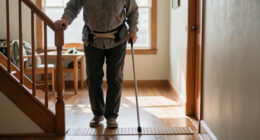
TL;DR
Medical alert systems let someone call for help after a fall, medical emergency, or other urgent situation, usually by pressing a wearable button or using a device that detects a possible fall. Choose between at-home and mobile service by looking at where the person spends time, network coverage, comfort, charging, response procedures, privacy, and the full cost. Fall detection can add a safeguard, but it can miss falls, trigger false alarms, and does not replace pressing the help button when possible.
A help button on the bathroom counter cannot call anyone when its owner is in the shower. That small detail captures the real challenge of medical alert systems for seniors: a device only helps when it is nearby, charged, and simple enough to use under stress.

Turn quiet afternoons into listening time
- Thousands of audiobooks, podcasts and originals
- Listen on your phone, tablet or Echo — also offline
- Cancel anytime
These systems, also called personal emergency response systems (PERS), give someone a way to request help after a fall, medical emergency, or other urgent situation. You can choose a home unit, a mobile device for outings, or a service that also notifies family. Some devices can detect a possible fall, though no sensor catches every incident.
This guide explains how the options work, what happens after you press the button, and how to compare coverage, costs, and everyday usability. If you are helping a parent choose, think about an ordinary Tuesday: where they go, what they wear, and whether they remember to charge a device. Those details often matter more than a long feature list.
Choose a home system for a mostly home-based routine or a mobile system for regular time away, then verify actual range or network coverage.
Ask exactly who answers an alert and what happens if the wearer cannot speak or does not respond.
Treat fall detection as an added safeguard; press the help button when possible because sensors can miss falls or trigger false alarms.
Check comfort, water exposure instructions, charging habits, and accessibility so the wearer can keep the device on and ready.
Compare equipment, monthly and feature fees, trial terms, cancellation rules, return requirements, privacy, and outage behavior.
See how a help button connects someone to assistance
A medical alert system is a wearable button or device that connects a person who needs help with a monitoring center or chosen contact. The wearer can press the button after a fall, sudden illness, or other urgent situation; some systems can also place an alert after sensing a possible fall. The device creates a way to request help when a phone may be out of reach. Its practical value comes from reducing the steps between recognizing a problem and reaching someone who can respond. That link only works as intended if the wearer can reach or activate the device and the service can connect from that location.
In a common setup, pressing a pendant button connects through a base unit with a speaker and microphone. An operator tries to speak with the wearer, then follows the response plan on file. Depending on the service and what the operator learns, that plan may involve calling a family member, notifying another contact, or dispatching emergency services. Each step can affect how quickly help arrives: a contact may know the home and how to enter, while emergency services may be necessary when no one is available or the situation appears urgent. A monitored service is not always the same as a device that calls 911 directly, so ask what happens after each type of alert.
Imagine someone slips beside the bed and cannot stand. Their phone is charging in the kitchen, but their wrist button is within reach. That button could let them ask for help sooner. The system does not prevent the fall, diagnose the cause, or guarantee a medical result. It provides a communication link when a person can use it or a device detects a possible emergency. If the wearer is unconscious, unable to speak, or unsure of their location, the operator’s procedures and the information on file become especially important.
Before signing up, ask the provider to describe the response in plain language: Who answers? How do they confirm the person’s location? What happens if the wearer cannot speak? Ask whether the operator tries listed contacts before emergency services, and what happens if nobody answers. These details help reveal whether the service’s response matches the wearer’s likely needs and the people available to help.
Products Worth Considering

Oral-B iO5 Rechargeable Electric Toothbrush with 3 Brush Heads and Travel Case

Therabody Theragun Mini Plus Portable Massage Gun with Heat

Philips Sonicare DiamondClean 9300 Electric Toothbrush, 2 Brush Heads, Black
As an affiliate, we earn on qualifying purchases.
Choose a home or mobile system that matches the person’s day
Medical alert systems for seniors generally come in at-home and mobile versions. A home system connects through a landline or cellular network and works within range of its base unit; a mobile system is designed to work away from home, often with cellular service and GPS. The right choice depends on where the person spends time and whether they need help outside the house. The tradeoff is straightforward: a home unit may be simpler to keep charged and connected in a familiar place, while a mobile device can cover more of the person’s day but brings more dependence on cellular coverage, battery life, and carrying habits.
Consider two neighbors. Joan spends most of her day in her apartment and has a strong signal near the base unit, so a home system may suit her. Malik walks to the library and shops alone three times a week; he may benefit from a mobile device that can connect beyond his front door. But GPS can be imprecise indoors, and mobile service depends on network coverage where he goes. If Malik often leaves devices at home, the mobile system’s extra reach may not translate into extra safety. If Joan spends time in a yard or shared hallway beyond the base unit’s range, a home-only system may leave a gap despite her mostly home-based routine.
Use this comparison to frame your questions. Product features vary, so confirm coverage and response details with each provider before buying.
| Option | Where it helps | What to check |
|---|---|---|
| At-home system | Inside a home or apartment | Base-unit range, landline or cellular connection, and power backup |
| Mobile system | Errands, walks, and trips away | Network coverage, location sharing, charging, and device size |
| Caregiver-connected device | Family notifications alongside other features | Who receives alerts and whether a monitoring center is included |
| Smartwatch or phone | People who already carry and use one reliably | Battery habits, setup, connectivity, and whether help is easy to reach |
A phone or watch may be enough for someone comfortable carrying and charging it. For someone who often leaves a phone on the table, a separate wearable button may be easier to keep close. Consider the whole routine rather than only the advertised range: a device that works everywhere but is forgotten, uncomfortable, or out of charge may be less useful than a simpler one the person reliably wears.
Treat fall detection as a backup, not a promise
Medical alert systems with fall detection use sensors to recognize movement that may signal a fall and can automatically place an alert. This can help when a wearer cannot press a button, but detection is imperfect: a device may miss a fall or mistake another movement for one. The button remains useful whenever the person can reach and press it. Because automatic detection depends on how the sensor interprets movement, it adds a possible route to an alert rather than certainty that an incident will be recognized.
Picture a wearer who slips on a rug and lands beside a chair. If they can press the pendant, they should do so rather than wait for an automatic alert. A sensor could add another chance to call for help if they cannot press the button, but no device can promise to detect every fall. A quick, low-impact fall may not trigger a sensor, while a hard sit into a chair could trigger a false alarm on some devices. A missed alert could leave someone waiting for help; repeated false alarms may also make a wearer or caregiver less confident in the system, so the person’s willingness and ability to press the button still matter.
These tradeoffs matter when you compare plans. Ask whether fall detection costs extra, how the device handles an alert, and how the wearer can cancel a false alarm. Also ask what the system does if the wearer cannot answer the operator. A family response plan should account for that situation instead of assuming the person will always be able to speak. Consider whether the additional cost and possible alerts make sense for the wearer’s circumstances, and confirm whether the feature works with the model and service you are considering.
Think of fall detection as an extra signal. It can prompt a call when the wearer cannot press a button, but it is not a guarantee and does not replace medical care.
If the wearer has a history of falls or difficulty using their hands, discuss device options with a qualified professional who understands their needs. That conversation can help you assess the role of an alert system alongside other support, including whether the person can reliably activate the device and what kind of response would be useful after an alert.
Test comfort, charging, and coverage before relying on a device
The most useful medical alert system is one the wearer will keep accessible and use. Comfort, appearance, water resistance, charging, hearing or vision needs, and simple controls all affect whether the device works in ordinary life. A feature list cannot tell you whether someone will actually wear a pendant every morning. These practical details are linked: a device that is uncomfortable may be left off, one that is hard to charge may be unavailable, and a loud but unclear speaker may not support a useful conversation with the operator.
Try a specific routine: your mother gets dressed, makes tea, waters the plants, and showers before lunch. Will the button feel comfortable against her blouse? Is it designed for water exposure, and do the instructions allow it in the shower? If she prefers a wristband, can she fasten it with stiff fingers? A device left on a dresser during a shower or walk cannot help in that moment. Ask about water resistance in the actual situations she faces rather than assuming that a product described as water resistant is safe for every kind of exposure.
Use a short setup check before making the system part of the safety plan:
- Wear it during a trial. Check how it feels at home and, for mobile devices, on a regular outing. A trial can show whether the wearer chooses to keep it on during the activities when help may be needed.
- Test the connection. Confirm that the home base reaches the rooms the wearer uses, or check mobile coverage on common routes. A connection that works near the base or in the driveway may still fail in a bedroom, garden, or frequently visited location.
- Practice a call. Learn how to press the button, speak with the operator, and cancel an accidental alert. Practice helps the wearer understand what will happen under stress and lets you check whether the speaker and microphone work well for them.
- Check charging and warnings. Ask how long the battery lasts, how low-charge alerts appear, and who notices if charging is missed. A routine is only dependable if someone can tell when the device is not ready.
- Set the response plan. Give the provider current contacts, access details, and information about hearing or speech needs. Accurate information can help an operator act when the wearer cannot explain the situation.
For example, a caregiver can put the charger beside the person’s toothbrush, tying charging to an existing bedtime habit. A practical routine and a comfortable fit often matter more than adding another feature. Revisit the setup if charging is repeatedly missed or the wearer stops using the device; those patterns may show that a different style or routine is needed.
Compare the full cost and the response plan before you buy
Medical alert systems can have equipment charges, monthly fees, activation or installation costs, and added fees for features such as fall detection. Plans and prices change, so compare current terms directly with providers and calculate the total cost over the period you expect to use the service. A low monthly price can hide a setup fee or a return deadline. Looking at the total makes it easier to compare plans with different billing structures and to understand what the service will cost if the person needs it for several months or years.
For instance, a family comparing two plans should write down the device cost, monthly charge, fall-detection fee, trial period, cancellation process, and equipment return rules. Ask whether the service renews automatically and what happens if the user moves or no longer needs it. If a provider quotes a discount, ask how long it lasts and what the regular charge will be. Also check whether the trial period starts at purchase or activation and whether returning equipment requires paying shipping or other fees; these terms affect how easy it is to change course if the device does not suit the wearer.
Coverage details matter as much as price. Ask whether the unit depends on a landline, cellular network, internet connection, or household power; then ask what happens during an outage. For a mobile product, check signal strength at the person’s home and on regular routes. Ask what location or health-related information the service collects, who can see it, and whether a caregiver can receive notifications. An outage plan matters because a system’s availability can change exactly when normal communication is disrupted; privacy details matter because sharing location may help a caregiver respond but may also disclose more than the wearer expects.
Finally, confirm what the monitoring service does after an alert. Some providers try the wearer first, then call listed contacts or emergency services according to the plan. Others may offer a device that calls an emergency number directly. If the wearer has hearing or speech difficulties, ask how the service handles an unanswered call. Do not assume Medicare, insurance, or another benefits program covers a particular device; check directly with the relevant plan or program. Understanding the response sequence helps you decide whether a plan provides the kind of assistance the wearer expects, while understanding the full price helps avoid paying for features or services that do not fit their routine.
Make the alert system part of a wider support plan
A medical alert system can help someone request assistance, but it does not prevent falls or replace a phone, a clinician, or practical support at home. It works best as one part of a plan that fits the person’s life and includes clear steps for an emergency. That distinction keeps expectations realistic without dismissing the value of having a reachable help button. The device can make it easier to call for help, but someone still needs to decide what kind of help is appropriate and how responders can reach the person.
Take a person who lives alone and has started feeling unsteady on the stairs. A wearable alert may give them a way to call after a fall, but it cannot make the stairs safer. Their family might also talk with a qualified health professional, review lighting and loose rugs, and agree on who will check in. The right mix depends on the person and their circumstances. This example shows why an alert system addresses one part of the problem: it can shorten the path to a response after an incident, while home changes and professional advice may help address conditions that contribute to risk.
Keep the plan concrete. Write down emergency contacts, the home address, entry instructions, and any communication needs the operator should know. Make sure the wearer understands what the button does and what to expect when someone answers. If a relative receives app alerts, decide who will respond and what to do if they are unavailable. Without an agreed backup, a notification can reach someone who assumes another person is handling it, delaying a response despite the alert being delivered.
Review the setup when the person’s routine changes, they move, or a caregiver’s phone number changes. A device that worked well in a small apartment may not reach every room in a larger home, and a mobile unit may need a fresh coverage check after a move. A short conversation and a test call can catch those changes before an urgent moment. Rechecking the plan also helps keep expectations aligned: everyone should know who receives an alert, who acts, and what happens if the first person cannot respond.
Frequently Asked Questions
Do medical alert systems require a landline?
No, not always. Many at-home systems offer cellular connections, and mobile systems use cellular service away from home. Check coverage where the person lives and travels, since service varies by network and location.
Will a medical alert system work outside the home?
Only a system designed for mobile use can connect away from its home base, and it needs cellular coverage in that location. GPS may help share location, but it can be imprecise indoors. Check the person’s regular walking and shopping routes before choosing.
How reliable is automatic fall detection?
Fall detection can place an alert after a device senses a possible fall, but it is not foolproof. It can miss an incident or mistake another movement for a fall. Press the help button whenever possible and ask the provider how it handles false alarms.
What happens after someone presses the button?
In a monitored system, an operator typically attempts to speak with the wearer and follows the response plan on file. That plan may include contacting a caregiver or emergency services, depending on the situation and service. Ask how the provider handles unanswered calls and whether the device calls a monitoring center or an emergency number directly.
Can family members receive alerts?
Many services allow a caregiver to receive app notifications or be listed as an emergency contact, but the options differ. Ask who receives each type of alert and whether a monitoring center is also included. Agree on who will respond if the first contact is unavailable.
Does Medicare or insurance cover a medical alert system?
Coverage depends on the insurance plan and the person’s circumstances, so do not assume a device or monthly service is covered. Check directly with the insurer, benefits administrator, or relevant public program. Ask whether any decision applies to equipment, service fees, or both.
Conclusion
Choose the system around the wearer’s real routine: where they go, what they will wear, how they charge devices, and who should respond. Then test the connection and practice the call before you count on it. A button that stays on the wrist is more useful than a feature rich device left on the nightstand.
Build a simple plan, keep the help button close, and make sure everyone knows what happens when it rings. In an urgent moment, a familiar button can be the clearest voice in the room.