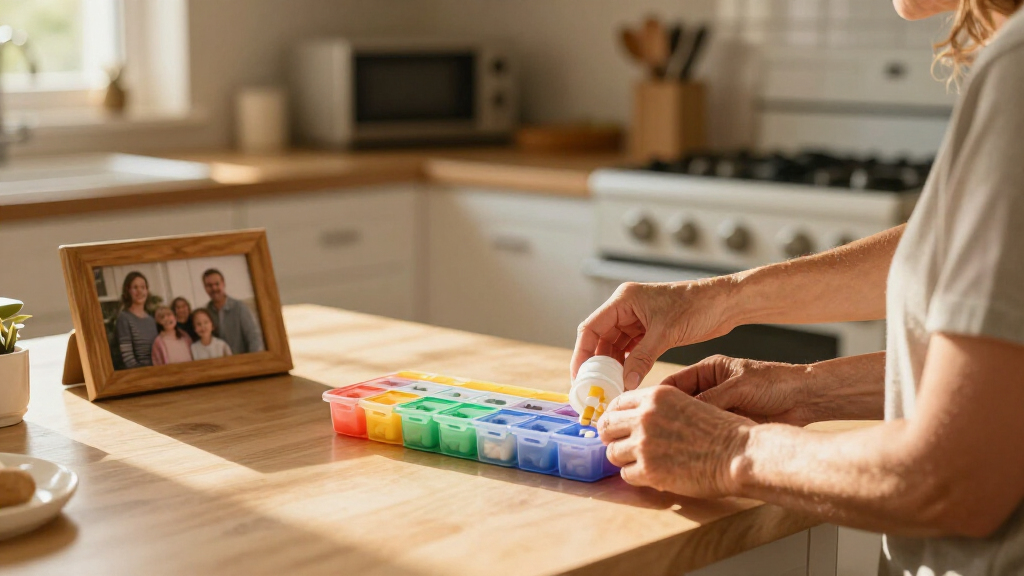
This checklist is for caregivers supporting an older adult living with dementia at home or in a care setting. It covers practical choices that may help with daily routines, household safety, meals, and activities, while keeping the person’s needs and preferences at the center. Care needs vary, so use the list as a starting point and consult the care team when a choice affects health or safety.

Turn quiet afternoons into listening time
- Thousands of audiobooks, podcasts and originals
- Listen on your phone, tablet or Echo — also offline
- Cancel anytime
The sections follow everyday situations: keeping track of time, organizing medication, monitoring exits, supporting meals, offering hands-on activities, and communicating. Some entries are advice-only because no product was specified; those sections focus on what to consider rather than suggesting a particular item.
Use each checklist to identify the need first, then check whether the item suits the person, home, and care routine. Confirm fit and compatibility before choosing, and consider how the person responds when an item is introduced. Try changes gradually, with caregiver oversight and guidance from relevant professionals when needed.
Memory care clocks
A clock can make it easier to see the time and distinguish parts of the day, especially when ordinary clocks are difficult to read. Think about the person’s vision, familiarity with clock displays, and where they spend time. A clear display placed in a familiar spot may be more useful than a feature-heavy clock. Readability and placement are the starting points.
A common mistake is choosing a display that looks simple to a caregiver but is confusing to the person. Consider whether words, numbers, or a familiar clock face are easiest for them to understand, and whether the display can be read from their usual seat or bed. Check whether glare, low light, or viewing angle could make it hard to see. Match the display to the person’s habits and abilities.
Keep the clock in a consistent location and observe whether it supports orientation without causing frustration. If the person becomes distressed by reminders of time or date, ask their care team whether a different approach would be more suitable. Let their response guide how and where it is used.
What to look for:
- Display style the person can readily understand
- Text and numerals visible from the usual viewing distance
- A placement that avoids glare and awkward viewing angles
- Controls a caregiver can set and maintain
- A display that fits the person’s familiar daily routine
Medication reminder dispensers
A medication reminder dispenser can support a caregiver’s routine by organizing doses and prompting the person when it is time to take medication. The listed pick is the 56-Day Automatic Pill Dispenser with App Control and Expandable Tray. Before choosing, confirm that its operation fits the prescribed schedule and that the person can use it with the level of assistance available. A dispenser does not replace caregiver oversight or instructions from a clinician or pharmacist.
A common buying mistake is assuming that an app-controlled device will work with every caregiver’s phone or household setup. Check the app requirements, who will receive reminders, and how alerts are handled if the person does not respond. Ask how the expandable tray is configured and whether its capacity suits the medication routine. Confirm the actual schedule and setup with the care team before relying on a device.
Consider dexterity, vision, hearing, and whether the person can understand the prompts and access the dispensed dose. Have the caregiver who will fill and maintain the dispenser review its controls and routine. Keep medication in the original packaging until a pharmacist confirms that transferring it is appropriate. Plan for hands-on support if the person cannot manage the device independently.
What to look for:
- Compatibility between the app and caregiver’s device
- A reminder method the person can notice and understand
- A dispenser setup that matches the prescribed schedule
- Tray access suited to the person’s dexterity and assistance needs
- Clear caregiver instructions for filling, monitoring, and troubleshooting
56-Day Automatic Pill Dispenser with App Control and Expandable Tray

This smart pill dispenser offers a 56-day supply with four expandable trays, ideal for managing medication schedules for up to four doses per day. It features app control, voice setup, customizable alerts, and secure storage to ensure safe and reliable medication management at home.
Pros:
- Long-term medication management with 56-day capacity
- Easy to use app and voice setup for seniors
- Customizable alerts to prevent missed doses
- Secure storage with digital lock and moisture protection
Cons:
- Not suitable for assisted living facilities or nursing homes
- Requires smartphone and app for full functionality
- May be complex for users unfamiliar with technology
Best for: Caregivers coordinating reminders and medication access
Not ideal for: People whose medication schedule or support needs do not fit the device
Bottom line: Confirm app compatibility, dosing setup, and caregiver oversight with the care team before use.
Door exit alarms
An exit alarm may alert a caregiver when a monitored door is opened, making it a possible part of a broader home safety plan. The listed pick is the Ring Alarm 14-Piece Wireless Security System. Before choosing it for this purpose, confirm that the system’s available components and alerts can be configured to monitor the specific exits that matter in the home.
A common mistake is treating an alarm as a substitute for supervision, a safety plan, or an assessment of the home. Check how sensors attach to the doors, whether the system can reach the areas being monitored, and how caregivers will receive and respond to alerts. Consider household layout, connectivity, and whether multiple caregivers need access to notifications. Test the alert path with the people responsible for responding.
Think about how the sound or notification may affect the person, including whether it could startle or upset them. Review the system’s controls with caregivers and agree on who will manage settings and respond to an alert. If wandering or exit-seeking is a concern, discuss layered safety measures with the care team. Use alarms as one support within an individualized plan.
What to look for:
- Sensors that can be placed on the relevant exits
- Alert delivery that caregivers can reliably monitor
- A setup compatible with the home’s layout and connectivity
- Controls caregivers can manage consistently
- An alert approach that considers the person’s comfort
Ring Alarm 14-Piece Wireless Security System

This expandable Ring Alarm kit includes a base station, two keypads, eight contact sensors, two motion detectors, and a range extender, suited for 2–4 bedroom homes. Control and monitor the system through the Ring app, with Alexa voice control and professional monitoring available with a compatible subscription.
Pros:
- Includes sensors and accessories for doors, windows, and motion detection
- Expandable with additional sensors and accessories
- App alerts and remote monitoring
- Compatible with Alexa
Cons:
- Professional monitoring and some features require a subscription
- Additional sensors and accessories are sold separately
Best for: Caregivers evaluating monitored exits as part of a safety plan
Not ideal for: Homes where the system cannot reliably alert the responding caregiver
Bottom line: Confirm sensor coverage and alert handling, and include the alarm in a broader safety plan.
Adaptive tableware
Adaptive utensils may help make meals more manageable for someone who has difficulty holding or positioning standard cutlery. The listed pick is the Adaptive Weighted Utensil Set with Angled Spoon and Fork. Whether weighted or angled utensils help depends on the person’s grip, movement, comfort, and eating habits, so consider them alongside guidance from an occupational therapist or other care professional.
A common mistake is assuming that added weight or a particular handle shape will suit everyone. Check whether the person can grasp the handles, lift them comfortably, and bring food to their mouth using the utensil’s angle. Consider the person’s usual hand, grip strength, and any movement or coordination challenges. Fit the utensil to the user, not a general expectation about what adaptive tableware should do.
Introduce one utensil at a time during a familiar meal and observe whether it supports comfortable, dignified eating. Check that the person can manage the size and shape, and ask their care team about safe eating concerns or swallowing difficulties. Clean and store the set according to its care instructions. Comfort and safe use matter more than adding equipment to the table.
What to look for:
- Handle shape and size suited to the person’s grip
- Weight the person can lift and control comfortably
- An angle that works with their usual eating motion
- Materials and care instructions that suit the household routine
- Professional guidance if eating or swallowing safety is a concern
Adaptive Weighted Utensil Set with Angled Spoon and Fork

This adaptive utensil set includes a spoon and fork with weighted, non-slip handles and adjustable straps for added control. The utensils can be bent to a 90° angle and are designed to support easier, more independent eating for people with tremors, arthritis, or limited hand mobility.
Pros:
- Weighted handles are designed to improve stability and control
- Adjustable straps and non-slip grips support a more secure hold
- Bendable angled design can accommodate limited wrist or elbow movement
- Stainless steel is described as rust-resistant and easy to clean
Cons:
- Set includes only one spoon and one fork
- The product description provides no specific weight for the utensils
Best for: People who need support holding or positioning utensils
Not ideal for: People who find added utensil weight uncomfortable or difficult to control
Bottom line: Try the utensils with guidance when needed and observe comfort and control during meals.
Sensory activity blankets
A sensory activity blanket can offer familiar textures and hands-on engagement during a quiet activity. The listed pick is the Fidget Sensory Dog Blanket for Seniors. Consider whether its theme, textures, and attached activities are likely to feel familiar and comfortable to the person. An activity item should be offered as an option, with the person’s interest and response guiding how it is used.
A common mistake is choosing an activity blanket because it appears engaging without checking whether its details suit the individual. Consider visual preferences, tactile sensitivity, dexterity, and whether small or movable elements could create a concern for this person. Check the product’s construction and care instructions, and inspect it regularly for wear. Review each feature in light of the person’s needs and care setting.
Offer the blanket during a calm moment and stay nearby to see which parts, if any, the person enjoys. Avoid insisting that they use it or treating it as a replacement for companionship. If a texture or activity causes discomfort or agitation, put it away and try another familiar option. Follow the person’s cues and adapt the activity to their preferences.
What to look for:
- Textures and theme that may feel familiar to the person
- Activities the person can reach and manipulate comfortably
- Construction appropriate for the care setting and individual needs
- Care instructions caregivers can follow
- Features caregivers can inspect for wear during routine checks
Fidget Sensory Dog Blanket for Seniors

This soft dog-themed sensory blanket offers tactile activities designed to keep hands occupied and provide comfort for adults with dementia, Alzheimer’s, autism, or anxiety. It includes accessories such as laces, zippers, tassels, sequins, and sound elements for varied sensory engagement.
Pros:
- Offers multiple tactile activities, including laces, zippers, tassels, and sequins
- Designed to keep hands occupied and provide comfort
- Includes varied sensory elements such as sound
- Suitable for adults with a range of sensory and memory-related needs
Cons:
- The description does not specify the materials or cleaning instructions
- Some accessories may not suit every user’s sensory preferences
Best for: People who enjoy tactile objects and hands-on engagement
Not ideal for: People who dislike the blanket’s textures or activity features
Bottom line: Offer it gently, supervise as appropriate, and let the person’s response guide continued use.
Picture communication boards
A picture communication board can give someone another way to express a choice, need, or preference when finding words is difficult. No specific product is listed here, so focus on the person’s communication habits and the situations where a visual choice could help. Build around their vocabulary and familiar routines rather than adding many unfamiliar images.
A common mistake is making a board that is too crowded, uses unclear pictures, or reflects caregiver assumptions instead of the person’s interests. Ask which words, photos, or symbols they recognize, and check that the images are large and clear enough to see and point to. Consider whether they can point, gesture, or otherwise indicate a selection. Keep choices easy to scan and relevant to the immediate conversation.
Use the board alongside speech and other communication, giving the person time to respond. Keep it accessible where it will be used, and update it as routines and preferences change. A speech-language pathologist or other communication professional can help tailor the format if needed. Respect every response, including gestures, gaze, and expressions.
What to look for:
- Pictures or symbols the person recognizes
- Images large and distinct enough to see and select
- A manageable number of choices for the situation
- A format suited to the person’s way of pointing or indicating
- Vocabulary tied to familiar routines, needs, and preferences
Start with the needs that affect daily care most, such as medication routines, safe exits, or comfortable meals, and choose one practical change at a time. Check each item’s fit with the person, home, and available caregiver support before adding it to a routine. Prioritize immediate needs and involve the care team when a choice touches medication, eating safety, or wandering.
Small adjustments can make routines feel more manageable, especially when they reflect the person’s preferences and are introduced patiently. Keep observing what helps, what causes discomfort, and what needs to change as care needs evolve. Let the person’s comfort lead, and remember that steady, compassionate support matters alongside any checklist item.
Halloween Picks
halloween
As an affiliate, we earn on qualifying purchases.